
1. Introducció
This manual provides detailed instructions for the Infinix Smart 6 smartphone, model X657b. It covers essential information regarding device setup, operation, maintenance, and troubleshooting to ensure optimal performance and user experience. Please read this manual carefully before using your device.
2. Producte acabatview
The Infinix Smart 6 (X657b) is a smartphone featuring a 6.6-inch HD+ display, a 5000mAh battery, and biometric security options including a fingerprint sensor and face recognition. It supports dual SIM functionality and operates on Android 12.0.
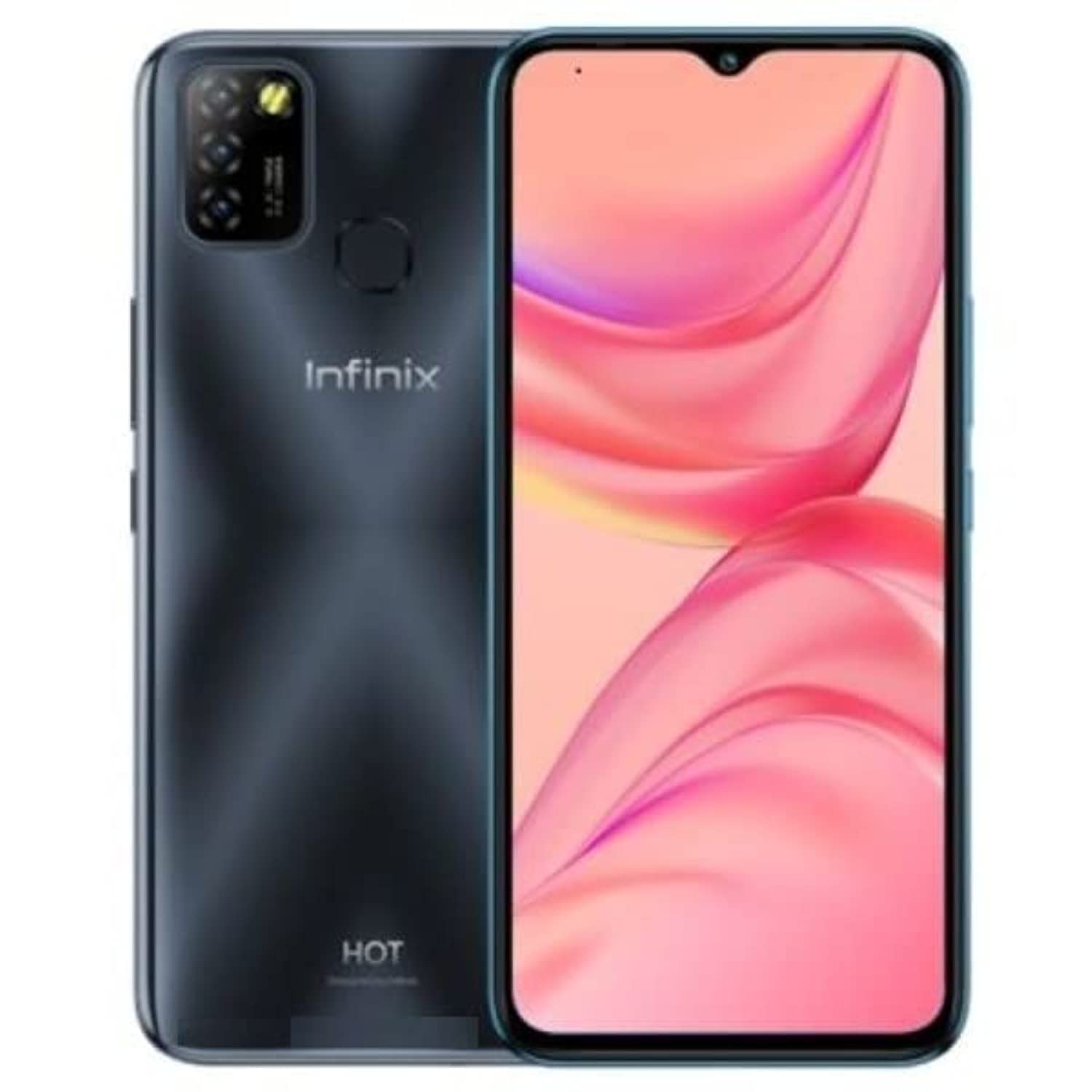
Figura 2.1: posterior view of the Infinix Smart 6, showing the camera module and fingerprint sensor.
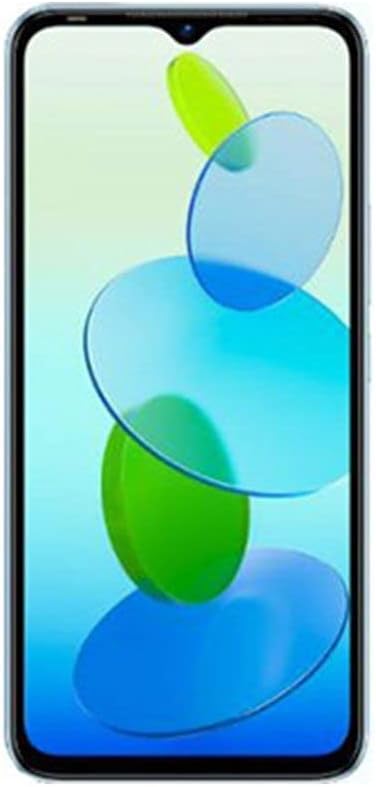
Figura 2.2: Frontal view of the Infinix Smart 6, displaying the 6.6-inch screen with a waterdrop notch.
3. Configuració
3.1 Inserció de targetes SIM i targeta SD
- Localitza la safata de la targeta SIM al lateral del dispositiu.
- Introduïu l'eina d'expulsió de la SIM al forat petit que hi ha al costat de la safata i premeu suaument fins que la safata surti.
- Place your Nano SIM cards into the designated slots. Ensure the gold contacts face downwards. If using an SD card for expanded storage, insert it into its dedicated slot.
- Empenyeu amb cura la safata cap a dins del dispositiu fins que quedi alineada amb el lateral.
3.2 Engegada/apagada
- Per encendre: Press and hold the Power button (usually on the right side) until the Infinix logo appears.
- Per apagar: Press and hold the Power button until the power options appear on the screen. Tap 'Power off'.
- Per reiniciar: Press and hold the Power button until the power options appear. Tap 'Restart'.
3.3 Configuració inicial
Upon first power-on, follow the on-screen prompts to configure your device. This includes selecting your language, connecting to Wi-Fi, setting up your Google account, and configuring security features like fingerprint and face recognition.
4. Instruccions de funcionament
4.1 Fer trucades
- Obriu l'aplicació "Telèfon".
- Introduïu el número de telèfon amb el teclat numèric o seleccioneu un contacte de la llibreta d'adreces.
- Toqueu la icona de trucada per iniciar la trucada.
4.2 Enviament de missatges
- Obriu l'aplicació "Missatges".
- Toca la icona "Inicia el xat" o "+" per redactar un missatge nou.
- Introduïu el número del destinatari o seleccioneu-lo dels contactes.
- Escriu el teu missatge i toca la icona d'enviament.
4.3 Ús de la càmera
The Infinix Smart 6 features a 13MP rear camera and an 8MP front camera.
- Obriu l'aplicació "Càmera".
- Select between front and rear cameras using the toggle icon.
- Toqueu el botó de l'obturador per fer una foto.
- Explore various shooting modes, including High Dynamic Range (HDR).
4.4 Connectivitat a Internet
- Wi-Fi: Go to Settings > Network & internet > Wi-Fi. Turn Wi-Fi on and select your desired network. Enter the password if prompted.
- Dades mòbils (4G): Go to Settings > Network & internet > Mobile network. Ensure mobile data is enabled.
5. Manteniment
5.1 Cura de la bateria
- Eviteu exposar el dispositiu a temperatures extremes.
- Feu servir només el carregador i el cable originals que s'inclouen amb el dispositiu.
- Per a una durada òptima de la bateria, eviteu descarregar-la completament amb freqüència o carregar-la al 100% durant períodes prolongats.
- The 5000mAh Lithium Polymer battery provides extended usage. The AppSqueeze feature can optimize storage, which may indirectly contribute to better performance and battery life.
5.2 Neteja del vostre dispositiu
- Feu servir un drap suau i sense borrissol per netejar la pantalla i la carcassa del telèfon.
- Eviteu utilitzar productes químics o materials abrasius.
- The device is water-resistant; however, avoid submerging it in water.
5.3 Actualitzacions de programari
Comproveu i instal·leu regularment si hi ha actualitzacions de programari per assegurar-vos que el dispositiu tingui les funcions, els pegats de seguretat i les millores de rendiment més recents. Aneu a Configuració > Sistema > Actualització del sistema.
6. Solució De Problemes
6.1 Problemes comuns i solucions
| Problema | Possible solució |
|---|---|
| El dispositiu no s'encén | Ensure the battery is charged. Connect to a charger for at least 15 minutes. If still unresponsive, perform a force restart by holding the Power button for 10-15 seconds. |
| Poca durada de la bateria | Close unused apps, reduce screen brightness, disable Wi-Fi/Bluetooth when not in use. Check for background app activity in battery settings. |
| Les aplicacions es bloquegen o es bloquegen | Esborra la memòria cau de l'aplicació (Configuració > Aplicacions > [Nom de l'aplicació] > Emmagatzematge > Esborra la memòria cau). Si el problema persisteix, desinstal·la i torna a instal·lar l'aplicació. Assegura't que el programari del dispositiu estigui actualitzat. |
| No es pot connectar a la Wi-Fi | Restart your phone and Wi-Fi router. Forget the network and reconnect. Ensure the Wi-Fi password is correct. |
| El sensor d'empremtes dactilars no funciona | Ensure your finger is clean and dry. Re-register your fingerprint in Settings > Security > Fingerprint. |
7. Especificacions
| Característica | Detall |
|---|---|
| Nom de marca | Infinix |
| Nom del model | X657b |
| Sistema operatiu | Android 12.0 |
| RAM instal·lada | 3 GB |
| Capacitat d'emmagatzematge de memòria | 64 GB |
| Mida de la pantalla | 6.6 polzades |
| Resolució | 720 x 1600 píxels |
| Tecnologia cel·lular | 4G |
| Color | Negre |
| Nombre de ranures per a targetes SIM | Doble SIM |
| Tipus de connector | USB tipus C |
| Funció de seguretat biomètrica | Reconeixement facial |
| Nivell de resistència a l'aigua | Resistent a l'aigua |
| Conector d'auriculars | 3.5 mm |
| Front Photo Sensor Resolution | 8 MP |
| Rear Camera Photo Sensor Resolution | 13 MP |
| Capacitat de la bateria | 5000 mAh |
| Durada de la bateria | Fins a 30 hores |
| Resolució de captura de vídeo | 4K |
| Tecnologia de connectivitat | USB, Bluetooth, Wi-Fi |
| Components inclosos | Cable USB |
| Pes de l'article | 360 grams |
| GPS | Sí |
8. Garantia i Suport
8.1 Informació de la garantia
This product carries a manufacturer's warranty for 1 year from the date of purchase. Please retain your proof of purchase for warranty claims.
8.2 Atenció al client
For technical assistance, service, or warranty inquiries, you can contact the manufacturer or their authorized service agent. Alternatively, you may contact Amazon customer service for further details regarding your purchase.
- Fabricant: Infinix
- Període de garantia: 1 Year from purchase date