

1. Introducció
This manual provides comprehensive instructions for the CALYPSO K5818/4 X-trem digital watch. This sporty and functional timepiece is designed for daily wear and various activities, featuring a durable plastic case, a comfortable black plastic strap, and 10 ATM water resistance. Please read this manual carefully to ensure proper use and maintenance of your watch.
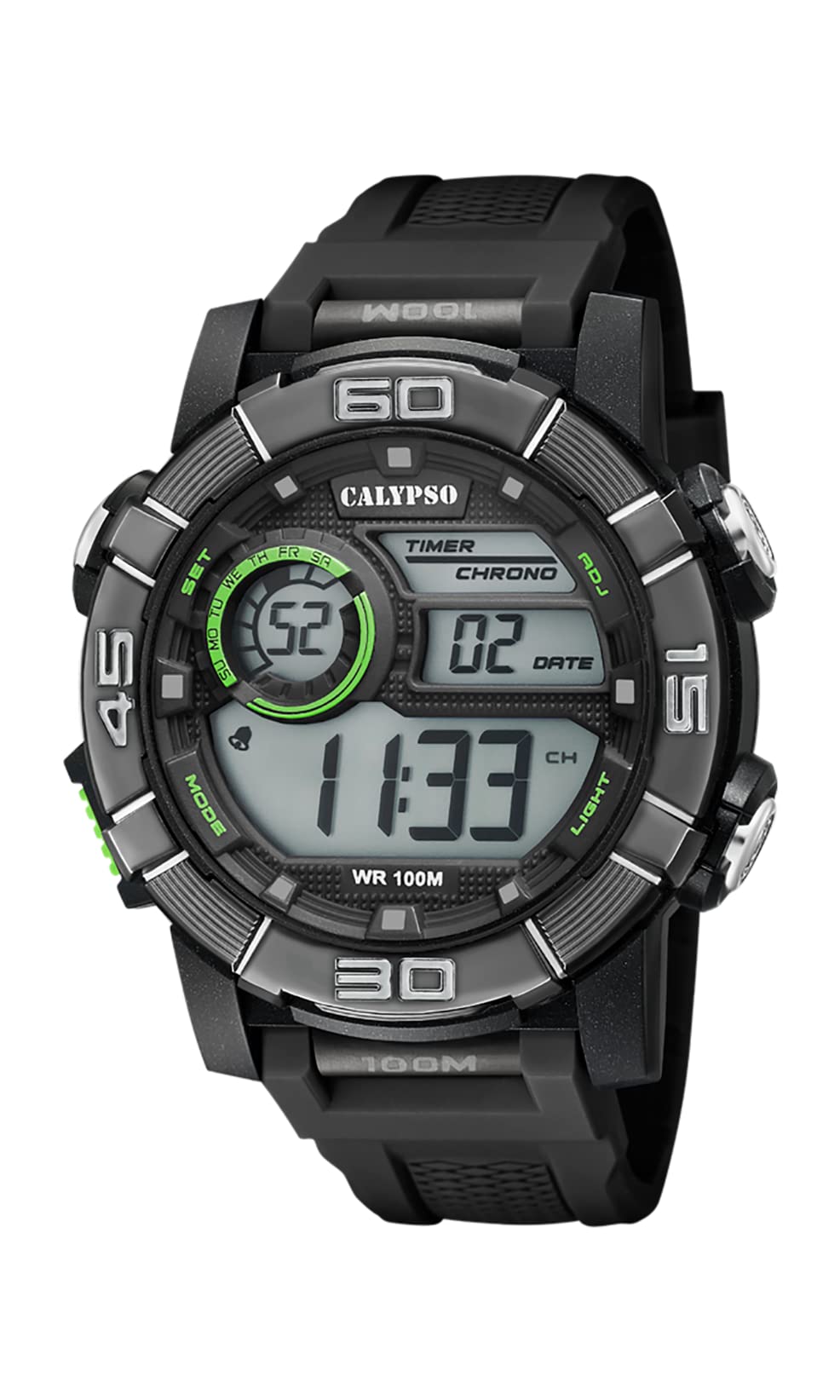
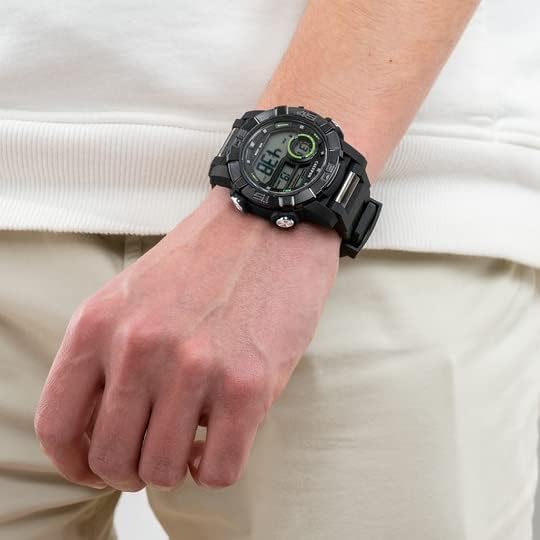
Image 1.1: CALYPSO K5818/4 X-trem Digital Watch on a wrist, showcasing el seu disseny.
Contingut del paquet:
- CALYPSO K5818/4 X-trem Digital Watch
- Manual d'usuari (aquest document)

Image 1.2: The watch is typically supplied in a clear cylindrical packaging.
2. Watch Overview i funcions de botons
Familiarize yourself with the buttons and their functions before operating your watch.
Imatge 2.1: Frontal view of the watch, highlighting button locations.
- Botó MODE (a baix a l'esquerra): Cycles through different modes (Time, Chronograph, Alarm).
- SET Button (Left-Top): Used to enter and confirm settings in various modes.
- ADJ Button (Right-Top): Adjusts values during setting, starts/stops chronograph.
- LIGHT Button (Right-Bottom): Activates the backlight for illumination.
3. Configuració i funcionament bàsic
3.1. Configuració de l'hora i la data
- In Time Mode (normal time display), press and hold the SET fins que els segons comencin a parpellejar. Això indica que esteu en mode de configuració.
- Premeu el botó LLUM per anar canviant pels paràmetres: Segons → Hora → Minut → Any → Mes → Dia → Format de 12/24 hores.
- Utilitza el ADJ botó per augmentar el valor intermitent.
- Un cop ajustats tots els paràmetres, premeu el botó SET botó per sortir del mode de configuració.
3.2. Ús del cronògraf (rellotge de temps)
- Des del mode Hora, premeu la tecla MODE Premeu el botó una vegada per entrar al mode Cronògraf. La pantalla mostrarà '00:00:00'.
- Premeu el botó ADJ botó per iniciar el cronòmetre.
- Premeu el botó ADJ de nou per aturar el cronòmetre.
- Mentre el cronòmetre està aturat, premeu la tecla SET button to reset it to '00:00:00'.
- Premeu el botó MODE botó per tornar al mode Hora.
3.3. Configuració de l'alarma
- Des del mode Hora, premeu la tecla MODE button twice to enter Alarm Mode. The display will show the alarm time.
- Manteniu premut el botó SET fins que els dígits de les hores comencin a parpellejar.
- Utilitza el ADJ per configurar l'hora d'alarma desitjada.
- Premeu el botó LLUM per anar als dígits dels minuts i, a continuació, utilitzeu el botó ADJ per configurar el minut d'alarma desitjat.
- Premeu el botó SET button to confirm the alarm time and exit setting mode.
- En el mode d'alarma, premeu la tecla ADJ button to toggle the alarm ON or OFF. An alarm icon will appear/disappear on the display.
3.4. Using the Backlight
Premeu el botó LLUM button at any time to illuminate the display for a few seconds, making it visible in low-light conditions.
4. Resistència a l'aigua
Your CALYPSO K5818/4 X-trem watch has a water resistance rating of 10 ATM (100 meters).
- This means the watch is suitable for swimming, snorkeling, and water sports.
- Ho és no suitable for high-impact water sports or diving.
- Important: Do not operate any buttons while the watch is submerged in water or wet, as this can compromise the water seal and cause damage.
- Després de l'exposició a l'aigua salada, esbandiu el rellotge amb aigua fresca i eixugueu-lo bé.
5. Manteniment
5.1. Neteja
Per mantenir el rellotge en bon estat:
- Netegeu la caixa i la corretja del rellotge regularment amb un drap suau i sec.amp tela.
- Avoid using harsh chemicals, solvents, or abrasive cleaners, as these can damage the watch materials.
5.2. Substitució de la bateria
The watch is powered by a quartz movement with a battery. When the display becomes dim or stops functioning, the battery may need replacement. It is recommended to have the battery replaced by a qualified watch technician to ensure the water resistance seal is properly maintained.
5.3. Emmagatzematge
Quan no l'utilitzeu, guardeu el rellotge en un lloc fresc i sec, allunyat de la llum solar directa i de temperatures extremes.
6. Solució De Problemes
- Display is blank or faint: Pot ser que la bateria estigui baixa o esgotada. Substitueixi la bateria.
- L'hora és incorrecta: Reset the time and date according to the instructions in Section 3.1.
- Els botons no responen: Ensure the watch is dry. If the issue persists, there may be internal damage, and professional inspection is recommended.
- Condensació dins del rellotge: This indicates a breach in the water resistance. Stop using the watch immediately and seek professional service to prevent further damage.
7. Especificacions
| Característica | Especificació |
|---|---|
| Número de model | K5818/4 |
| Tipus de visualització | Digital |
| Tipus de moviment | Quars |
| Resistència a l'aigua | 10 ATM (100 metres) |
| Material de la caixa | Polycarbonate (Plastic) |
| Material de la banda | Polycarbonate (Plastic) |
| Material de la finestra de marcatge | Plàstic |
| Diàmetre de la caixa | 35 mil·límetres |
| Amplada de banda | 23 mil·límetres |
| Gruix de la caixa | 16.3 mil·límetres |
| Pes | 40 grams |
| Característiques especials | 24-hour Display, Chronograph |
8. Garantia i Suport
8.1. Garantia del fabricant
Your CALYPSO K5818/4 X-trem watch is covered by a manufacturer's warranty. Please refer to the warranty card included with your purchase or visit the official CALYPSO weblloc per obtenir els termes i condicions detallats.
8.2. Spare Parts Availability
Les peces de recanvi per a aquest model estan disponibles durant un màxim de 5 anys a partir de la data de compra.
8.3. Atenció al client
For any questions, service requests, or technical support, please contact CALYPSO customer service through their official weblloc web o centres de servei autoritzats. Conserveu el rebut de compra com a comprovant de compra per a reclamacions de garantia.
