
Producte acabatview
This manual provides instructions for the Dexnor Heavy Duty Protective Case designed for the Samsung Galaxy S22 5G. This case offers comprehensive protection with a built-in screen protector and an integrated kickstand.
Compatibilitat
Aquest estoig està dissenyat específicament per a Samsung Galaxy S22 5G (6.1"). Ho és no compatible with Samsung Galaxy S21, Samsung Galaxy S22+, or Samsung Galaxy S22 Ultra.

Image: This case is exclusively designed for the Samsung Galaxy S22 5G (6.1"). It is not compatible with other Samsung Galaxy S series models like S21, S22+, or S22 Ultra.
Instruccions d'instal·lació
Vídeo Guia
Video: This video demonstrates the step-by-step installation process for the Dexnor Samsung Galaxy S22 case, including how to separate the case components and properly install your phone.
Guia pas a pas
- Separate the Case: Carefully open the case from the lower right corner to separate the front frame (with screen protector) from the back case.
- Prepare the Screen Protector: Peel off any protective films from the built-in screen protector on the front frame.
- Insert Phone into Front Frame: Place your Samsung Galaxy S22 into the front frame, ensuring it fits securely and all edges are aligned.
- Attach Back Case: Align the front frame with the back case and snap them together, ensuring all edges are sealed and the phone is fully enclosed.
- Configuració del sensor d'empremtes dactilars: After installation, wipe the fingerprint area on the screen protector and re-register your fingerprints on your device for optimal performance.

Image: The case consists of two main parts: a front frame with a built-in screen protector and a back case. Gently pry them apart from the designated corner.

Imatge: Una explosió view of the case components, illustrating how the phone is placed into the front frame and then secured by the back case for total 360-degree protection.
Característiques clau
- Military Grade Protection: Dual-layer construction with a hard PC shell and shockproof TPU bumper provides full body protection against drops and impacts.
- Built-in Screen Protector: The front frame includes a plastic screen protector for display defense against scratches and minor impacts.
- Suport integrat: Features a durable PC kickstand for hands-free viewing in landscape or two different angles of portrait mode.
- Camera and Screen Protection: Raised lips around the screen and camera offer additional protection against scratches and impacts when the phone is placed on flat surfaces.
- Compatible amb la càrrega sense fils: Designed to be fully compatible with wireless chargers, eliminating the need to remove the case for charging.

Image: The case features reinforced corners designed to absorb shock and withstand extreme drops, providing enhanced protection for your device.

Image: The integrated kickstand offers two ultra-stable standing ways, allowing for comfortable hands-free viewing del contingut.
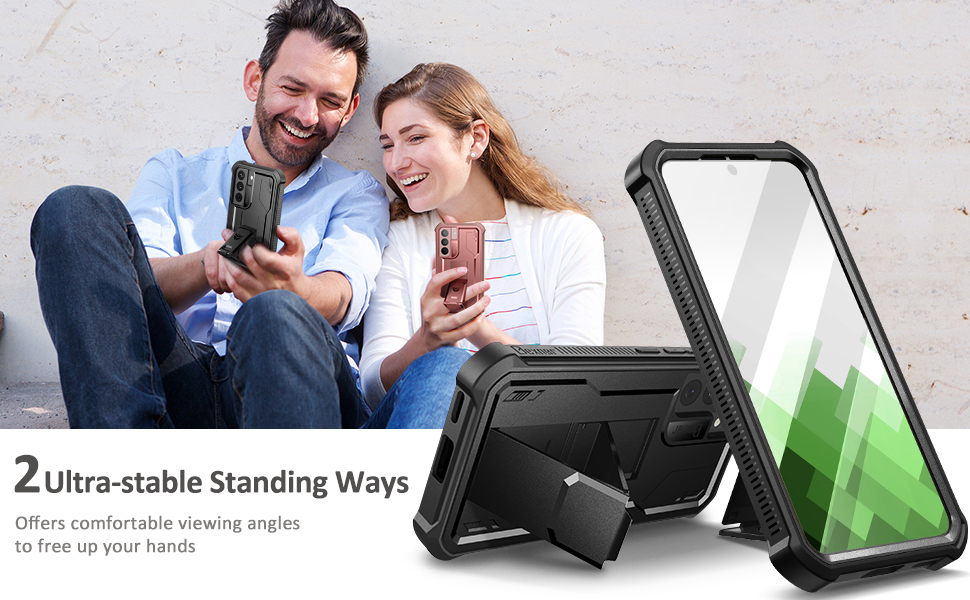
Image: The case features raised lips above the screen (2.6mm) and around the camera (1.8mm) to provide full body protection and prevent direct contact with surfaces.
Operating the Kickstand
To use the kickstand, gently pull it out from the back of the case until it locks into position. The kickstand allows for stable viewing in both horizontal and vertical orientations. Push it back into the case when not in use.
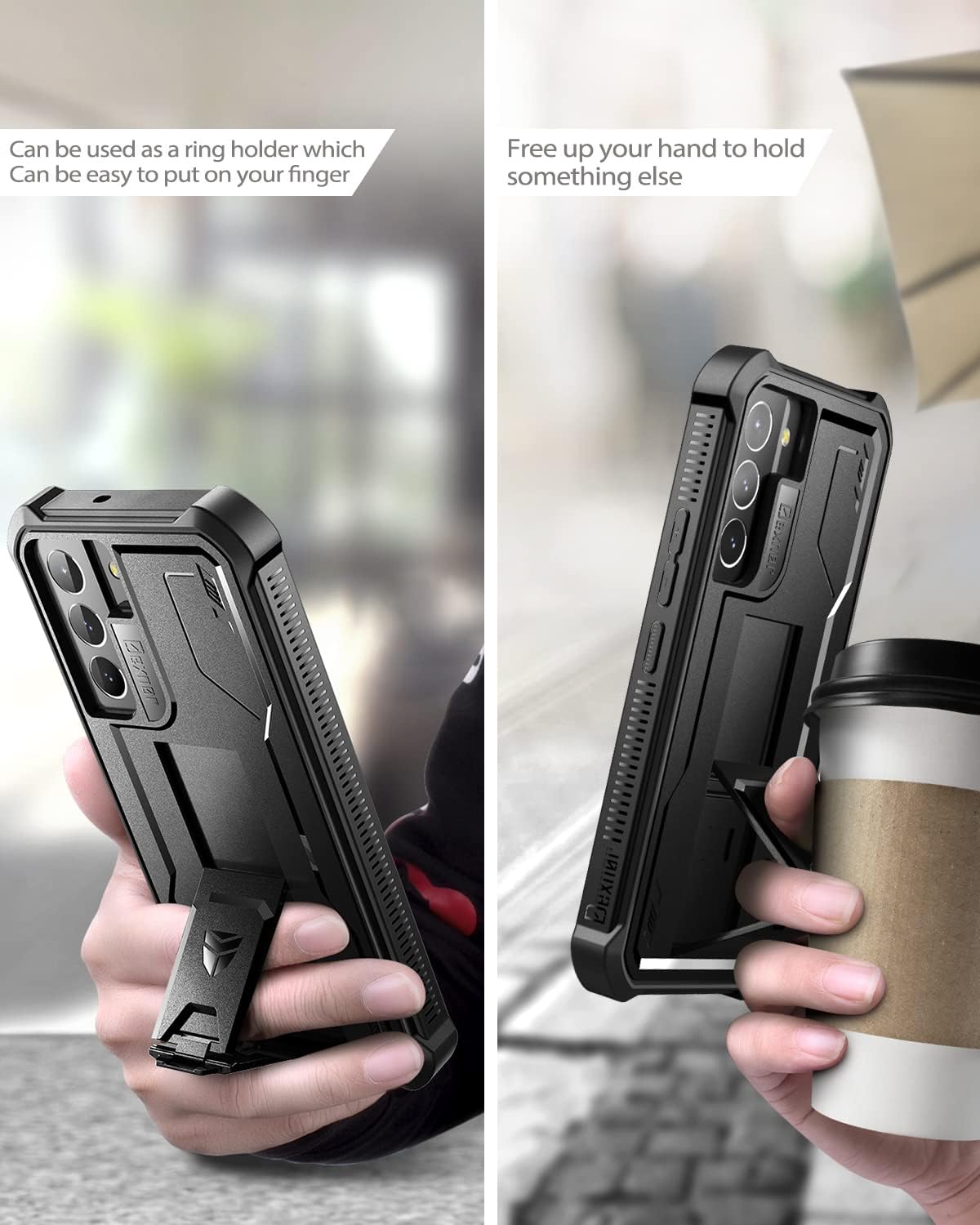
Image: A user demonstrating how to deploy the kickstand, which can also function as a ring holder for a secure grip.
Cura i Manteniment
- Netegeu la carcassa regularment amb un drap suauamp drap per eliminar la pols i els residus.
- Avoid using harsh chemicals or abrasive materials, as these can damage the case's finish.
- Ensure the case is properly sealed after cleaning to maintain its protective qualities.
Resolució de problemes
Fingerprint Sensor Issues
If you experience issues with the fingerprint sensor after installing the case:
- Ensure the fingerprint area on the built-in screen protector is clean and free of dust or air bubbles.
- Re-register your fingerprints on your Samsung Galaxy S22 device with the case installed. This often resolves recognition problems.
- Apply firm pressure when registering and using your fingerprint.
Especificacions del producte
| Característica | Detall |
|---|---|
| Número de model | Samsung Galaxy S22 |
| Material | Thermoplastic Polyurethane (TPU), Polycarbonate (PC) |
| Color | Negre |
| Dimensions del producte | 7.03 x 4.13 x 0.55 polzades |
| Pes de l'article | 2.82 unces |
| Compatibilitat | Samsung Galaxy S22 5G (6.1") |
Informació de la garantia
Dexnor products are covered under a one-year limited warranty. If you encounter any issues with your item, please contact customer support for assistance.
Atenció al client
For further assistance or inquiries, please visit the official Dexnor store on Amazon: Dexnor Store.