
1. Producte acabatview
The Xetron LMG-10X is a state-of-the-art digital manifold gauge designed for HVAC/R professionals. It replaces traditional analog gauges, offering precise measurements and advanced functionalities for efficient system analysis and maintenance. This device integrates pressure and temperature measurements, vacuum measurement, and pressure holding tests into a single, robust unit.
Les característiques clau inclouen:
- Data storage for up to 88 types of refrigerants.
- Automatic calculation of superheat and subcool values.
- Integrated sight window for observing refrigerant filling status.
- Wide measuring range and high precision for pressure and temperature.
- Rugged, impact-resistant housing suitable for harsh environments.
- Large, backlit LCD screen for clear readability.

Figure 1.1: The Xetron LMG-10X Digital Manifold Gauge with included temperature clamp sondes.

Figure 1.2: Contents of the Xetron LMG-10X package, including the digital manifold and two clamp sondes de temperatura.
2. Components i característiques
2.1 Pantalla digital i controls
The LMG-10X features an extra-large backlit LCD screen that displays pressure, temperature, superheat, subcool, and selected refrigerant type. Control buttons allow for mode selection, unit conversion, zeroing, and power management.
2.2 Pressure and Temperature Sensors
Equipped with highly sensitive sensors, the device provides accurate readings for both pressure and temperature. It includes two wired temperature clamp probes for precise temperature measurements on pipes.
2.3 Refrigerant Database
The manifold has a built-in database of 88 common refrigerants, allowing for automatic calculations of superheat and subcool based on the selected refrigerant.

Figure 2.1: Connection points on the Xetron LMG-10X, including 1/4" SAE threaded connectors for refrigerant hoses.

Figure 2.2: The LMG-10X features a built-in database of 88 refrigerants, with the selected refrigerant type displayed on screen.
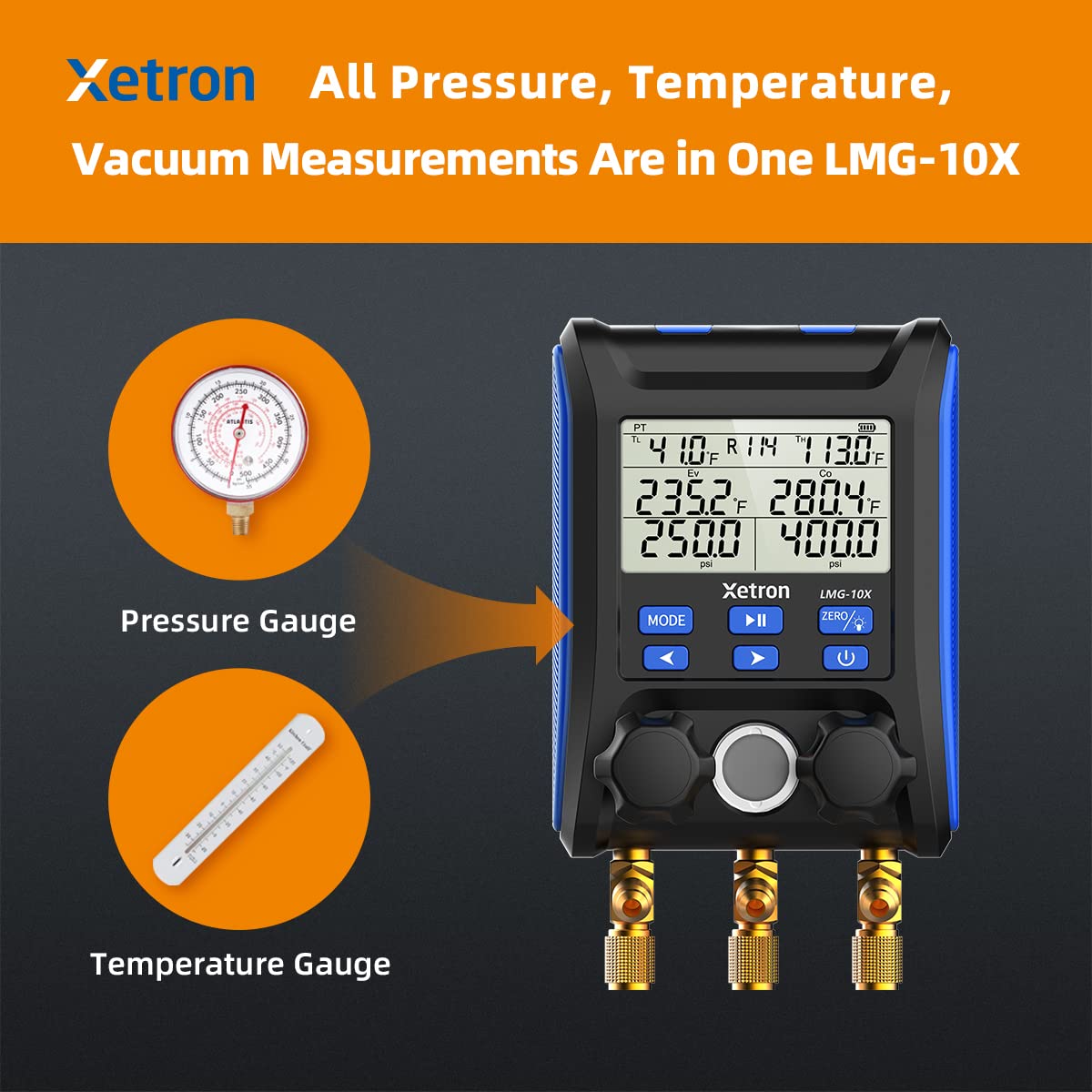
Figure 2.3: The LMG-10X consolidates all pressure, temperature, and vacuum measurements into one device, replacing multiple analog tools.
3. Configuració inicial
3.1 Desembalatge
Carefully remove the Xetron LMG-10X and its accessories from the packaging. Verify that all components listed in the 'What's in the Box' section (Figure 1.2) are present and undamaged.
3.2 Encès
Insert the required batteries (refer to Specifications for type and quantity) into the battery compartment located on the rear of the unit. Press and hold the power button (⏻) to turn the device on. The LCD screen will illuminate.
3.3 Connecting Temperature Probes
Connect the two wired temperature clamp probes to the designated ports on the manifold. Ensure a secure connection. These probes are essential for accurate superheat and subcool calculations.
3.4 Connexió de mànegues
Attach your standard 1/4" SAE threaded refrigerant hoses to the manifold's ports. Ensure all connections are tight to prevent leaks. The manifold features a convenient suspension hook for easy placement during use.
4. Instruccions de funcionament
4.1 Basic Measurements (Pressure, Temperature)
Once powered on and connected, the LMG-10X will display real-time pressure readings for both high and low sides, along with temperatures from the connected probes. The unit automatically compensates for temperature variations.
4.2 Superheat and Subcooling Calculation
The LMG-10X automatically calculates superheat and subcooling values based on the selected refrigerant and the measured pressures and temperatures. These values are displayed prominently on the screen.

Figure 4.1: The LMG-10X displays calculated superheat and subcooling values, crucial for system diagnostics.
4.3 Mesurament del buit
The device can perform vacuum measurements, essential for evacuating HVAC systems. Follow standard industry procedures for vacuuming, using the manifold to monitor the vacuum level.
4.4 Pressure Holding Test
Utilize the pressure holding test function to verify system integrity and detect leaks. The manifold will monitor pressure changes over a set period.
4.5 Selecció del refrigerant
Premeu el botó MODE button to cycle through the available refrigerants in the built-in database. Select the refrigerant corresponding to the system you are working on for accurate calculations.
4.6 Selecció d'unitats
The LMG-10X supports various units for pressure (psi, kg/cm², kPa, Mpa, bar) and temperature (°F/°C). Use the appropriate button (refer to the device's interface) to switch between desired units.
4.7 Zeroing Pressure
Before taking measurements, it is recommended to zero the pressure sensors. Press the ZERO / ⏻ button briefly to calibrate the pressure readings to zero in ambient conditions.
5. Manteniment i cura
5.1 Neteja
Netegeu la unitat amb un suau, damp drap. No utilitzeu productes de neteja abrasius ni dissolvents. Assegureu-vos que la pantalla i els botons estiguin nets de brutícia ni residus.
5.2 Emmagatzematge
Store the LMG-10X in a clean, dry environment, away from extreme temperatures and direct sunlight. It is recommended to store it in its original packaging or a protective case to prevent damage.
5.3 Substitució de la bateria
When the battery indicator shows low power, replace the batteries promptly. Open the battery compartment on the back of the unit, remove old batteries, and insert new ones, observing correct polarity.
5.4 Calibració
While the device is factory calibrated, periodic re-calibration may be necessary to maintain accuracy, especially after significant impacts or prolonged use. Refer to the manufacturer's guidelines or contact customer support for calibration services.
6. Guia de resolució de problemes
| Problema | Causa possible | Solució |
|---|---|---|
| El dispositiu no s'encén | Bateries gastades o inserides incorrectament | Canvieu les piles, assegureu-vos de la polaritat correcta |
| Lectures de pressió inexactes | Sensors not zeroed; hose leaks; sensor damage | Zero the sensors; check all hose connections; contact support if issue persists |
| Temperature probes not reading | Probe not connected properly; damaged probe | Ensure probes are fully inserted; test with another probe if available; replace if damaged |
| La pantalla és tènue o parpelleja | Low battery; extreme temperature | Replace batteries; move to a moderate temperature environment |
| Cannot select refrigerant | S'ha seleccionat un mode incorrecte | Ensure you are in the correct operating mode for refrigerant selection |
7. Especificacions tècniques
| Paràmetre | Valor |
|---|---|
| Model | LMG-10X |
| Interval de pressió | de -14.5 a 800 psi |
| Precisió de la pressió | ±0.5% FS |
| Resolució de pressió | 0.5 psi |
| Interval de temperatura | -40 a 320 °F (-40 a 160 °C) |
| Precisió de la temperatura | ±0.9 °F (±0.5 °C) |
| Resolució de temperatura | 0.2 °F (0.1 °C) |
| Unitats de pressió disponibles | psi, kg/cm², kPa, Mpa, bar |
| Available Temperature Units | °F, °C |
| Refrigerant Database | 88 tipus |
| Connectors | 1/4" SAE Threaded |
| Font d'alimentació | Battery (type not specified, typically AA or AAA) |
| Dimensions del paquet | 38.9 x 27 x 8.5 cm |
| Pes | 1.56 kg |
| Fabricant | Jiangsu Jingchuang |
8. Garantia i atenció al client
8.1 Informació de la garantia
The Xetron LMG-10X Digital Manifold Gauge comes with a one-year coverage from the date of purchase. This warranty covers defects in materials and workmanship under normal use. It does not cover damage caused by misuse, accident, unauthorized modification, or improper maintenance.
8.2 Atenció al client
For any questions, technical assistance, or warranty claims, please contact Xetron customer support. Continuous customer assistance is available to help with product operation, troubleshooting, and service needs.
Please have your product model number (LMG-10X) and purchase date ready when contacting support.