
Xetron XT-LMG-10X-EU
Xetron HVAC Digital Manifold Gauge User Manual
Model: XT-LMG-10X-EU
1. Introducció
The Xetron LMG-10X Digital Manifold Gauge is an advanced tool designed for HVAC and refrigeration systems. It provides precise measurements for pressure, temperature, vacuum, and automatically calculates superheat and subcooling. This manual will guide you through the setup, operation, and maintenance of your device.

Figure 1: Xetron LMG-10X Digital Manifold Gauge with included accessories.
2. Informació de seguretat
Always read and understand all safety warnings and instructions before using the device. Failure to follow these instructions may result in electric shock, fire, or serious injury.
- Assegureu-vos que totes les connexions estiguin segures abans d'operar.
- No exposeu el dispositiu a temperatures extremes ni a la llum solar directa durant períodes prolongats.
- Use only specified accessories and probes.
- Mantingueu el dispositiu allunyat de l'aigua i altres líquids.
- Demani el servei només a personal qualificat.
3. Contingut del paquet
Verifiqueu que tots els elements que s'enumeren a continuació siguin presents al vostre paquet:
- 1 x Xetron Digital Manifold Gauge (LMG-10X)
- 2 x Clamp Sondes de temperatura
- 1 x Maletí de transport
- 1 x Manual d'usuari (aquest document)

Figure 2: What's in the box - Xetron Digital Manifold and Clamp Temperature Probes.
4. Configuració
4.1. Engegada inicial
- Insert batteries into the compartment on the back of the unit (if not pre-installed).
- Manteniu premut el botó d'encesa (⏻) per encendre el dispositiu.
- The LCD screen will illuminate and display the initial measurement interface.
4.2. Connecting Probes and Hoses
Connecteu el clamp temperature probes to the designated ports on the manifold. Ensure a secure connection. Refrigerant hoses (not included) can be connected to the 1/4" SAE threaded connectors at the bottom of the unit.
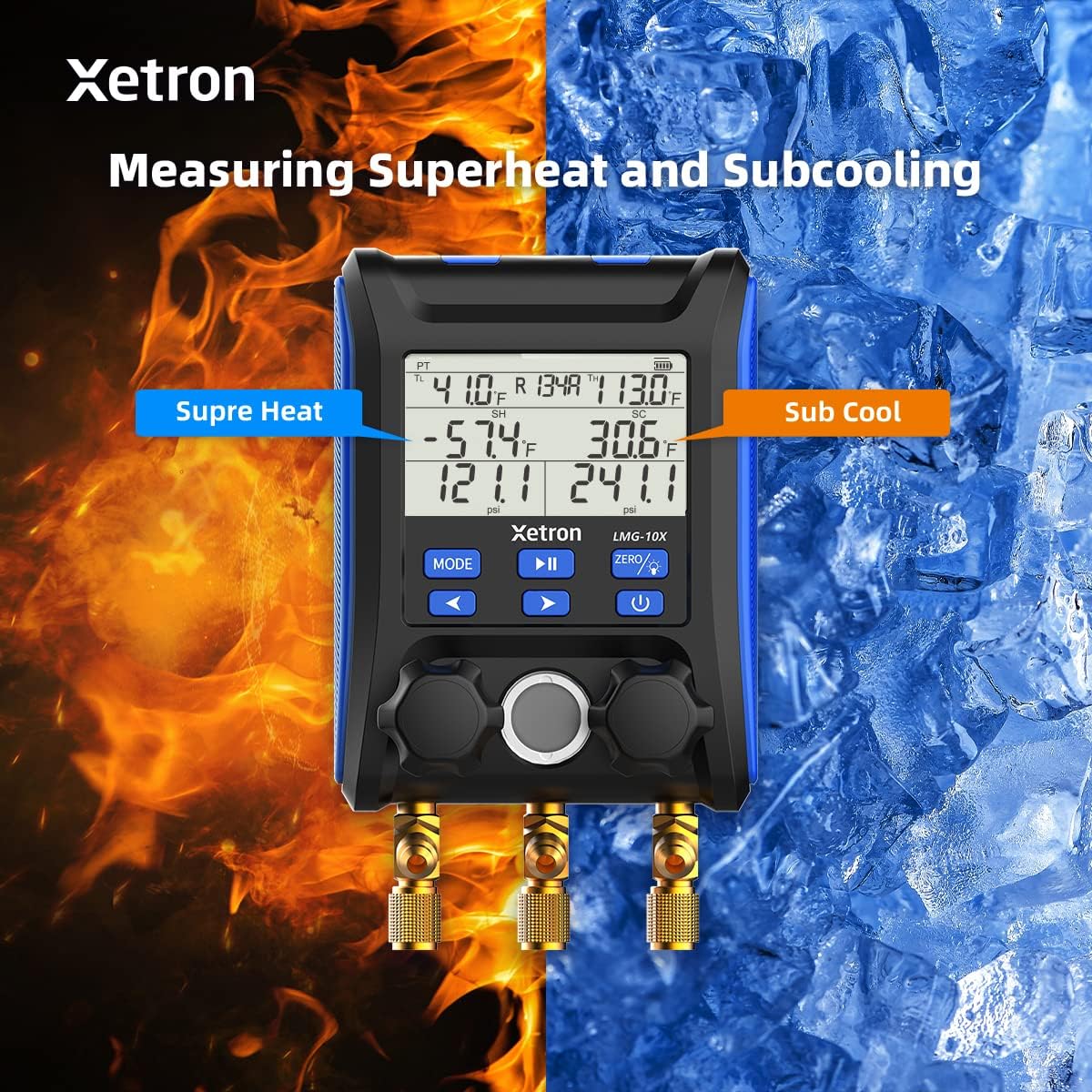
Figure 3: Connecting the Xetron LMG-10X to an HVAC system.
5. Instruccions de funcionament
5.1. Pressure and Temperature Measurement Mode
This mode displays real-time pressure and temperature readings, along with calculated saturation temperatures (VSAT, LSAT).

Figure 4: Interface for Pressure and Temperature Measurement Mode.
5.2. Superheat and Subcooling Measurement
The device automatically calculates superheat (SH) and subcooling (SC) values based on the selected refrigerant and measured parameters.

Figure 5: Display showing Superheat and Subcooling measurements.
5.3. Pressure Hold Test Mode
To enter Pressure Hold Test mode, briefly press the MODE botó seguit del botó REPRODUCCIÓ/PAUSA button from VAC mode. This mode allows you to monitor pressure changes over time.

Figure 6: Interface for Pressure Hold Test Mode.
5.4. Unit Settings and Auto Shutdown
The device allows for conversion of various measurement units and configuration of automatic shutdown settings.

Figure 7: Temperature Unit Setting.
Figure 8: Pressure Unit Setting.
Figure 9: Auto Shutdown OFF.
Figure 10: Auto Shutdown ON.
6. Built-in Refrigerant Database
The Xetron LMG-10X comes with a comprehensive database of 88 types of refrigerants, allowing for accurate calculations and measurements across various systems.

Figure 11: Partial list of supported refrigerants.
7. Manteniment
7.1. Neteja
Netegeu el dispositiu amb un suau, damp cloth. Do not use abrasive cleaners or solvents. Ensure the device is dry before storage.
7.2. Emmagatzematge
Store the device in its carrying case in a cool, dry place when not in use. Remove batteries if storing for extended periods to prevent leakage.
8. Solució De Problemes
| Problema | Causa possible | Solució |
|---|---|---|
| El dispositiu no s'encén. | Piles baixes o gastades; piles inserides incorrectament. | Canvieu les piles; assegureu-vos de la polaritat correcta. |
| Lectures inexactes. | Probes not properly connected; incorrect refrigerant selected. | Check probe connections; verify selected refrigerant matches system. |
| La pantalla està tènue o parpelleja. | Potència de bateria baixa. | Substituïu les piles. |
9. Especificacions
- Model: XT-LMG-10X-EU
- Dimensions (L x A x A): 37 x 30 x 10 cm (14.57 x 11.81 x 3.94 polzades)
- Pes de l'article: 1.2 kg (2.65 lliures)
- Material: Acrilonitril butadiè estirè (ABS)
- Refrigerant Database: 88 tipus
- Funcions: Pressure & Temperature Measurement, Vacuum Measurement, Pressure Hold Test, Automatic Shutdown, Temperature Compensation
10. Garantia i Suport
Xetron offers a one-year warranty for the LMG-10X Digital Manifold Gauge. For any questions or support needs, please contact Xetron customer service. We are committed to providing lifetime customer service.
For further assistance, please visit the official Xetron weblloc web o contacteu amb els seus canals d'assistència.
Ask a question about this manual
Ask about setup, troubleshooting, compatibility, parts, safety, or missing instructions. Manuals+ will review the question and use this page’s manual context to help answer it.