
ESX VN940-4G
ESX VN940-4G Autoradio Navigation Naviceiver User Manual
Model: VN940-4G
1. Introducció
This manual provides comprehensive instructions for the installation, operation, and maintenance of your ESX VN940-4G Autoradio Navigation Naviceiver. Please read this manual thoroughly before using the device to ensure proper and safe operation.
The ESX VN940-4G is a state-of-the-art car radio system featuring a 9-inch touchscreen display, integrated navigation, and Bluetooth connectivity, designed to enhance your in-car entertainment and navigation experience.
2. Informació de seguretat
Observeu sempre les següents precaucions de seguretat per evitar lesions o danys al dispositiu:
- No feu servir el dispositiu de manera que us distregui de la conducció. Prioritzeu sempre la seguretat viària.
- Ensure all wiring is correctly connected to prevent short circuits or electrical hazards. Consult a professional for installation if unsure.
- No exposeu el dispositiu a temperatures extremes, a la llum solar directa durant períodes prolongats ni a una humitat excessiva.
- Avoid disassembling or modifying the unit. This can void the warranty and cause damage.
- Mantingueu el volum a un nivell que us permeti sentir els sons del trànsit exterior.
3. Contingut del paquet
Si us plau, comproveu que tots els elements siguin presents al paquet:
- ESX VN940-4G Naviceiver Unit
- Suport de muntatge
- Arnès de cables d'alimentació
- Antena GPS
- Cable d'extensió USB
- Manual d'usuari (aquest document)
4. Configuració i instal·lació
Proper installation is crucial for the performance and longevity of your ESX VN940-4G. It is recommended to have the unit installed by a qualified professional.
4.1 Muntatge de la unitat
Use the provided mounting bracket to secure the Naviceiver in your vehicle's dashboard. Ensure the unit is firmly seated and does not obstruct any vehicle controls or airbags.
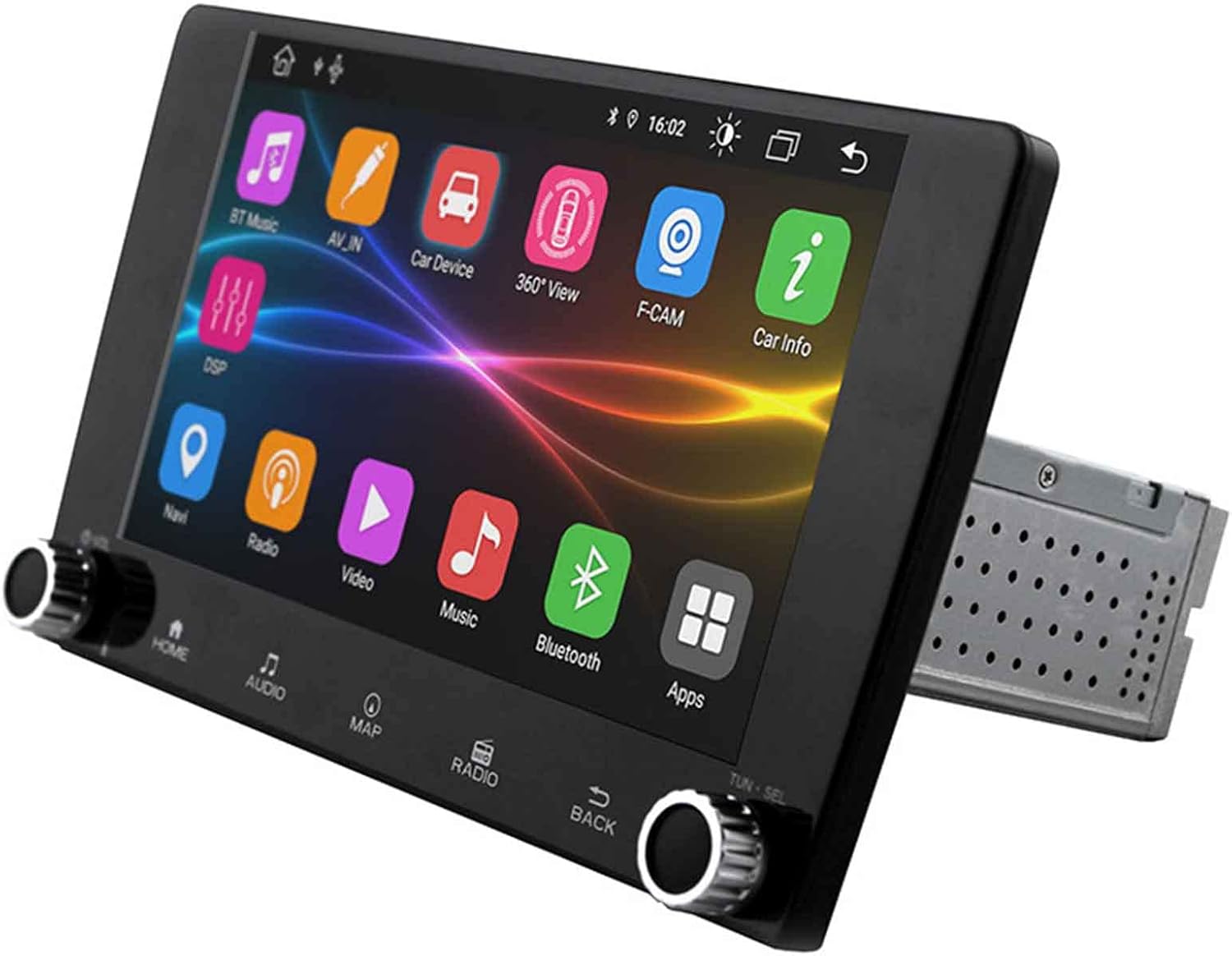
Image: The ESX VN940-4G Naviceiver unit, displaying its side profile and the integrated mounting cage, ready for dashboard installation.
4.2 Connexions de cablejat
Connect the power harness, speaker wires, GPS antenna, and any other auxiliary inputs/outputs according to your vehicle's wiring diagram and the unit's connection ports. Pay close attention to positive and negative terminals.
- Potència (Groc): 12V constants (bateria)
- Ignition (Red): Switched 12V (ACC)
- Terra (negre): Vehicle Chassis Ground
- Cables de l’altaveu: Connect to corresponding vehicle speaker wires (e.g., Front Left +, Front Left -).
- Antena GPS: Connect to the dedicated GPS antenna port and mount the antenna in a location with a clear view del cel.
4.3 Engegada i configuració inicials
After installation, turn on your vehicle's ignition. The unit should power on. Follow the on-screen prompts for initial setup, which may include:
- Selecció d'idiomes
- Configuració de data i hora
- Radio Region Selection
5. Instruccions de funcionament
This section details the primary functions and operations of your ESX VN940-4G.
5.1 Controls bàsics
- Botó d'encesa: Press and hold to turn the unit on/off. Short press to mute/unmute.
- Pom de volum: Gireu en sentit horari per augmentar el volum, en sentit antihorari per disminuir-lo.
- Botó d'inici: Torna a la pantalla del menú principal.
- Botó enrere: Torna a la pantalla o menú anterior.
5.2 Funcionament de la ràdio
From the main menu, select the 'Radio' icon. You can manually tune frequencies, scan for stations, or save your favorite stations as presets.
- Escaneig: Automatically searches for and stops at strong signals.
- Presets: Touch and hold a numbered button to save the current station.
5.3 Connectivitat Bluetooth
The unit supports Bluetooth for hands-free calling and audio streaming.
- Go to the 'Bluetooth' menu.
- Activeu el Bluetooth al vostre dispositiu mòbil i cerqueu els dispositius disponibles.
- Select 'ESX VN940-4G' from the list on your phone.
- Confirma el codi d'emparellament si se't demana.
Un cop emparellat, podeu fer/rebre trucades i reproduir música en streaming sense fil.
5.4 Sistema de navegació
Access the navigation application by selecting the 'Map' or 'Navi' icon from the main menu. The system provides turn-by-turn directions and real-time traffic information (if supported by the map software).

Image: The ESX VN940-4G Naviceiver's touchscreen displaying a detailed navigation map, including current route, speed, and remaining distance to destination.
- Destination Input: Use the on-screen keyboard to enter addresses or points of interest.
- Guia de ruta: Follow the voice prompts and visual cues on the screen.
- Mapa View: Canvia entre 2D i 3D views, and adjust zoom levels.
5.5 Reproducció multimèdia
The unit supports media playback from various sources, such as USB drives. Connect your USB device to the designated USB port. The unit will automatically detect compatible audio or video files.
6. Manteniment
Regular maintenance ensures the longevity and optimal performance of your Naviceiver.
- Neteja de la pantalla: Use a soft, lint-free cloth to gently wipe the touchscreen. For stubborn smudges, dampen the cloth slightly with water or a screen-cleaning solution. Do not use abrasive cleaners.
- Actualitzacions de programari: Reviseu periòdicament el fabricant website for available software updates. Updates can improve performance, add new features, or fix bugs. Follow the instructions provided with the update package carefully.
7. Solució De Problemes
If you encounter issues with your ESX VN940-4G, refer to the following common problems and solutions:
| Problema | Causa possible | Solució |
|---|---|---|
| La unitat no s'encén. | Cablejat incorrecte, fusible fundit, problema amb la bateria del vehicle. | Comproveu les connexions d'alimentació i de terra. Inspeccioneu els fusibles del vehicle. Assegureu-vos que la bateria estigui carregada. |
| No hi ha so dels altaveus. | Speaker wires disconnected, volume too low, unit muted. | Verify speaker connections. Increase volume. Check if unit is muted. |
| La connexió Bluetooth falla. | Bluetooth not enabled on phone/unit, device out of range, interference. | Ensure Bluetooth is active on both devices. Move phone closer. Restart both devices. |
| Senyal GPS perdut o inexacte. | GPS antenna obstructed, faulty antenna, poor satellite reception. | Relocate GPS antenna to a clear area. Check antenna connection. Wait for clear sky. |
Si el problema persisteix després d'intentar aquestes solucions, poseu-vos en contacte amb l'atenció al client.
8. Especificacions
| Característica | Detall |
|---|---|
| Nom del model | ESX VN940-4G |
| Marca | ESX |
| Mida de la pantalla | 9 polzades (22.8 cm) |
| Resolució de visualització | 800 x 480 píxels |
| Tecnologia de connectivitat | Bluetooth |
| Tipus de muntatge | Dashboard-Mounting |
| Mode de sortida d'àudio | estèreo |
| Tipus de servei del vehicle | Cotxe |
| Components inclosos | Suport de muntatge |
| Primera data disponible | 10 de març de 2022 |
9. Garantia i Suport
Per obtenir informació sobre la garantia, consulteu la documentació proporcionada en el moment de la compra o poseu-vos en contacte amb el vostre distribuïdor. Els termes i condicions de la garantia poden variar segons la regió i el venedor.
For technical support, troubleshooting assistance beyond this manual, or inquiries about spare parts, please contact the seller or the official ESX customer service. Contact details are typically available on the seller's website or the ESX official weblloc.
Ask a question about this manual
Ask about setup, troubleshooting, compatibility, parts, safety, or missing instructions. Manuals+ will review the question and use this page’s manual context to help answer it.