
1. Introducció
This manual provides essential information for the proper installation, operation, and maintenance of the POTTER PAD200-PD Photo Detector. The PAD200-PD is an advanced photo-electric smoke detector designed for use in fire alarm systems, compliant with UL 7th Edition standards. It is engineered to detect visible smoke particles produced by combustion, providing early warning of potential fire conditions. For information on the alternative model PAD300-PD, please refer to its specific documentation.
2. Informació de seguretat
WARNING: Installation and servicing must be performed by qualified personnel only. Disconnect all power before installation or maintenance. Failure to follow these instructions may result in injury or property damage.
- Always adhere to local codes and regulations for fire alarm system installation.
- Ensure the power supply is disconnected before handling the device.
- Do not paint the detector or obstruct its sensing chambers.
- Test the detector regularly as specified in this manual.
3. Producte acabatview
The POTTER PAD200-PD is a compact, white, ceiling-mount photo detector designed for reliable smoke detection. It integrates seamlessly into compatible security systems, smart home hubs, and lighting controls.
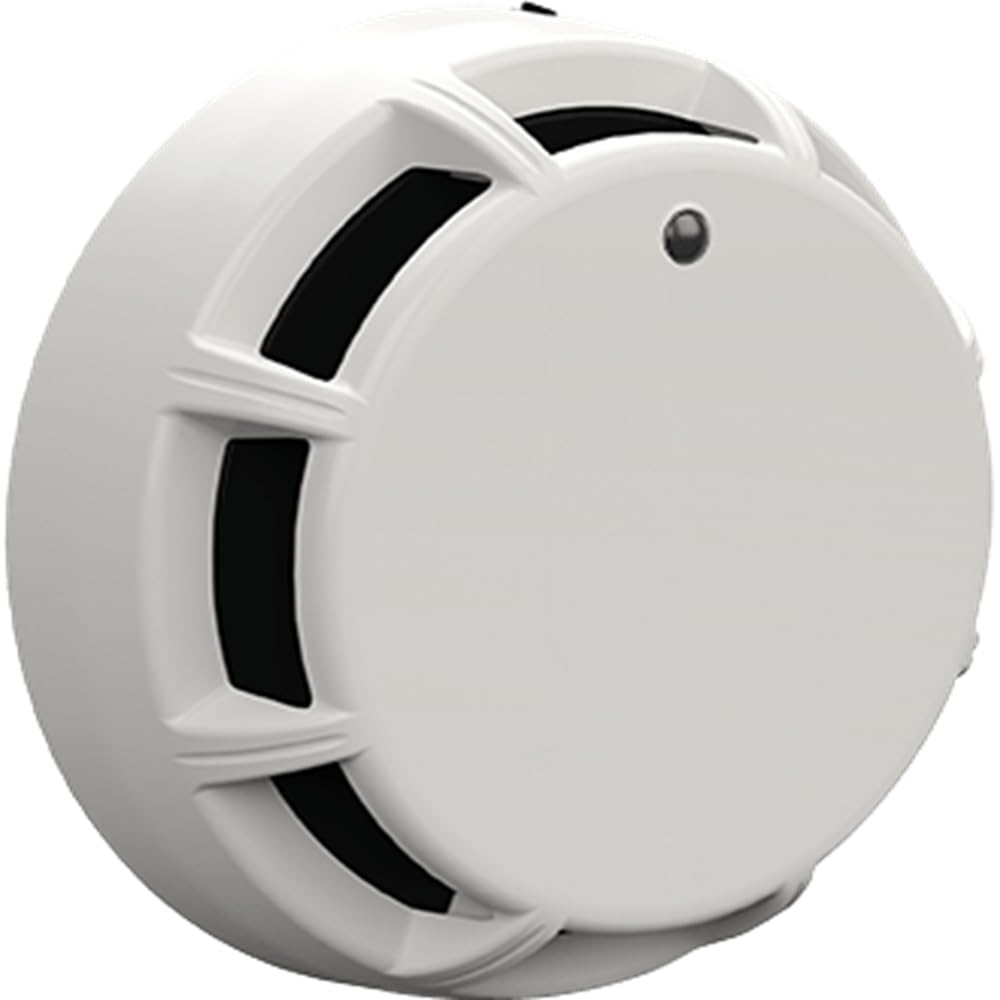
Figura 1: Image showing the POTTER PAD200-PD Photo Detector, a white, ceiling-mount device. This detector is designed for discreet integration into various environments.
4. Configuració i instal·lació
The PAD200-PD is designed for ceiling mount installation and is battery-powered. Follow these general steps for proper setup:
- Selecció d'ubicació: Choose a suitable location on the ceiling, away from air vents, fans, and areas with high humidity or dust, which could cause false alarms. Refer to NFPA 72 or local codes for optimal placement.
- Desconnexió d'alimentació: Ensure all power to the installation area is disconnected before proceeding.
- Muntatge: Secure the detector's mounting base to the ceiling using appropriate fasteners. Ensure the base is firmly attached.
- Instal·lació de la bateria: Install the Lithium battery into the designated compartment. Observe correct polarity.
- Cablejat (si escau): If connecting to a security system or smart home hub, follow the specific wiring diagrams provided by your system manufacturer. The PAD200-PD is compatible with security systems, lights, and smart home hubs.
- Detector Attachment: Align the detector head with the mounting base and twist clockwise until it locks securely into place.
- Restauració d'energia: Restore power to the system. The detector will perform a self-test upon power-up.
5. Instruccions de funcionament
Once installed and powered, the PAD200-PD operates continuously to monitor for smoke. It typically features an LED indicator for status updates.
- Funcionament normal: During normal operation, the LED indicator may flash periodically (e.g., every 30-60 seconds) to indicate proper functioning.
- Condició d'alarma: If smoke is detected, the detector will activate its alarm, typically indicated by a continuous or rapid flashing LED and an audible alert (if integrated with a sounder). It will also send a signal to the connected fire alarm control panel or security system.
- Prova: Test the detector weekly or monthly using the test button on the device or by introducing approved test smoke. Refer to Section 6 for detailed testing procedures.
6. Manteniment
Regular maintenance ensures the longevity and reliability of your PAD200-PD Photo Detector.
6.1 Neteja
Dust and debris can accumulate in the sensing chamber, potentially causing false alarms or reducing sensitivity. Clean the detector at least once a year, or more frequently in dusty environments.
- Desconnecteu l'alimentació del detector.
- Gently remove the detector head from its mounting base.
- Use a soft brush or a vacuum cleaner with a soft brush attachment to carefully clean the exterior and the sensing chamber openings. Do not use liquids or cleaning solvents.
- Reattach the detector head and restore power.
6.2 Substitució de la bateria
The PAD200-PD is battery-powered and requires periodic battery replacement. The detector will typically indicate a low battery condition with a distinct chirp or LED pattern.
- Desconnecteu l'alimentació del detector.
- Remove the detector head from its mounting base.
- Open the battery compartment and remove the old Lithium battery.
- Insert a new Lithium battery, ensuring correct polarity.
- Close the battery compartment, reattach the detector head, and restore power.
- Proveu el detector després de substituir la pila.
6.3 Proves funcionals
Test the detector monthly to ensure proper operation.
- Press and hold the test button on the detector for a few seconds. The alarm should sound, and the LED should indicate an alarm condition.
- If the detector is connected to a control panel, verify that the panel receives the alarm signal.
- If the detector fails to alarm, refer to the Troubleshooting section.
7. Solució De Problemes
If your PAD200-PD Photo Detector is not functioning as expected, consult the following table:
| Problema | Causa possible | Solució |
|---|---|---|
| Detector does not power on / No LED activity | Bateria morta o instal·lada incorrectament. | Comproveu la polaritat de la bateria; substituïu la bateria si cal. |
| Falses alarmes | Dust or debris in sensing chamber; detector too close to steam/smoke sources (e.g., kitchen, bathroom). | Clean the detector (Section 6.1); relocate if necessary. |
| Detector chirps periodically | Avís de bateria baixa. | Replace the Lithium battery (Section 6.2). |
| Detector fails to alarm during test | Faulty unit; dead battery. | Replace battery; if problem persists, contact technical support. |
8. Especificacions
- Marca: CERERAR
- Model: PAD200-PD
- Número de peça: PPAD200PD
- Font d'alimentació: Funciona amb bateria
- Tipus de bateria: Liti
- Tipus de muntatge: Muntatge al sostre
- Color: Blanc
- Dispositius compatibles: Security System, Light, Smart Home Hub
- UL Edition: 7a Edició
- UPC: 742779308368
9. Garantia i Suport
For specific warranty information, please refer to the documentation provided with your purchase or contact POTTER directly. If you have any questions regarding the PAD200-PD Photo Detector or require technical assistance, please reach out to your supplier or the manufacturer's customer service team. They are available to help with product inquiries and order support.