
SV3C HX01
SV3C PTZ WiFi Outdoor Security Camera (Model HX01) - User Manual
1. Introducció
This manual provides comprehensive instructions for the installation, operation, and maintenance of your SV3C PTZ WiFi Outdoor Security Camera (Model HX01). Please read this manual thoroughly before using the product to ensure proper functionality and safety.

Figure 1: SV3C PTZ WiFi Outdoor Security Camera (Model HX01)
2. Contingut del paquet
Verifiqueu que tots els elements que s'enumeren a continuació s'inclouen al vostre paquet:
- SV3C PTZ WiFi Camera (Model HX01)
- Adaptador d'alimentació
- Maquinari de muntatge (cargols, ancoratges)
- Antena
- Manual d'instruccions
- Waterproof Kit for network cable
3. Configuració
3.1 Instal·lació física
The camera features an all-aluminum casing and IP67 weatherproof rating, making it suitable for outdoor installation. Use the provided mounting hardware to securely attach the camera to a wall or suitable surface. Ensure the camera is positioned to cover the desired monitoring area.
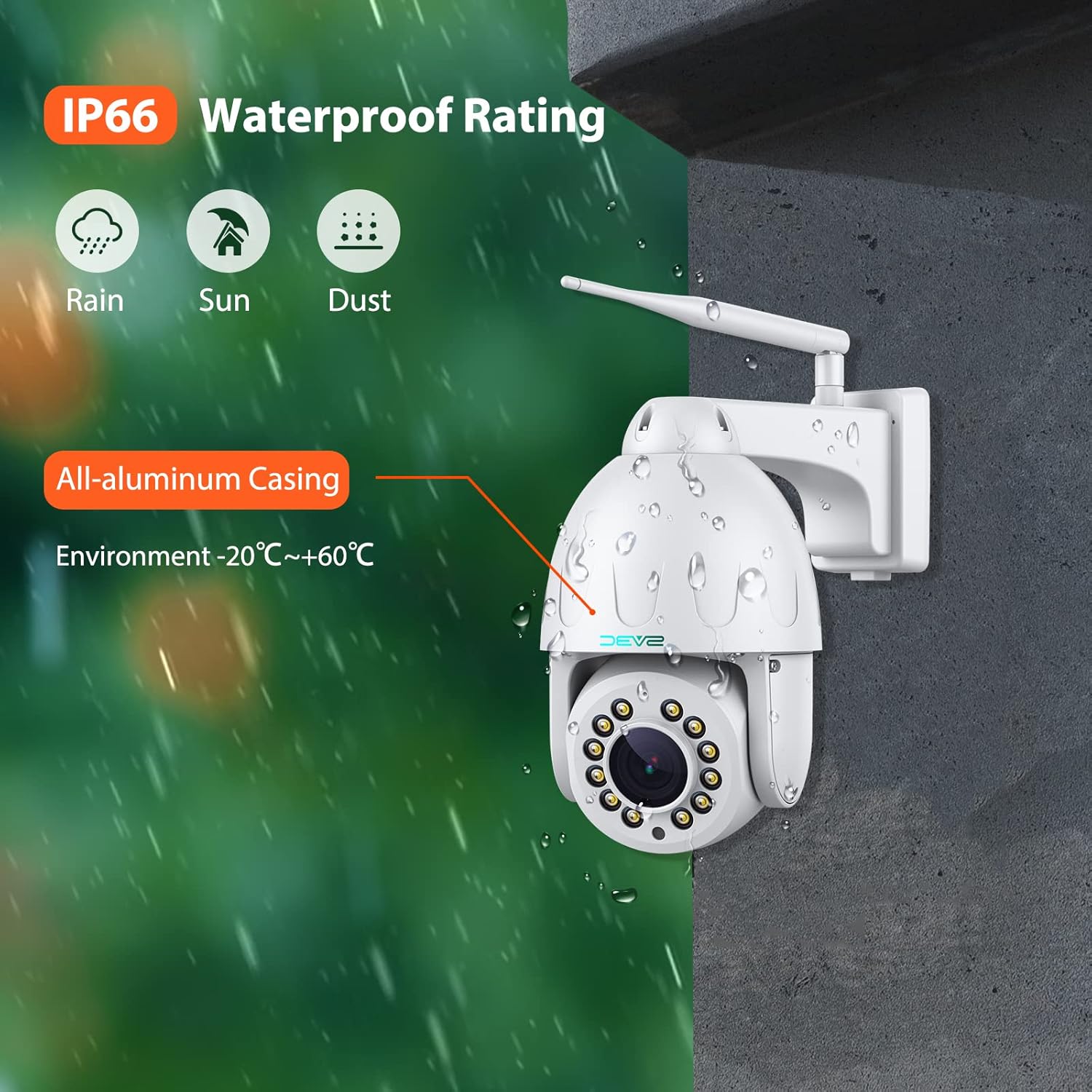
Figure 2: Camera mounted on an exterior wall, showing its weatherproof design.
3.2 Connexió d'alimentació i xarxa
Connect the camera to the power adapter. For network connectivity, you can use either Wi-Fi or an Ethernet cable. If using an Ethernet cable, ensure the waterproof kit is properly installed to protect the connection.
The camera supports both wired (Ethernet) and wireless (Wi-Fi) connections. For initial setup, a wired connection might be more stable. The camera also includes a reset button for factory reset if needed.
3.3 Instal·lació de la targeta Micro SD
The camera supports up to a 128GB Micro SD card for local storage. To install, locate the Micro SD card slot, typically found under a removable plate on the camera body. Insert the card gently until it clicks into place.
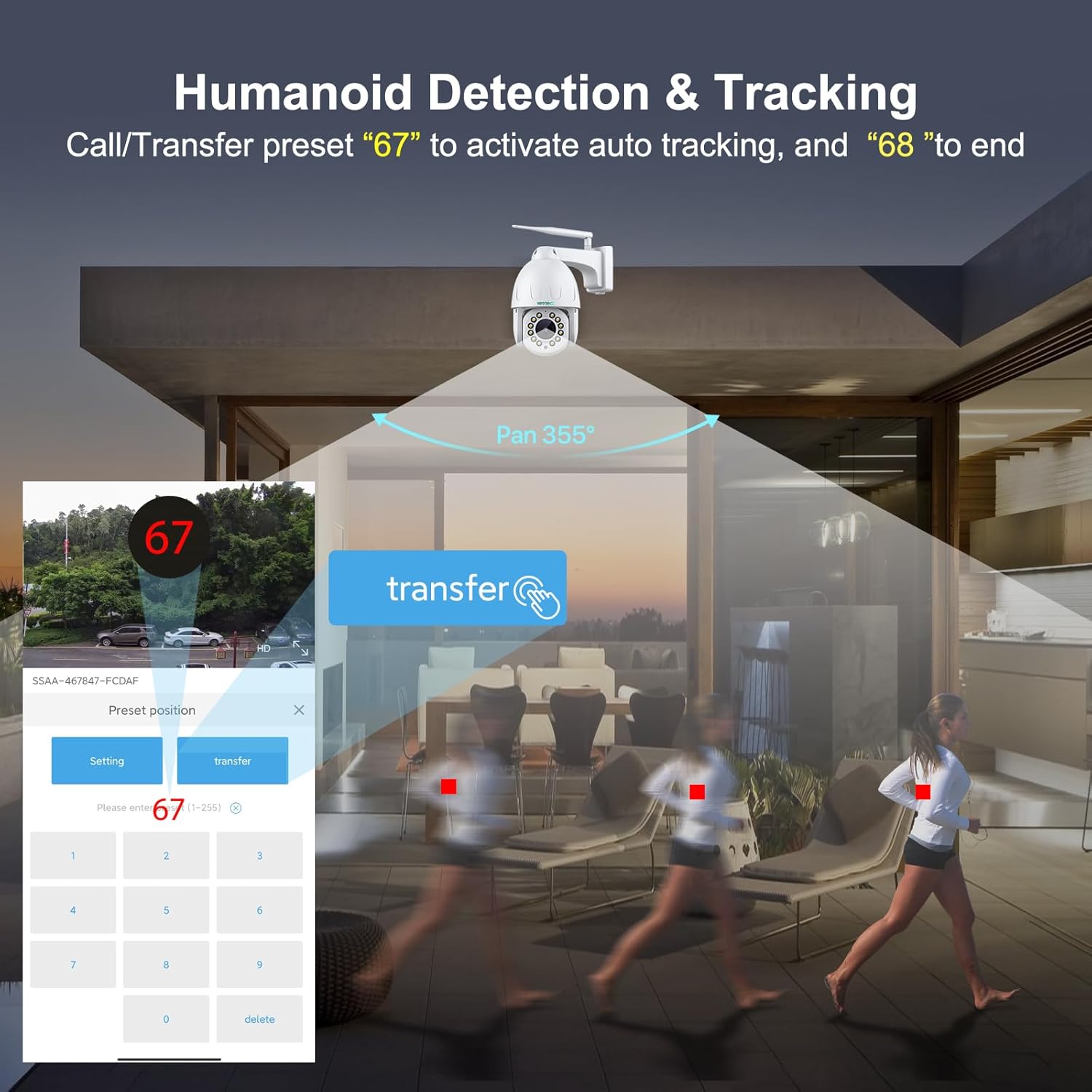
Figure 3: Illustration showing the location of the Micro SD card slot.
3.4 App Connection (CamHiPro)
Download the "CamHiPro" app from your device's app store. Follow the in-app instructions to add your camera. This typically involves scanning a QR code on the camera and connecting to your Wi-Fi network. Ensure your phone is connected to a 2.4GHz Wi-Fi network during setup for optimal compatibility.
4. Instruccions de funcionament
4.1 Panoràmica, inclinació i zoom òptic
The camera offers 355° pan and 90° tilt capabilities, providing a 360° viewing angle. It features a 15X optical zoom auto-focus lens for clear details even when zoomed in. Control these movements and zoom levels directly through the CamHiPro app.
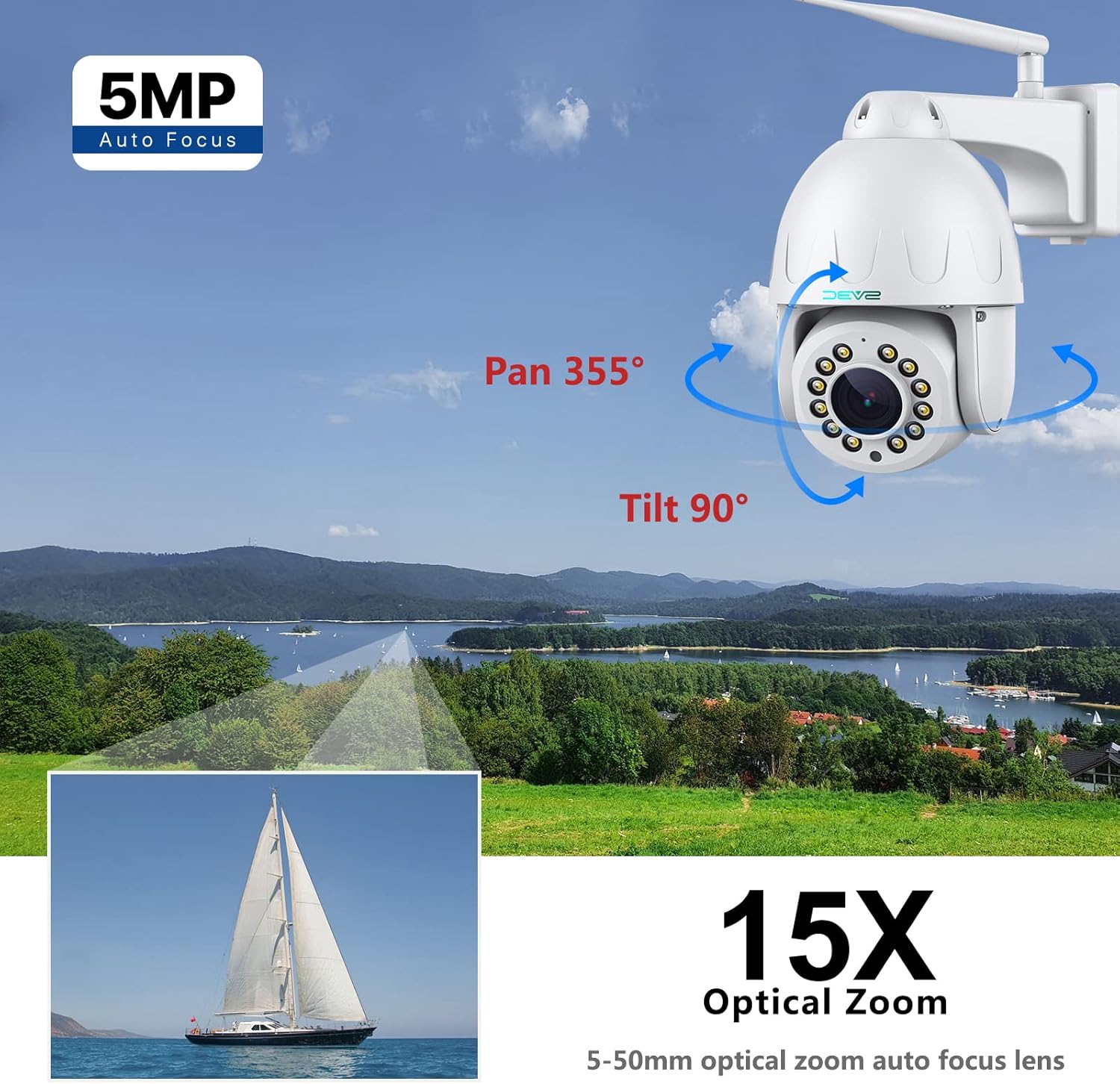
Figure 4: Visual representation of the camera's pan, tilt, and optical zoom capabilities.
4.2 Humanoid Tracking & Motion Detection
The camera includes smart human detection to reduce false alarms. Upgraded humanoid tracking allows the camera to automatically zoom and follow detected human figures. Motion notifications can be configured via the CamHiPro app or email.
To activate auto-tracking, call preset "67" in the app. To end auto-tracking, call preset "68".
Figure 5: Interface showing humanoid detection and auto-tracking features in action.
4.3 Modes de visió nocturna
The 5MP WiFi Floodlight Camera offers three night vision modes: infrared, full color, and smart mode. With 12 lamp beads, the night vision distance can reach up to 210ft. Select your preferred mode through the app settings.
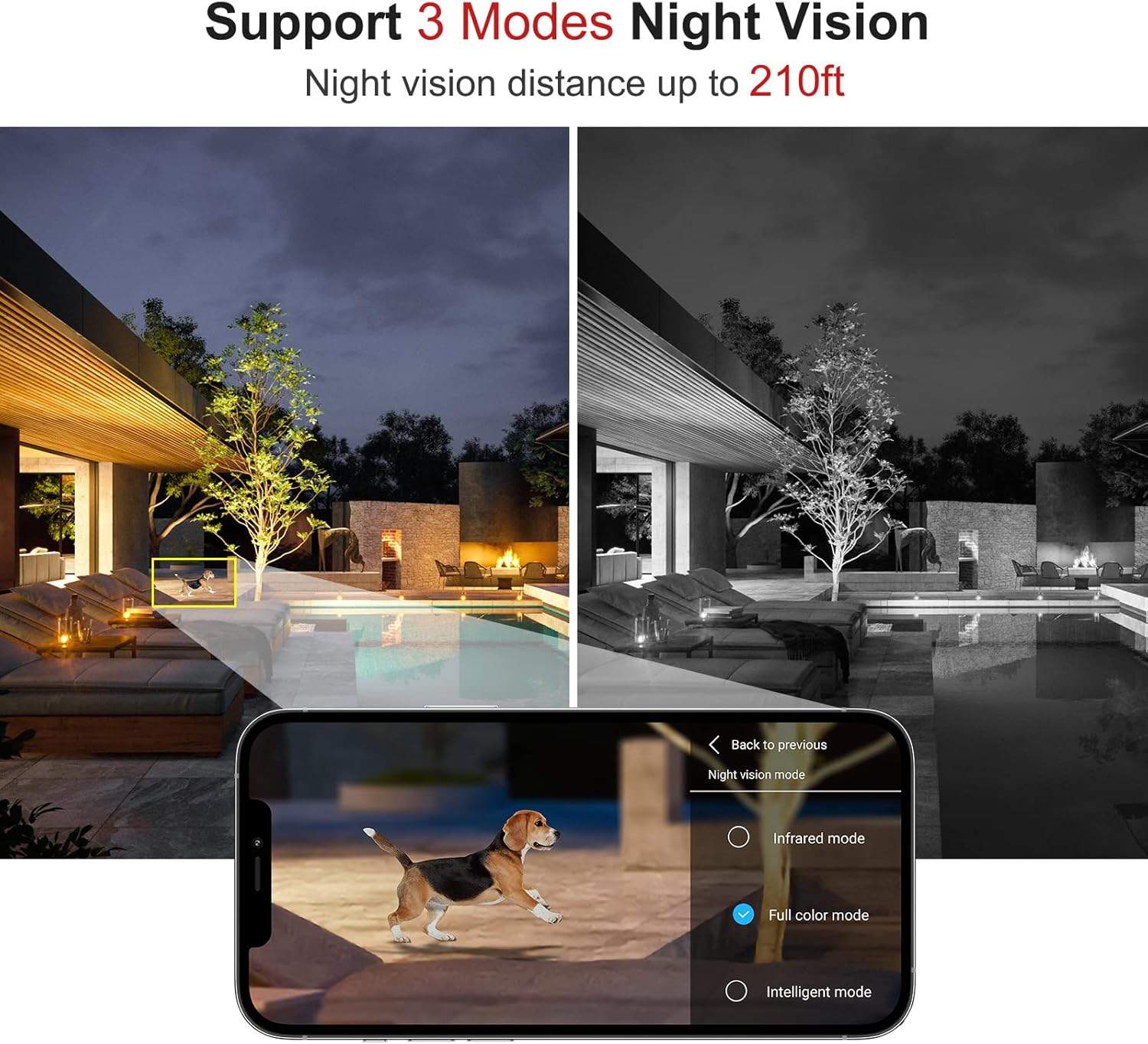
Figure 6: Comparison of different night vision modes (infrared, full color, smart mode).
4.4 Two-Way Audio & Presets
The built-in microphone and speaker enable two-way audio communication. You can speak to individuals near the camera or use the sound feature as an alert. The camera supports 64 customizable preset positions, allowing quick switching between different viewangles d'ajust.

Figure 7: Depiction of the two-way audio function, showing communication through the camera.
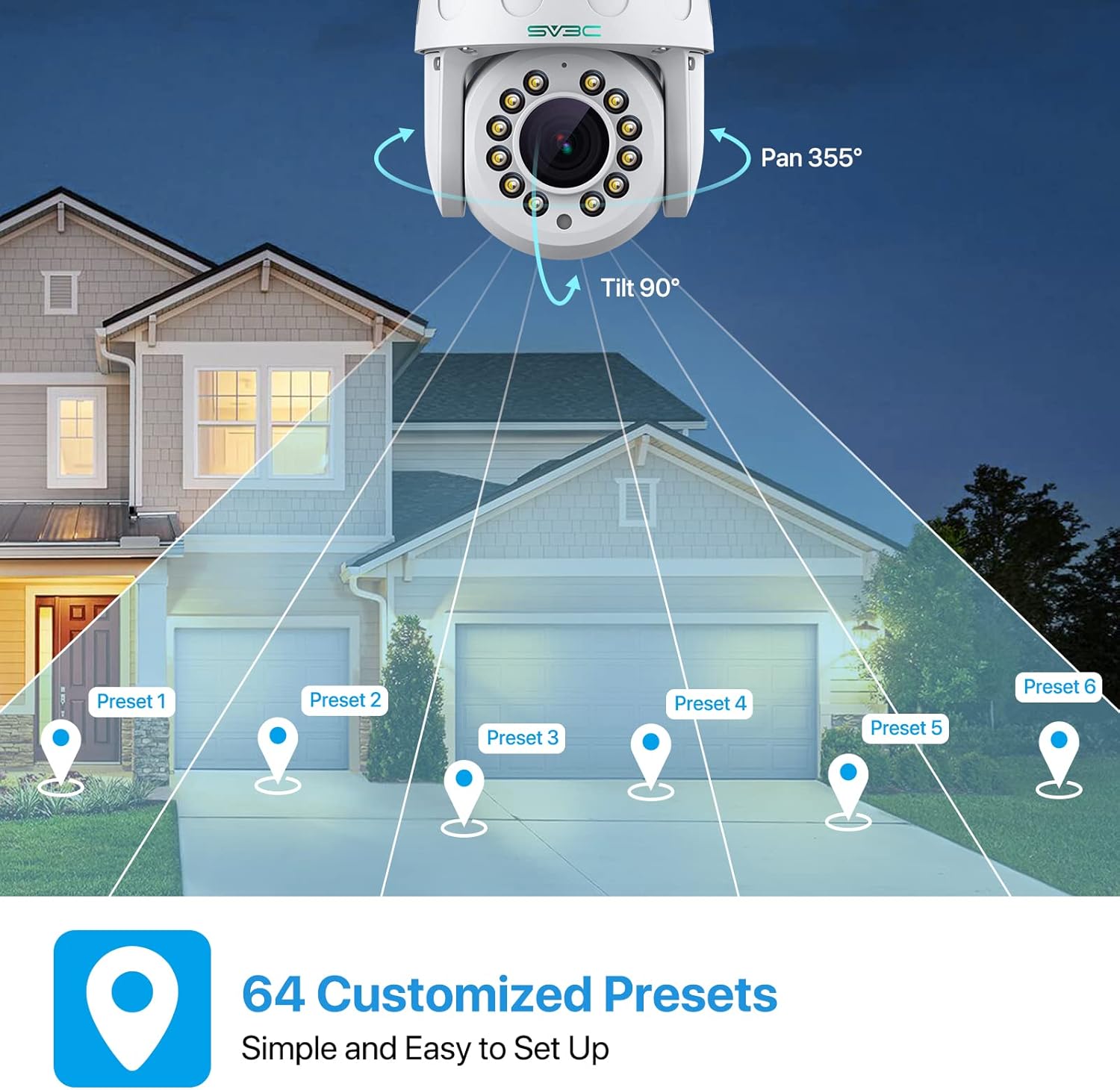
Figure 8: Illustration of customizable preset positions for monitoring different areas.
4.5 Enregistrament i reproducció
The camera supports 24/7 all-day recording and alarm recording to a Micro SD card (up to 128GB). Video playback and download are available through the CamHiPro app.
4.6 Onvif Conformant & RTSP Support
The camera is Onvif Conformant, ensuring compatibility with most third-party Onvif Conformant software. It also supports RTSP, allowing access to the IP camera through RTSP URLs on third-party software (e.g., rtsp://ip address:554/11 for main stream, rtsp://ip address:554/12 for vice stream).
5. Manteniment
Regularly check the camera's physical condition, especially the lens and casing, for any dirt or damage. Clean the lens with a soft, dry cloth. Ensure all cable connections are secure and protected from moisture. Periodically check for firmware updates through the CamHiPro app to ensure optimal performance and security.
6. Solució De Problemes
- Sense energia: Assegureu-vos que l'adaptador de corrent estigui connectat correctament a la càmera i a una presa de corrent que funcioni.
- Sense connexió de xarxa: Verify Wi-Fi credentials in the app. If using Ethernet, check cable connections. Try restarting your router and the camera.
- Mala qualitat d'imatge: Ensure the lens is clean. Check network signal strength; a weak signal can affect video quality.
- Problemes de detecció de moviment: Adjust sensitivity settings in the app. Ensure the detection zone is correctly configured.
- La targeta SD no grava: Check if the SD card is properly inserted and formatted. Ensure it is not full.
7. Especificacions
| Característica | Detall |
|---|---|
| Número de model | HX01 |
| Resolució de captura de vídeo | 5 MP |
| Zoom òptic | 15X |
| Interval de panoràmica/inclinació | Panorama 355°, inclinació 90° |
| Connectivitat | Wireless (Wi-Fi), Wired (Ethernet) |
| Gamma de visió nocturna | Up to 210 Feet (with 12 lamp comptes) |
| Modes de visió nocturna | Infrared, Full Color, Smart Mode |
| Àudio | Àudio bidireccional (micròfon i altaveu integrats) |
| Emmagatzematge | Targeta Micro SD (fins a 128 GB) |
| Classificació resistent a la intempèrie | IP67 |
| Material | Alumini Casing |
| Dispositius compatibles | Smartphone, Desktop, Laptop, Tablet |
| Protocols compatibles | Onvif Conformant, RTSP |
8. Garantia i Suport
For warranty information and technical support, please refer to the official SV3C website or contact their customer service. Online support and FAQs are available to assist with any product-related inquiries.
Visita: SV3C Official Store