
1. Informació de seguretat
Si us plau, llegiu i comprengui totes les instruccions de seguretat abans d'utilitzar aquest producte. Si no segueix aquestes instruccions, pot provocar descàrregues elèctriques, incendis o lesions greus.
- Només per a ús interior: This surge protector is designed for indoor use in dry locations. Do not use it outdoors or in wet environments.
- Eviteu la sobrecàrrega: Do not exceed the electrical ratings of 15A, 125V, or 1875W. Overloading can cause overheating and fire.
- Punts de venda a terra: Only plug the surge protector into a properly grounded 3-prong wall outlet.
- Nens i animals de companyia: Mantenir fora de l'abast dels nens i mascotes.
- Inspecció: Regularly inspect the surge protector for any damage. Do not use if damaged.

2. Producte acabatview
The BN-LINK BNC-60/U168 is a versatile wall outlet extender designed to expand your power options while providing surge protection for your electronic devices. It features a compact design that plugs directly into a standard wall outlet, converting it into multiple power sources.

Característiques principals:
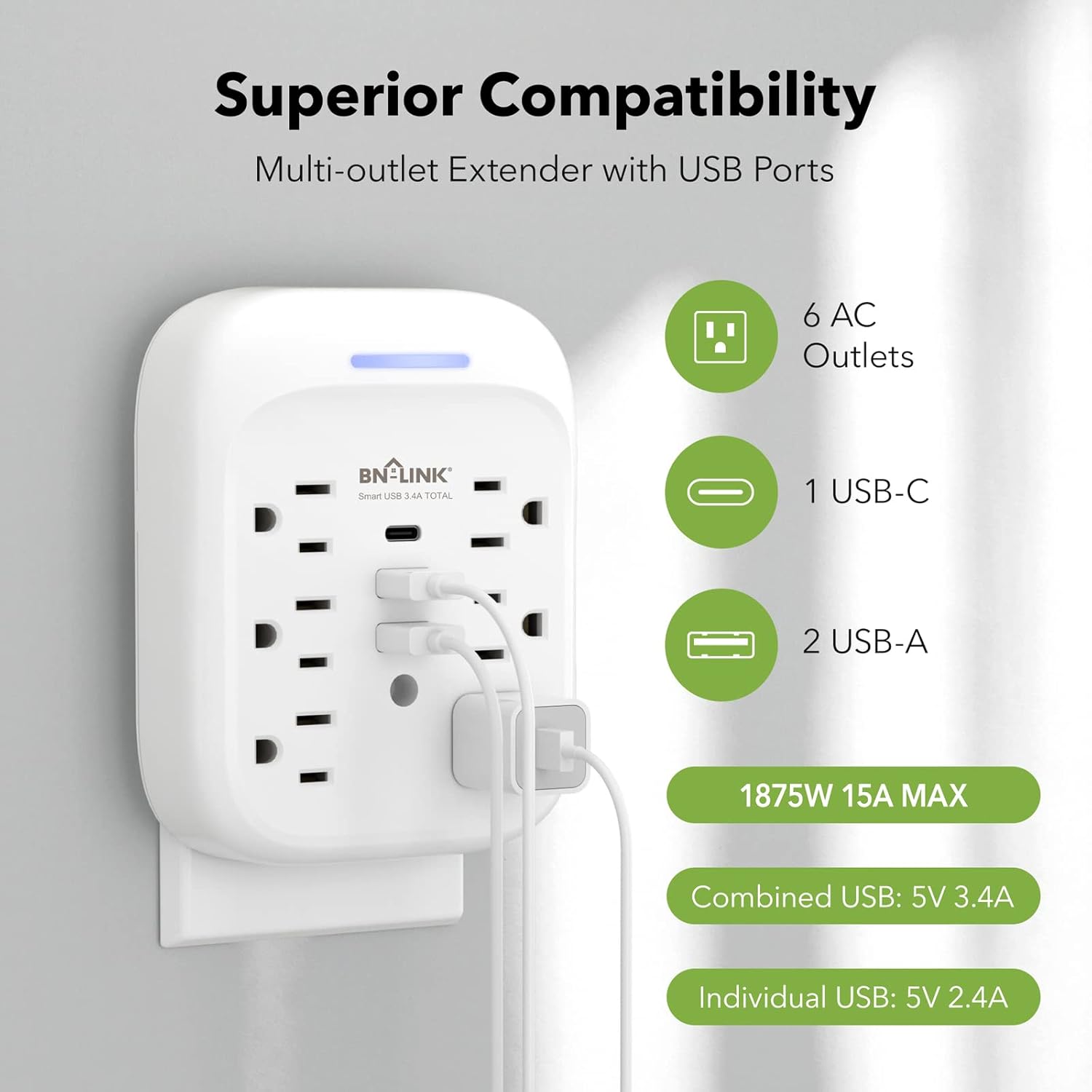
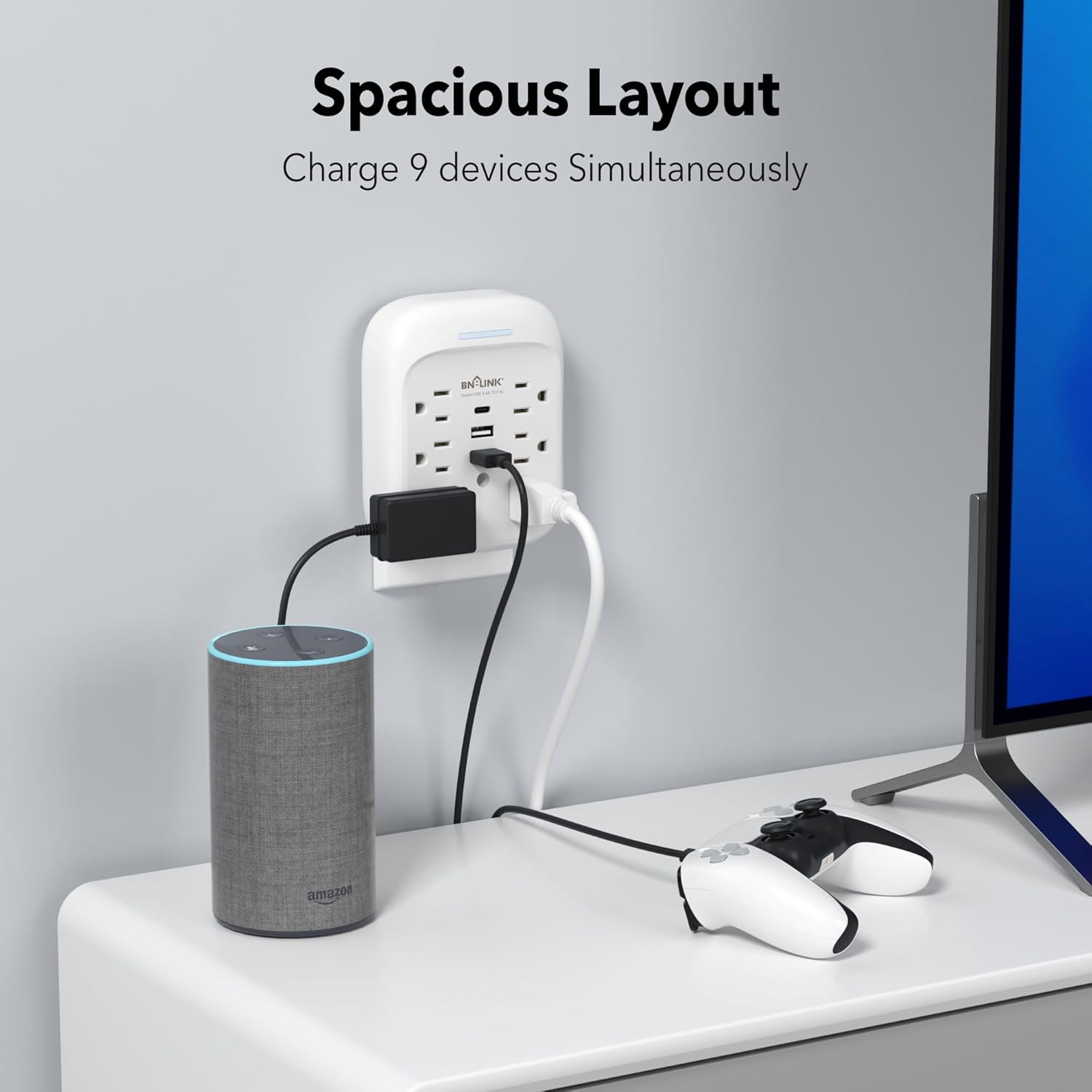
- Solució d'alimentació 9 en 1: Provides 6 AC outlets (15A/125V/1875W) and 3 USB ports (1 USB-C, 2 USB-A) for a total of 9 charging options.
- Protecció avançada contra sobretensions: Equipped with an 1800 Joule surge protection rating to safeguard your electronics from voltage spikes. Built-in safeguards protect against over-current, over-charging, and over-heating.
- Càrrega USB: Includes one USB-C port (up to 5V/3.4A total) and two USB-A ports (up to 5V/2.4A per port), with a combined total USB output of 5V/3.4A.
- Stable Wall-Mounted Design: Features a stable design with a mounting screw to securely fasten it to the wall outlet, preventing accidental dislodgement. A cuttable stabilizing post is also included for compatibility with various outlet types.
- Grounded Indicator: A blue indicator light confirms that your devices are grounded and protected.

3. Instal·lació
Follow these steps to properly install your BN-LINK Surge Protector:
- Prepareu el Outlet: Ensure the wall outlet is a standard 3-prong grounded outlet. If your existing wall plate has a screw in the center, remove it using a screwdriver.
- Connectar: Carefully align the prongs of the surge protector with the wall outlet and push firmly until it is fully seated.
- Fixar amb cargol: Insert the provided mounting screw into the center hole of the surge protector and tighten it to secure the unit to the wall plate. This enhances stability and prevents the unit from pulling out.
- Indicador de comprovació: Once plugged in and powered, the blue indicator light on the top of the unit will illuminate, confirming that the product is on and your devices are protected.

4. Funcionament
Once installed, the surge protector is ready for use. Simply plug your devices into the available AC outlets and USB ports.
- Preses de CA: Use the 6 AC outlets for standard electronic devices such as laptops, lamps, and small appliances. Ensure the total wattage no supera els 1875W.
- Ports USB: Utilize the 1 USB-C and 2 USB-A ports for charging smartphones, tablets, smartwatches, and other USB-powered devices. The USB-C port provides up to 5V/3.4A, and each USB-A port provides up to 5V/2.4A, with a total combined USB output of 5V/3.4A.
- Eficiència de càrrega: The smart USB ports automatically detect your device to deliver optimal charging speed.

5. Manteniment
To ensure the longevity and safe operation of your surge protector, follow these maintenance guidelines:
- Neteja: Disconnect the unit from the wall outlet before cleaning. Use a dry, soft cloth to wipe the exterior. Do not use liquid cleaners or abrasive materials.
- Emmagatzematge: When not in use for extended periods, store the surge protector in a cool, dry place away from direct sunlight and moisture.
- Evita danys: Do not drop, disassemble, or attempt to repair the unit yourself. This can void the warranty and pose safety risks.
6. Solució De Problemes
If you encounter issues with your BN-LINK Surge Protector, refer to the following common problems and solutions:
- No Power/Blue Indicator Off:
- Ensure the surge protector is firmly plugged into a working, grounded wall outlet.
- Check if the wall outlet itself is functioning by plugging in another device.
- If the blue indicator light remains off, the surge protection may have been compromised due to a significant power surge. The unit may still function as an outlet extender but without surge protection. Replace the unit if surge protection is desired. - El dispositiu no es carrega:
- Verify that the device's charging cable is properly connected to both the device and the surge protector's USB port or AC outlet.
- Try a different USB port or AC outlet on the unit.
- Test the device and cable with a different power source to rule out issues with the device or cable. - Sobreescalfament:
- Disconnect all devices immediately. The unit may be overloaded. Reduce the number of connected devices or their combined power draw.
- Ensure adequate ventilation around the unit.
Si el problema persisteix, poseu-vos en contacte amb l'assistència al client per obtenir ajuda.
7. Especificacions
| Característica | Especificació |
|---|---|
| Marca | BN-LINK |
| Model | BNC-60/U168 |
| Qualificació elèctrica | 125VAC/60Hz, 15A, 1875W |
| Classificació energètica de sobretensió | 1800 Joules |
| Total de preses de corrent altern | 6 |
| Sortida USB-C | 5V/3.4A (Total) |
| Sortida USB-A | 5V/2.4A (Max Per Port) |
| Sortida USB total | 5V/3.4A |
| Material | Policarbonat (PC) |
| Tipus d'endoll d'alimentació | Tipus B - 3 pins (nord-americà) |
| Pes de l'article | 0.55 lliures |
| Color | Blanc |

8. Garantia i Suport
BN-LINK stands behind the quality of its products. This surge protector comes with a 15 mesos de garantia des de la data de compra.
For technical assistance, troubleshooting, or any questions regarding your product, please contact BN-LINK customer support. Our team is available 24/7 to provide friendly and helpful service.
Informació de contacte: Please refer to the product packaging or the official BN-LINK weblloc web per obtenir les dades de contacte més actualitzades.