
Vrabocry SP621E
SP621E Bluetooth Pixel Controller User Manual
Model: SP621E
Introducció
The Vrabocry SP621E Mini Bluetooth LED Controller is designed for controlling addressable LED strips such as WS2811, WS2812B, and WS2813. It offers stable operation, ease of use, and simple connectivity, making it ideal for various lighting applications. This controller supports a wide voltage input range of DC5V to 24V and features onboard current of 2.9A.
Les característiques clau inclouen:
- Certified by FCC, CE, RoHS, ensuring high quality and safety.
- Flame retardant shell resistant to high temperatures.
- Supports APP control for automatic device connection and re-connection.
- Built-in 142 dynamic effects with adjustable length.
- Function to collect and save favorite effects.
- Automatic saving of setting parameters.
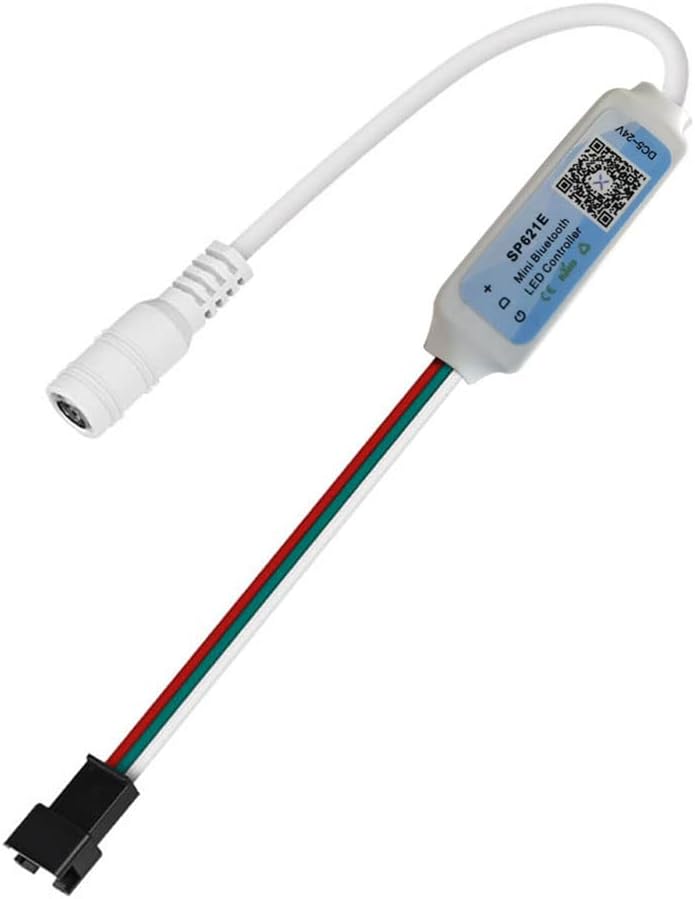
Image: The SP621E Mini Bluetooth LED Controller, showing its compact size and integrated cables for power and LED strip connection.
Contingut del paquet
Si us plau, assegureu-vos que tots els elements estiguin presents al paquet:
- 1 x SP621E Mini Controller
- 1 x cable USB
Informació de seguretat
- Assegureu-vos que el voltage is within the specified DC5V~24V range. Exceeding this range may damage the device.
- The controller is designed for indoor use. Avoid exposure to water or high humidity.
- Do not disassemble or modify the controller. This may void the warranty and pose safety risks.
- Mantenir fora de l'abast dels nens.
- Ensure proper ventilation around the controller during operation.
- The power supply has an anti-reverse connection function, but always double-check polarity before connecting.
Configuració
1. Connexió d'alimentació
Connect a DC5V~24V power adapter to the male DC power input connector of the SP621E controller. Ensure the power supply is appropriate for both the controller and the connected LED strip.
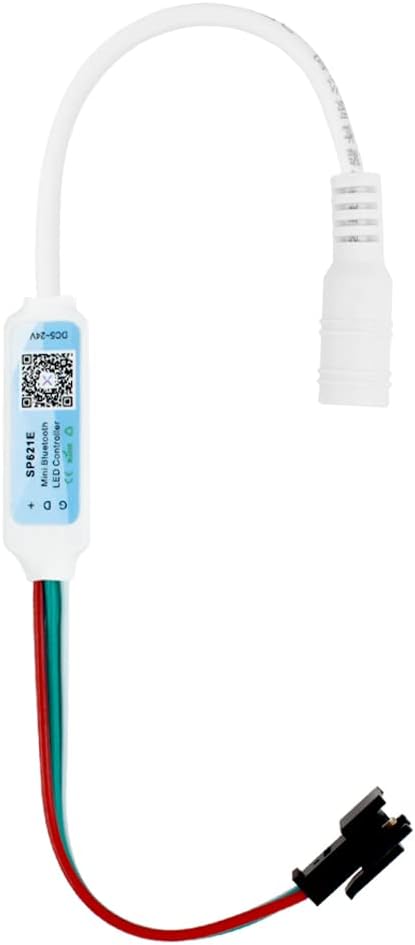
Image: The SP621E controller showing its male DC power input connector, ready to receive power from an external adapter.
2. LED Strip Connection
Connect your compatible LED strip (e.g., WS2811, WS2812B, WS2813) to the 3-pin output connector of the SP621E controller. Ensure the correct polarity (Data, Ground, VCC) matches the LED strip's input.

Image: The SP621E controller displaying its female DC power output connector and the 3-pin connector for connecting to an LED strip.
3. Instal·lació de l'aplicació i connexió Bluetooth
Download the dedicated control application for the SP621E controller from your smartphone's app store (usually by scanning the QR code on the controller or packaging). Once installed, enable Bluetooth on your device and open the app. The app should automatically detect and connect to the SP621E controller. If not, follow the in-app instructions for manual pairing.

Image: A visual representation of the SP621E controller connected to a power source and an LED strip, with a smartphone displaying the control application interface.
Instruccions de funcionament
Once connected via the app, you can control various aspects of your LED lighting:
- Efectes dinàmics: The controller comes with 142 built-in dynamic effects. Browse through them and select your preferred lighting pattern.
- Effect Length Adjustment: Adjust the speed or duration of the selected dynamic effects to customize the lighting experience.
- Favorite Effects: Save your most frequently used or preferred effects for quick access.
- Funció de temporitzador: Set schedules for your LED lights to turn on or off automatically.
- Selecció de color: Choose from a wide range of colors for static lighting modes.
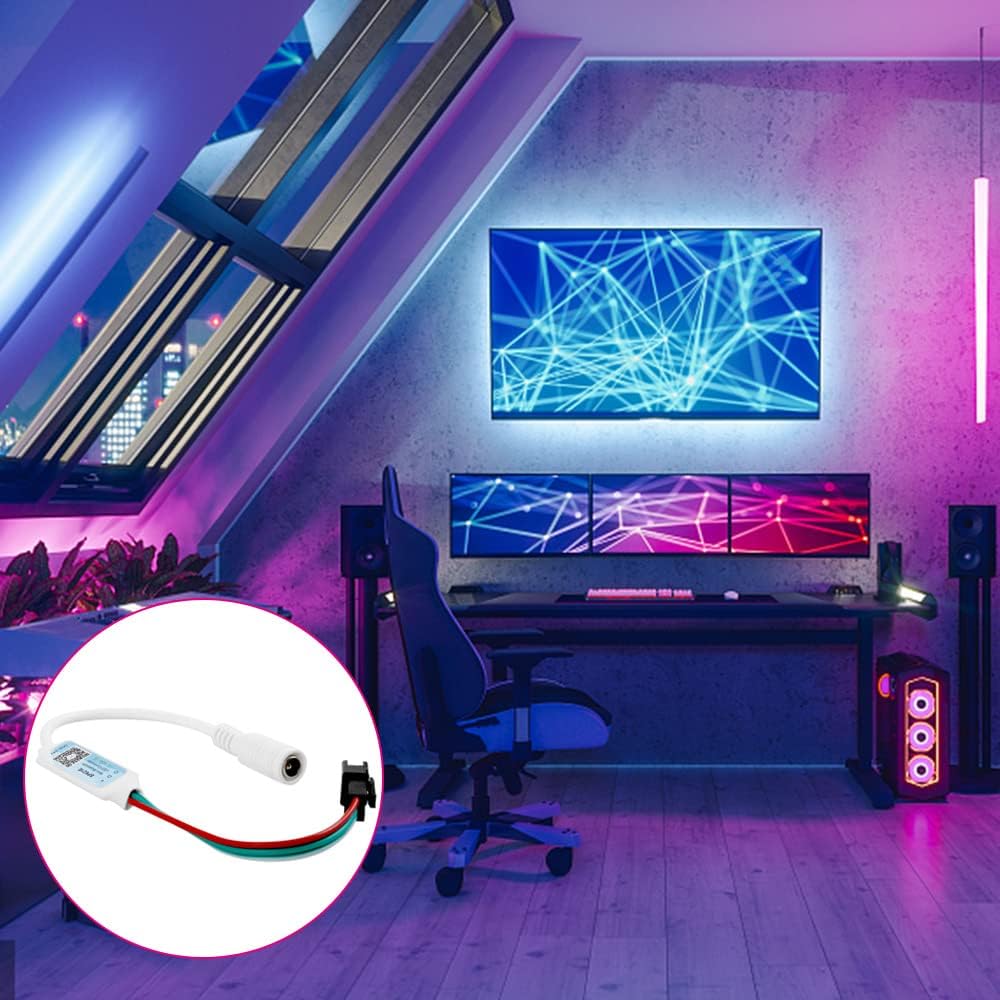
Imatge: Una imatge detallada view of the SP621E control application interface on a smartphone, illustrating options for dynamic effects, color selection, and other settings.
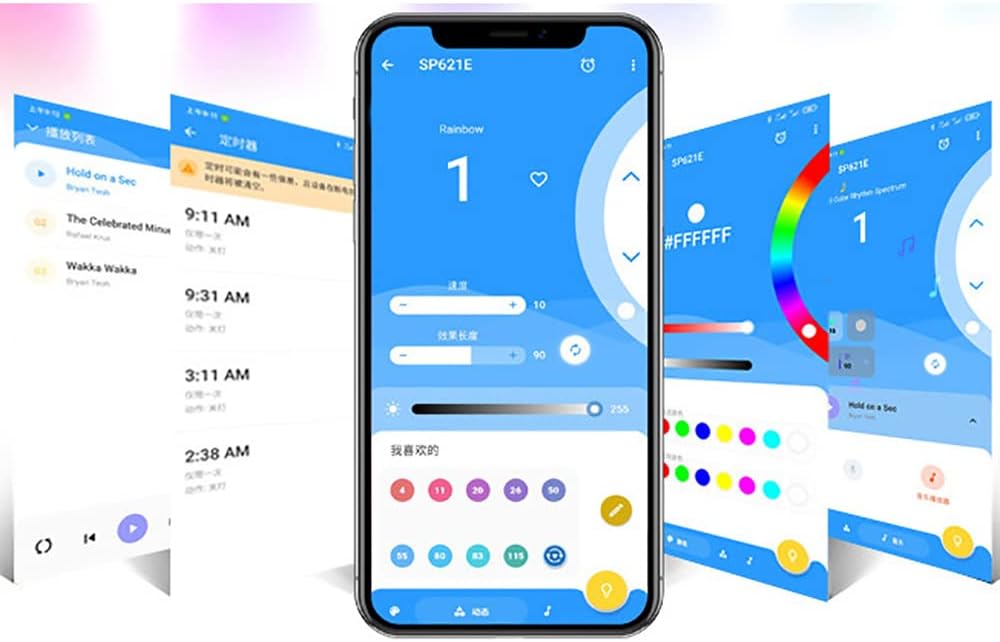
Imatge: Una altra view of the SP621E control application, highlighting the timer function and the ability to save favorite lighting effects for easy recall.
Manteniment
- Mantingueu el controlador net i lliure de pols. Feu servir un drap suau i sec per netejar-lo.
- Avoid placing the controller in direct sunlight or near heat sources.
- Ensure all connections are secure to prevent intermittent operation.
- Emmagatzemar en un lloc fresc i sec quan no s'utilitzi durant períodes prolongats.
Resolució de problemes
- El controlador no s'encén:
- Check if the power adapter is correctly connected and providing DC5V~24V.
- Assegureu-vos que la presa de corrent funcioni.
- LED strip not lighting up:
- Verify the LED strip is compatible (WS2811, WS2812B, WS2813).
- Check the connection between the controller and the LED strip for correct polarity and secure fit.
- Assegureu-vos que la tira de LED sigui funcional.
- Problemes de connexió Bluetooth:
- Assegureu-vos que el Bluetooth estigui habilitat al vostre telèfon intel·ligent.
- Reinicieu l'aplicació i proveu de connectar-vos de nou.
- If the app does not remember the pairing, you may need to disconnect and reconnect the controller's power to re-establish a connection.
- Ensure the controller is within Bluetooth range.
- Effects not changing or responding:
- Check if the app is properly connected to the controller.
- Assegureu-vos que l'aplicació estigui actualitzada a la darrera versió.
- Try restarting the controller by disconnecting and reconnecting its power.
Especificacions
| Paràmetre | Valor |
|---|---|
| Model | SP621E |
| Temperatura de treball | -20℃ ~ 60℃ (-4°F ~ 140°F) |
| Voltage | DC5V ~ 24V |
| Onboard Current | 2.9A |
| Mètode de control | Control d'aplicacions Bluetooth |
| Protocol de connectivitat | Bluetooth |
| Compatible LED Types | WS2811, WS2812B, WS2813 Pixel RGB SMD5050 LED Strip/Module/Lamp |
| Material | Plàstic |
| Característiques especials | Color Changing, Timer, 142 Dynamic Effects, Favorite Effects Collection, Automatic Parameter Saving |
| Ús interior/exterior | Interior |
Informació de la garantia
For specific warranty terms and conditions, please refer to the documentation provided with your purchase or contact the manufacturer, Vrabocry, directly. Typically, warranty covers defects in materials and workmanship under normal use.
Atenció al client
If you encounter any issues or have questions regarding your SP621E Bluetooth Pixel Controller that are not covered in this manual, please contact Vrabocry customer support through their official website or the retailer from whom you purchased the product. Please have your product model number (SP621E) and purchase details ready when contacting support.
Ask a question about this manual
Ask about setup, troubleshooting, compatibility, parts, safety, or missing instructions. Manuals+ will review the question and use this page’s manual context to help answer it.