
1. Introducció i finalview
The SURFOU Smart Plug is designed to provide convenient control over your electrical appliances. This compact device allows you to manage connected devices remotely via a smartphone application, voice commands through Amazon Alexa or Google Assistant, and scheduled timers. It supports 2.4GHz Wi-Fi networks only.

Figure 1: SURFOU Smart Plug with smartphone app interface. The plug is compatible with Smart Life, Tuya, SmartThings, Google Assistant, and Amazon Alexa.
2. Característiques del producte
- Disseny compacte: Space-saving and easy to integrate into any outlet.
- Comandament a distància: Manage your electrical appliances from anywhere using the free mobile application.
- Control de veu: Activate your smart plug with voice commands via Amazon Alexa or Google Assistant.
- Control manual: Turn the plug on and off using both the physical button on the device and the virtual button in the application.
- Funció de temporitzador: Set individual schedules and timers for connected devices.
- Monitorització energètica: Track real-time electricity consumption by day, week, month, or year.
- Compatibilitat de xarxa: Supports 2.4GHz Wi-Fi networks.
- Característiques de seguretat: Equipped with a fire-resistant casing, overload protection, and child safety design.

Figure 2: Key features and dimensions of the SURFOU Smart Plug, including Consumption Monitor, Remote Control, Timer Function, 13A Load Capacity, 2.4GHz WLAN, and Multi-Compatibility.
3. Instruccions de configuració
Follow these steps to set up your SURFOU Smart Plug:
- Connectar: Insert the smart plug into a standard electrical outlet.
- Descarregar l'aplicació: Download the free "Smart Life" application from your mobile device's app store. The app is compatible with iOS 8.0 and above, and Android 4.4 and above.
- Connecteu-vos a l'alimentació: Ensure the mini plug is connected to power and wait for the indicator light to flash rapidly.
- Afegeix un dispositiu a l'aplicació: Open the Smart Life app and navigate to the "Add Device" page.
- Confirma el parpelleig: In the app, confirm that the indicator light on the plug is flashing rapidly.
- Seleccioneu Wi-Fi: Select your local 2.4GHz Wi-Fi network. Nota: The plug only supports 2.4GHz Wi-Fi, not 5G. If your router provides both 2.4G and 5G networks simultaneously, ensure your device connects to the 2.4G network during setup.
- Introduïu la contrasenya: Enter the corresponding Wi-Fi password and confirm.
- Configuració completa: Follow any remaining in-app instructions to complete the connection process.

Figure 3: Visual guide for the initial setup process, showing plugging in the device, downloading the Smart Life app, and following in-app instructions.
4. Instruccions de funcionament
4.1 Control d'aplicacions
Once connected, you can control your smart plug via the Smart Life app:
- On/Off: Tap the power icon in the app to turn the connected device on or off.
- Programació: Set up daily or weekly schedules for your devices to turn on or off automatically.
- Temporitzadors: Use the timer function for countdowns or specific duration operations.
- Escenes: Create custom scenes to control multiple devices with a single tap or based on conditions like sunrise/sunset.
- Monitorització energètica: View real-time and historical power consumption data for connected devices.
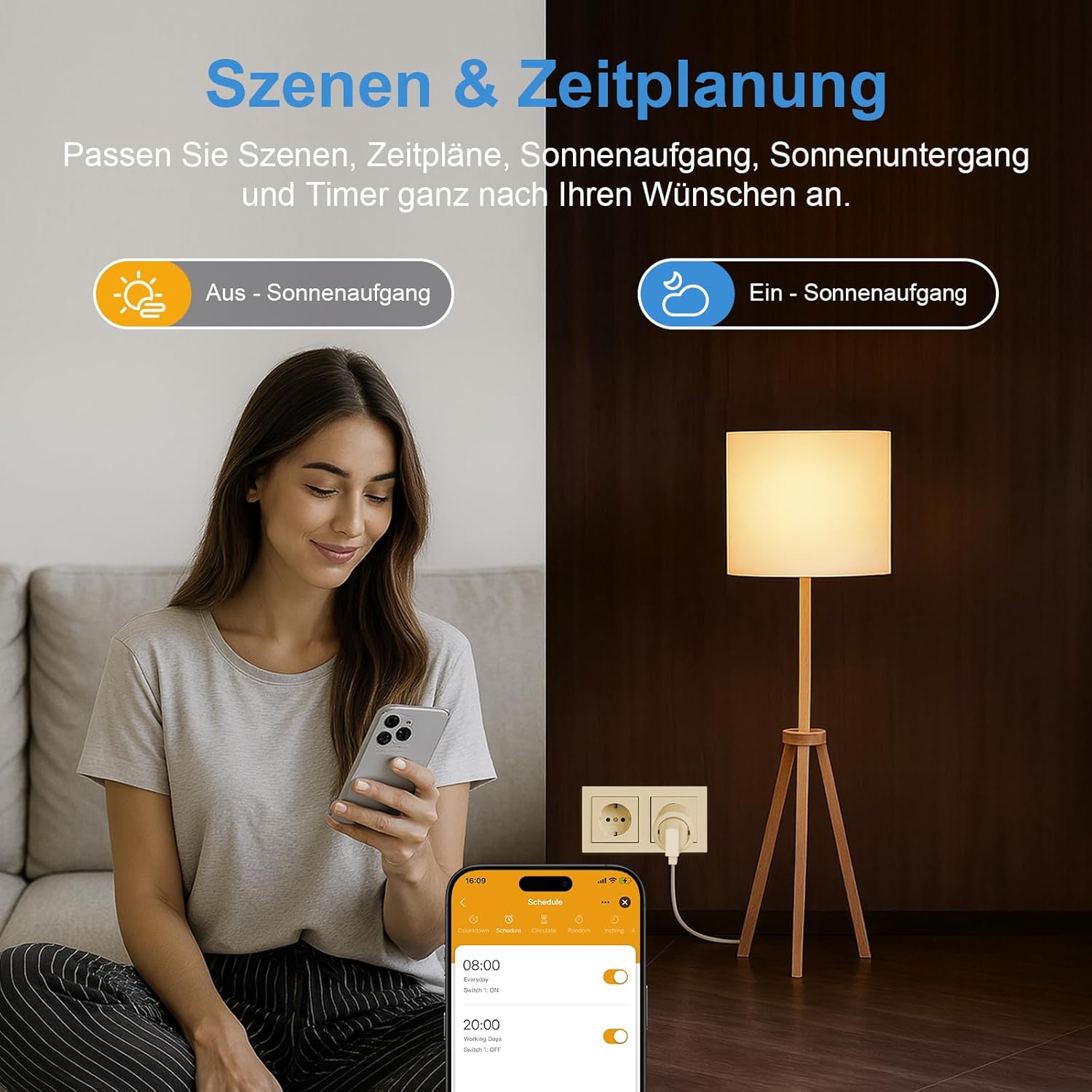
Figure 4: Setting up schedules and scenes for the smart plug using the mobile application.
4.2 Control de veu
Integrate your smart plug with Amazon Alexa or Google Assistant for hands-free control:
- Ensure your smart plug is linked to your Alexa or Google Home account through the respective app.
- Utilitzeu ordres com ara:
- "Alexa, encén el llum de la sala d'estar."
- "Ei Google, apaga el ventilador."

Figure 5: Demonstrating voice control with Amazon Alexa to operate a device connected to the smart plug.
4.3 Control manual
The smart plug features a physical power button. Press this button to manually turn the connected device on or off.
5. Manteniment
- Neteja: Disconnect the smart plug from the power outlet before cleaning. Use a dry, soft cloth to wipe the surface. Do not use liquid cleaners or abrasive materials.
- Restabliment de fàbrica: If you need to restore the plug to its factory settings, press and hold the physical button on the plug for several seconds until the indicator light behaves as it did during initial setup (e.g., rapid flashing). This will unpair the device from your network.
6. Solució De Problemes
- Plug Not Connecting or Unreliable:
- Verify that your network is 2.4GHz. The plug only supports 2.4GHz Wi-Fi.
- Check your router settings to ensure the network has not been modified in a way that prevents the plug from being controlled.
- If there are too many devices on your network, it might degrade the signal.
- Restart your router. This can often resolve network signal degradation and delayed control issues.
- Perform a factory reset (long press the button on the plug) and attempt to re-pair the device.
- Delayed Control: Network signal degradation or router caching issues can cause delays. Restarting your router is recommended.
- Compatibilitat de l'aplicació: Ensure your mobile device supports iOS 8.0 or higher, or Android 4.4 or higher.
7. Especificacions
| Especificació | Valor |
|---|---|
| Número de model | BSD48 |
| Marca | SURFOU |
| Color | Blanc |
| Dimensions del producte (L x A x A) | 5 x 5 x 8 cm |
| Pes | 90 grams |
| Voltage | 230 Volts |
| Material | Acrilonitril butadiè estirè (ABS) |
| Tipus de connector | Plug In System |
| Nombre de pols | 2 |
| Nombre de cables | 2 |
| Suport Wi-Fi | Només a 2.4 GHz |
| Fabricant | SURFOU |
| País d'origen | Xina |
8. Garantia i Suport
For warranty information or technical support, please refer to the product packaging or contact SURFOU customer service directly. Contact details can typically be found on the manufacturer's official website or within the Smart Life application's help section.