
1. Introducció
Thank you for choosing the Auna AMP-4000 DAB HiFi Stereo Amplificador. Això amplifier is designed to provide high-quality audio reproduction and versatile connectivity options for your home audio system. It features an integrated DAB+ radio tuner, Bluetooth connectivity, USB input, and multiple analog and digital inputs. This manual provides essential information for the safe and efficient operation of your device.
2. Instruccions de seguretat
Please read these safety instructions carefully before operating the device and keep them for future reference. Incorrect operation due to disregard of these instructions may cause damage to the product or personal injury.
- Font d'alimentació: Connecteu el amplifier only to an AC outlet of the voltage especificat a la unitat.
- Ventilació: Ensure adequate ventilation. Do not block ventilation openings. Do not place the unit on carpets or other soft surfaces that may block the ventilation slots.
- Aigua i humitat: No exposeu la unitat a la pluja ni a la humitat. No col·loqueu objectes plens de líquids, com ara gerros, a sobre de la unitat.
- Calor: No col·loqueu la unitat a prop de fonts de calor com ara radiadors, registres de calor, estufes o altres aparells (inclosos amplificadors) que produeixen calor.
- Neteja: Desendolleu la unitat de la presa de corrent abans de netejar-la. Feu servir només un drap suau i sec.
- Manteniment: No intenteu atendre aquest producte vosaltres mateixos. Consulteu tots els serveis a personal de servei qualificat.
- Entrada d'objectes i líquids: No introduïu mai cap objecte dins d'aquest producte a través de les obertures, ja que poden tocar un volum perillóstage punts o curtcircuitar peces que podrien provocar un incendi o una descàrrega elèctrica.
- Col·locació: Col·loqueu la unitat sobre una superfície estable i plana.
3. Producte acabatview
The Auna AMP-4000 DAB is a versatile HiFi stereo amplifier designed for comprehensive home audio entertainment. It integrates a DAB+ radio tuner for digital radio reception and offers various connectivity options.
Característiques principals:
- Sortida potent: 4 x 100 watts RMS power output for robust sound.
- Integrated DAB+ Radio: Built-in digital DAB+ radio tuner for clear, interference-free radio enjoyment.
- Connectivitat Bluetooth: Wireless audio streaming from smartphones, tablets, and other Bluetooth-enabled devices.
- Entrada USB: Front-panel USB slot for playing audio files de dispositius d'emmagatzematge USB.
- Múltiples entrades: Includes optical, coaxial, AUX, and 3 stereo RCA inputs for connecting various audio sources like CD/DVD players.
- Line-Out Output: For connecting to external recording devices or additional ampaixecadors.
- Controls fàcils d'utilitzar: Central LED display and included remote control for easy operation.
- Adjustable Audio: Controls for volume, treble, bass, and balance.

Image 3.1: The Auna AMP-4000 DAB amplifier integrated into a home audio setup, showcasing its digital DAB+ radio capability for clear sound.
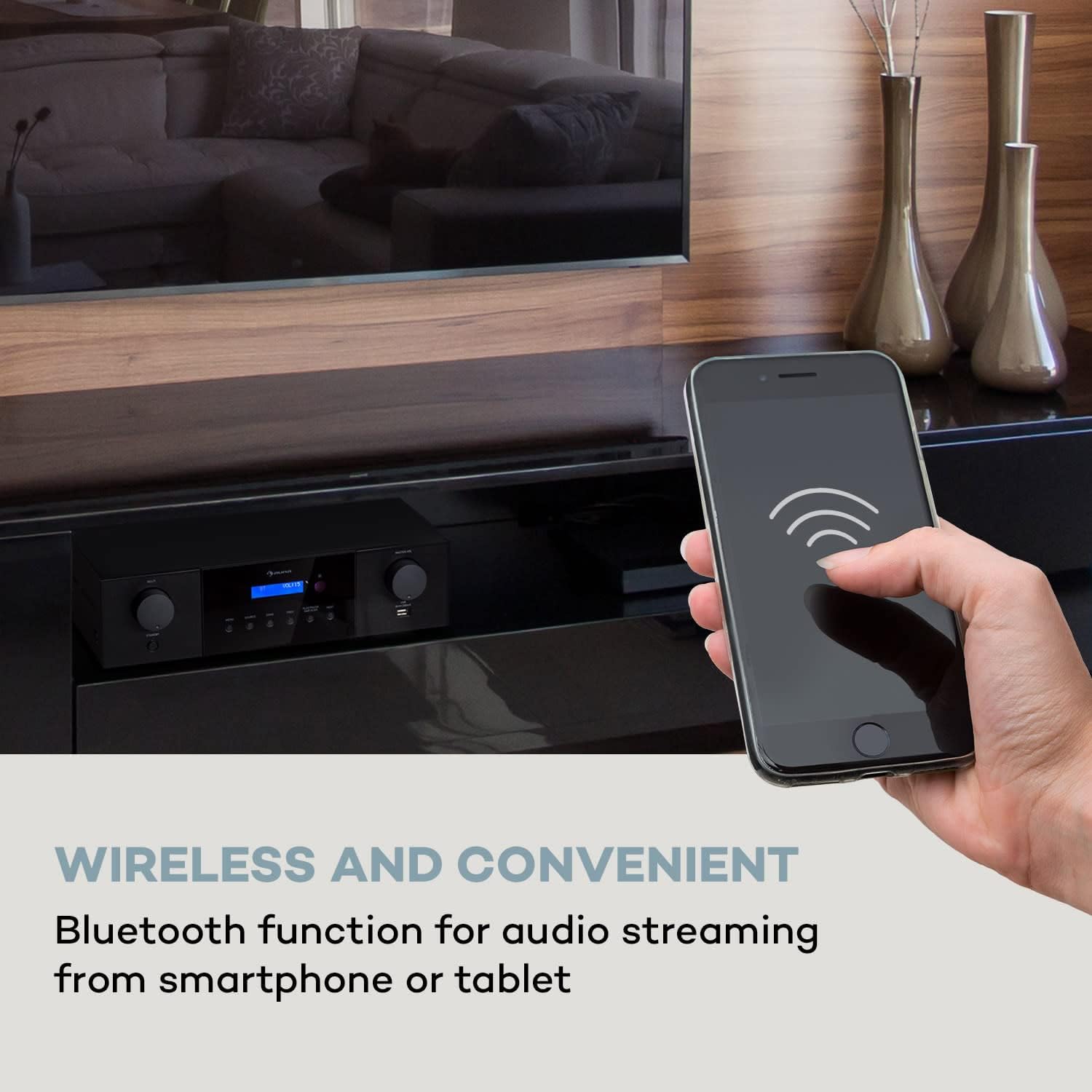
Image 3.2: Wireless audio streaming via Bluetooth from a smartphone to the ampmés viu.

Imatge 3.3: El/La amplifier's front panel, emphasizing its powerful 4 x 100 Watt RMS output.
4. Configuració
4.1 Desembalatge i col·locació
- Traieu amb cura amplifier from its packaging.
- Col·loca el amplifier on a stable, flat surface with adequate ventilation around it. Avoid placing it in direct sunlight or near heat sources.
- Ensure there is enough space for cable connections at the rear.
4.2 Connectar altaveus
El AMP-4000 DAB features 4 speaker zones, each with 100 watts RMS power. Connect your passive speakers to the corresponding speaker terminals on the rear panel.
- Connect the positive (+) terminal of each speaker to the red (+) terminal of the amplifier's corresponding speaker zone.
- Connect the negative (-) terminal of each speaker to the black (-) terminal of the amplifier's corresponding speaker zone.
- Ensure all connections are secure and that no bare speaker wire strands are touching each other or the amplifier chassis, which could cause a short circuit.
4.3 Connexió de fonts d'àudio
El amplifier offers various input options:
- Entrada òptica: Connect digital audio sources (e.g., TV, game console) using an optical cable.
- Coaxial Inputs (x2): Connect digital audio sources using coaxial cables.
- Entrada AUX: Connect analog audio sources (e.g., MP3 player) using a 3.5mm jack cable.
- RCA Inputs (x3): Connect analog audio sources (e.g., CD player, DVD player) using RCA cables.
- USB Input (Front Panel): Insert a USB storage device for playing audio files.

Image 4.1: Rear panel connectivity options including Line-Out, Optical In, Coaxial In, and AUX In.
4.4 Connexió de potència
After all audio and speaker connections are made, connect the power cable to the amplifier's AC input and then to a suitable wall outlet (220-240 V~ 50/60 Hz). Ensure the rear on/off switch is in the OFF position before connecting to power.
5. Instruccions de funcionament
5.1 Engegada/apagada
- Per encendre el amplifier, switch the rear on/off switch to the ON position. The unit will enter standby mode.
- Premeu el botó ESPERA button on the front panel or the remote control to fully power on the unit.
- To put the unit into standby, press the ESPERA botó de nou.
- For complete power off, switch the rear on/off switch to the OFF position.
5.2 Selecció de la font
Premeu el botó FONT button on the front panel or the remote control to cycle through available input sources (DAB+, Bluetooth, USB, Optical, Coaxial 1, Coaxial 2, AUX, RCA 1, RCA 2, RCA 3).
5.3 Control de volum
Ajusteu el volum principal amb el botó MÀSTER VOL botó del panell frontal o del VOL + / VOL- botons del comandament a distància.
5.4 Funcionament de la ràdio DAB+
- Select DAB+ as the source.
- Perform a DAB scan to find available stations. This can usually be initiated via the DAB SCAN button or menu option.
- Utilitza el PREV i SEGÜENT buttons to navigate through available stations.
5.5 Vinculació Bluetooth
- Select Bluetooth as the source. The amplifier will enter pairing mode, indicated on the LED display.
- Al vostre telèfon intel·ligent o tauleta, activeu el Bluetooth i cerqueu els dispositius disponibles.
- Select "Auna AMP-4000 DAB" from the list of devices to pair.
- Once paired, you can stream audio wirelessly from your device to the ampmés viu.
Reproducció USB 5.6
- Inseriu un dispositiu d'emmagatzematge USB al port USB frontal.
- Select USB as the source.
- Utilitza el PREV, SEGÜENT, i REPRODUCCIÓ/PAUSA botons per controlar la reproducció.

Imatge 5.1: El/La amplifier's front panel and remote control, illustrating convenient operation.
6. Manteniment
6.1 Neteja
- Desconnecteu sempre el fitxer amplifier from the power outlet before cleaning.
- Feu servir un drap suau i sec per netejar les superfícies exteriors.
- Do not use liquid cleaners, aerosol cleaners, or strong chemical solvents, as these may damage the finish.
- Keep ventilation openings free of dust.
6.2 Emmagatzematge
Si teniu previst emmagatzemar el amplifier for an extended period, disconnect it from the power supply and store it in a cool, dry place, away from direct sunlight and extreme temperatures.
7. Solució De Problemes
Si teniu problemes amb el vostre amplifier, please consult the following table before contacting support.
| Problema | Causa possible | Solució |
|---|---|---|
| Sense poder | Power cable not connected; Rear power switch off; Unit in standby. | Ensure power cable is securely connected. Turn on the rear power switch. Press the STANDBY button on the front panel or remote. |
| Sense so | Incorrect source selected; Speaker cables loose; Volume too low; Mute function active. | Select the correct input source. Check speaker connections. Increase volume. Deactivate mute. |
| Bluetooth no connectat | Amplifier not in pairing mode; Device Bluetooth off; Device too far. | Ensure Bluetooth source is selected on amplifier. Enable Bluetooth on your device. Move device closer to ampmés viu. |
| DAB+ radio not receiving stations | DAB antenna not connected or positioned incorrectly; No station scan performed. | Connect the DAB antenna and adjust its position for better reception. Perform a DAB station scan. |
8. Especificacions
| Número de model | IT10038329 |
| Marca | AUNA |
| Potència de sortida | 4 x 100 watts RMS |
| Wat totaltage | 400 watts |
| Nombre de canals | 4 |
| Tecnologia de connectivitat | Bluetooth, USB |
| Tipus de connectors | 3.5mm Jack, RCA, USB, Optical, Coaxial |
| Característiques especials | Built-in Bluetooth, RCA, Subwoofer (Line-Out), DAB+ Radio Tuner |
| Dispositius compatibles | Smartphone, Tablet, CD Player, DVD Player, TV, Game Console |
| Mètode de control | Remote, Manual Knobs/Buttons |
| Dimensions del producte (WxHxD) | 43 x 12.5 x 24.5 cm |
| Pes de l'article | 4 quilos |
| Font d'alimentació | 220-240 V ~ 50/60 Hz |

Image 8.1: Physical dimensions of the Auna AMP-4000 DAB ampmés viu.
9. Garantia i Suport
9.1 Informació de la garantia
This product is covered by a manufacturer's warranty. Please refer to the warranty card included with your purchase for specific terms and conditions, including the warranty period and coverage details. Keep your proof of purchase for warranty claims.
9.2 Atenció al client
For technical assistance, troubleshooting beyond this manual, or warranty inquiries, please contact Auna customer support. Contact details can typically be found on the manufacturer's official weblloc web o a l'embalatge del producte.
Please have your model number (IT10038329) and proof of purchase ready when contacting support.


