
Brady M211
Brady M211 Portable Bluetooth Label Printer User Manual
Model: M211
1. Introducció
The Brady M211 Portable Bluetooth Monochrome Label Printer is a robust and intuitive device designed for efficient label creation and printing directly from your smartphone. Its compact and durable construction ensures reliable performance in various work environments. This manual provides comprehensive instructions for setting up, operating, maintaining, and troubleshooting your M211 label printer.

2. Què hi ha a la caixa
Verifiqueu que tots els elements siguin presents al vostre paquet:
- 1 x Brady M211 Printer
- 1 x M21-750-499 Label Cartridge
- 1 x Guia d'inici ràpid
- 1 x AC Adapter (North America)
3. Configuració
3.1 Càrrega de la impressora
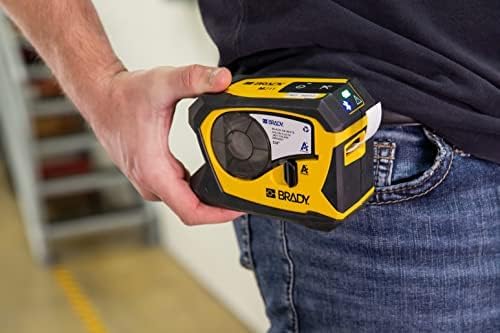
Before first use, fully charge the M211 printer using the provided AC adapter. Connect the adapter to the printer's charging port and plug it into a power outlet. The charging indicator light will show the charging status.
3.2 Installing a Label Cartridge
The M211 printer uses M21 series label cartridges. To install a cartridge:
- Obriu la porta dels cartutxos al lateral de la impressora.
- Align the label cartridge with the slot and gently push it in until it clicks into place.
- Close the cartridge door securely.

3.3 Connecting via Bluetooth and App Installation
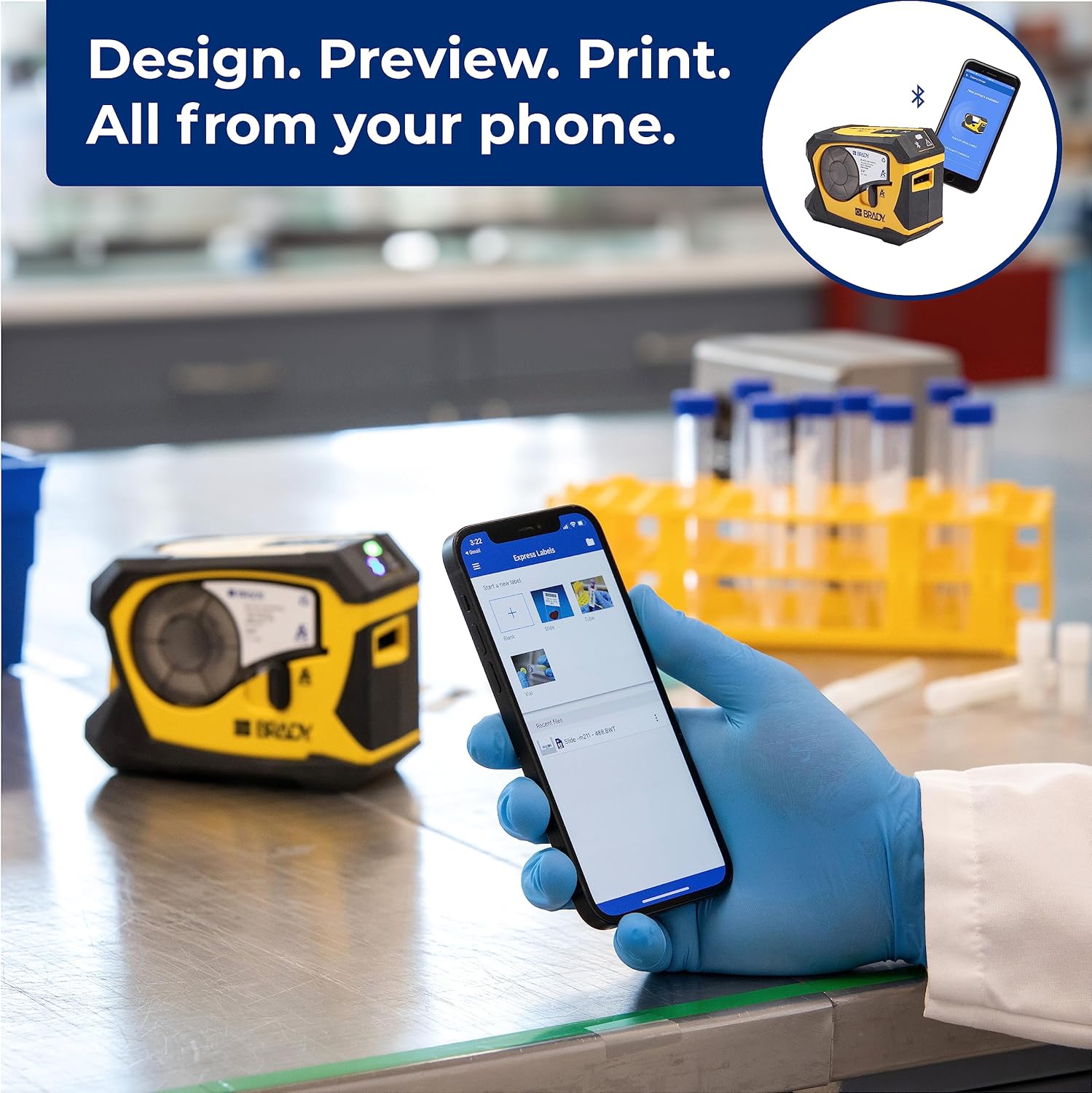
The M211 printer connects to your smartphone via Bluetooth using the Brady Express Labels Mobile app.
- Download the 'Express Labels Mobile' app from your device's app store (available for iOS and Android).
- Assegureu-vos que el Bluetooth estigui habilitat al vostre telèfon intel·ligent.
- Power on the M211 printer by pressing the power button. The Bluetooth indicator light will blink, indicating it's ready to pair.
- Open the Express Labels Mobile app. The app will automatically search for and connect to your M211 printer. Follow any on-screen prompts to complete the pairing process.
Video 1: Official video demonstrating how to create and print barcode labels using the Brady M211 printer and the Express Labels Mobile app.
4. Funcionament de la impressora
4.1 Designing and Printing Labels
The Express Labels Mobile app provides a user-friendly interface for designing and printing labels.
- Open the app and select a label template or start a new blank label.
- Use the app's tools to add text, barcodes (over 20 types supported), symbols (over 1400 available), and other elements.
- Preview your label design to ensure accuracy.
- Tap the print icon in the app to send the design to your M211 printer. The printer will automatically cut the label after printing.
4.2 Label Applications and Materials
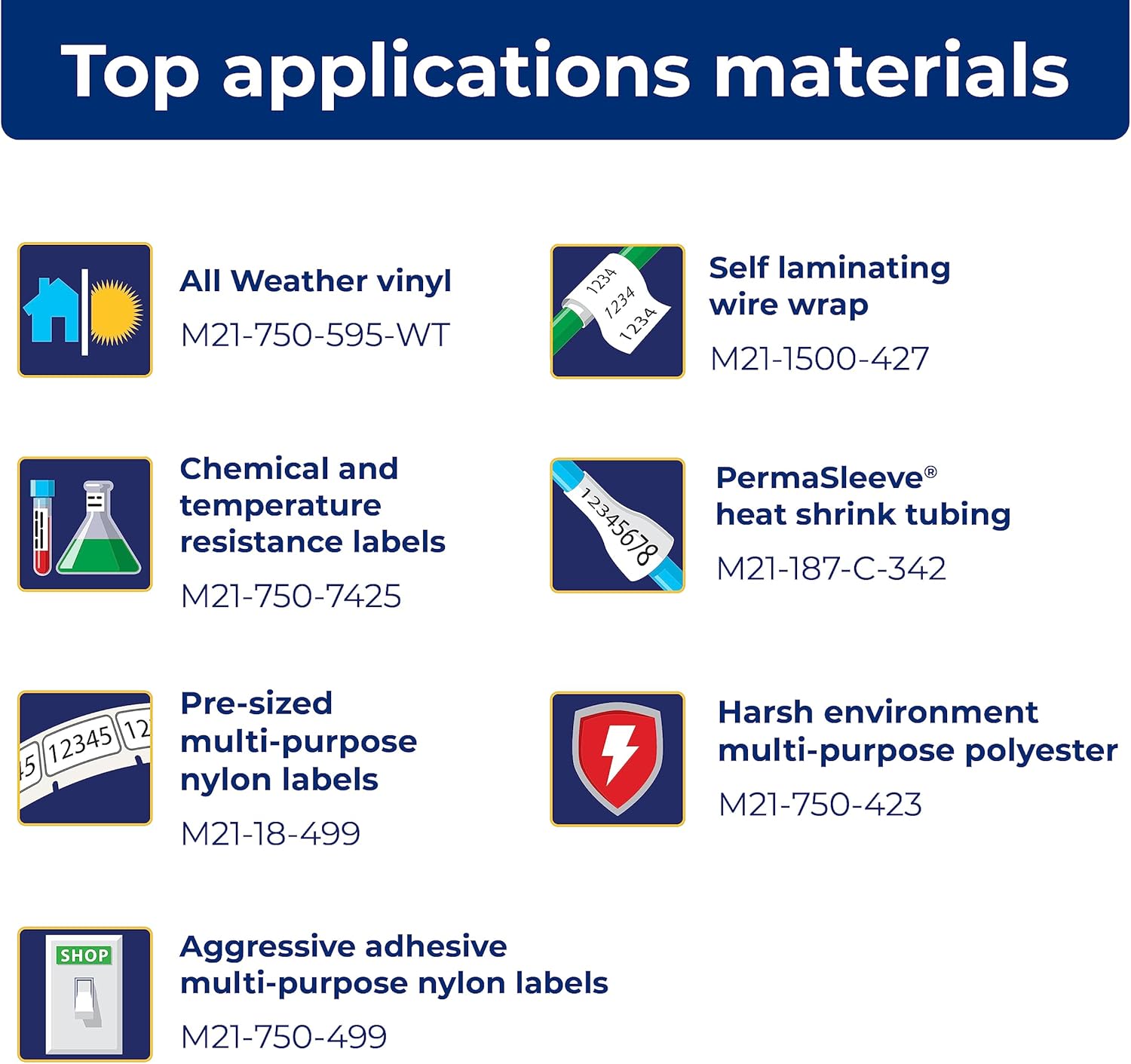
The M211 printer supports a wide range of label applications and materials, making it versatile for various tasks.

5. Manteniment
5.1 Neteja de la impressora
Una neteja regular ajuda a mantenir un rendiment òptim:
- Feu servir un drap suau i sense borrissol per netejar l'exterior de la impressora.
- Periodically clean the print head and platen roller using a Brady-approved cleaning card or isopropyl alcohol on a cotton swab. Refer to the Quick Start Guide for detailed instructions on print head cleaning.
5.2 Substitució del cartutx
Replace label cartridges when the material runs out or when the print quality degrades. Always use authentic Brady cartridges to ensure compatibility and optimal performance.

6. Solució De Problemes
If you encounter issues with your M211 printer, try the following common troubleshooting steps:
- La impressora no respon: Ensure the printer is charged and powered on. Check the Bluetooth connection status in the app and on your phone.
- Mala qualitat d'impressió: Verify that the label cartridge is correctly installed. Clean the print head as described in the maintenance section. Ensure you are using authentic Brady label materials.
- Problemes de connexió de l'aplicació: Restart both the printer and your smartphone. Ensure the Express Labels Mobile app is updated to the latest version. Try forgetting and re-pairing the Bluetooth connection in your phone's settings.
- Labels Not Feeding/Cutting: Check for any obstructions in the label path. Ensure the label cartridge is not empty or jammed.
For more complex issues, refer to the detailed troubleshooting section in the full user manual or contact Brady customer support.
7. Especificacions
| Característica | Especificació |
|---|---|
| Dimensions del producte | 2.6 "P x 5.4" W x 4" H |
| Tipus de controlador | Android, iOS |
| Mida màxima del suport | 0.75 polzades |
| Mitjans impresos | Etiquetes |
| Tipus d'escàner | Portàtil |
| Capacitat màxima del full d'entrada | 50 |
| Velocitat màxima de còpia (blanc i negre) | 0.6 ppm |
| Tipus de visualització | LCD |
| Dispositius compatibles | Telèfons intel·ligents |
| Resolució màxima d'impressió en color | 203 ppp |
| Mida del full | 0.25 x 0.75 |
| Resolució màxima d'impressió en blanc i negre | 203 ppp |
| Profunditat de color | 1 bits per pixel |
| Impressió a doble cara | Sí |
| Resolució màxima de còpia en blanc i negre | 203 ppp |
| Dúplex | Simplex |
| Interfície del maquinari | Bluetooth |
| Color de tinta | Negre, groc |
| Resolució | 203 ppp |
| Funcions addicionals de la impressora | Imprimeix només |
| Mètode de control | App |
| Output sheet capacity | 50 |
| Número de sèrie | 211 |
| Sèrie Model | 211 |
| UPC | 888434587515 |
| Capacitat d'emmagatzematge de memòria | 2 MB |
| Pes de l'article | 1.44 lliures |
| Bateries | Necessites 1 bateries de ions de liti. (inclòs) |
| Data de primera disponibilitat | 31 de març de 2022 |
| Fabricant | Brady |
| Marca | Brady |
| Tecnologia de connectivitat | Bluetooth® 5 Low Energy (class II) |
| Tecnologia d'impressió | Tèrmica |
| Color | Groc/Negre |
| Nom del model | M211 |
| Sortida de la impressora | Monocrom |
| Velocitat màxima d'impressió (color) | 0.6 ppm |
| Velocitat màxima d'impressió en monocrom | 0.6 |

8. Accessoris disponibles
Enhance your M211 printer's functionality and protection with these available accessories:
- Hard Case
- Adaptador de CA
- Power Brick
- Clip de cinturó
- Imant

9. Garantia i Suport
9.1 Informació de la garantia
The Brady M211 Portable Bluetooth Monochrome Label Printer comes with a Limited Warranty. Please refer to the warranty card included with your product or visit the official Brady weblloc web per obtenir els termes i condicions detallats sobre la cobertura de la garantia, la durada i els procediments de reclamació.
9.2 Atenció al client
For technical assistance, product inquiries, or service requests, please contact Brady Customer Support:
- Weblloc: Visit the official Brady weblloc web amb preguntes freqüents, recursos d'assistència i formularis de contacte.
- Telèfon: Refer to the Quick Start Guide or Brady's weblloc per als números de contacte regionals.
- Correu electrònic: Use the contact information provided on the Brady weblloc web d'assistència per correu electrònic.
Ask a question about this manual
Ask about setup, troubleshooting, compatibility, parts, safety, or missing instructions. Manuals+ will review the question and use this page’s manual context to help answer it.