
1. Acabatview
The Roxicosly Wooden Digital Alarm Clock (Model CR1019) is a versatile bedside device designed to provide time, date, temperature, and humidity information. It features a large LED display, dual alarms with multiple working modes, adjustable brightness and volume, and convenient USB charging ports for other devices. Its modern wooden design integrates seamlessly into various indoor environments.
2. Què hi ha a la caixa
- Roxicosly Wooden Digital Alarm Clock (CR1019)
- Cable de càrrega USB
- DC Charger (Power Adapter)
- Manual de producte
3. Característiques del producte
- Multi-function LED Display: Features an 8.7-inch screen displaying time (12/24H), date, day of the week, temperature (°C/°F), and humidity.
- Dual Alarms & 4 Working Modes: Set two independent alarms with options for weekends, weekdays, all 7 days, or a one-time alarm.
- Detecció de temperatura i humitat: Built-in sensors monitor indoor temperature and humidity, with switchable °F/°C units.
- Adjustable Brightness & Volume: 5 levels of display brightness (2% to 100%) and 5 levels of alarm volume (65dB-120dB) for personalized settings.
- Convenient USB & Type-C Charging: Equipped with USB-A and Type-C output ports to charge smartphones, tablets, and other electronic devices.
- 9-Minute Snooze Function: Press the snooze button for an additional 9 minutes of sleep.
- Power Supply & Memorized Battery: Operates via corded electric power. Requires 2 AAA batteries (not included) for memory backup during power outages to retain settings.
4. Instruccions de configuració
4.1 Engegar el dispositiu
- Connect the provided USB charging cable to the clock's DC input port.
- Plug the DC charger into a standard electrical outlet. The clock display will light up.
- For memory backup, open the battery compartment on the back of the clock and insert 2 AAA batteries (not included). These batteries will preserve time and alarm settings during a power interruption but do not power the main display.

Imatge: Part posterior view of the alarm clock, highlighting the battery compartment and power input. Insert 2 AAA batteries for memory backup.
4.2 Configuració inicial de la data i l'hora
Upon first power-on or after a prolonged power outage without backup batteries, you may need to set the time and date. Refer to the 'Operating Instructions' section for detailed steps on setting time, date, and other preferences.
5. Instruccions de funcionament
5.1 Configuració de l'hora i la data
- Press and hold the 'TIME' button to enter time setting mode. The hour digits will flash.
- Feu servir els botons '+' i '-' per ajustar l'hora.
- Press 'TIME' again to confirm the hour and move to minute setting. Adjust minutes with '+' and '-'.
- Continue pressing 'TIME' to cycle through year, month, and day settings, adjusting each with '+' and '-'.
- Press 'TIME' one last time or wait a few seconds for the settings to save automatically.
5.2 Selecció de format de 12/24 hores
To switch between 12-hour and 24-hour time formats, briefly press the '12/24H' button. In 12-hour mode, 'AM' or 'PM' will be displayed.

Image: The clock showing both 12-hour (with AM/PM) and 24-hour time formats.
5.3 Setting Dual Alarms
- Press and hold the 'ALM1' button to set Alarm 1. The hour digits will flash.
- Use '+' and '-' to adjust the hour, then press 'ALM1' to confirm and move to minutes.
- After setting minutes, press 'ALM1' to select the alarm mode: Weekends, Weekdays, All 7-day, or One-time. Adjust with '+' and '-'.
- Press 'ALM1' again or wait to save. Repeat the process for Alarm 2 using the 'ALM2' button.
- To activate/deactivate an alarm, briefly press 'ALM1' or 'ALM2'. An alarm icon will appear/disappear on the display.

Image: The clock face showing two alarm indicators and options for different wake-up day modes (Weekends, Weekdays, All 7-day, One-time).
5.4 Funció de repetició
When an alarm sounds, press the large 'SNOOZE/OK' button on top of the clock to activate the snooze function. The alarm will pause for 9 minutes and then sound again.

Image: A close-up of the clock's top panel, highlighting the 'SNOOZE/OK' button for temporary alarm silencing.
5.5 Ajust de la brillantor de la pantalla
Briefly press the 'BRIGHTNESS' button (often represented by a sun icon) to cycle through 5 levels of display brightness (Dim, Low, Medium, High, Full). This allows you to adjust the display visibility according to ambient light conditions.

Image: The clock display shown at various brightness settings, from dim to full intensity.
5.6 Ajust del volum de l'alarma
When an alarm is sounding, or while in alarm setting mode, press the 'VOL' button to cycle through 5 levels of alarm volume (65dB to 120dB). Select the volume that best suits your preference.
5.7 Visualització de temperatura i humitat
The clock continuously displays the current indoor temperature and humidity. To switch the temperature unit between Fahrenheit (°F) and Celsius (°C), briefly press the 'F/C' button.
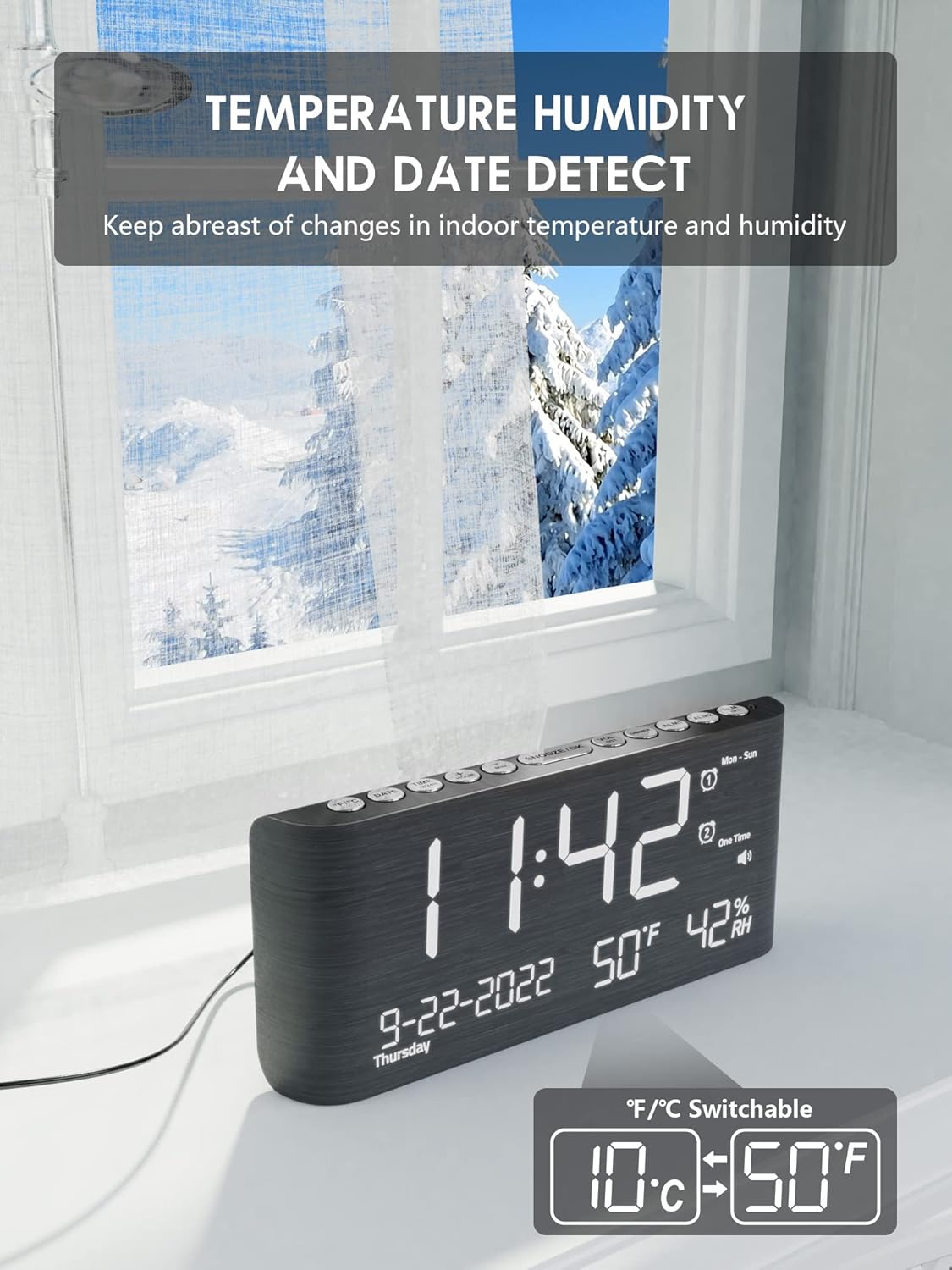
Image: The clock showing temperature readings, with an overlay indicating the switchable °F/°C function.
5.8 Ús dels ports de càrrega USB
The clock features a USB-A and a Type-C output port on the back. You can use these ports to charge your mobile devices (e.g., smartphones, earbuds) while the clock is powered on. Simply connect your device's charging cable to the appropriate port on the clock.
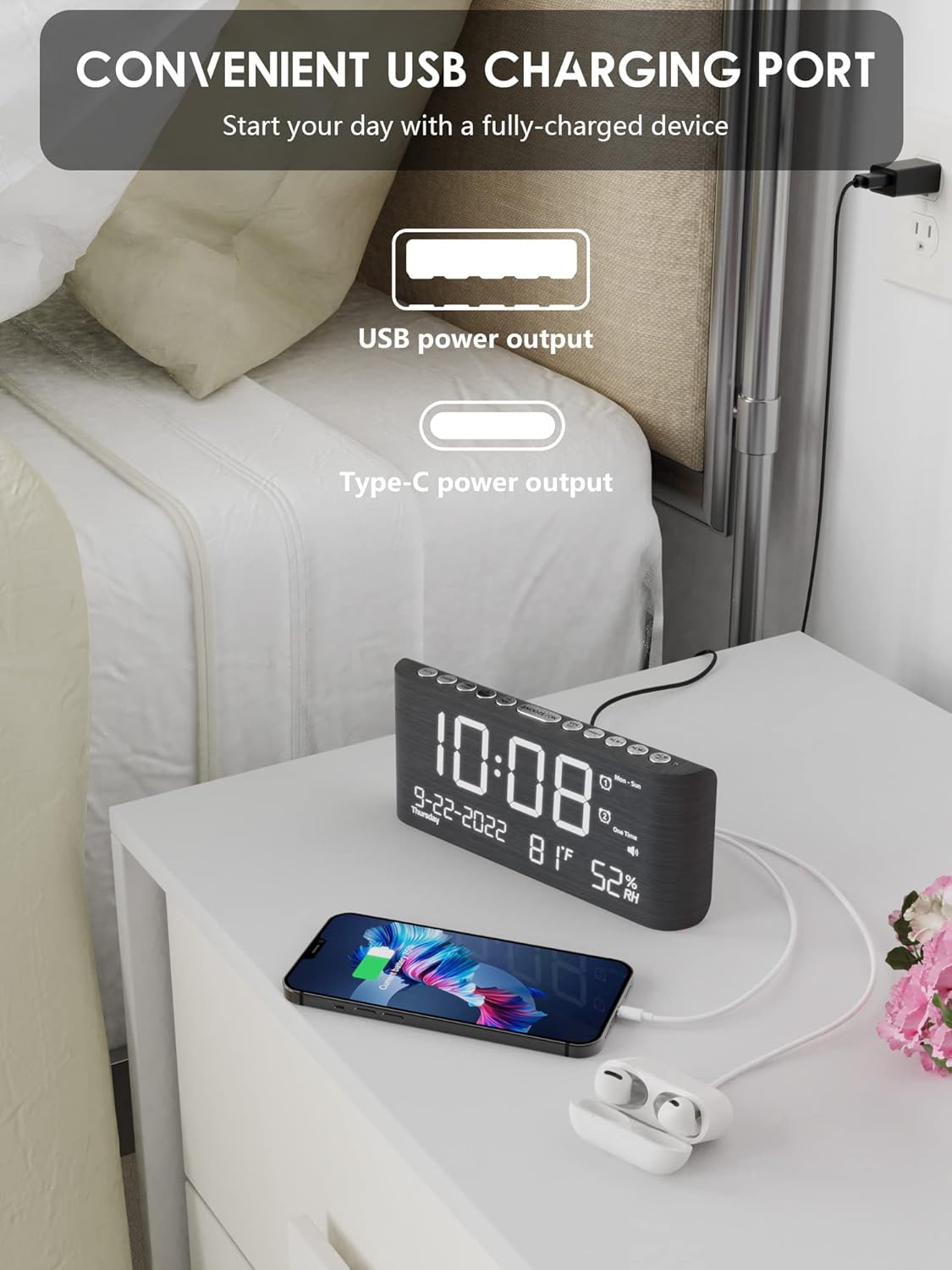
Image: The alarm clock on a bedside table, with a smartphone and earbuds connected and charging via the clock's USB and Type-C ports.
6. Manteniment
6.1 Neteja
To clean the clock, gently wipe the surface with a soft, dry cloth. Do not use abrasive cleaners, solvents, or spray directly onto the clock, as this may damage the finish or electronic components.
6.2 Battery Replacement (Backup)
If the clock loses its settings during a power outage despite having batteries installed, it may be time to replace the 2 AAA backup batteries. Ensure the clock is connected to power when replacing batteries to avoid losing current settings.
7. Solució De Problemes
| Problema | Causa possible | Solució |
|---|---|---|
| Clock display is off or blank. | Sense font d'alimentació. | Ensure the DC charger is securely plugged into the clock and a working electrical outlet. |
| L'alarma no sona. | L'alarma no està activada o el volum és massa baix. | Check if the alarm icon is displayed. If not, activate the alarm (Section 5.3). Increase alarm volume (Section 5.6). |
| Clock loses settings after power outage. | Les bateries de reserva estan gastades o no estan instal·lades. | Install 2 new AAA batteries in the battery compartment (Section 4.1). |
| Els ports de càrrega USB no funcionen. | Clock is not powered or device is incompatible. | Ensure the clock is connected to its main power supply. Check if your device is compatible with standard USB charging. |
| Les lectures de temperatura/humitat semblen inexactes. | Sensor obstruction or extreme environmental conditions. | Ensure the clock is placed in an open area, away from direct sunlight, heat sources, or drafts. Allow time for readings to stabilize. |
8. Especificacions
- Marca: Roxicosly
- Número de model: CR1019
- Tipus de visualització: LED digital
- Dimensions del producte: 8.07 polzades (amplada) x 1.69 polzades (profunditat) x 3.62 polzades (alçada)
- Material: Plastic with Wood Frame
- Font d'alimentació: Corded Electric (DC charger included)
- Còpia de seguretat de la bateria: 2 x AAA batteries (not included) for memory
- Característiques de l'alarma: Dual Alarms, 4 Working Modes, 9-minute Snooze
- Nivells de brillantor: 5 adjustable levels (2% to 100%)
- Volum de l'alarma: 5 adjustable levels (65dB to 120dB)
- Funcions addicionals: Temperature (°C/°F) and Humidity display, 12/24H Time format, USB-A and Type-C charging output ports
9. Garantia i Suport
9.1 Informació de la garantia
This Roxicosly product is manufactured by Wismco E-commerce Co., Ltd. and comes with a 30-day money-back guarantee and an 18-month warranty from the date of purchase. This warranty covers manufacturing defects and malfunctions under normal use.
9.2 Atenció al client
For any questions, technical assistance, or warranty claims, please contact Wismco customer support through the platform where the product was purchased or refer to the contact information provided on the product packaging.
10. Demostració de vídeo del producte
Video: A demonstration of the Roxicosly Wooden Alarm Clock, showcasing its date, temperature, and humidity display features, as well as various functions.