
NEXPEAK NC301
NEXPEAK NC301 20-Amp Manual d'usuari del carregador de bateries de cotxe
Model: NC301 | Brand: NEXPEAK
1. Introducció
Thank you for choosing the NEXPEAK NC301 20-Amp Car Battery Charger. This smart, fully automatic charger and maintainer is designed to efficiently charge and maintain 12V and 24V LiFePO4, lead-acid, and lithium-ion batteries, including AGM, GEL, SLA, and Flooded types. It is suitable for a wide range of vehicles such as cars, trucks, SUVs, motorcycles, lawn mowers, and boats. This manual provides essential information for safe and effective operation of your device.
2. Informació de seguretat
AVÍS: Llegiu tots els avisos i les instruccions de seguretat abans d'utilitzar aquest producte. Si no seguiu els avisos i les instruccions, podeu patir descàrregues elèctriques, incendis i/o lesions greus.
- Utilitzeu sempre protecció ocular i roba protectora quan treballeu amb bateries.
- Assegureu-vos de ventilar adequadament durant la càrrega per evitar l'acumulació de gasos explosius.
- No fumeu ni permeteu espurnes o flames a prop de la bateria o del carregador.
- Connect the charger to the battery before plugging it into a power outlet. Disconnect from power before disconnecting from the battery.
- This charger cannot activate or charge totally dead batteries (those with voltage per sota de 2 V).
- Mantenir fora de l'abast dels nens.
- No exposeu el carregador a la pluja o a la humitat.
3. Producte acabatview
3.1 Components
The NEXPEAK NC301 charger includes the main unit with an LCD display, positive (red) and negative (black) battery clamps, and a 10ft power cord.

Figure 3.1: NEXPEAK NC301 Battery Charger Unit

Figure 3.2: What's in the Box - Charger, Clamps, Power Cord, and Manual
3.2 Característiques clau
- 20-Amp Càrrega ràpida: Provides 12V 20-Amp and 24V 10-Amp output for fast charging.
- Compatibilitat amb diverses bateries: Supports LiFePO4, Lead-Acid (AGM, GEL, SLA, Flooded), and Lithium batteries.
- Upgraded Trickle Charge: Automatically switches to trickle charging after full charge, and features pulse repair function to restore battery performance.
- Compensació de temperatura: Adjusts charging based on ambient temperature (Summer Mode above 82°F, Winter Mode below 50°F).
- Funcionament Plug and Play: Simple connection for immediate use.
- Càrrega visualitzada: Large LCD displays charging status, voltage, current, temperature, and charge percentage.
- 8 Smart Protections: Includes smart control, temperature compensation, reverse protection, cooling system, overcurrent, fireproof material, overvoltage, i protecció contra curtcircuits.
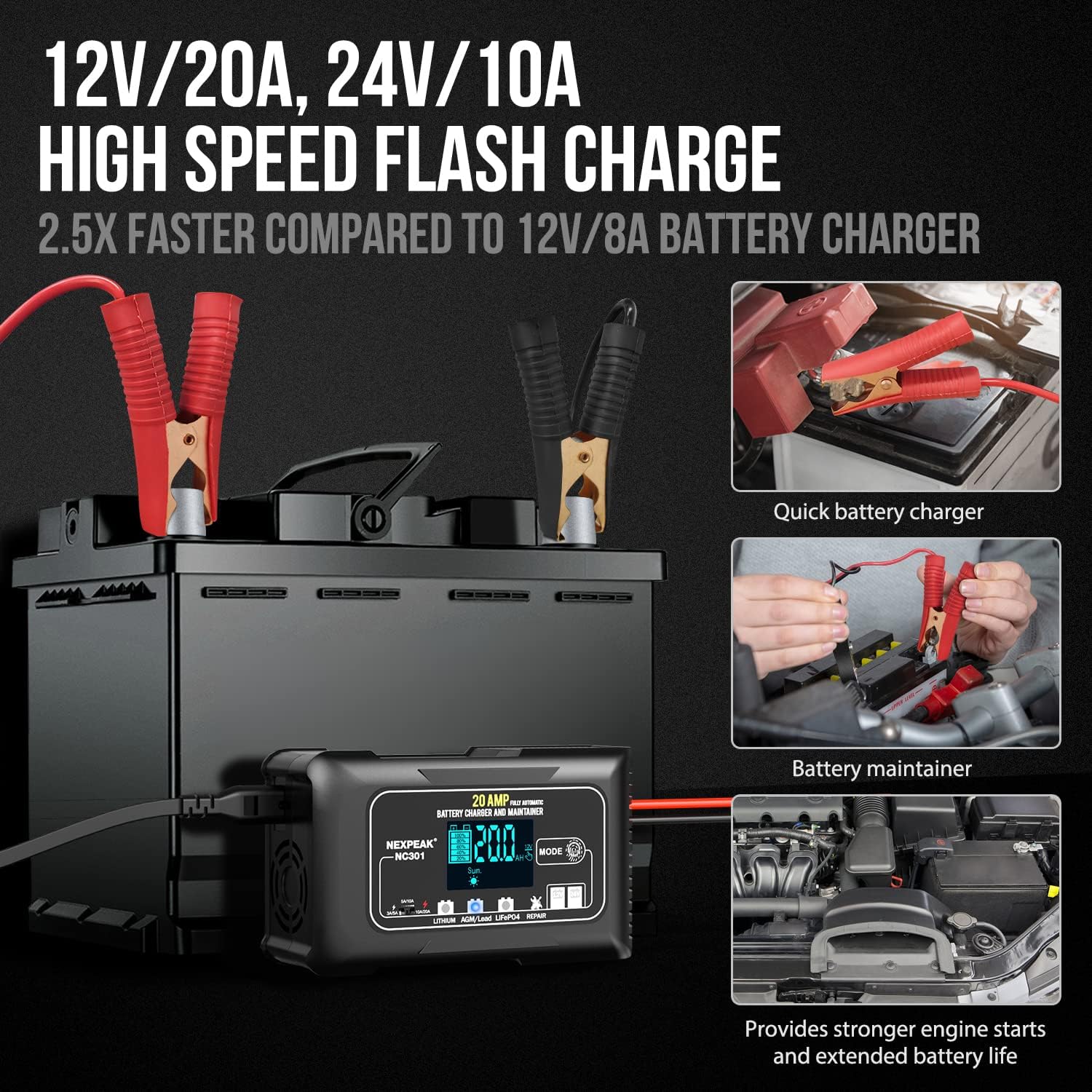
Figure 3.3: High-Speed Flash Charge and Maintenance Capabilities

Figure 3.4: Comprehensive 8 Smart Protections
4. Configuració
4.1 Abans del primer ús
Unpack the charger and all accessories. Inspect the unit and cables for any signs of damage. Ensure the charging environment is well-ventilated and free from flammable materials.
4.2 Connecting the Charger to the Battery
- Assegureu-vos que el carregador estigui desendollat de la presa de corrent de CA.
- Connecteu el cl positiu VERMELL (+)amp al terminal positiu (+) de la bateria.
- Connecteu el cl negatiu NEGRE (-)amp to the negative (-) battery terminal. For vehicles, if the battery is installed, connect the BLACK (-) clamp al xassís del vehicle o al bloc del motor allunyat de la bateria.
- Un cop el clamps are securely connected, plug the charger's power cord into a standard AC power outlet. The charger will automatically detect the battery type and voltage.
5. Instruccions de funcionament
5.1 Procés de càrrega automàtica
The NC301 features a 7-stage automatic charging process. Once connected and powered on, the charger will automatically analyze the battery and begin charging. The LCD display will show the charging progress.
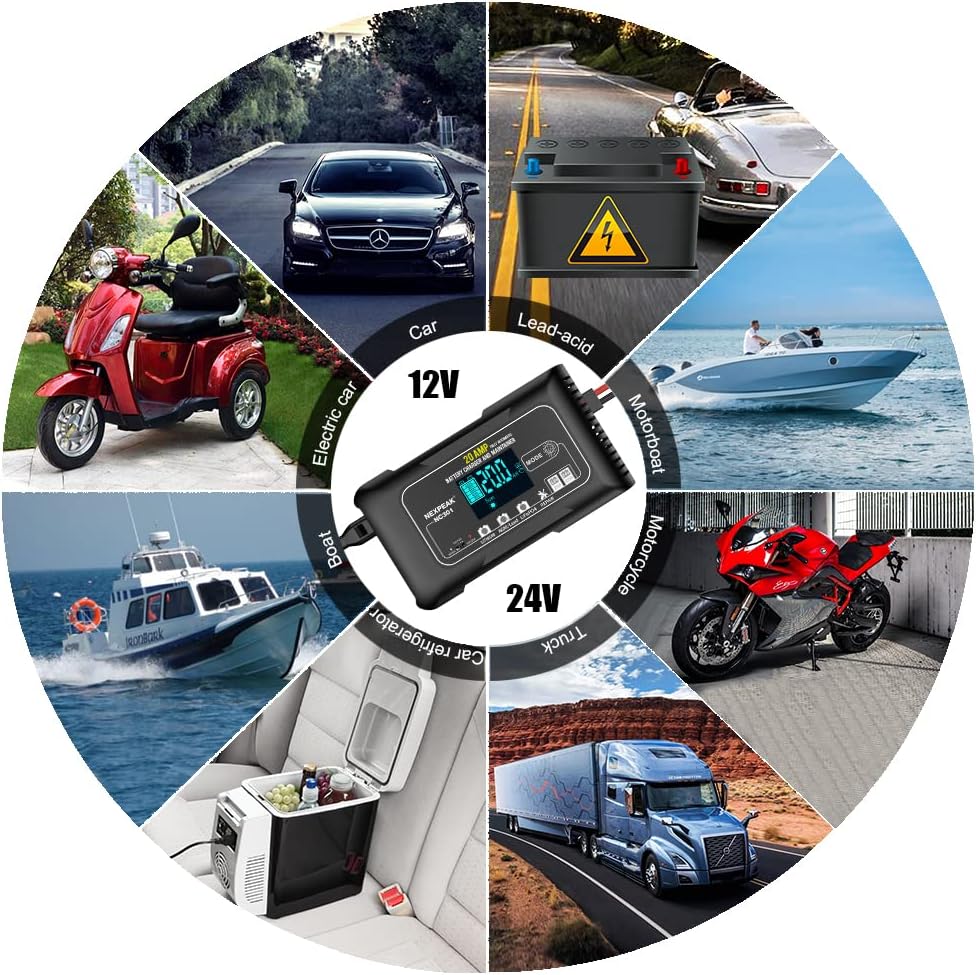
Figura 5.1: 7-Stage Quick Charging Process
5.2 Selecció del mode
Press the 'MODE' button on the charger to cycle through different battery types and functions:
- Liti: For 12V/24V Lithium-ion batteries.
- AGM/Lead: For 12V/24V AGM, GEL, SLA, and Flooded lead-acid batteries.
- LiFePO4: For 12V/24V LiFePO4 batteries.
- Reparació: Pulse repair function for desulfation and restoring battery performance.

Figure 5.2: Mode Selection and Trickle Charge Feature
5.3 Compensació de temperatura
The charger automatically adjusts its charging parameters based on the ambient temperature to optimize charging efficiency and prevent overcharging or undercharging.
- Mode d'estiu: Automatically activated above 82°F (28°C) to prevent overcharge in hot climates.
- Mode d'hivern: Automatically activated below 50°F (10°C) for powerful charging in cold climates.

Figure 5.3: Temperature Compensation for Optimal Charging
5.4 Monitorització de l'estat de càrrega
The large LCD display provides real-time information:
- Volum de càrregatage i corrent.
- Internal temperature (°F/°C).
- Percentatge de càrregatage.
- Indication of Summer or Winter mode.
6. Manteniment
- Neteja: Disconnect the charger from power and battery. Wipe the casing and clamps with a dry cloth. Do not use harsh chemicals or abrasives.
- Emmagatzematge: Store the charger in a cool, dry place when not in use. Ensure cables are neatly coiled and not kinked.
- Funció de reparació del pols: Use the 'Repair' mode periodically to help desulfate and restore older batteries, extending their lifespan. Note that this function cannot revive completely dead batteries.
7. Solució De Problemes
| Problema | Causa possible | Solució |
|---|---|---|
| Charger does not turn on/LCD is blank. | No power from outlet; Loose connection; Internal fault. | Check power outlet; Ensure power cord is securely plugged in; Reconnect battery clamps; If problem persists, contact support. |
| La bateria no es carrega. | Incorrect mode selected; Battery is completely dead (below 2V); Poor connection; Battery fault. | Verify correct mode for battery type; This charger cannot charge batteries below 2V; Ensure clamps are securely connected; Have battery tested by a professional. |
| "OFF" displayed on LCD. | Charger is not connected to a battery or battery voltage és massa baixa. | Connect charger to a battery with sufficient voltage (per sobre de 2 V). |
| El carregador s'escalfa durant el funcionament. | Normal operation; Overload. | The built-in cooling fan helps dissipate heat. If overheating persists or an error code appears, disconnect and contact support. |
| Avís de polaritat inversa. | Clampestà connectat incorrectament. | Disconnect from power, then correctly connect RED (+) to positive (+) and BLACK (-) to negative (-). |
8. Especificacions
| Especificació | Valor |
|---|---|
| Número de model | NC301 |
| Entrada Voltage | 100-240V AC, 50/60Hz (Typical) |
| Vol. De sortidatage | 12V / 24V CC |
| Corrent de sortida | 12V 20A, 24V 10A |
| Tipus de bateria compatibles | LiFePO4, Lead-Acid (AGM, GEL, SLA, Flooded), Lithium-ion |
| Volum inicial mínimtage | 2.0 V |
| Dimensions | 7.48 x 6.69 x 2.54 polzades (aprox.) |
| Pes de l'article | 1.91 lliures (aprox.) |
| Longitud del cable | 10 peus |
9. Garantia i Suport
9.1 Informació de la garantia
NEXPEAK offers a Garantia de substitució d’un any for any quality issues with the NC301 battery charger. Please retain your proof of purchase for warranty claims.
9.2 Atenció al client
For further assistance, technical support, or warranty claims, please contact NEXPEAK customer service through the retailer's platform or the official NEXPEAK website. Provide your product model number and purchase details for efficient service.
Ask a question about this manual
Ask about setup, troubleshooting, compatibility, parts, safety, or missing instructions. Manuals+ will review the question and use this page’s manual context to help answer it.