
1. Producte acabatview
The AMZSA Sport Smartwatch is a versatile wearable device designed to enhance your daily life and fitness activities. It features a 2.01-inch HD color screen, a rotary button for easy navigation, and a built-in speaker for call functionality. Compatible with both Android and iOS devices, this smartwatch offers a wide range of features including health monitoring, multiple sport modes, and smart notifications.

Image: The AMZSA Sport Smartwatch, showcasinpel seu disseny elegant i la seva gran pantalla.
2. Guia de configuració
2.1 Càrrega del rellotge intel·ligent
Before initial use, fully charge your AMZSA Sport Smartwatch. Connect the provided charging cable to the charging contacts on the back of the watch and to a USB power source. The watch will display a charging indicator. A full charge typically takes approximately 2 hours.
2.2 Instal·lació i emparellament de l'aplicació
- Baixeu l'aplicació complementària: Cerca the official AMZSA companion app in your smartphone's app store (Google Play Store for Android or Apple App Store for iOS). Install the app.
- Activa el Bluetooth: Assegureu-vos que el Bluetooth estigui habilitat al vostre telèfon intel·ligent.
- Open the App and Pair: Open the AMZSA app, create an account if prompted, and follow the on-screen instructions to search for and connect to your smartwatch. The app will guide you through the pairing process.
- Concedir permisos: Allow all necessary permissions requested by the app (e.g., notifications, location, contacts) to ensure full functionality of the smartwatch.
3. Instruccions de funcionament
3.1 Navegació bàsica
- Pantalla tàctil: Swipe up, down, left, or right to navigate through menus and functions. Tap to select.
- Botó giratori: Rotate the side button to scroll through options or watch faces. Press the button to return to the home screen or confirm selections.
3.2 Funcionalitat de trucada
The smartwatch features a built-in speaker and microphone, allowing you to make and receive calls directly from your wrist after connecting via Bluetooth.
- Fer trucades: Accedeix al marcador o a la llista de contactes del rellotge per iniciar una trucada.
- Recepció de trucades: Quan rebi una trucada, el rellotge mostrarà l'identificador de la persona que truca. Toqueu la icona verda per respondre o la icona vermella per rebutjar-la.

Image: The smartwatch displaying an incoming call, demonstrating its call function.
3.3 Assistent de veu d'IA
Activate the AI voice assistant on your smartwatch to perform various tasks using voice commands, such as setting alarms, checking the weather, or initiating calls.

Image: A user interacting with the AI Voice Assistant on the smartwatch.
3.4 Vigilància de la salut
The smartwatch tracks various health metrics to help you stay informed about your well-being.
- Monitor de freqüència cardíaca: Continuously or periodically monitors your heart rate.
- Monitor de pressió arterial: Proporciona lectures estimades de la pressió arterial.
- Monitor de SpO2: Mesura els nivells de saturació d'oxigen a la sang.
- Seguiment del son: Supervisa els teus patrons de son, incloent-hi el son profund, el son lleuger i les hores de despertar.
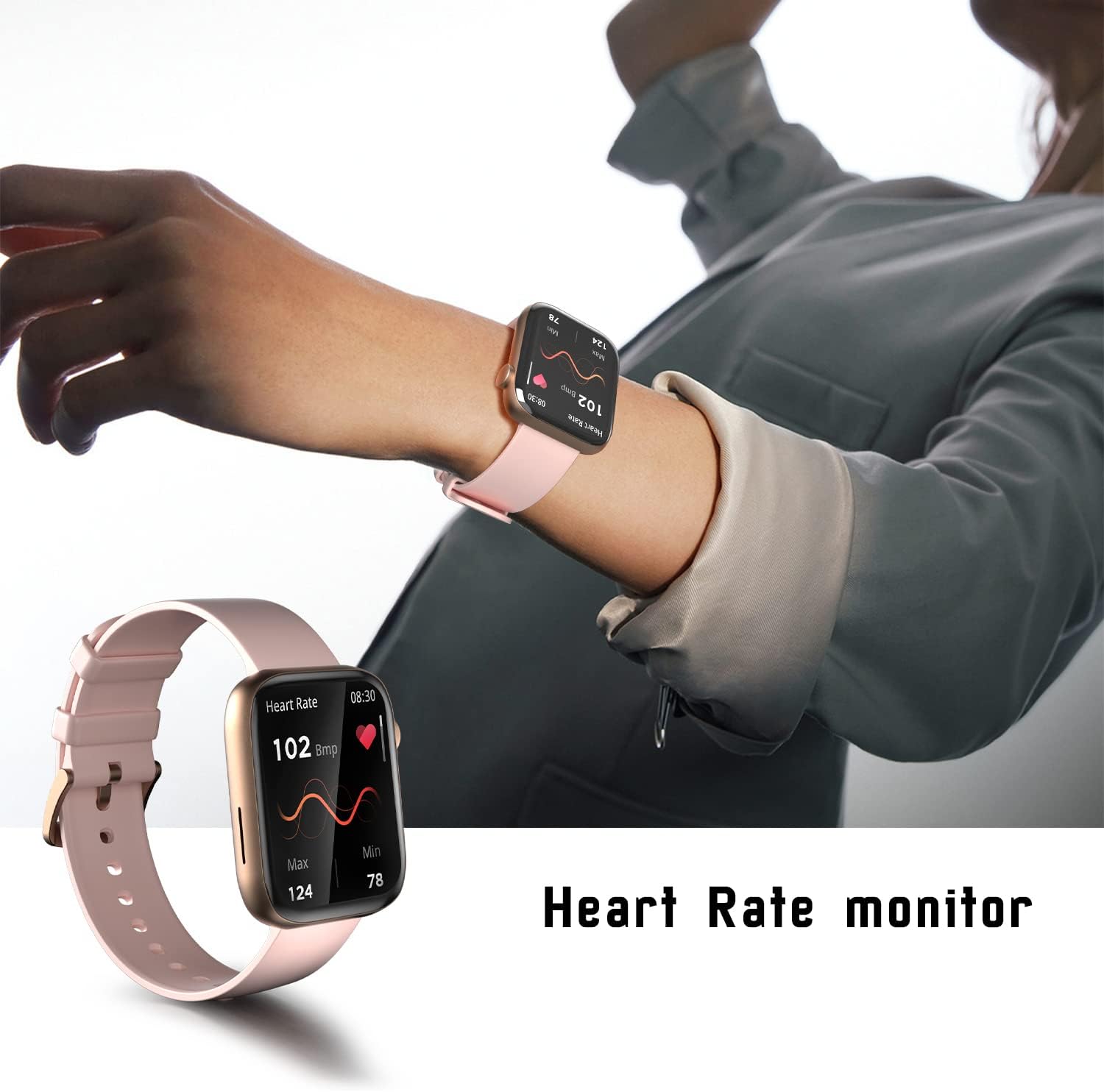
Image: The smartwatch displaying real-time heart rate data.

Image: The smartwatch showing detailed sleep tracking information.
3.5 modes esportius
With over 120 sport modes, the smartwatch accurately tracks your exercise data, including calories burned, exercise duration, and heart rate during workouts.

Image: The smartwatch interface showing a selection of its 120+ sport modes.
3.6 Music Control and Player
Control music playback on your smartphone directly from your watch or use the integrated music player if supported by the device.

Image: The smartwatch displaying the music player interface.
3.7 Notificacions de missatges
Receive notifications for calls, messages, and app alerts directly on your smartwatch. Ensure the companion app has the necessary permissions to push notifications.
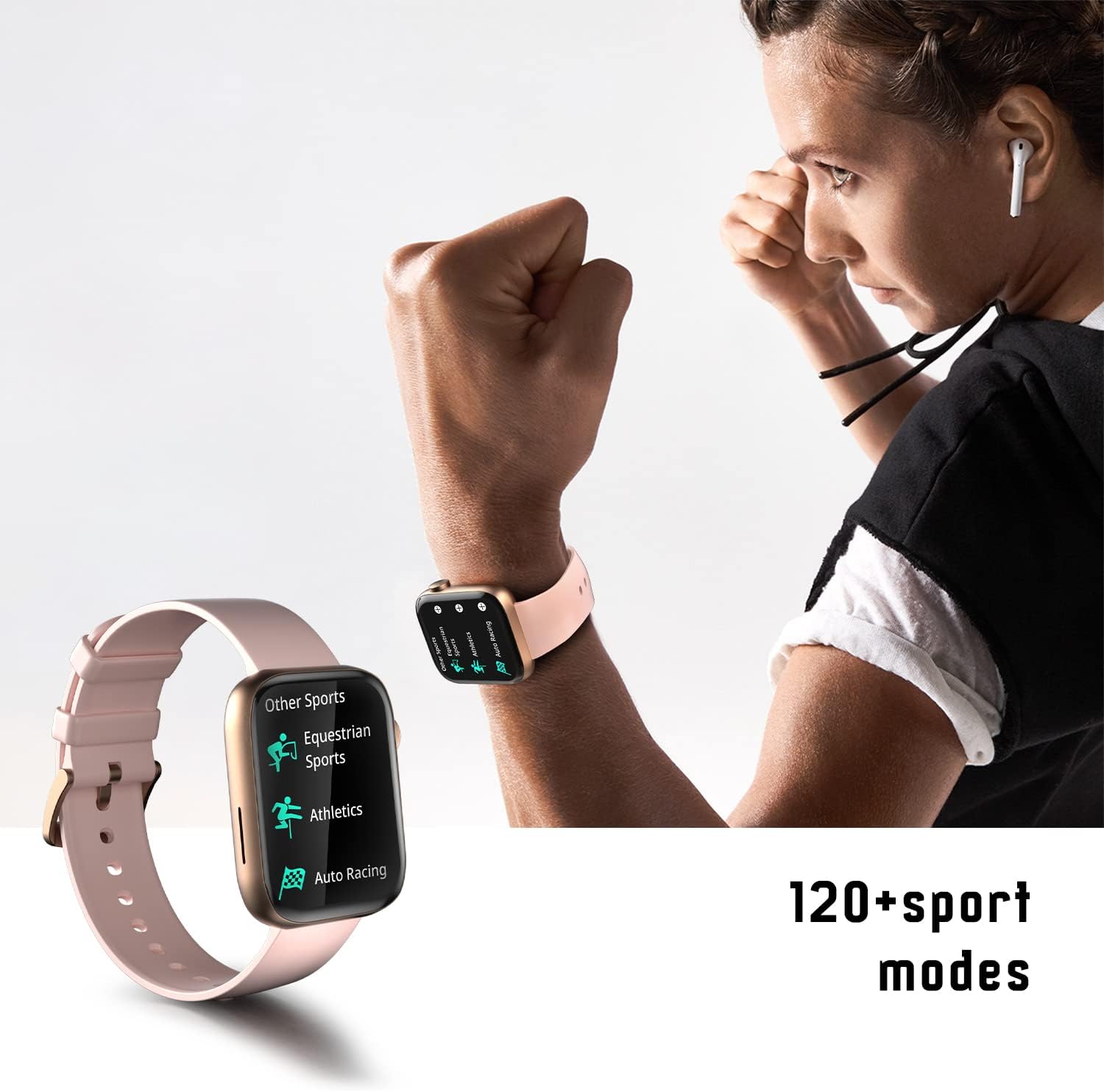
Image: The smartwatch displaying a message notification.
3.8 Altres funcions
The smartwatch includes additional features such as:
- Calculadora
- Sincronització del temps
- Customizable Watch Faces (upload your own photos)
- Camera Control (remotely trigger your phone's camera)
- Rellotge despertador
- Cronòmetre
- Find Phone / Find Device
- Recordatori de beure aigua

Imatge: Una imatge visualview of several key functions available on the smartwatch, including camera control, message display, sleep tracking, and weather updates.
4. Manteniment
4.1 Neteja
Netegeu regularment el vostre rellotge intel·ligent i la corretja per evitar irritacions de la pell i mantenir un rendiment òptim. Feu servir un drap suau i sec.amp cloth to wipe the device. Avoid harsh chemicals or abrasive materials.
4.2 Resistència a l'aigua
The AMZSA Sport Smartwatch is water-resistant up to 1 meter. It is suitable for daily use and light water exposure like hand washing or rain. However, it is not recommended for swimming, diving, or exposure to saltwater, as this may cause damage. After exposure to water, use the watch's water draining function if available, and ensure the watch is dry before charging.
4.3 Cura de la bateria
To prolong battery life, avoid extreme temperatures and do not leave the watch fully discharged for extended periods. Use only the provided charging cable.
5. Solució De Problemes
- El rellotge no es carrega: Ensure the charging cable is securely connected to both the watch and the power source. Try a different USB port or power adapter. If the issue persists, the charging cable might be faulty.
- Call function not working: Verify that your smartwatch is properly connected to your smartphone via Bluetooth. Check the companion app's permissions to ensure it has access to phone calls and contacts. Restart both your phone and watch.
- Notifications not received or delayed: Confirm that notification permissions are enabled for the AMZSA app in your phone's settings. Ensure the app is running in the background. If notifications are delayed, try resetting the watch.
- Dades de salut inexactes: Ensure the watch is worn snugly on your wrist, not too tight or too loose. Clean the sensor on the back of the watch. Note that health monitoring features are for reference only and not for medical diagnosis.
- Mira que no respon: Try performing a hard reset by pressing and holding the side button for approximately 10-15 seconds until the device restarts.
6. Especificacions
| Característica | Especificació |
|---|---|
| Número de model | złoty |
| Mida de la pantalla | 2.01 polzades |
| Tipus de visualització | LCD or OLED |
| Resolució | 240 x 201 |
| Connectivitat | Bluetooth |
| Compatibilitat de sistemes operatius | Android (10 and above), iOS |
| Tipus de bateria | Polímer de liti |
| Capacitat de la bateria | 260 mAh |
| Durada mitjana de la bateria | 3 dies |
| Nivell de resistència a l'aigua | 1 Meter (Waterproof) |
| Dimensions (L x A x A) | 4.64 x 3.79 x 1.18 cm |
| Pes | 180 grams |
| Material de la caixa | Plàstic + aliatge de zinc |
| Material de la banda | Silicona |
| Mètode d'entrada | Buttons, Physical buttons and dials |
| GPS | A través del telèfon intel·ligent |
| Inclòs a la caixa | Charging cable (USB charger not included) |
7. Garantia i Suport
7.1 Atenció al client
AMZSA is committed to providing excellent customer service. If you encounter any issues with your product, please contact our professional after-sales team for assistance. We strive to resolve your problems promptly and ensure a positive shopping experience.
7.2 Garantia de qualitat
All AMZSA products undergo strict quality control before shipment to ensure reliability and performance.
For support inquiries, please refer to the contact information provided with your purchase or on the official AMZSA weblloc.