
1. Introducció
The JBL Boombox 3 is a powerful portable Bluetooth speaker designed to deliver massive JBL Original Pro Sound with deep bass and clear audio. Its rugged, dustproof, and waterproof design makes it suitable for various environments, from poolside to outdoor gatherings. This manual provides essential information for setting up, operating, and maintaining your speaker.
2. Què hi ha a la caixa
- 1 x JBL Boombox 3 Speaker
- 1 x cable d'alimentació de CA
- 1 x Guia d'inici ràpid
- 1 x Full de seguretat
- 1 x Targeta de garantia

Image: The JBL Boombox 3 speaker shown with its included AC power cord, quick start guide, safety sheet, and warranty card.
3. Característiques clau
- Massive JBL Original Pro Sound: Experience powerful audio with deep bass and clear sound from the new 3-way speaker system.
- 24 hores de joc: Enjoy extended listening sessions with a long-lasting battery.
- IP67 Resistent a la pols i a l'aigua: Designed to withstand dust and water, making it ideal for outdoor use.
- Strong, Bold Design: Features a sturdy metal handle with silicone grips and twin sidecaps for durability and portability.
- PartyBoost: Connect multiple JBL PartyBoost-compatible speakers for stereo sound or a larger audio experience.
- Built-In Powerbank: Charge your external devices directly from the speaker.
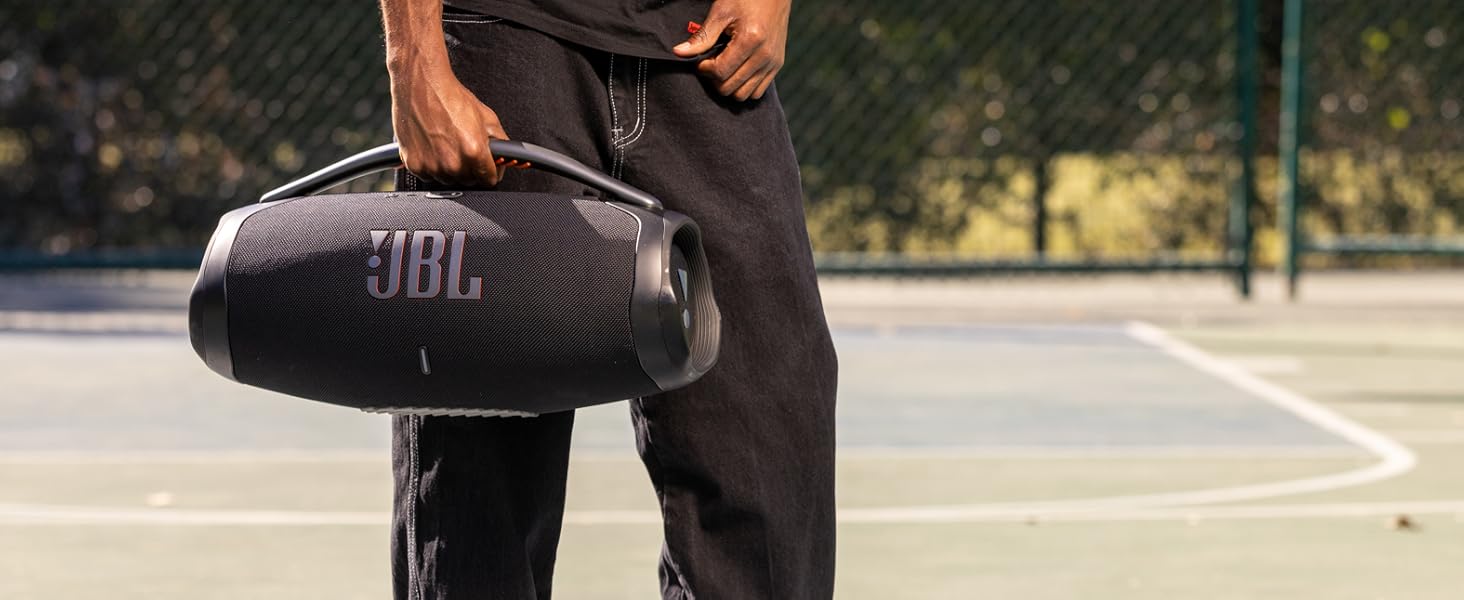
Image: The JBL Boombox 3 with text overlay emphasizing "massive sound".
4. Configuració
4.1 Càrrega de l'altaveu
- Open the protective flap on the back of the speaker.
- Connect the supplied AC power cord to the speaker's power input.
- Connecteu l'altre extrem del cable d'alimentació de CA a una presa de corrent.
- The battery indicator lights will show the charging status. The speaker is fully charged when all lights are solid.
4.2 Vinculació Bluetooth
- Power on the JBL Boombox 3 by pressing the power button.
- Premeu el botó Bluetooth de l'altaveu. L'indicador Bluetooth parpellejarà, indicant que està en mode d'emparellament.
- On your mobile device, go to Bluetooth settings and select "JBL Boombox 3" from the list of available devices.
- Un cop connectat, l'indicador Bluetooth romandrà fix.

Image: The JBL Boombox 3 speaker in camouflage, showcasing its robust design and top panel buttons for power and Bluetooth.
5. Instruccions de funcionament
5.1 Controls bàsics
- Botó d'encesa: Press to turn the speaker ON/OFF.
- Botó Bluetooth: Premeu per entrar al mode de vinculació Bluetooth.
- Botons de volum (+/-): Premeu per augmentar o baixar el volum.
- Botó Reproduir/Pausa: Press to play or pause music. Double-press to skip to the next track.
5.2 PartyBoost Function
PartyBoost allows you to connect multiple JBL PartyBoost-compatible speakers together for an enhanced audio experience. To activate:
- Ensure all speakers are powered on and in Bluetooth pairing mode.
- Press the PartyBoost button on the first speaker.
- Press the PartyBoost button on all other compatible speakers you wish to connect.
- The speakers will automatically connect and synchronize audio.
5.3 Ús de la funció Powerbank
The JBL Boombox 3 includes a built-in powerbank to charge your external devices.
- Open the protective flap on the back of the speaker.
- Connect your device's USB charging cable to the USB-A port on the speaker.
- El vostre dispositiu començarà a carregar-se automàticament.
Vídeo: Presentació oficial del producte en vídeoasing the JBL Boombox 3's features, including its sound, durability, and battery life. This video is provided by the seller, Harman Kardon.
6. Manteniment
- Neteja: Utilitzeu un suau, damp cloth to clean the speaker. Do not use harsh chemicals or abrasive materials.
- Exposició a l'aigua: While IP67 rated, ensure the charging port cover is securely closed before exposing the speaker to water or dust. After exposure to water, dry the speaker thoroughly before charging.
- Emmagatzematge: Guardeu l'altaveu en un lloc fresc i sec, allunyat de la llum solar directa i de temperatures extremes.
- Cura de la bateria: Per allargar la durada de la bateria, carregueu completament l'altaveu almenys un cop cada 3 mesos si no l'utilitzeu regularment.
7. Solució De Problemes
| Problema | Solució |
|---|---|
| L'altaveu no s'encén. | Ensure the battery is charged. Connect to power using the AC adapter. |
| La connexió Bluetooth falla. | Ensure the speaker is in pairing mode (flashing Bluetooth light). Check your device's Bluetooth settings. Try restarting both devices. |
| Sense so o amb un volum baix. | Adjust volume on both the speaker and your connected device. Ensure the speaker is not muted. |
| PartyBoost no es connecta. | Ensure all speakers are PartyBoost compatible and in pairing mode. Press the PartyBoost button on all speakers. |
| Device not charging via powerbank. | Ensure the speaker has sufficient battery charge. Check the USB cable and connection. |
8. Especificacions
| Característica | Detall |
|---|---|
| Marca | JBL |
| Número de model | JBLBOOMBOX3SQUADAM |
| Potència de sortida màxima dels altaveus | 180 watts |
| Resposta de freqüència | 20000 Hz |
| Tecnologia de connectivitat | Amb cable, sense fil (Bluetooth) |
| Mode de sortida d'àudio | estèreo |
| Tipus de muntatge | Terra de peu |
| Material de tancament | Metall, plàstic |
| Característiques addicionals | Built-In Powerbank, Smartphone-Charging, Stereo Pairing, Waterproof |
| Diàmetre del subwoofer | 8.6 polzades |
| Diàmetre del Tweeter | 0.75 polzades |
| Nivell de resistència a l'aigua | Impermeable (IP67) |
| Durada mitjana de la bateria | 24 hores |
| Dimensions de l'article (D x W x H) | 7.9 "P x 19" W x 10.1" H |
| Pes de l'article | 14.7 lliures |
| Dispositius compatibles | Audio Player, Club House, DJ, Laptop, Smartphone, Tablet |
| Font d'alimentació | Funciona amb bateria |
| Nombre de bateries | Necessites 1 bateries de ions de liti |
| UPC | 050036389082 |
9. Garantia i assistència
9.1 Informació de la garantia
The JBL Boombox 3 comes with a 1-year manufacturer's warranty. Please refer to the included Warranty Card for detailed terms and conditions.
9.2 Atenció al client
For further assistance, troubleshooting, or product inquiries, please visit the official JBL website or contact their customer support. You can find contact details on the JBL website or in the Safety Sheet included with your product.
Assistència en línia: www.jbl.com/support