
Potència màxima MPD823
Max Power Portable Speaker - MPD823 User Manual
Model: MPD823
Introducció
Thank you for choosing the Max Power Portable Speaker MPD823. This high-powered PA loudspeaker system is designed to provide an immersive audio experience with its versatile features, including Bluetooth connectivity, USB input, LED lights, and a built-in rechargeable battery. This manual will guide you through the setup, operation, and maintenance of your new speaker.
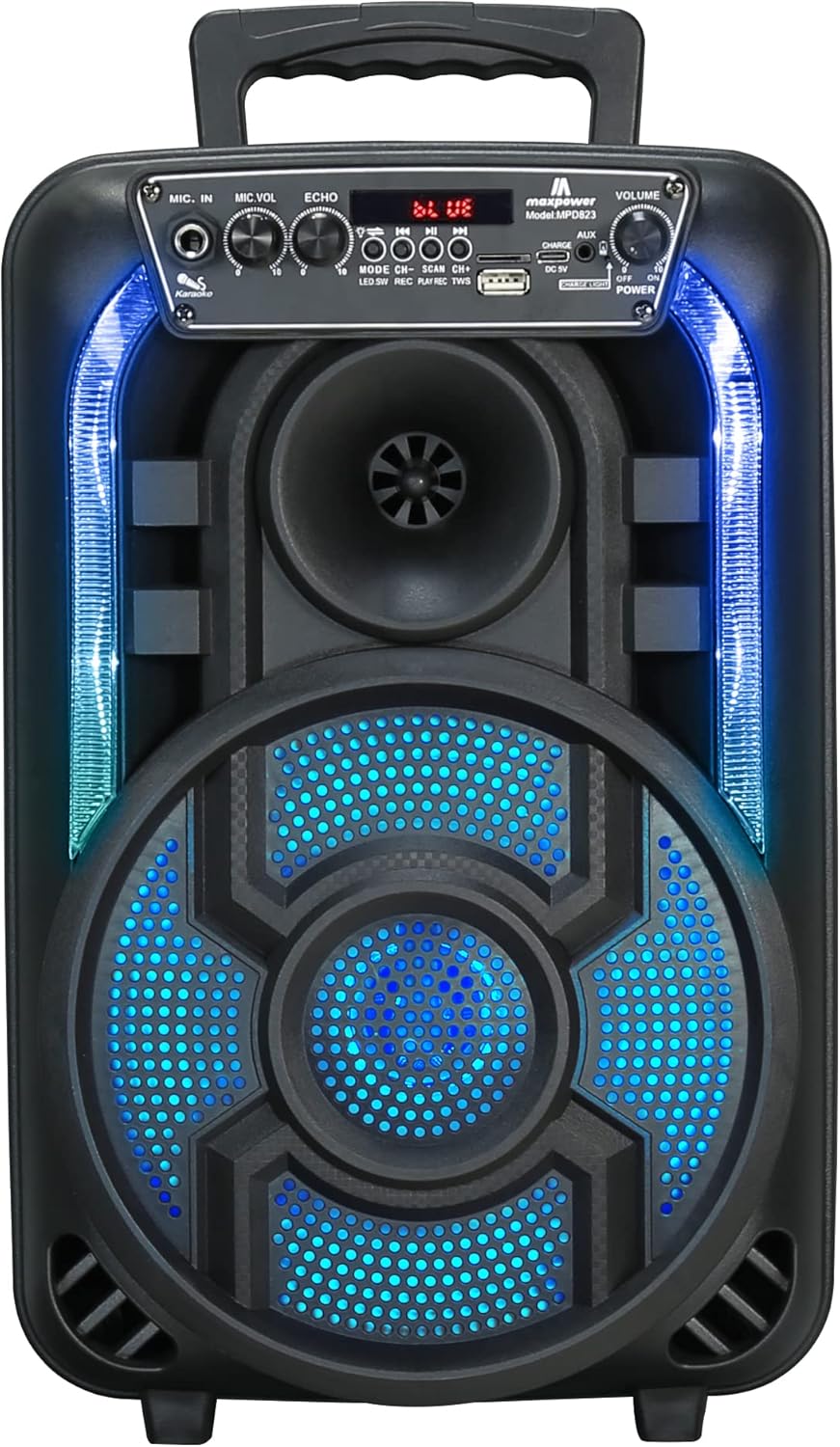
Figura 1: Frontal view of the Max Power Portable Speaker MPD823, showcasing its illuminated blue LED lights and control panel.
Contingut del paquet
- Max Power Portable Speaker MPD823
- Micròfon per cable
- Control remot
- Cable de càrrega (tipus C)
- Manual d'usuari
Configuració
1. Carregant l’altaveu
Before first use, fully charge the speaker. Connect the provided charging cable to the DC 5V input port on the speaker and the other end to a suitable power source. The charging level indicator lights will show the battery status. A full charge ensures maximum playtime.
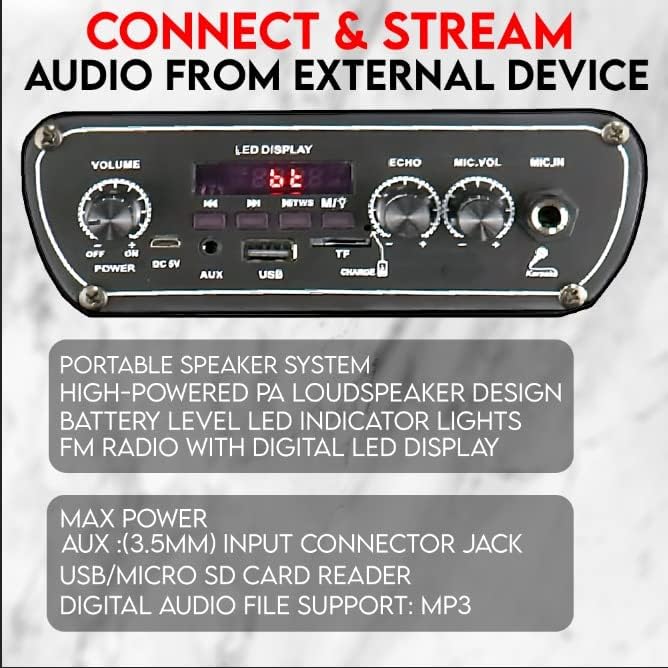
Figure 2: Detail of the speaker's control panel, highlighting the USB, AUX, and DC 5V charging input ports.
2. Encès / apagat
Localitza el ON/OFF switch on the control panel. Slide it to the ON position to power on the speaker. Slide it to the OFF posició per apagar-lo.
Instruccions de funcionament
1. Connectivitat Bluetooth
The speaker is capable of connecting to Bluetooth-enabled devices such as Android mobile phones, iPads, iPhones, laptops, and tablets. The effective range for Bluetooth connection is 5-10 meters.
- Ensure the speaker is powered on and in Bluetooth mode (indicated by the LED display).
- Al dispositiu, activa el Bluetooth i cerca els dispositius disponibles.
- Seleccioneu "MPD823" de la llista de dispositius.
- Un cop connectat, sentireu un so de confirmació de l'altaveu.
2. Entrada USB i AUX
You can play audio directly from a USB drive or an external device using the AUX input.
- Entrada USB: Inseriu una unitat flash USB que contingui àudio MP3 files into the USB port. The speaker will automatically detect and begin playing the music.
- Entrada AUX: Connecteu un dispositiu d'àudio extern (per exemple, un telèfon intel·ligent o un reproductor MP3) al AUX (3.5 mm) input jack using a 3.5mm audio cable (not included). Switch the speaker to AUX mode if it doesn't automatically detect the input.
3. Ús del micròfon (karaoke)
The included wired microphone allows for karaoke and public address functions.
- Connecteu el micròfon amb cable a la MIC.IN port on the control panel.
- Ajusteu el MIC.VOL botó per controlar el volum del micròfon.
- Utilitza el ECO botó per afegir un efecte d'eco a la teva veu.

Figura 3: Mésview of key features including karaoke controls, auxiliary input, FM radio, and the light switch.
4. Llums LED
The speaker features multi-color flashing DJ lights to enhance your audio experience.
- Localitza el Interruptor de llum al panell de control.
- Flip the switch to turn the LED lights on or off.
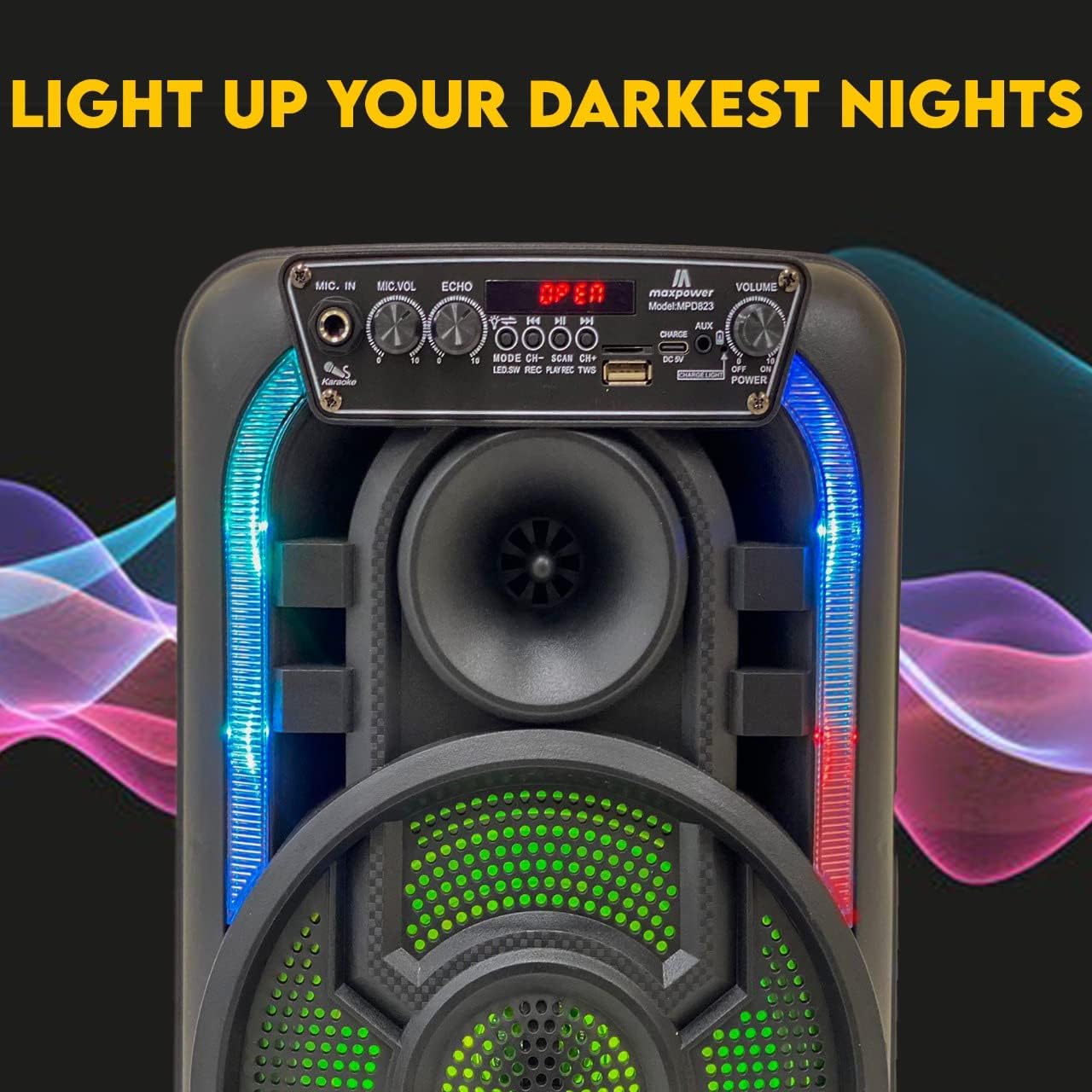
Figure 4: The speaker with its dynamic LED lights illuminated, creating an engaging visual effect.
5. Ràdio FM
The speaker includes a built-in FM radio with a digital LED display.
- Canvia l'altaveu al mode de ràdio FM.
- Use the control buttons (e.g., ESCANEAR) to automatically search for and save available radio stations.
- Utilitza el CH+ i CH- botons per navegar entre les emissores desades.
6. Control de volum
Ajusteu el volum general amb el botó VOLUM knob on the control panel.
Manteniment
- Neteja: Feu servir un drap suau i sec per netejar l'exterior de l'altaveu. No utilitzeu productes de neteja abrasius ni dissolvents.
- Emmagatzematge: Guardeu l'altaveu en un lloc fresc i sec, allunyat de la llum solar directa i de temperatures extremes quan no l'utilitzeu durant períodes prolongats.
- Cura de la bateria: Per allargar la durada de la bateria, eviteu descarregar-la completament amb freqüència. Carregueu l'altaveu regularment, fins i tot si no l'utilitzeu constantment.
- Exposició a l'aigua: Aquest altaveu no és impermeable. Eviteu exposar-lo a l'aigua o a una humitat excessiva.
Resolució de problemes
| Problema | Causa possible | Solució |
|---|---|---|
| Sense poder | La bateria està baixa o morta. | Carregueu l'altaveu amb el cable de càrrega proporcionat. |
| Sense so | El volum és massa baix; mode d'entrada incorrecte; dispositiu no està connectat correctament. | Increase volume; ensure correct input mode (Bluetooth, USB, AUX); re-pair Bluetooth device or re-connect cable. |
| Bluetooth no connectat | Speaker is out of range; Bluetooth not enabled on device; speaker not in pairing mode. | Move device closer to speaker (within 5-10 meters); enable Bluetooth on your device; ensure speaker is in Bluetooth mode. |
| El micròfon no funciona | Microphone not plugged in correctly; MIC.VOL is too low. | Ensure microphone is fully inserted into the MIC.IN port; increase MIC.VOL. |
Especificacions
| Característica | Detall |
|---|---|
| Número de model | MPD823 |
| Dimensions (L x A x A) | 9.4 x 6.3 x 14.2 polzades |
| Pes de l'article | 5.1 lliures (2.32 quilograms) |
| Font d'alimentació | Funciona amb bateria (1 bateria d'ions de liti inclosa) |
| Tecnologia de connectivitat | Bluetooth, USB |
| Entrada d'àudio | USB, Bluetooth, Microphone, Aux (3.5mm) |
| Material | Polipropilè (PP) |
| Color | Negre |
| Tipus de muntatge | Taula |
| Dispositius compatibles | Portàtil, tauleta, telèfon intel·ligent |
| UPC | 761062717021 |

Figure 5: Dimensions of the Max Power Portable Speaker MPD823.
Informació de la garantia
Max Power products are manufactured with high-quality materials and craftsmanship. For specific warranty details, please refer to the warranty card included with your purchase or visit the official Max Power weblloc web. Conserveu el rebut de compra com a comprovant de compra per a qualsevol reclamació de garantia.
Atenció al client
If you have any questions, require technical assistance, or encounter issues not covered in this manual, please contact Max Power customer support. Contact information can typically be found on the product packaging or the official Max Power weblloc.
Ask a question about this manual
Ask about setup, troubleshooting, compatibility, parts, safety, or missing instructions. Manuals+ will review the question and use this page’s manual context to help answer it.