
1. Introducció
The Rettru XDWIFI Mini Wireless WiFi Camera is a compact surveillance device designed for discreet monitoring. It offers HD1080P video resolution, night vision capabilities, motion detection, and remote viewing via a mobile application. This manual provides detailed instructions for setting up, operating, and maintaining your camera.
Vídeo: Acabatview of the Rettru XDWIFI Mini Wireless WiFi Camera, highlighting its compact size and features.
2. Contingut del paquet
Si us plau, verifiqueu que tots els elements següents estiguin inclosos al vostre paquet:
- 1 x Rettru XDWIFI Camera
- 1 x Manual d'usuari
- 1 x cable USB
- 1 x Lector de targetes Micro SD
- 1 x Base magnètica

Image: All components included in the Rettru XDWIFI Mini Wireless WiFi Camera package.
3. Característiques del producte
- Disseny ultracompacte: The camera measures approximately 1.57 x 1.18 x 0.5 inches, making it highly discreet and easy to conceal.
- HD1080P Video: Grava vídeo d'alta definició per a una vigilància clara.
- Visió nocturna millorada: Equipped with two 940nm infrared lights, providing clear visibility up to 26 feet in low light or total darkness without visible glow.
- Detecció intel·ligent de moviment: Features customizable motion detection zones and times. Sends alarm notifications with images to your phone upon detection.
- Enregistrament en bucle: Supports continuous recording, overwriting the oldest files quan la targeta de memòria està plena.
- Emmagatzematge al núvol: Offers cloud service for video storage (subscription may be required).
- Remot Viewing: Access live video remotely via the mobile application on iOS/Android devices.
- Instal·lació flexible: Includes a magnetic base and mounting options for versatile placement.

Image: The camera's compact size, held between two fingers.
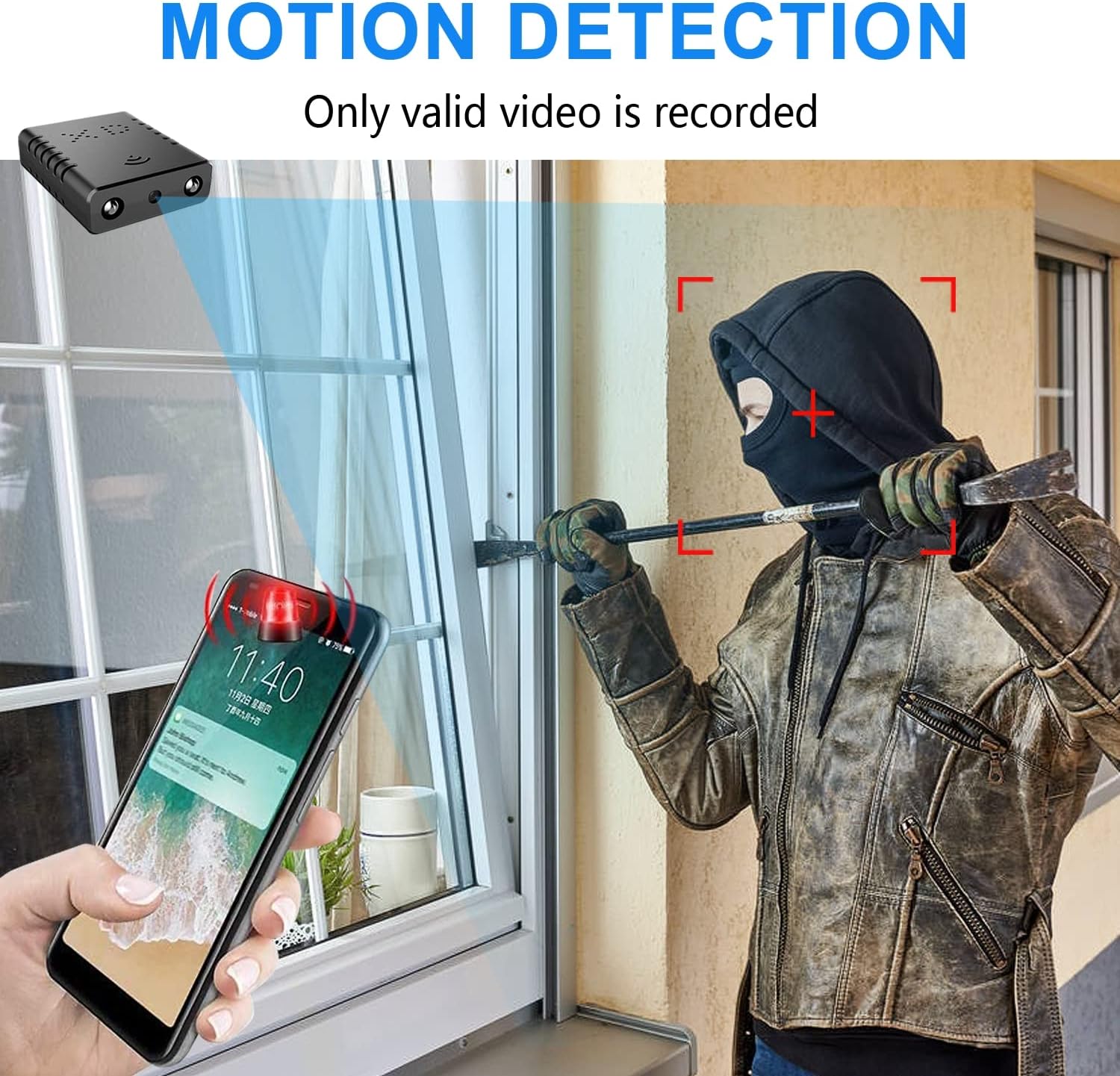
Image: Illustration of the motion detection feature, showing an alert on a smartphone.

Image: Day and night vision comparison, showing clear infrared night vision.
4. Guia de configuració
4.1. Càrrega inicial
Before first use, fully charge the camera for approximately 6 hours. During charging, a yellow light will illuminate. The camera charges via a USB-C port.
4.2. No-WiFi Recording Mode
To record without a WiFi connection, insert a compatible Micro SD card (16GB to 128GB, formatted in FAT32) into the TF card slot. Press the power button. When the blue light flashes, continuous recording will begin automatically in 5-minute clips. No app registration or device binding is needed for this mode. (Micro SD card not included, purchased separately).

Imatge: Lateral view of the camera highlighting the TF card slot and charging port.
4.3. WiFi Recording Mode (App Connection)
Per a comandament a distància viewing and advanced features, connect the camera to your home WiFi network via the mobile application. The recommended app is V380 Pro.
- Descarrega l'aplicació: Cerca "V380 Pro" in your device's app store (iOS/Android) and install it.
- Registreu un compte: Obriu l'aplicació i seguiu les instruccions que apareixen a la pantalla per registrar un compte nou.
- Encendre la càmera: Enceneu la càmera.
- Hotspot Connection (Method 1):
- Hold the "Reset" button until both red and blue lights flash simultaneously.
- When the blue light flashes again, the camera will send out a hotspot signal.
- On your phone's WLAN settings, connect to the camera's hotspot (e.g., "@MC-********" or "@IPC-********"). No password is required.
- The device should be added automatically in the app. Go to "Device Settings" > "Wi-Fi Network" and choose your available home WiFi network. Enter the password and confirm.
- Bluetooth Connection (Method 2):
- Activa el Bluetooth del teu telèfon.
- Log into the O-KAM Pro app (or V380 Pro), go to the "Mine" page, tap "System Permissions," and enable Bluetooth.
- In the app, click the "+" button in the upper right corner. The app will automatically detect the camera's UID. Click "Connect."
- Enter your correct WiFi password and complete the connection steps. Finally, click "Get Start" to begin using your camera.

Image: Step-by-step guide for easy app installation and WiFi connection.
Video: Detailed tutorial on camera setup and app connection for the Rettru XDWIFI camera.
5. Instruccions de funcionament
5.1. Remot Viewing
Once connected to the app, you can view live video from anywhere in the world. The app allows multiple users to view the camera simultaneously.
5.2. Detecció de moviment
Configure intelligent motion detection settings within the app. You can manually set monitoring areas and schedules. Upon detection, the camera sends alarm notifications with images to your phone.
5.3. Visió nocturna
The camera automatically switches to night vision in low light conditions, providing clear black and white video up to 26 feet.
5.4. Enregistrament continu
With an inserted Micro SD card, the camera supports loop recording. When the card is full, new footage will automatically overwrite the oldest files, ensuring continuous surveillance.
5.5. Emmagatzematge al núvol
Utilize the powerful cloud service for secure storage of your video data. This ensures your recordings are safe even if the camera is tampconstruït amb o perdut.
6. Manteniment
To ensure optimal performance and longevity of your Rettru XDWIFI camera, follow these maintenance guidelines:
- Neteja: Netegeu suaument la lent i el cos de la càmera amb un drap suau i sec. Eviteu utilitzar productes químics agressius o materials abrasius.
- Durada de la bateria: For prolonged use, ensure the camera is regularly charged. While battery-powered, continuous live viewing or frequent motion alerts can drain the battery faster.
- Gestió de la targeta SD: Regularly check the status of your Micro SD card. If using loop recording, ensure the card is functioning correctly. Periodically back up important footage.
- Actualitzacions de firmware: Check the V380 Pro app for any available firmware updates to ensure your camera has the latest features and security enhancements.
7. Solució De Problemes
If you encounter issues with your camera, please refer to the following common solutions:
- Error de connexió: If the camera fails to connect to the app or WiFi, try resetting the camera and attempting to reconnect.
- Restablir el dispositiu: To restore factory settings, power on the camera and hold the "Reset" button until both red and blue lights flash simultaneously. This will clear previous settings and allow for a fresh connection attempt.
- No QR Code for Setup: Some users have reported issues with missing or non-functional QR codes. Follow the manual connection methods (hotspot or Bluetooth) as detailed in Section 4.3.
- Problemes de gravació: Ensure a compatible Micro SD card (16GB-128GB, FAT32) is properly inserted. Check app settings for recording mode (continuous, motion-activated) and storage preferences.
- Estat fora de línia: Verify your WiFi network is stable and within range. Ensure the camera is powered on and fully charged.
8. Especificacions
| Característica | Detall |
|---|---|
| Model | XDWIFI |
| Resolució de captura de vídeo | 1080p |
| Tecnologia de connectivitat | Sense fil (Wi-Fi) |
| Dispositius compatibles | Telèfon iOS/Android/Windows/Mac PC |
| Font d'alimentació | Funciona amb bateria |
| Tipus de controlador | Aplicació V380 Pro |
| Tipus de muntatge | Surface Mount (Magnetic Base) |
| Gamma de visió nocturna | 26-28 peus |
| Dimensions de l'article (L x A x A) | 1.6 x 1.2 x 0.5 polzades |
| Pes de l'article | 0.8 unces |
| Característiques especials | HD1080P, Local Recording, Motion Sensor, Night Vision, Portable |
| Ús interior/exterior | Indoor/Outdoor (IP65 Rated) |
| Capacitats d'enregistrament audiovisual | Vídeo |
| Nombre de LED IR | 2 |
9. Garantia i Suport
For any issues or inquiries regarding your Rettru XDWIFI Mini Wireless WiFi Camera, please contact our after-sales service. The contact email is typically provided in the user manual included in your package. We are committed to providing support and assistance.