
Della 048-TL-D35W_3
DELLA 3000 Sq. Ft Smart Dehumidifier User Manual
Model: 048-TL-D35W_3 | Brand: Della
1. Instruccions de seguretat importants
Si us plau, llegiu atentament totes les instruccions abans de fer servir aquest aparell. Conserveu aquest manual per a futures consultes.
- Connecteu sempre el deshumidificador a una presa de corrent amb connexió a terra.
- No feu servir la unitat si el cable d'alimentació o l'endoll estan danyats.
- Assegureu-vos una ventilació adequada al voltant de la unitat per evitar el sobreescalfament.
- No bloquegeu les entrades o sortides d'aire.
- Empty the water tank regularly or ensure continuous drainage is properly set up.
- Aquest producte conté productes químics coneguts per l'estat de Califòrnia per causar càncer i defectes de naixement o altres danys reproductius.
2. Producte acabatview
The DELLA 35 Pint Smart Dehumidifier is designed to efficiently remove moisture from medium to large rooms, basements, dens, and storage areas, covering up to 3000 sq. ft. It features quiet operation, smart Wi-Fi control, and multiple drainage options.
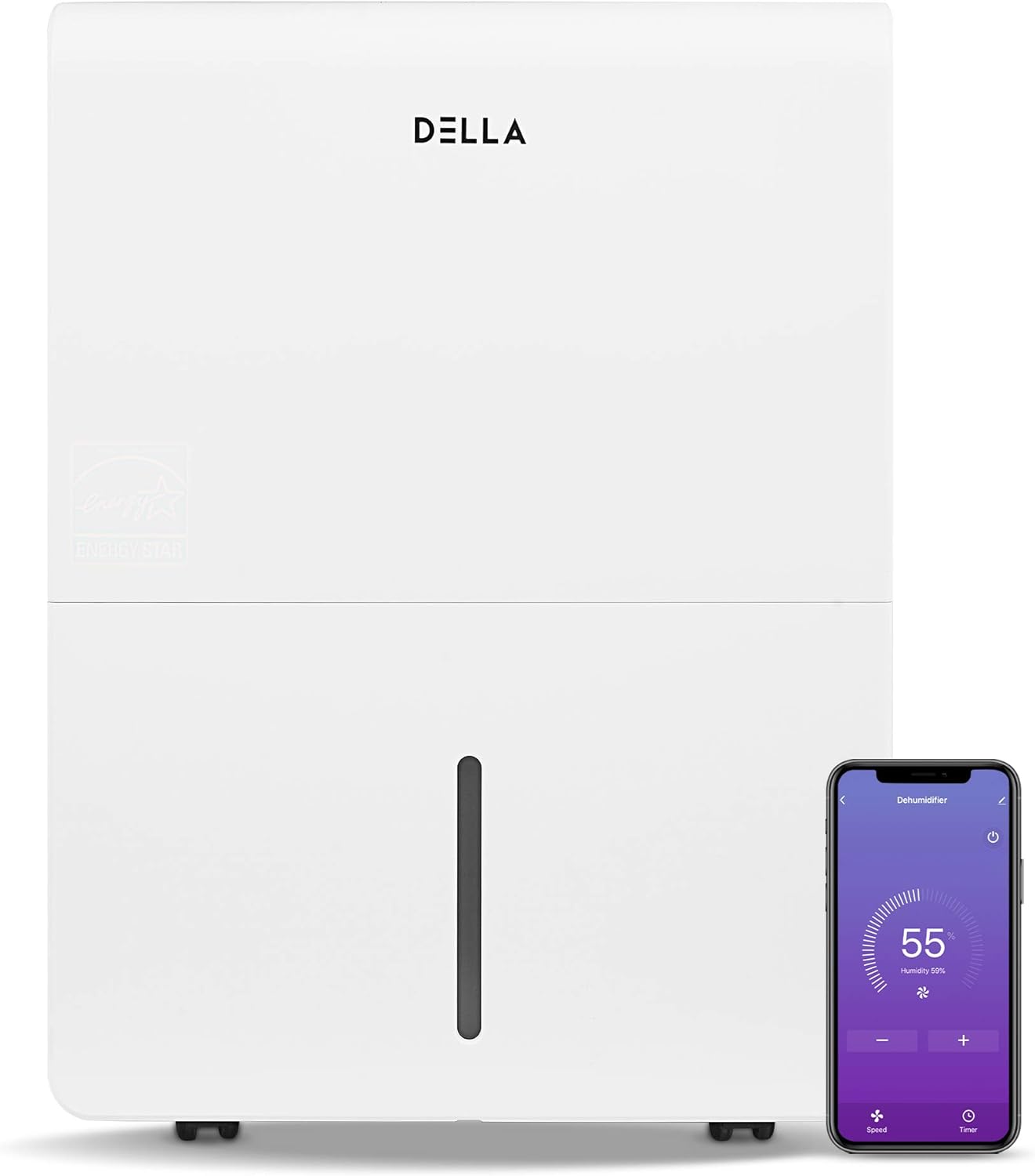
Figura 2.1: Davant view of the DELLA Smart Dehumidifier, showcasing its sleek design and the accompanying smartphone app interface for remote control.

Figura 2.2: Visual comparison illustrating the moisture removal capacity difference between a 22 Pint and a 35 Pint dehumidifier, highlighting the 35 Pint model's suitability for larger areas (1,500 - 3,000 sq ft).

Figura 2.3: The dehumidifier can be intelligently controlled remotely via the Della+ app on your smartphone, allowing for convenient adjustments from anywhere.

Figura 2.4: The Della+ app features geo-fencing technology, enabling the dehumidifier to automatically turn on as you approach home and turn off when you leave.
Vídeo 2.1: This video demonstrates the key features and functionality of the DELLA Smart Dehumidifier, including its portability, control panel, and smart app integration.
3. Configuració
3.1 Col·locació
Place the dehumidifier in a location where the humidity is highest and air circulation is good. Ensure there is at least 8 inches of space around the unit for optimal airflow. The unit is portable with 360-degree easy-roll hidden wheels for room-to-room portability.
3.2 Connexió d'alimentació
Plug the dehumidifier into a standard 115V, 60Hz grounded electrical outlet. Do not use extension cords or power strips.
3.3 Opcions de drenatge
The unit offers two methods for water drainage:
- Buidatge manual: The water tank can be manually removed and emptied when full. The unit will alert you when the tank is full and automatically shut off to prevent overflow.
- Drenatge continu: For continuous operation without manual emptying, connect a standard garden hose (not included) to the continuous drain outlet. Ensure the hose is sloped downwards to allow gravity drainage into a suitable drain.

Figura 3.1: Illustration of the two drainage methods: manual tank removal (1) and continuous gravity drainage via a hose (2).

Figura 3.2: The dehumidifier is equipped with an electromagnetic float water-fill alarm device that automatically shuts off the unit when the water tank is full, preventing overflow.
4. Instruccions de funcionament
4.1 Tauler de control
The dehumidifier features an easy-to-use control panel located on the top of the unit.

Figura 4.1: Detallada view of the control panel, showing buttons for Power, Mode, Timer, and indicators for Tank Full, Filter, and Wi-Fi status.
- POTÈNCIA: Premeu per encendre o apagar el deshumidificador.
- Mode: Press to cycle through different operating modes: Dry, Turbo, Comfort, and Cont (Continuous).
- TEMPORIZADOR: Press to initiate the auto start and auto stop feature, allowing you to set a specific operating duration.
- Configuració d'humitat: Use the up/down arrows to adjust the desired humidity level.
- Indicadors: Lights for 'Tank Full', 'Filter', and 'Wi-Fi' indicate the status of the unit.
4.2 Wi-Fi Control (DELLA+ App)
This dehumidifier is Wi-Fi enabled, allowing you to control it remotely using the DELLA+ app on your smartphone. Download the app from your device's app store and follow the in-app instructions for pairing. The app allows you to adjust settings, monitor humidity levels, and receive notifications (e.g., when the water tank is full).
5. Manteniment
5.1 Neteja del filtre
The dehumidifier is equipped with a washable filter. A 'Filter' indicator light on the control panel will illuminate to remind you when it's time to clean the filter (typically after 250 hours of operation). Regularly cleaning the filter ensures optimal performance and air quality.
- Apagueu i desconnecteu la unitat.
- Remove the filter from its slot.
- Renteu el filtre amb aigua tèbia i sabó. Esbandiu-lo bé.
- Deixeu que el filtre s'assequi completament a l'aire abans de tornar-lo a inserir.
- Press and hold the 'Filter' button on the control panel to reset the filter timer.
5.2 Water Tank Emptying
When the water tank is full, the 'Tank Full' indicator will light up, and the unit will automatically shut off. Carefully remove the water tank using its handle and empty the collected water. Reinsert the tank firmly until it clicks into place to resume operation.
6. Solució De Problemes
| Problema | Causa possible | Solució |
|---|---|---|
| El deshumidificador no s'encén. | No power, power cord unplugged, water tank full or not properly seated. | Check power connection, empty and re-seat water tank. |
| La unitat funciona però no deshumidifica. | Air filter clogged, room temperature too low, humidity setting too high. | Clean air filter, ensure room temperature is above 41°F (5°C), lower humidity setting. |
| Fuites d'aigua de la unitat. | Water tank not properly seated, continuous drain hose is kinked or clogged. | Re-seat water tank, check continuous drain hose for kinks or blockages. |
| La unitat fa soroll. | La unitat no està sobre una superfície plana, el filtre d'aire està obstruït. | Col·loqueu la unitat sobre una superfície plana i estable. Netegeu el filtre d'aire. |
| Problemes de connexió Wi-Fi. | Incorrect Wi-Fi password, router too far, app not updated. | Verify Wi-Fi credentials, move unit closer to router, update Della+ app. |
7. Especificacions

Figura 7.1: Acabatview of the dehumidifier's dimensions and key technical specifications.
| Especificació | Valor |
|---|---|
| Marca | Della |
| Nom del model | 048-TL-D35W_3 |
| Cobertura de la superfície del sòl | 3000 peus quadrats |
| Capacitat de deshumidificació | 35 pintes al dia |
| Volum del dipòsit | 0.9 Gallons (7.17 Pints) |
| Font d'alimentació | 115V/60Hz |
| Wattage | 560 watts |
| Noise Level (Hi/Med/Lo) | 48/45 dB |
| Dimensions del producte (PxWxH) | 9.84 "P x 14.37" W x 19.69" H |
| Pes de l'article | 33.7 lliures |
| Característiques especials | Quiet Operation, Timer, Washable Filter, Wi-Fi Control |
| Components inclosos | Manual, Dehumidifier |
8. Informació de la garantia
Specific warranty details for your DELLA 3000 Sq. Ft Smart Dehumidifier are typically provided with the product packaging or can be found on the manufacturer's official website. Please refer to the warranty card or contact Della customer support for comprehensive information regarding warranty coverage, terms, and conditions.
9. Atenció al client
For technical assistance, troubleshooting not covered in this manual, or inquiries regarding parts and service, please contact Della customer support. Refer to the contact information provided in your product packaging or visit the official Della weblloc web per obtenir les opcions d'assistència més actualitzades.
Ask a question about this manual
Ask about setup, troubleshooting, compatibility, parts, safety, or missing instructions. Manuals+ will review the question and use this page’s manual context to help answer it.