
1. Introducció
Thank you for choosing the ILIFE V3s Max Robot Vacuum and Mop Combo. This device is designed to provide efficient and convenient cleaning for your home, combining powerful vacuuming with intelligent mopping capabilities. This manual provides essential information for the safe operation, maintenance, and troubleshooting of your robot vacuum. Please read it thoroughly before use and retain it for future reference.
2. Instruccions de seguretat
Per reduir el risc de lesions o danys, llegiu i seguiu totes les precaucions de seguretat. Aquest aparell és només per a ús domèstic.
- Do not operate the robot near open flames or fragile objects.
- Mantingueu els cabells, la roba solta, els dits i totes les parts del cos lluny de les obertures i les parts mòbils.
- No permeteu que els nens facin servir el robot. Superviseu els nens i les mascotes mentre el robot estigui en funcionament.
- Feu servir només l'adaptador de corrent i la base de càrrega originals proporcionats pel fabricant.
- Assegureu-vos que el robot estigui completament carregat abans del primer ús.
- No feu servir el robot per recollir deixalles grans, líquids o objectes en flames.
- Remove power cords, small objects, and curtains from the cleaning path to prevent entanglement.
- Do not use the mopping function on carpets or rugs.
3. Contingut del paquet
Verifiqueu que tots els components siguin presents i en bon estat:
- 1x ILIFE V3s Max Robot Vacuum
- 1x comandament a distància
- 1x Filter (pre-installed)
- Adaptador de CA 1x
- 1 moll de càrrega
- 1x raspall de neteja
- 2x Side Brushes (spare)
- 1x Drap de fregona
- 1x Dipòsit d'aigua
- 1 x manual d'usuari
- 3 bosses de pols
4. Producte acabatview
Familiarize yourself with the main components of your ILIFE V3s Max.

Figura 4.1: A dalt view of the ILIFE V3s Max robot vacuum, illustrating its 2000Pa suction, path planning, large dustbin, vacuum with mop function, app control, and Alexa support.

Figura 4.2: Part inferior view of the robot vacuum, highlighting the deep edge cleaning brush, powerful suction inlet, and the mop attachment for combined cleaning.
Components principals:
- Cos principal: Contains the motor, dustbin, water tank, and navigation sensors.
- Raspalls laterals: Sweep debris into the suction path.
- Rodes motrius: Allow the robot to move across various surfaces.
- Roda universal: Proporciona moviment direccional.
- Contactes de càrrega: Es connecta amb la base de càrrega.
- Polvorí: Collects dry debris.
- Dipòsit d'aigua: Reté aigua per fregar.
- Drap de fregona: Attaches to the water tank for wet cleaning.
- Botó d'encesa: Turns the robot on/off and starts/pauses cleaning.
- Sensors: Anti-drop, anti-collision, and wall-following sensors.
5. Configuració
5.1 Càrrega inicial
- Col·loqueu la base de càrrega contra una paret en una zona oberta, assegurant-vos que no hi hagi obstacles a menys d'1 metre als costats i a 2 metres al davant.
- Connect the AC adapter to the charging dock and plug it into a power outlet.
- Place the robot onto the charging dock, ensuring the charging contacts align. The indicator light will show charging status.
- Allow the robot to charge completely before first use (approximately 5-6 hours).
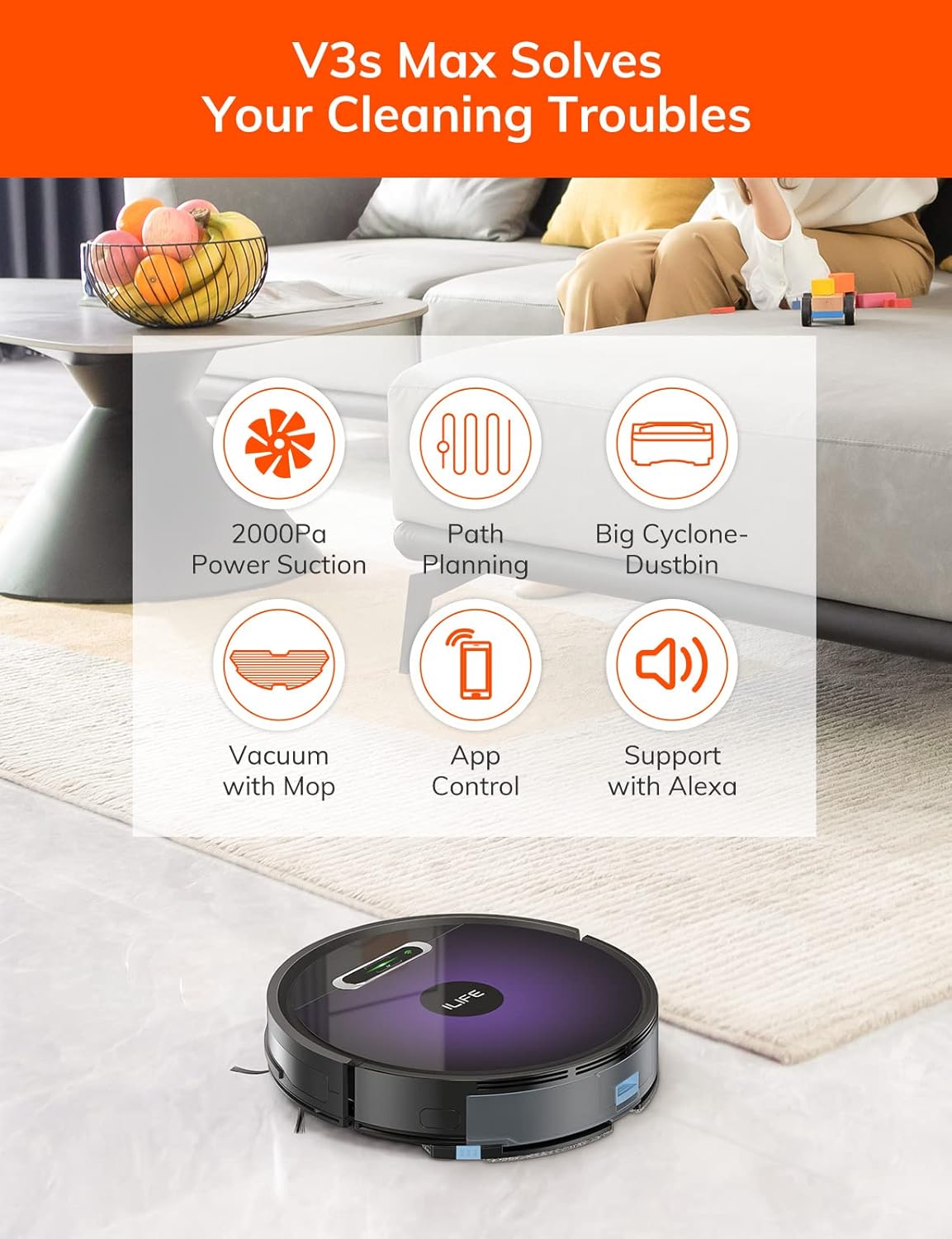
Figura 5.1: The robot vacuum returning to its charging dock. Ensure the dock is placed in an accessible area.
5.2 App and Wi-Fi Connection
The ILIFE V3s Max supports app control via 2.4G Wi-Fi (5G Wi-Fi is not supported).
- Download the "ILIFEHOME" app from your smartphone's app store (iOS or Android).
- Registreu un compte i inicieu sessió.
- Ensure your phone is connected to a 2.4G Wi-Fi network.
- Follow the in-app instructions to add your device. This typically involves pressing and holding the robot's power button until it enters pairing mode, then entering your Wi-Fi password in the app.

Figura 5.2: The ILIFEHOME app interface, demonstrating features like scheduling, cleaning history, suction settings, and cleaning modes. The robot also supports Amazon Alexa integration.
6. Instruccions de funcionament
6.1 Inici/Pausa de la neteja
- Del robot: Press the power button once to start or pause cleaning.
- From Remote Control: Press the "Clean" button.
- Des de l'aplicació: Tap "Start" or "Pause" in the ILIFEHOME app.
6.2 modes de neteja
The V3s Max offers multiple cleaning modes for different needs:

Figura 6.1: Illustration of the robot's multiple cleaning modes: Random, Spot, Edge, and Path (zigzag) cleaning.
- Path Cleaning (Zigzag): The robot cleans in an efficient zigzag pattern, covering the entire area systematically. This is the default mode for general cleaning.
- Neteja de punts: The robot focuses on a specific dirty area, cleaning in a spiral pattern. Activate this mode for concentrated cleaning of spills or heavily soiled spots.
- Neteja de vores: The robot cleans along walls and furniture edges. Useful for thorough cleaning of room perimeters.
- Neteja aleatòria: The robot cleans randomly, suitable for small, uncluttered spaces.
6.3 Vacuuming and Mopping
The V3s Max can vacuum and mop simultaneously or separately.

Figura 6.2: The robot vacuum demonstrating its 2000Pa suction power, effectively picking up food crumbs and pet hair from hard floors.

Figura 6.3: The robot vacuum illustrating three types of water adjustment for mopping, catering to various floor cleaning needs.
- Aspirar: Ensure the dustbin is installed. The robot will use its 2000Pa suction to clean dry debris.
- Fregar: Fill the 200ml water tank with clean water and attach the mop cloth. Insert the water tank into the robot. The robot will then perform wet mopping. Do not use cleaning solutions other than water in the tank.
- Combined Cleaning: With both the dustbin and water tank installed, the robot will vacuum and mop simultaneously.
6.4 Programació
Use the ILIFEHOME app to set cleaning schedules for automated cleaning sessions.
- Open the ILIFEHOME app.
- Navigate to the scheduling section.
- Establiu els dies i horaris de neteja desitjats.
- Confirm the schedule. The robot will automatically start cleaning at the programmed times.
7. Manteniment
Un manteniment regular garanteix un rendiment òptim i allarga la vida útil del teu robot aspirador.
7.1 Neteja de les escombraries i els filtres
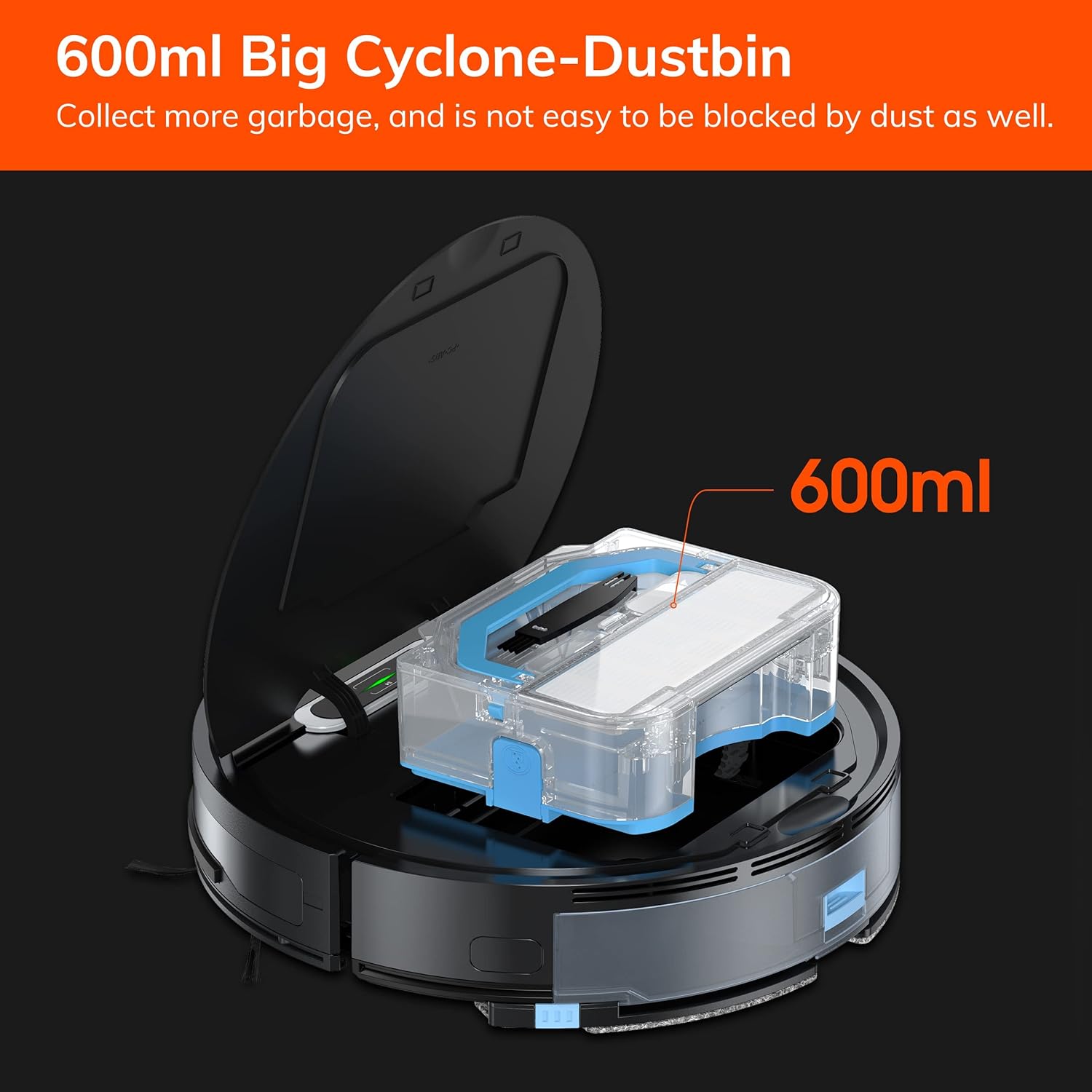
Figura 7.1: The 600ml cyclone dustbin, designed to collect more debris and resist clogging.
- Press the "PUSH" button on the robot's top cover to open it.
- Traieu el contenidor de pols estirant-lo cap amunt.
- Obriu la tapa de la paperera i buideu-ne el contingut en una paperera.
- Remove the filter assembly (pre-filter, sponge filter, high-performance filter).
- Clean the filters with the provided cleaning brush. Do not wash the high-performance filter with water.
- Si cal, esbandiu el contenidor de pols amb aigua i assegureu-vos que estigui completament sec abans de tornar-lo a instal·lar.
- Reassemble the filters and dustbin, then reinsert into the robot.
7.2 Neteja del raspall lateral
- Regularly check side brushes for tangled hair or debris.
- Gently pull the side brushes upwards to remove them.
- Use the cleaning brush or scissors to remove any tangled hair or debris.
- Torneu a instal·lar els raspalls laterals, assegurant-vos que encaixin al seu lloc.
7.3 Water Tank and Mop Cloth Maintenance
- After each mopping session, remove the water tank.
- Buidar l'aigua que quedi del dipòsit.
- Detach the mop cloth and wash it by hand or machine. Allow it to air dry completely.
- Rinse the water tank with clean water and allow it to air dry.
7.4 Neteja del sensor
- Use a clean, dry cloth to wipe the anti-drop sensors (located on the bottom of the robot) and the anti-collision sensors (located on the front bumper).
- Clean the charging contacts on both the robot and the charging dock.
8. Solució De Problemes
If you encounter issues with your ILIFE V3s Max, refer to the following common problems and solutions:
| Problema | Causa possible | Solució |
|---|---|---|
| El robot no s'engega ni respon. | Bateria baixa; interruptor apagat; robot encallat. | Charge the robot; Turn on the power switch; Clear obstacles. |
| El robot no pot tornar a la base de càrrega. | Charging dock obstructed; Robot too far from dock; Dock not powered. | Ensure clear path to dock; Manually place robot near dock; Check power connection. |
| Mal rendiment de neteja. | Dustbin full; Filters clogged; Side brushes worn or tangled. | Buidar el contenidor de pols; netejar/substituir els filtres; netejar/substituir els raspalls laterals. |
| El robot es queda encallat sovint. | Obstacles (cables, rugs); Cliff sensors dirty. | Clear cleaning area; Clean cliff sensors. |
| Problemes de connexió de l'aplicació. | Incorrect Wi-Fi (5G); Incorrect password; Router issues. | Ensure 2.4G Wi-Fi; Re-enter password; Restart router and robot. |
If the problem persists, please contact ILIFE customer support.
9. Especificacions
| Característica | Detall |
|---|---|
| Marca | ILIFE |
| Nom del model | V3s Màx |
| Potència d'aspiració | Up to 2000Pa (Spot Mode) |
| Capacitat de la paperera | 600 ml |
| Capacitat del dipòsit d'aigua | 200 ml |
| Durada de la bateria | Fins a 100 minuts |
| Tipus de bateria | Ió de liti (14.4 volts) |
| Navegació | Gyroscopic Path Planning |
| Mètodes de control | App Control, Remote Control, Amazon Alexa |
| Suport Wi-Fi | 2.4G Wi-Fi only |
| Dimensions del producte | 12.4 cm de llargada x 11.81 cm d'amplada x 2.99 cm d'alçada |
| Pes de l'article | 5.4 lliures |
| Nivell de soroll | 65 decibels |
| Recomanació de superfície | Hard Floor, Low-Pile Carpet |
10. Garantia i Suport
ILIFE provides a limited warranty for this product. For detailed warranty information, please refer to the warranty card included in your package or visit the official ILIFE website. For technical support, troubleshooting assistance, or replacement parts, please contact ILIFE customer service through the contact information provided on their website or within the ILIFEHOME app.
Assistència en línia: www.iliferobot.com/support