
Instruccions importants de seguretat
Llegiu totes les instruccions abans d'utilitzar l'aparell. Conserveu aquest manual per a futures consultes.
- Assegureu-vos que la font d'alimentació coincideixi amb el voltage especificat a l'aparell.
- No submergiu l'aparell, el cable o l'endoll en aigua o altres líquids.
- Desendolleu la presa de corrent quan no utilitzeu i abans de netejar.
- No feu servir cap aparell amb un cable o un endoll danyats, o després que l'aparell funcioni malament o s'hagi fet malbé de cap manera.
- És necessària una supervisió estreta quan qualsevol aparell és utilitzat per o a prop dels nens.
- No utilitzar a l'aire lliure.
- No col·loqueu-lo sobre o prop d'un cremador de gas o elèctric calent, ni en un forn calent.
- No utilitzeu l'aparell per a un altre ús que el previst.
- Assegureu-vos sempre que l'aparell estigui col·locat sobre una superfície estable i anivellada.
- Només feu servir aigua potable a la màquina de fer gel.
Producte acabatview
The OSCEVIA Nugget Ice Maker is designed to produce soft, chewable nugget ice quickly and efficiently for home, office, or bar use. It features a self-cleaning function and intelligent indicators.

Figura 1: OSCEVIA Nugget Ice Maker. This image shows the ice maker from the front-right angle, with its lid open, revealing the ice basket filled with nugget ice. A glass with a beverage and some loose ice are visible next to the machine.
Components:
- Unitat de màquina de gel: Main body of the appliance.
- Cistella de gel: Removable basket for collecting ice.
- Scoop de gel: Per a una fàcil recuperació de gel.
- Dipòsit d'aigua: Internal reservoir for water.
- Tauler de control: Buttons and LED indicators for operation.
- Transparent Flip Lid: Allows visibility of ice production and easy access.

Figura 2: Smart & Innovative Design. This diagram illustrates the internal workings and features of the ice maker, including indicators for "Ice Full", "Add Water", "Recycle Melted Ice", and a "24H Timer". It highlights the infrared induction system for continual ice production.
Configuració
- Desembalatge: Traieu amb cura la màquina de gel del seu embalatge. Conserveu l'embalatge per a futurs emmagatzematges o transports.
- Col·locació: Place the ice maker on a flat, stable, and level surface away from direct sunlight and heat sources. Ensure adequate ventilation around the unit.
- Neteja inicial: Abans del primer ús, netegeu l'interior de la màquina de gel. Consulteu la secció "Manteniment i neteja" per obtenir instruccions detallades.
- Ompliment d'aigua: Open the transparent flip lid and fill the water tank with potable water up to the MAX fill line. Do not overfill.
- Connexió d'alimentació: Connecteu el cable d'alimentació a una presa elèctrica amb connexió a terra.

Figura 3: Filling the water tank. A hand is shown pouring water from a glass into the ice maker's water reservoir, located under the open lid.
Instruccions de funcionament
Fer gel:
- Assegureu-vos que el dipòsit d'aigua estigui ple d'aigua.
- Press the "POWER" button on the control panel to turn on the ice maker.
- The ice maker will begin the ice-making cycle automatically. The first batch of ice typically takes approximately 15 minutes.
- The "ICE FULL" indicator will illuminate when the ice basket is full. The machine will pause ice production until ice is removed.
- The "ADD WATER" indicator will illuminate when the water level is low. Refill the water tank to resume ice production.
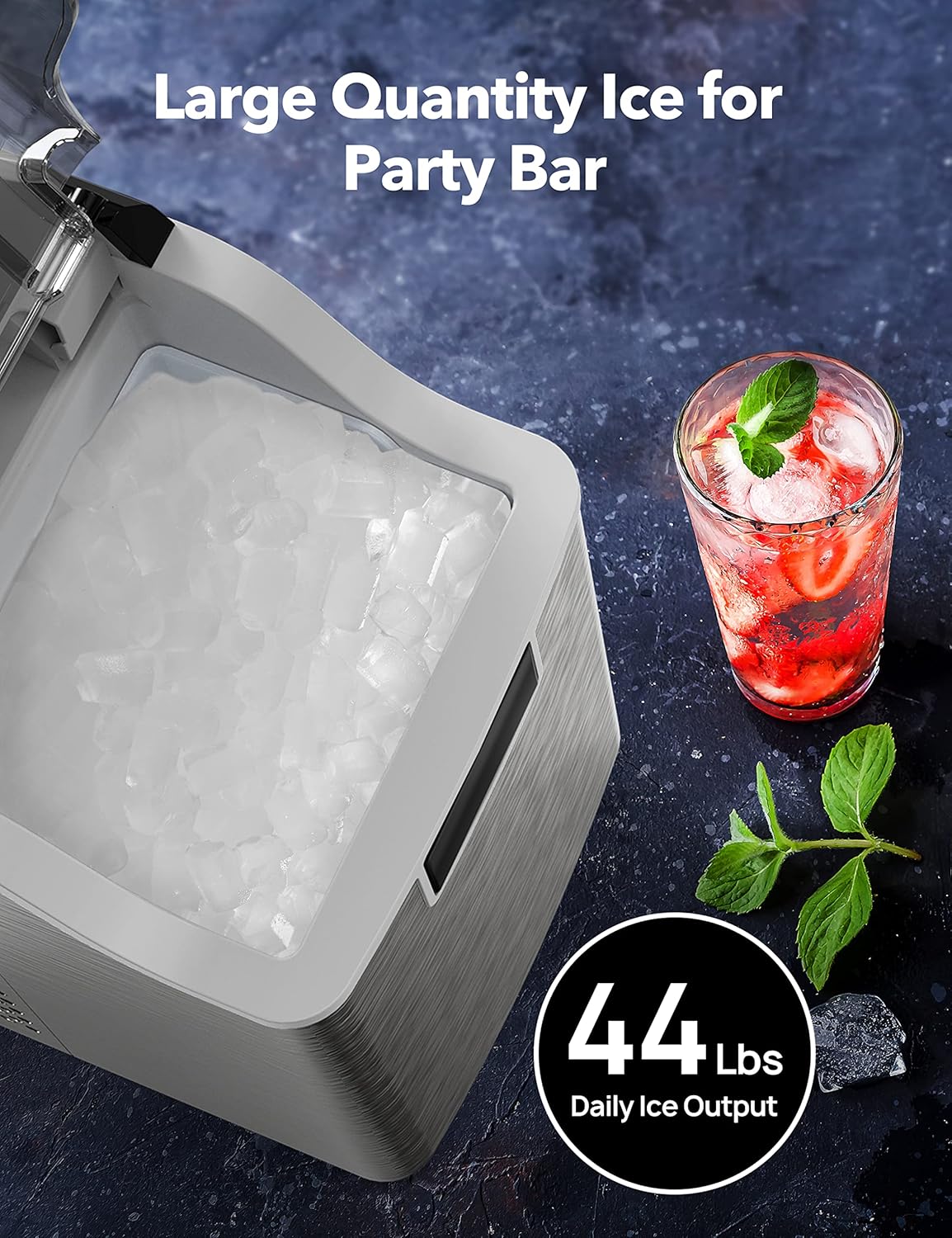
Figura 4: Large Quantity Ice Production. This image shows the ice maker's open lid, revealing a full basket of nugget ice, emphasizing its capacity to produce up to 44 lbs of ice daily.
Funció de temporitzador de 24 hores:
The ice maker features a 24-hour timer for scheduled operation. Consult the specific instructions in your included user guide for setting the timer, as button sequences may vary.
Silent Operating System:
The ice maker is designed for low noise operation, typically less than 45dB, ensuring minimal disturbance during use.

Figura 5: Silent Operation. This image depicts the ice maker operating quietly, with a cat sleeping peacefully next to it, illustrating its low noise level (less than 45dB).
Manteniment i Neteja
Una neteja regular garanteix un rendiment i una higiene òptims de la màquina de gel.
Funció d'auto-neteja:
- Assegureu-vos que el dipòsit d'aigua estigui ple d'aigua neta.
- Press and hold the "ICE/CLEAN" button for 5 seconds.
- The ice maker will initiate a 15-minute self-cleaning cycle.
- Once the cycle is complete, drain any remaining water from the unit as per the user guide's instructions for draining.

Figura 6: 15-Minute Self-Cleaning Mode. This image illustrates the internal water circulation during the self-cleaning process, showing water being agitated and circulated to clean the internal components.
Neteja manual:
- Desconnecteu la màquina de gel abans de netejar-la.
- Traieu el cistell de gel i renteu-lo amb un detergent suau i aigua tèbia. Esbandiu-lo bé.
- Wipe the interior surfaces of the water tank and ice storage area with a soft cloth dampened with a mild cleaning solution (e.g., vinegar and water).
- For stubborn mineral deposits, a descaling solution designed for ice makers can be used, following the product's instructions.
- Netegeu l'exterior de la unitat amb un damp tela. No utilitzeu netejadors abrasius ni dissolvents.
- Ensure all parts are completely dry before reassembling and operating the unit.
Resolució de problemes
| Problema | Causa possible | Solució |
|---|---|---|
| La màquina de gel no produeix gel. | No water in tank; "ADD WATER" indicator on. | Fill water tank with potable water. |
| Ice basket is full; "ICE FULL" indicator on. | Traieu el gel de la cistella. | |
| Temperatura ambient massa alta. | Move ice maker to a cooler location. | |
| La producció de gel és lenta. | Temperatura de l'aigua massa alta. | Use colder water. |
| Poca ventilació. | Assegureu-vos que hi hagi prou espai al voltant de la unitat per a la circulació de l'aire. | |
| Soroll inusual durant el funcionament. | Unitat sense nivell. | Adjust the unit to be on a flat, stable surface. |
| Normal operating sounds (compressor, water pump). | This is normal. The unit operates at less than 45dB. |
Especificacions
- Model: OS-20BN
- Dimensions del producte: 9 "P x 13" W x 15" H
- Pes: Aproximadament 31.26 lliures
- Sortida diària de gel: Fins a 44 lliures
- Capacitat d'emmagatzematge de gel: 4 lliures
- Capacitat del dipòsit d'aigua: 2.2 litres (aprox.)
- Ice Making Time: First batch in approximately 15 minutes
- Wattage: 195 watts
- Nivell de soroll: Menys de 45 dB

Figura 7: Countertop Compact Design. This image highlights the compact dimensions of the ice maker, suitable for countertop placement, and mentions features like 1-Year Limited Warranty and 24-Hour Customer Support.
Garantia i Suport
The OSCEVIA Nugget Ice Maker (Model OS-20BN) comes with a 12 mesos de garantia des de la data de compra. Aquesta garantia cobreix els defectes de materials i de mà d'obra en ús normal.
For warranty claims, technical support, or any inquiries, please contact OSCEVIA customer service. Details for contacting support are typically found on the product packaging or the official OSCEVIA website. Please have your model number (OS-20BN) and proof of purchase ready when contacting support.
Suport tècnic de per vida is also provided for this product.