
1. Introducció
Thank you for choosing the WANBO MINI XS01 Projector. This manual provides essential information for the safe and efficient operation of your device. Please read it thoroughly before use and retain it for future reference.
2. Informació de seguretat
- Font d'alimentació: Feu servir només l'adaptador de corrent especificat. Assegureu-vos que el volumtage coincideix amb els requisits del projector.
- Ventilació: No bloquegeu les obertures de ventilació. Assegureu-vos que hi hagi prou espai al voltant del projector per a un flux d'aire adequat per evitar el sobreescalfament.
- Seguretat ocular: No mireu directament a la lent del projector quan estigui encès.amp està encès. La llum brillant pot causar lesions oculars.
- Col·locació: Place the projector on a stable, level surface. Avoid placing it in direct sunlight, near heat sources, or in environments with high humidity or dust.
- Neteja: Desconnecteu l'alimentació abans de netejar. Feu servir un drap suau i sec. No utilitzeu netejadors líquids ni en aerosol.
- Desmuntatge: No intenteu desmuntar ni reparar el projector vosaltres mateixos. Encarregueu totes les tasques de manteniment a personal qualificat.
3. Contingut del paquet
Si us plau, comproveu que tots els articles estiguin presents al vostre paquet:
- WANBO MINI XS01 Projector
- Adaptador d'alimentació
- Control remot
- Manual d'usuari
4. Producte acabatview
Familiarize yourself with the components of your WANBO MINI XS01 Projector.
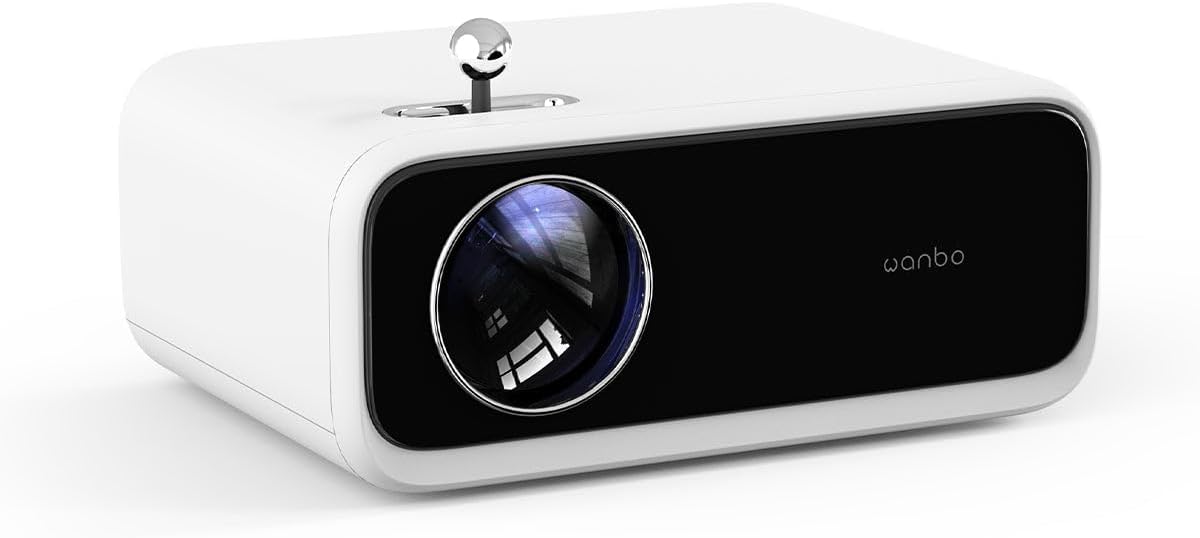
Imatge: Frontal view of the WANBO MINI XS01 Projector, highlighting the projection lens and brand logo.
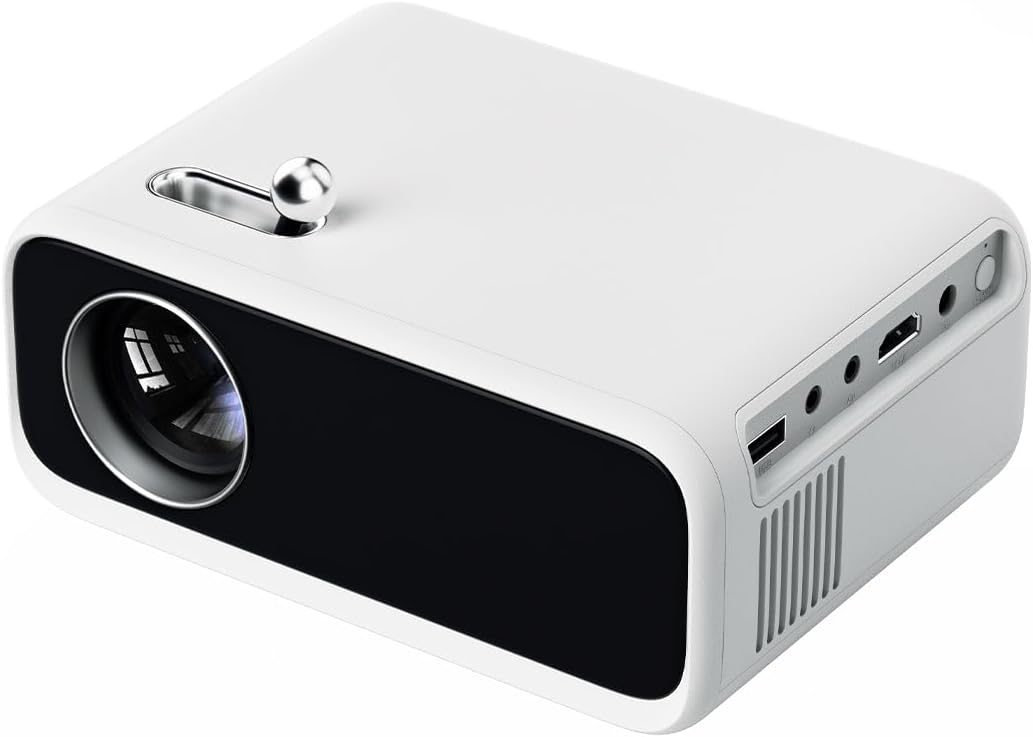
Imatge: Lateral view of the WANBO MINI XS01 Projector, illustrating the available input/output ports such as USB, HDMI, and audio jack.
Components clau:
- Lent de projecció: Emet la imatge a la pantalla.
- Roda d'ajust de l'enfocament: S'utilitza per aclarir la imatge projectada.
- Port HDMI: Connects to devices like laptops, gaming consoles, or media players.
- Port USB: Es connecta a dispositius d'emmagatzematge USB per a la reproducció multimèdia.
- Port de sortida d'àudio: Es connecta a altaveus externs o auriculars.
- Entrada d'alimentació: Es connecta a l'adaptador de corrent.
- Reixes de ventilació: Essencial per a la dissipació de la calor.
5. Configuració
5.1 Col·locació
- Col·loqueu el projector sobre una superfície plana i estable.
- Assegureu-vos que la trajectòria de projecció estigui lliure d'obstacles.
- For optimal image quality, project onto a white wall or a dedicated projector screen.
- Adjust the distance from the screen to achieve the desired image size.
5.2 Connexió d'alimentació
- Connecteu l'adaptador de corrent al port d'entrada d'alimentació del projector.
- Connecteu l'adaptador d'alimentació a una presa de corrent adequada.
- La llum indicadora d'alimentació s'il·luminarà.
5.3 Connexió de dispositius
The WANBO MINI XS01 supports various input sources:
- HDMI: Connect your laptop, game console, or streaming device using an HDMI cable.
- USB: Inseriu una unitat flaix USB al port USB per reproduir contingut multimèdia files directament.
- Sortida d'àudio: Connect external speakers or headphones to the 3.5mm audio jack for enhanced sound.
5.4 Ajust del focus
After powering on and selecting an input source, adjust the focus:
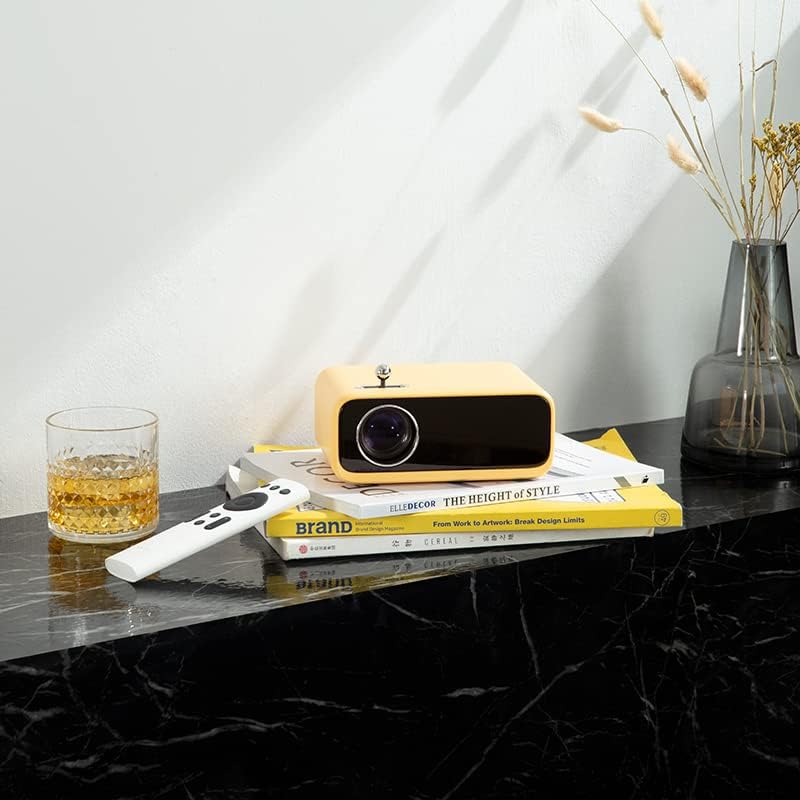
Image: The yellow WANBO MINI XS01 Projector positioned on a surface with its remote, illustrating a typical setup scenario.
- Enceneu el projector i visualitzeu una imatge.
- Rotate the focus adjustment wheel, typically located near the lens, until the image appears sharp and clear on the screen.
6. Funcionament
6.1 Engegada/apagada
- Per encendre: Premeu el botó d'encesa del projector o del comandament a distància.
- Per apagar: Press the power button again. Confirm shutdown if prompted.
6.2 Selecció de la font d'entrada
Use the 'Source' button on the remote control or the projector's control panel to cycle through available input sources (HDMI, USB).
6.3 Projecció bàsica
- Ensure your connected device is powered on and sending a signal.
- Adjust the focus as described in Section 5.4.
- Use the remote control to navigate menus and adjust settings such as picture mode, aspect ratio, and volume.
7. Manteniment
7.1 Neteja de la lent
Use a soft, lint-free cloth specifically designed for optical lenses. Gently wipe the lens surface. Do not use abrasive materials or harsh chemicals.
7.2 Cleaning Ventilation Grilles
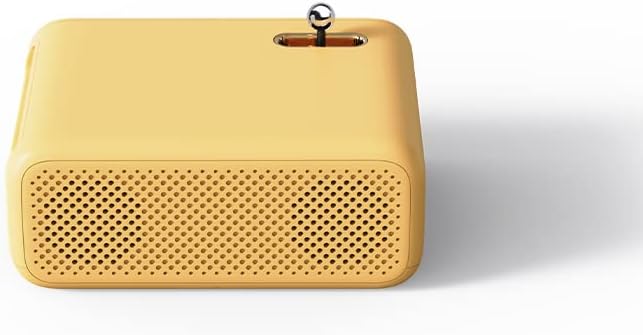
Imatge: Lateral view of the yellow WANBO MINI XS01 Projector, highlighting the perforated ventilation grilles for heat dissipation.
Regularly check and clean the ventilation grilles to prevent dust buildup, which can lead to overheating. Use a soft brush or a can of compressed air to remove dust.
7.3 Emmagatzematge
When not in use, store the projector in a cool, dry, and dust-free environment. If storing for an extended period, consider using the original packaging or a protective case.
8. Solució De Problemes
| Problema | Causa possible | Solució |
|---|---|---|
| No es mostra cap imatge | Power not connected; Incorrect input source; Device not sending signal. | Check power connection; Select correct input source; Ensure source device is on. |
| La imatge és borrosa | Enfocament no ajustat; Projector massa a prop/llunyà. | Adjust the focus wheel; Adjust projector distance. |
| Sense so | Volum massa baix; Altaveus externs no connectats; Configuració d'àudio del dispositiu font. | Increase volume; Connect external speakers; Check audio output settings on source device. |
| El projector es sobreescalfa | Blocked ventilation; Prolonged use. | Ensure ventilation grilles are clear; Allow projector to cool down. |
9. Especificacions
| Característica | Especificació |
|---|---|
| Marca | Wanbo |
| Número de model | XS01 (Mini) |
| Resolució de visualització | 800 x 480 píxels |
| Resolució de visualització màxima | 1280 x 720 píxels |
| Brillantor | 200 lúmenes ANSI |
| Tecnologia de connectivitat | HDMI, USB |
| Característica especial | Portabilitat |
| Usos recomanats | Home cinema, Gaming |
| Fabricant | XIAOMI |
| Color | Yellow (Note: Product images may show other colors) |
10. Garantia i Suport
The WANBO MINI XS01 Projector comes with a standard manufacturer's warranty. Please refer to the warranty card included in your package for specific terms and conditions, including warranty period and coverage details.
For technical support, service, or warranty claims, please contact your retailer or the official Wanbo customer service channels. Contact information can typically be found on the product packaging or the official Wanbo weblloc.