
1. Introducció
This manual provides detailed instructions for the setup, operation, and maintenance of your Kinhank Mini PC Game Box, Super Console X PC Chili. This device features a dual operating system, combining the productivity of Windows 11 Pro with the extensive gaming library of Batocera 33. Please read this manual thoroughly before using the product to ensure optimal performance and longevity.
2. Contingut del paquet
Verifiqueu que tots els elements que s'enumeren a continuació s'inclouen al vostre paquet. Si falta algun element o hi ha algun malmès, poseu-vos en contacte amb l'atenció al client.
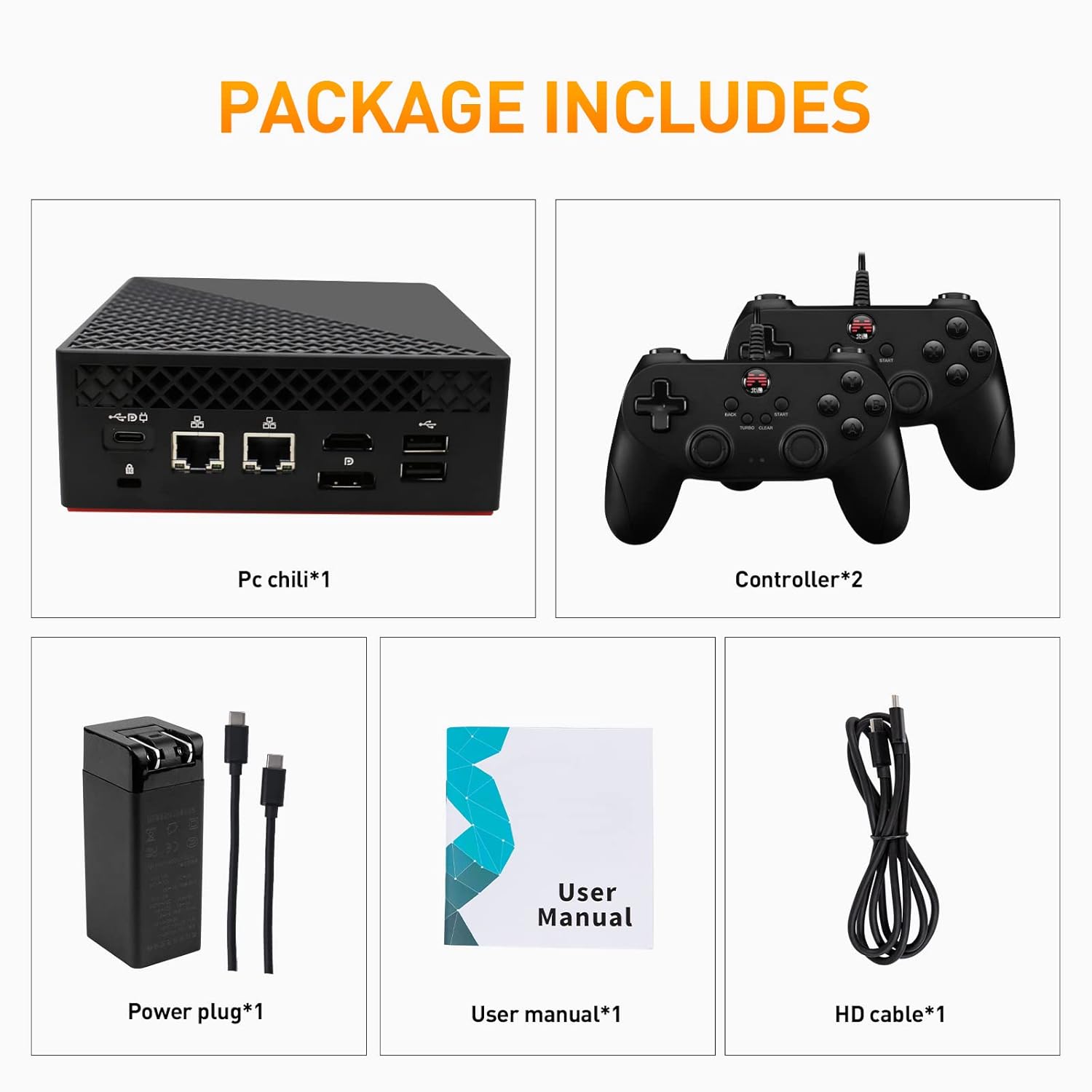
Image: Contents of the Super Console X PC Chili package. It shows the mini PC unit, two game controllers, a power adapter with cables, a user manual, and an HD cable.
- Kinhank Mini PC Game Box (Super Console X PC Chili) x 1
- Game Controllers x 2
- Adaptador d'alimentació x 1
- Manual d'usuari x 1
- HD Cable x 1
3. Producte acabatview
Familiarize yourself with the various ports and components of your Mini PC Game Box.
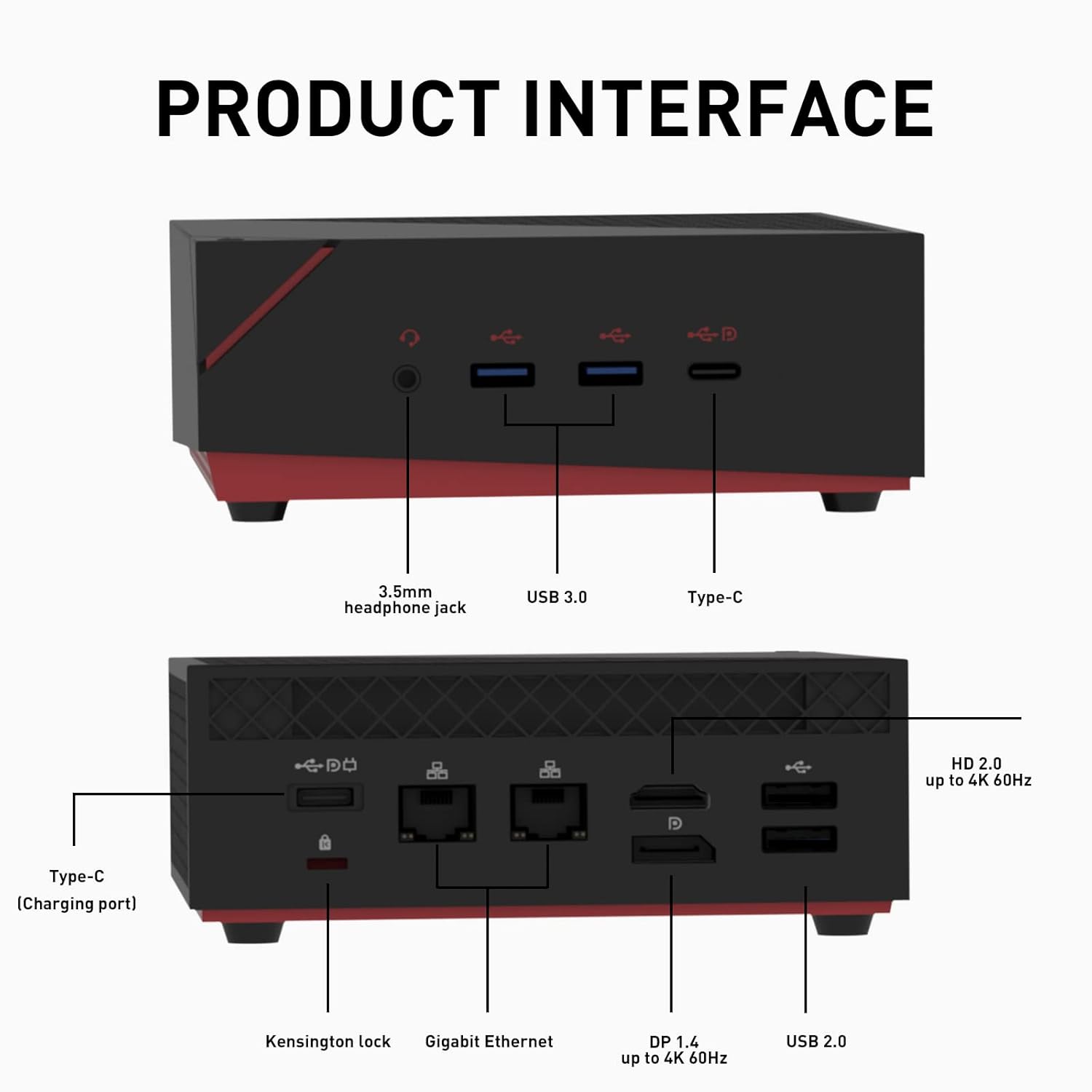
Image: Detailed diagram of the Mini PC's front and rear interfaces. The front includes a 3.5mm headphone jack, USB 3.0 ports, and a Type-C port. The rear features a Kensington lock, Gigabit Ethernet ports, DP 1.4, HD 2.0, and USB 2.0 ports, along with a Type-C charging port.
Panell frontal:
- Presa d'auriculars de 3.5 mm: Per a la sortida d'àudio a auriculars o altaveus externs.
- Ports USB 3.0: High-speed data transfer for peripherals.
- Port de tipus C: Multi-functional port for data or display.
Panell posterior:
- Ranura de bloqueig Kensington: Per assegurar el dispositiu.
- Ports Gigabit Ethernet: Per a la connexió de xarxa amb cable.
- DP 1.4 Port: DisplayPort for video output, up to 4K 60Hz.
- HD 2.0 Port: HDMI port for video output, up to 4K 60Hz.
- Ports USB 2.0: Per connectar perifèrics.
- Type-C (Charging Port): For power input to the device.
4. Instruccions de configuració
- Connecta a la pantalla: Connect the Mini PC to your monitor or TV using the provided HD cable (or a DisplayPort cable) to either the HD 2.0 or DP 1.4 port.
- Connecteu els perifèrics: Plug in your keyboard, mouse, and the included game controllers into the available USB ports.
- Connectar l'alimentació: Connect the power adapter to the Type-C charging port on the rear of the Mini PC, then plug the adapter into a power outlet.
- Encès: Press the power button located on the device. The system will boot up.
- Initial System Selection: Upon first boot, you may be prompted to select between Windows 11 Pro and Batocera 33. Follow the on-screen instructions.
5. Instruccions de funcionament
Your Kinhank Mini PC Game Box features a dual operating system for versatile use.
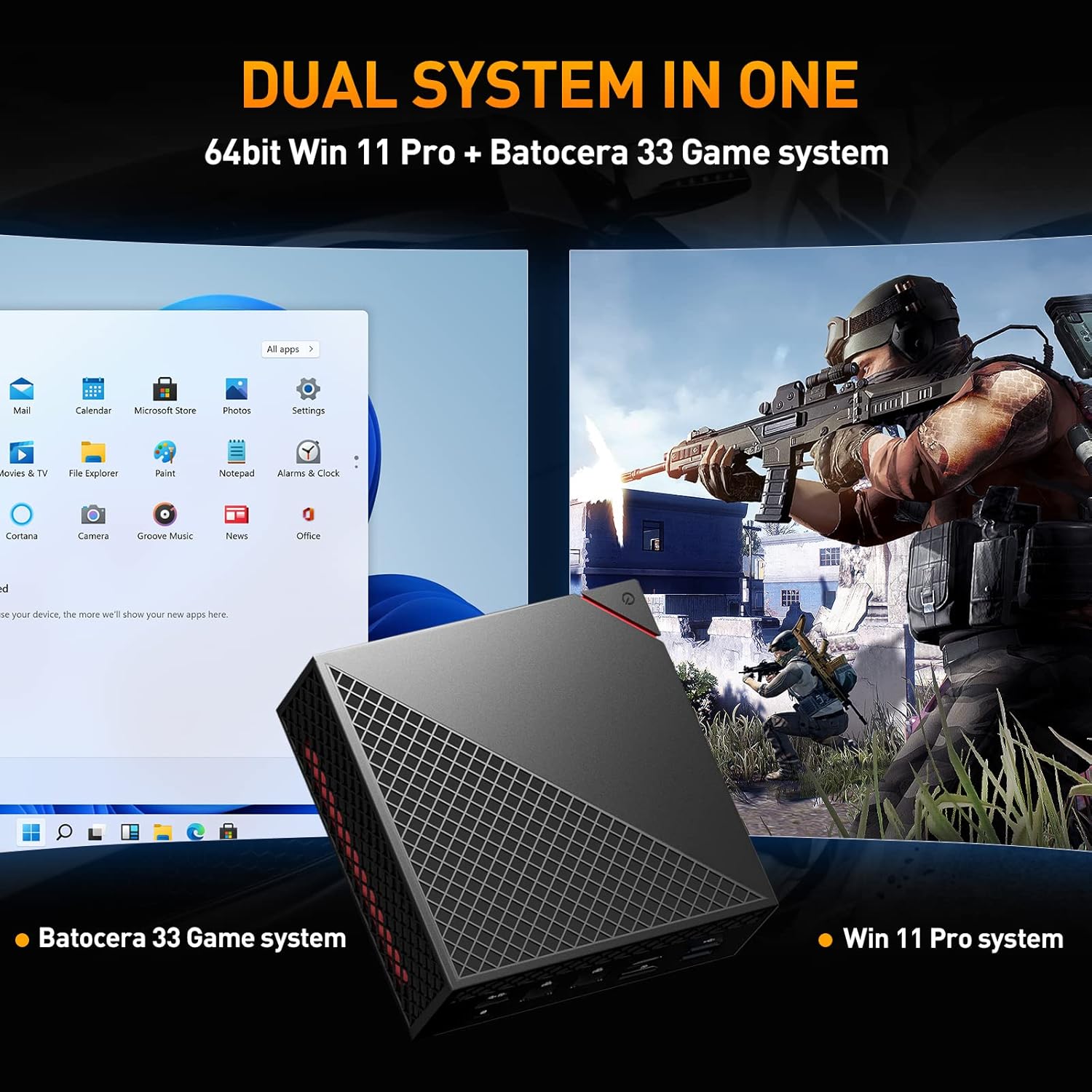
Image: The Mini PC displaying a split screen, showing the Windows 11 Pro desktop on the left and a game running on the Batocera 33 system on the right, illustrating the dual system functionality.
Canvi entre sistemes:
To switch between Windows 11 Pro and Batocera 33, you typically need to restart the device and select the desired operating system from the boot menu. Specific instructions for accessing the boot menu may vary; consult the on-screen prompts during startup or refer to the system's BIOS/UEFI settings.
Ús de Windows 11 Pro:
- Entorn d'escriptori: Navigate using a mouse and keyboard as you would with any standard Windows PC.
- Aplicacions: Install and run Windows-compatible software for productivity, browsing, or other PC tasks.
- Actualitzacions: Ensure Windows is kept up-to-date for security and performance.
Using Batocera 33:
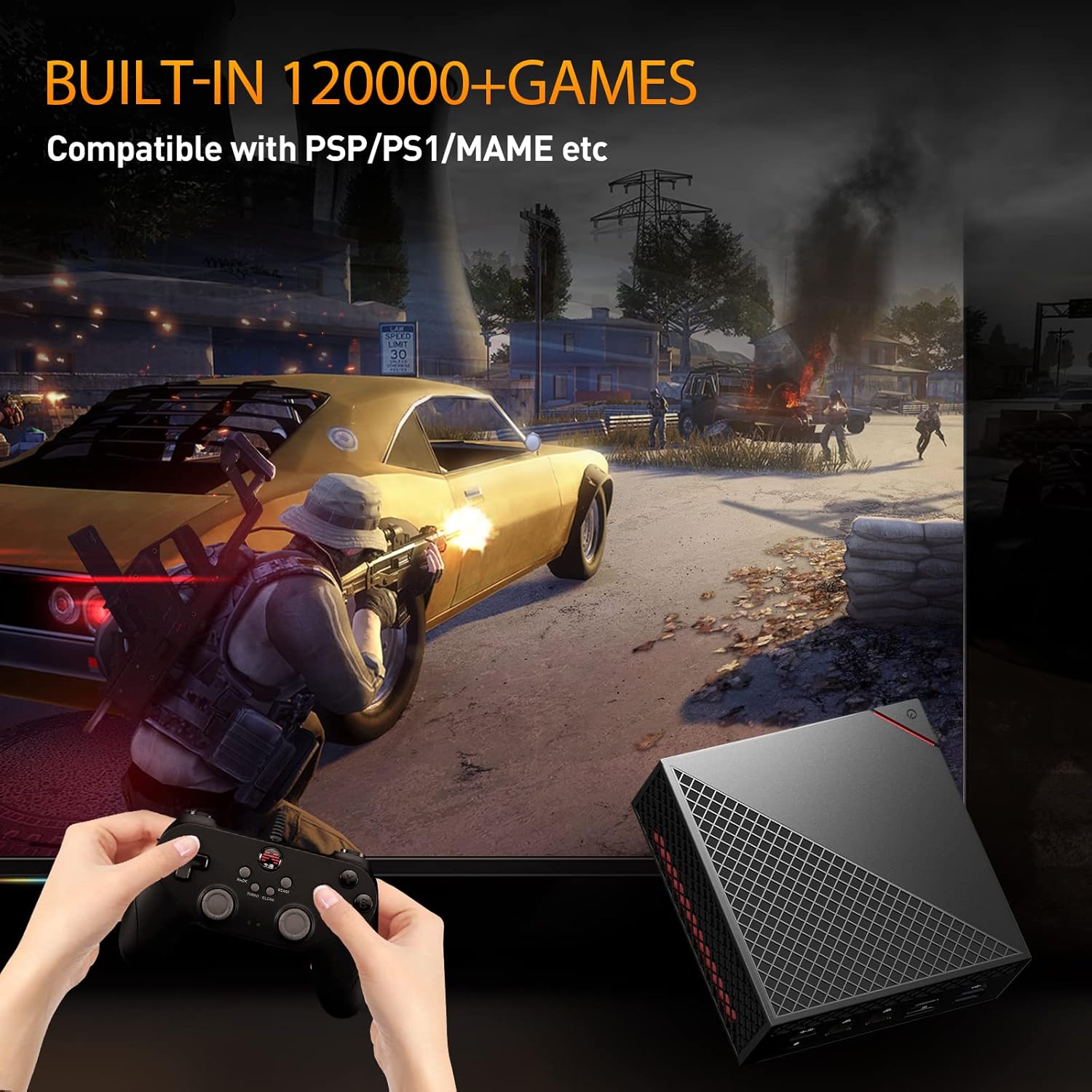
Image: A user playing a game on the Batocera 33 system using a gamepad, with the Mini PC visible in the foreground.
- Selecció del joc: Use the included game controllers to navigate the Batocera interface and select games from the pre-installed library.
- Emulator Support: Batocera 33 supports a wide range of emulators for various classic gaming platforms.
- Desant el progrés: Follow the in-game or emulator-specific instructions for saving game progress.
- Adding Games: For advanced users, Batocera allows adding new game ROMs. Refer to the Batocera documentation for detailed instructions on this process.
6. Característiques clau
The Super Console X PC Chili is designed with powerful components for both gaming and productivity.
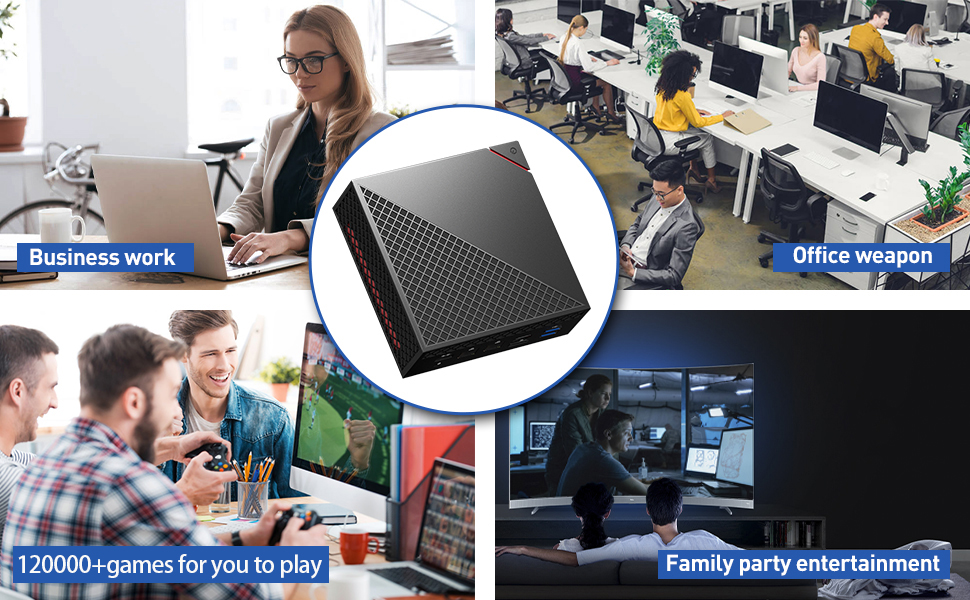
Image: A close-up of the AMD Ryzen 5 4500U processor chip, highlighting its presence in the device.
- Processador: AMD Ryzen 5 4500U, 7nm process with 6 cores and 6 threads, up to 4.0GHz.
- Gràfics: Radeon Graphics, high frequency Vega 6, up to 1.5GHz.
- RAM: Pre-installed 16GB DDR4 2666MHz, dual channel 8GB x 2.
- Emmagatzematge: M.2 NVME PCI-E 256G SSD (read: 3000MB/s, write: 2100MB/s) and 2TB 2.5inch SATA3 HDD (Fast Transmission: 6GB/S).
- Sortida de visualització: HD+DP+Type-C three-screen output, supporting up to 4K resolution.
- Sistema operatiu: Dual system with 64bit Windows 11 Pro and Batocera 33 game system.
- Connectivitat sense fils: Intel AX200 Wi-Fi 6 (2.4GHz, 5GHz 160Mhz, Max 2.4Gbps) and Bluetooth 5.2.
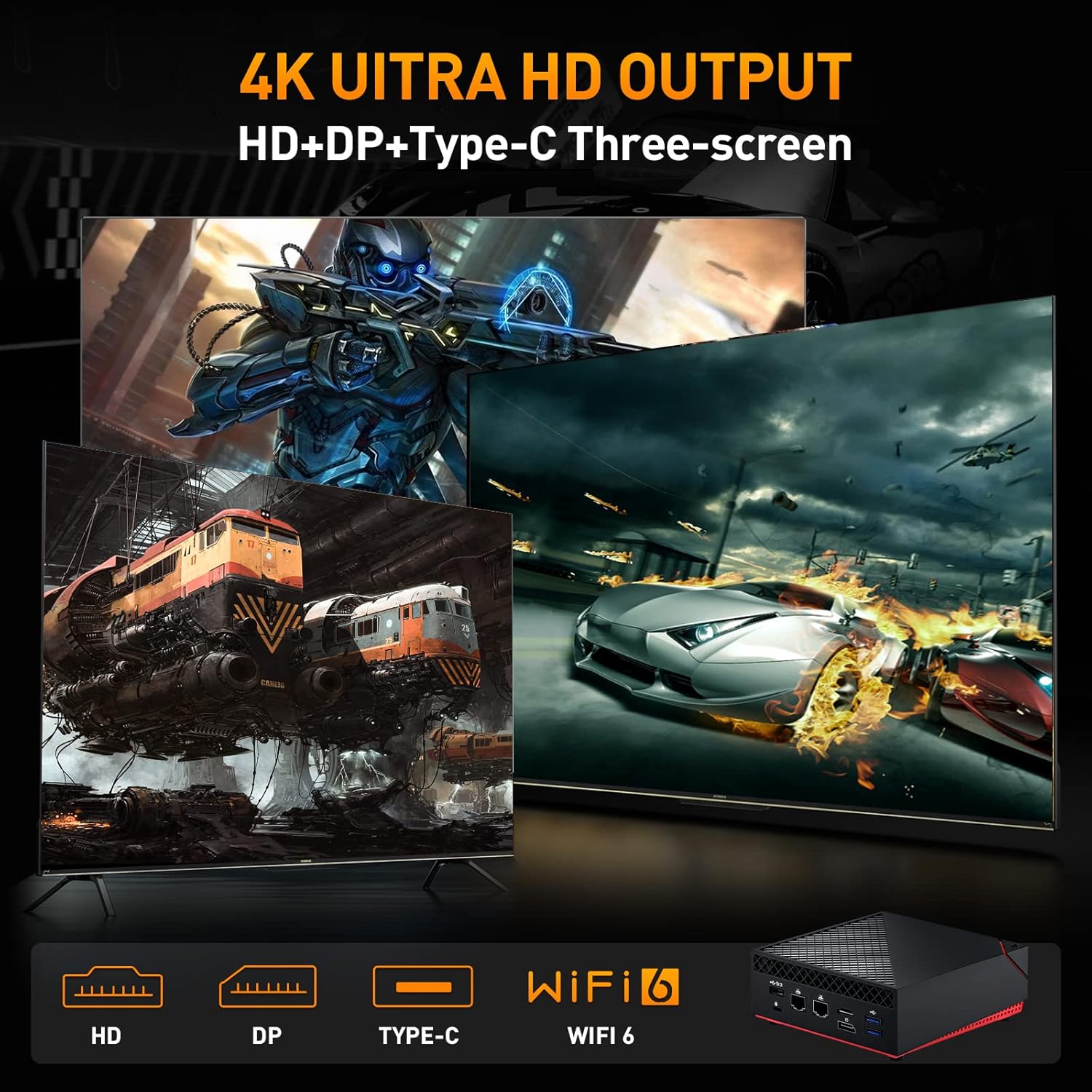
Image: A visual representation of the Mini PC's ability to output to three screens simultaneously at 4K resolution via HD, DP, and Type-C ports, also highlighting Wi-Fi 6 capability.
7. Manteniment
- Neteja: Use a soft, dry cloth to clean the exterior of the device. Avoid liquid cleaners.
- Ventilació: Ensure the ventilation openings are not blocked to prevent overheating. Do not place the device in enclosed spaces.
- Actualitzacions de programari: Regularly update Windows 11 Pro and Batocera 33 to ensure optimal performance, security, and compatibility.
- Còpia de seguretat de dades: Periodically back up important data from your Windows system.
- Emmagatzematge: Guardeu el dispositiu en un lloc fresc i sec, allunyat de la llum solar directa i de temperatures extremes.
8. Solució De Problemes
Sense energia:
- Assegureu-vos que l'adaptador de corrent estigui connectat correctament al dispositiu i a una presa de corrent que funcioni.
- Verifiqueu que la presa de corrent funciona connectant-hi un altre dispositiu.
Sense pantalla:
- Check that the HD or DP cable is securely connected to both the Mini PC and the display.
- Ensure the display is powered on and set to the correct input source.
- Try a different HD or DP cable or another display if possible.
System Not Booting Correctly:
- Restart the device. If prompted, try selecting the other operating system.
- If issues persist, consult the system recovery options for Windows or Batocera documentation for advanced troubleshooting.
Game Controller Not Responding:
- Ensure the controller is properly connected to a USB port.
- Test the controller on another device or try a different USB port.
- In Batocera, check controller configuration settings.
9. Especificacions
Detailed technical specifications for the Kinhank Mini PC Game Box Super Console X PC Chili.
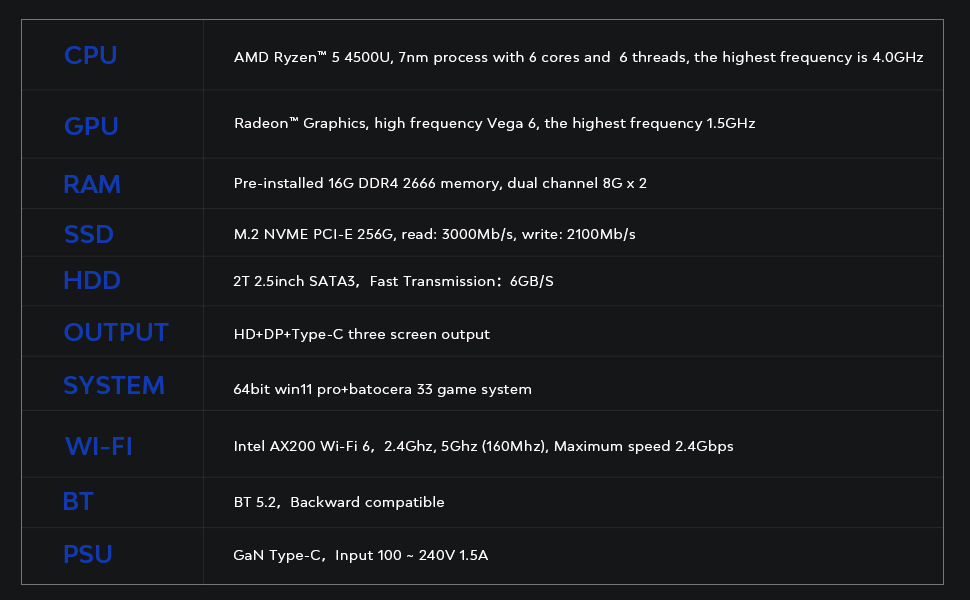
Image: A table outlining the key technical specifications of the Mini PC, including CPU, GPU, RAM, SSD, HDD, Output, System, Wi-Fi, BT, and PSU details.
| Component | Detall |
|---|---|
| CPU | AMD Ryzen™ 5 4500U, 7nm process with 6 cores and 6 threads, highest frequency 4.0GHz |
| GPU | Radeon™ Graphics, high frequency Vega 6, highest frequency 1.5GHz |
| RAM | Pre-installed 16G DDR4 2666 memory, dual channel 8G x 2 |
| SSD | M.2 NVME PCI-E 256G, read: 3000MB/s, write: 2100MB/s |
| disc dur | 2T 2.5inch SATA3, Fast Transmission: 6GB/S |
| Sortida | HD+DP+Type-C three screen output |
| Sistema | 64bit Windows 11 Pro + Batocera 33 game system |
| Wi-Fi | Intel AX200 Wi-Fi 6, 2.4GHz, 5GHz (160Mhz), Maximum speed 2.4Gbps |
| BT | BT 5.2, Backward compatible |
| PSU | GaN Type-C, Input 100 ~ 240V 1.5A |
10. Garantia i Suport
Kinhank products are designed for reliability and performance. For specific warranty details, please refer to the warranty card included in your package or visit the official Kinhank website. If you encounter any issues or require technical assistance, please contact Kinhank customer support through their official channels.
Conserveu el vostre comprovant de compra per a reclamacions de garantia.