
Introducció
Welcome to the user manual for your Philips 43PUS8007/12 4K UHD Ambilight Smart TV. This document provides essential information for setting up, operating, and maintaining your television, ensuring you get the best experience from its advanced features like 4K UHD resolution, HDR10+, Dolby Vision, Dolby Atmos, Ambilight, and Android TV functionality.
1. Configuració
1.1 Desembalatge i comprovació de components
Traieu amb cura tots els components de l'embalatge. Assegureu-vos que hi hagi tots els elements que s'enumeren a continuació:
- Philips 43PUS8007/12 TV
- Comandament a distància
- 2 x piles AAA
- Cable d'alimentació
- Tabletop stand (Bord ställning)
- Guia d'inici ràpid
- Legal and Safety Information Brochure

Image: The Philips 43PUS8007/12 TV with its remote control and key dimensions, illustrating the contents of the box.
1.2 Instal·lació de l'estand
Place the TV screen face down on a soft, flat surface to prevent damage. Attach the tabletop stand to the designated slots on the bottom of the TV using the provided screws. Ensure the stand is securely fastened before proceeding.
1.3 Connexió de potència
Connecteu el cable d'alimentació a l'entrada d'alimentació del televisor i després endolleu-lo a una presa de corrent. El televisor entrarà en mode d'espera.
1.4 Configuració inicial
Upon first power-on, the TV will guide you through the initial setup process. This includes selecting your language, connecting to a Wi-Fi network, scanning for channels (DVB-T, DVB-C, DVB-S2 via Triple Tuner), and configuring Android TV settings.
2. Instruccions de funcionament
2.1 Controls bàsics
Use the provided remote control to navigate the TV's interface. The remote allows you to power on/off, adjust volume, change channels, access the home screen, and launch applications.
Funció Ambilight 2.2
The Philips Ambilight feature projects colors from the screen onto the wall behind the TV, creating an immersive viewing experience. You can customize Ambilight settings through the TV menu to match your preferences, including synchronization with screen content or audio.

Image: A Philips TV displaying a vibrant scene with the Ambilight feature active, casting dynamic colors onto the surrounding wall.
2.3 Android TV Interface and Apps
Your Philips TV runs on Android TV, providing access to a wide range of streaming services and applications. Customize your home screen with your favorite apps for quick access to movies, series, and games. Popular services like Netflix, YouTube, Disney+, and Amazon Prime Video are supported.

Image: The Android TV home screen on a Philips television, showing a selection of popular streaming application icons and a personalized layout.
2.4 Picture and Sound Quality (4K UHD, HDR, Dolby Vision & Atmos)
Experience movies and series in exceptional 4K UHD quality. The Philips Pixel Precise Ultra HD engine optimizes image quality for sharp visuals, rich colors, and smooth motion. With Dolby Vision and Dolby Atmos, enjoy cinematic picture and sound, bringing films, series, and games to life with incredible clarity and immersive audio.

Image: A Philips TV showcasing a vivid HDR image, highlighting the enhanced color and contrast capabilities.

Image: A visual representation of Dolby Vision and Dolby Atmos technology, depicting how sound envelops the viewer for a cinematic experience.
2.5 Control per veu amb l'Assistent de Google
Control your TV using voice commands through Google Assistant. You can use a compatible Google Assistant-enabled speaker or the Android TV Remote app on your smartphone. Ask your assistant to find apps, stream content, or play games.

Image: A user interacting with Google Assistant to control the TV, featuring a smart speaker and a visual representation of voice commands.
2.6 Connectivitat
The TV offers multiple connectivity options for your devices:
- HDMI: 4 HDMI ports with EasyLink for connecting game consoles, Blu-ray players, and other high-definition devices.
- USB: 2 USB ports for connecting external storage devices to play media or for software updates.
- Wi-Fi i Bluetooth: Built-in wireless connectivity for internet access and connecting Bluetooth accessories like headphones or speakers.
- Ethernet: Per a una connexió a Internet per cable estable.
- Sintonitzador triple: Integrated DVB-T, DVB-C, and DVB-S2 tuners for receiving various broadcast signals.
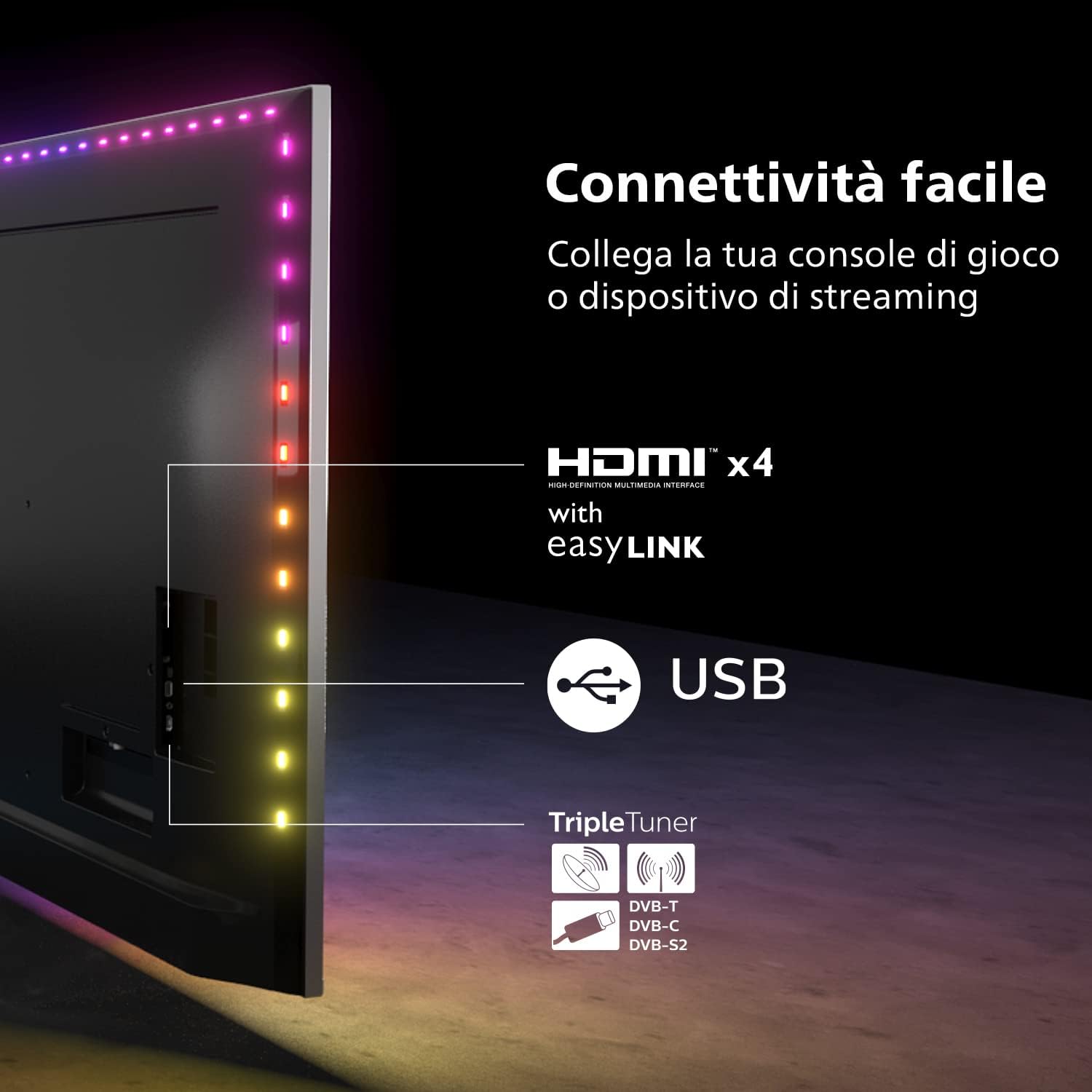
Image: A diagram illustrating the various connectivity options on the Philips TV, including HDMI, USB, and the Triple Tuner.
3. Manteniment
3.1 Neteja del televisor
Per netejar la pantalla, netegeu-la suaument amb un drap suau i sense borrissol. Per a marques difícils, netegeu-la lleugerament.ampen the cloth with water or a specialized screen cleaner. Avoid using harsh chemicals or abrasive materials. Clean the TV cabinet with a soft, dry cloth.
3.2 Actualitzacions de programari
Your Android TV will periodically receive software updates to improve performance and add new features. Ensure your TV is connected to the internet to receive these updates automatically. You can also manually check for updates in the TV's settings menu.
4. Solució De Problemes
Si teniu problemes amb el televisor, consulteu els passos habituals següents per resoldre problemes:
- Sense energia: Ensure the power cable is securely connected to both the TV and the wall outlet. Check if the power outlet is functional.
- Sense imatge/so: Verify that the correct input source is selected. Check all cable connections (HDMI, antenna). Restart the TV by unplugging it for a few minutes and then plugging it back in.
- El control remot no funciona: Substituïu les piles del comandament a distància. Assegureu-vos que no hi hagi cap obstacle entre el comandament a distància i el sensor d'infrarojos del televisor.
- Problemes de connexió de xarxa: Restart your Wi-Fi router. Check the TV's network settings to ensure it's connected to the correct network. Try a wired Ethernet connection if Wi-Fi issues persist.
- Ambilight Not Working: Check Ambilight settings in the TV menu to ensure it is enabled and configured correctly.
For more complex issues, consult the full user manual available on the Philips support website or contact Philips customer support.
5. Especificacions
| Característica | Especificació |
|---|---|
| Número de model | 43PUS8007/12 |
| Mida de la pantalla | 43 polzades (108 cm) |
| Tecnologia de visualització | LED |
| Resolució | 4K UHD (3840 x 2160) |
| Freqüència d'actualització | 60 Hz |
| Sistema operatiu | Android TV |
| Característiques especials | Ambilight, Dolby Vision, Dolby Atmos, HDR10+, Google Assistant |
| Connectivitat | Bluetooth, Wi-Fi, Ethernet, 4 x HDMI, 2 x USB |
| Serveis d'Internet compatibles | Google TV |
| Color | Negre |
| Classe d'eficiència energètica | F (51 kWh/1000h) |

Image: The EU Energy Label for the Philips 43PUS8007/12 television, indicating its energy efficiency class and consumption.
6. Garantia i Suport
6.1 Informació de la garantia
Your Philips 43PUS8007/12 TV comes with a standard manufacturer's warranty. Please refer to the legal and safety information brochure included in the packaging for specific warranty terms and conditions applicable in your region. Keep your proof of purchase for warranty claims.
6.2 Atenció al client
For technical assistance, product registration, or to download the full user manual, please visit the official Philips support weblloc web. També podeu trobar informació de contacte del servei d'atenció al client de la vostra regió al seu weblloc.