
1. Introducció
Gràcies per la compraasing the YOUTHINK Portable Shortwave Radio. This manual provides essential information for the safe and efficient operation of your device. Please read it thoroughly before use and retain it for future reference.
This portable radio offers AM/FM tuning, MP3 playback, and multiple power options, making it suitable for various listening environments.
2. Informació de seguretat
- Do not expose the radio to extreme temperatures, direct sunlight, or high humidity.
- Eviteu deixar caure o sotmetre el dispositiu a forts impactes.
- Do not attempt to disassemble or modify the radio. This will void the warranty and may cause damage.
- Use only the specified battery type and charging methods.
- Mantingueu el dispositiu allunyat de l'aigua i altres líquids.
- Netegeu la ràdio amb un drap suau i sec. No utilitzeu productes de neteja abrasius ni dissolvents.
3. Contingut del paquet
Verifiqueu que tots els elements siguin presents al vostre paquet:
- YOUTHINK Portable Shortwave Radio
- Cable de càrrega USB
- Power Cord (if applicable, please check your product packaging)
- Manual d'usuari (aquest document)
Note: The 18650 lithium battery is typically included or sold separately. Please check your product packaging for confirmation.
4. Producte acabatview
Familiaritzeu-vos amb els components i els controls de la ràdio.

Figura 4.1: Frontal view of the YOUTHINK Portable Shortwave Radio with antenna extended, showing the speaker, LCD display, and control buttons.

Figura 4.2: Detallada view of the radio's control panel. Labels indicate: On/Off/Pause button, Previous Song button, Next Song button, Numeric keys (0-9), Volume Down (V-), Volume Up (V+), and Mode/Circulation (M) button.
Botons de control:
- On/Off/Pause Button: Press to power on/off the radio. During playback, press to pause/resume.
- Tecles numèriques (0-9): Used for direct frequency input or track selection in MP3 mode.
- Prev Song Button: Skips to the previous track in MP3 mode or tunes to the previous station.
- Botó de la següent cançó: Skips to the next track in MP3 mode or tunes to the next station.
- Volume Down (V-): Disminueix el volum d'àudio.
- Volume Up (V+): Augmenta el volum d'àudio.
- Mode/Circulation (M) Button: Switches between radio modes (AM/FM) and MP3 playback. May also control playback circulation (repeat modes).
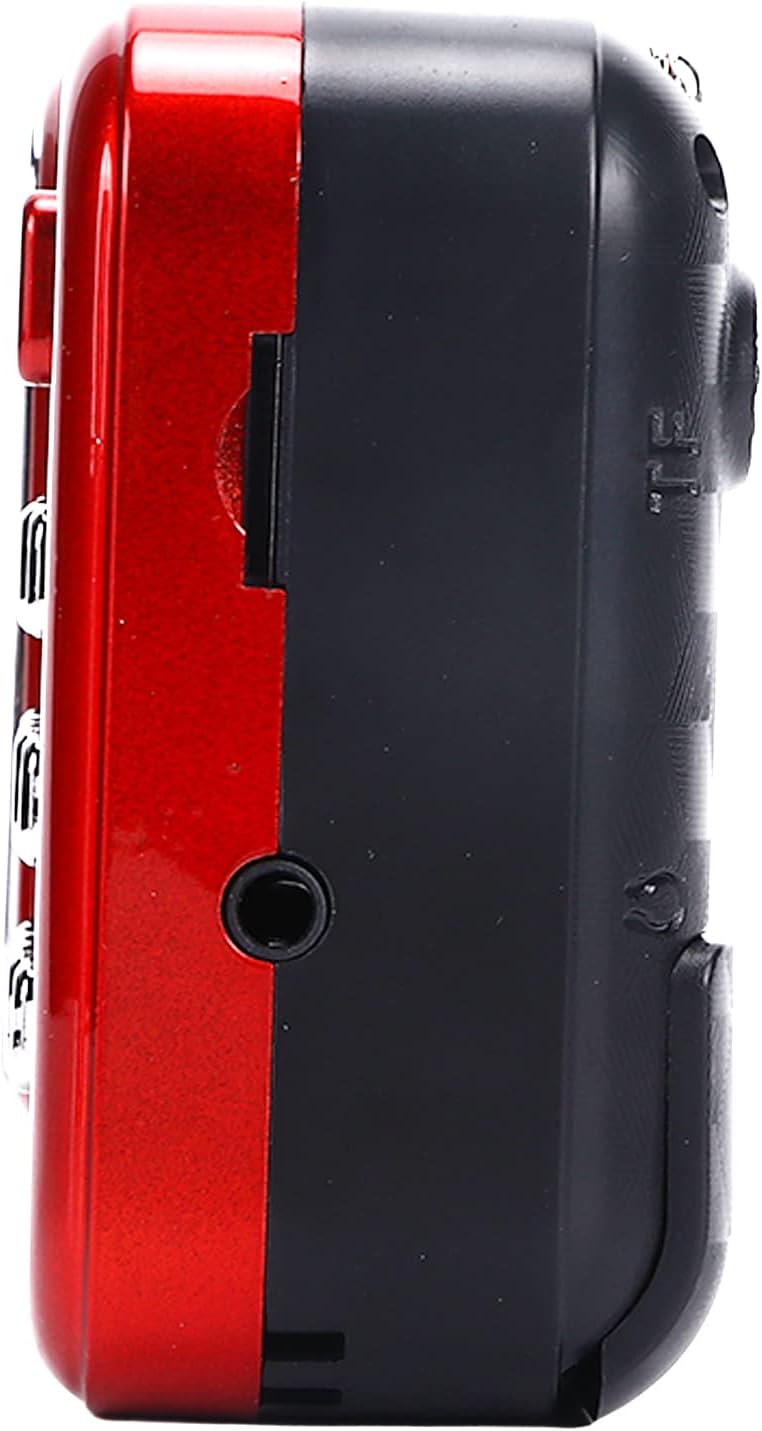
Figura 4.3: lateral view of the radio, highlighting the headphone jack for private listening.
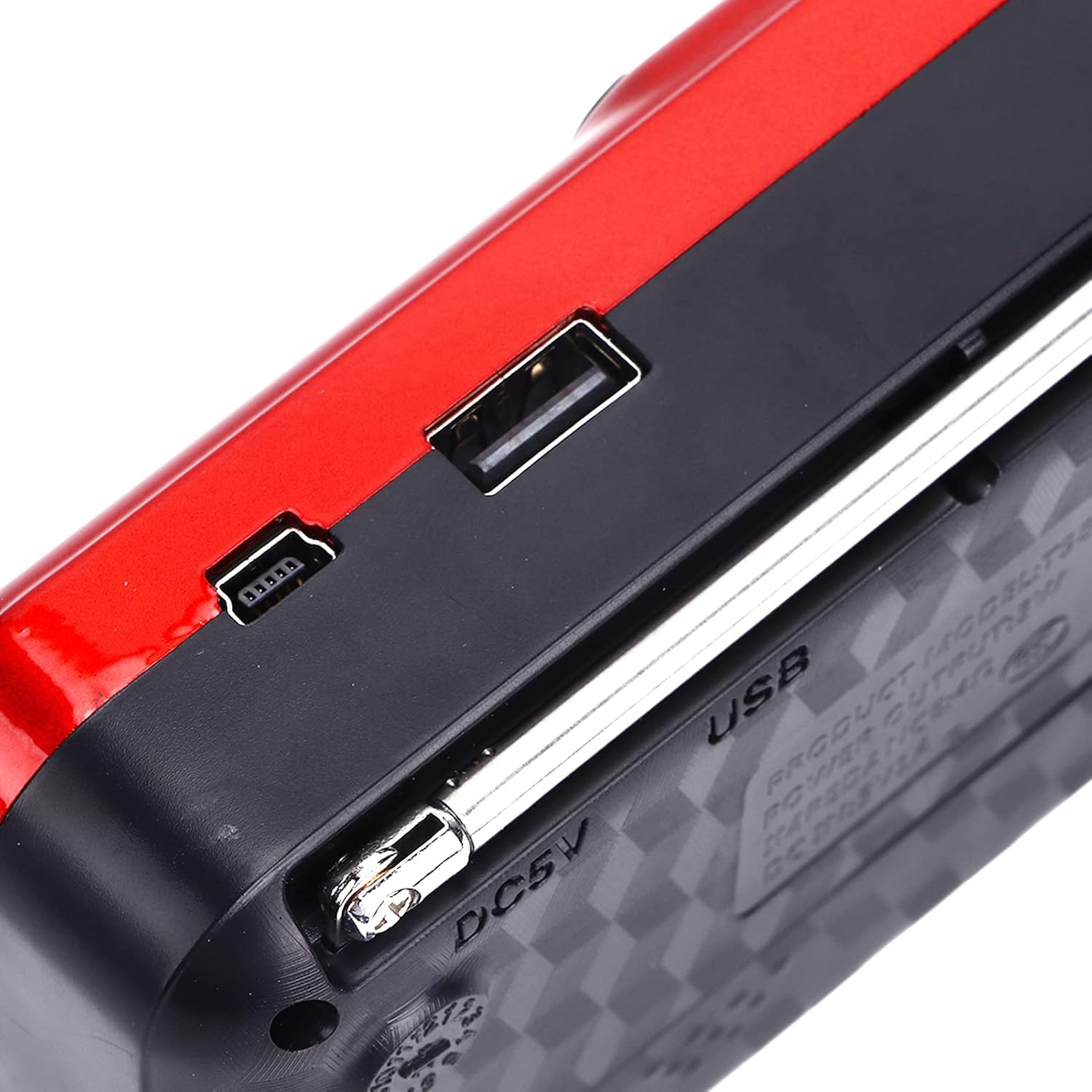
Figura 4.4: superior view of the radio, showing the USB port and DC 5V charging port.
5. Configuració
5.1 Instal·lació de la bateria
- Localitzeu la tapa del compartiment de la bateria a la part posterior de la ràdio.
- Feu lliscar o aixequeu la tapa per obrir el compartiment.
- Insert one 18650 lithium battery, ensuring correct polarity (+/-) as indicated inside the compartment.
- Tanqueu bé la tapa del compartiment de la bateria.

Figure 5.1: Open battery compartment showing the insertion of an 18650 lithium battery.
The radio can operate for approximately 6-8 hours on a fully charged 18650 lithium battery.
5.2 Càrrega de la bateria
- Connect the provided USB charging cable to the DC 5V port on the radio.
- Connect the other end of the USB cable to a compatible USB power source (e.g., computer, USB wall adapter, power bank, car charger).
- The LCD display may indicate charging status. Disconnect the charger once the battery is fully charged.
Vol. De càrregatage: DC 5V 1A.
6. Instruccions de funcionament
6.1 Encès/Apagat
- Manteniu premut el botó Activat/Desactivat/Pausa botó per encendre la ràdio.
- Press and hold the same button again to power off.
6.2 Ajust del volum
- Premeu el botó V+ botó per augmentar el volum.
- Premeu el botó V- botó per baixar el volum.
6.3 Radio Mode (AM/FM)
- Esteneu l'antena telescòpica per a una millor recepció.
- Premeu el botó Mode (M) button to switch to FM or AM radio mode. The current mode will be displayed on the LCD screen.
- Escaneig automàtic: En mode de ràdio, manteniu premut el botó Reproduir/Pausa button (often doubles as scan) to automatically scan and save available stations.
- Sintonització manual: Utilitza el Cançó anterior or Següent Cançó buttons to manually tune to the desired frequency.
- Entrada de freqüència directa: Use the numeric keys (0-9) to directly enter a radio frequency.
6.4 Reproducció de MP3
The radio supports MP3 format playback from a USB drive or TF (MicroSD) card (not included).
- Inseriu una unitat USB al port USB o una targeta TF a la ranura per a targetes TF.
- Premeu el botó Mode (M) button to switch to MP3 playback mode. The radio will automatically detect and begin playing MP3 files.
- Utilitza el Cançó anterior i Següent Cançó botons per navegar entre pistes.
- Premeu el botó Activat/Desactivat/Pausa botó per aturar o reprendre la reproducció.
- Use the numeric keys (0-9) to directly select a track number.
6.5 Ús de la llanterna

Figure 6.1: The radio's integrated LED flashlight illuminating a dark area, useful for emergencies or low-light conditions.
The radio includes an integrated LED flashlight. To activate or deactivate the flashlight, locate the dedicated flashlight button or switch, usually on the side of the device.
6.6 Ús d'auriculars
For private listening, plug standard 3.5mm headphones into the headphone jack located on the side of the radio.
7. Manteniment
- Neteja: Wipe the radio with a soft, dry cloth. Do not use liquid cleaners or aerosols.
- Emmagatzematge: When not in use for extended periods, store the radio in a cool, dry place. If using a removable battery, consider removing it to prevent leakage.
- Cura de la bateria: Recharge the battery regularly, even if not in use, to maintain its lifespan. Avoid fully discharging the battery frequently.
8. Solució De Problemes
| Problema | Causa possible | Solució |
|---|---|---|
| La ràdio no s'encén. | La bateria està morta o mal instal·lada. | Carregueu la bateria o assegureu-vos que estigui instal·lada amb la polaritat correcta. |
| Mala recepció de ràdio. | Antena no estesa o senyal feble. | Esteneu completament l'antena telescòpica. Intenteu reposicionar la ràdio. |
| No hi ha so de l'altaveu. | El volum és massa baix o hi ha auriculars connectats. | Augmenta el volum. Desconnecta els auriculars si no ho vols. |
| MP3 fileno està jugant. | Mode incorrecte, no compatible file format, or faulty USB/TF card. | Ensure radio is in MP3 mode. Verify files are in MP3 format. Try a different USB drive or TF card. |
9. Especificacions
- Model: YOUTHINKmxkn0ugipz
- Marca: LA JOVENTUT
- Tecnologia del sintonitzador: AM, FM
- Bandes de ràdio admeses: AM, FM
- Tecnologia de connectivitat: USB
- Font d'alimentació: Battery Powered (18650 Lithium Battery)
- Vol. De càrregatage: DC 5V 1A
- Potència de sortida: 3W
- Freqüència de resposta: 100Hz-18KHz
- Relació senyal/soroll: ≤70dB
- Reproducció de música: Supports MP3 Format
- Dimensions del producte: 4.65"L x 2.76"W x 1.38"H (Approx. 11.8 x 7 x 3.5 cm)
- Pes de l'article: 5.9 unces (aproximadament 167 g)
- Característica especial: Portable, LCD Display, MP3 Player, Flashlight
10. Garantia i Suport
For warranty information or technical support, please refer to the documentation provided with your purchase or contact YOUTHINK customer service through the retailer where the product was purchased.
Conserveu el vostre comprovant de compra per a reclamacions de garantia.