
Introducció
This manual provides detailed instructions for the installation, operation, and maintenance of your Fodsports F2 Motorcycle Helmet Intercom Headset. The F2 system is designed to enhance your riding experience with Bluetooth 5.0 connectivity, enabling two-rider intercom communication, hands-free calls, and high-quality audio for music and GPS navigation.
Característiques del producte
- Tecnologia Bluetooth 5.0: Equipped with advanced Bluetooth 5.0 for high compatibility and stable connections with all Bluetooth-enabled smart devices.
- 2-Rider Intercom System: Supports communication between two riders with an intercom distance of up to 1000 meters.
- Reducció de soroll CVC: Advanced CVC noise reduction technology and a professional wind-proof microphone ensure clear call quality.
- Comunicació de mans lliures: Automatically answers incoming calls within 10 seconds. Supports rejecting calls, hanging up, and last number redial.
- Comandament de veu: Activate intelligent voice commands (e.g., Siri, Google Assistant) for hands-free control of calls, music, and GPS navigation.
- Àudio d'alta qualitat: Features 40mm high-power stereo speakers for clear and loud sound quality.
- Durada de la bateria duradora: Integrated 400mAh rechargeable Li-ion battery provides up to 10 hours of intercom time, 12 hours of talk/music playback, and 300 hours of standby time. Charging time is approximately 3 hours.
- Disseny impermeable: IP67 dustproof and waterproof rating with Nano coating technology protects the headset in outdoor conditions.
- Charge While Working: The device can be used while charging, though it is recommended to charge fully before initial use.
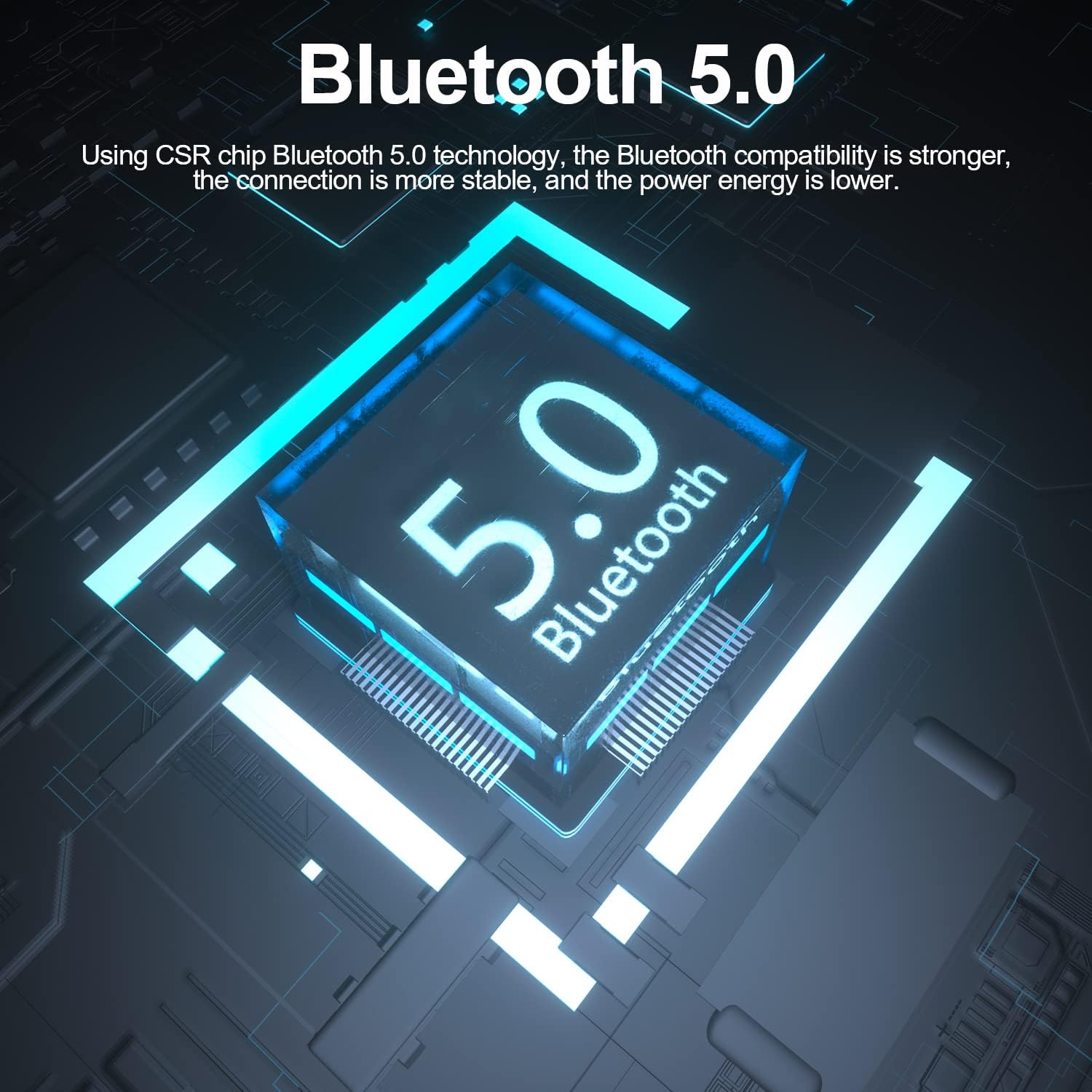
Image: The Fodsports F2 utilizes a Bluetooth 5.0 chip for stable and efficient wireless connections.

Image: Illustration of the CVC noise reduction technology in the Fodsports F2, showing how it clarifies call audio by reducing ambient noise.

Imatge: Explosió view of the Fodsports F2 speaker, highlighting its components for HiFi stereo sound quality.
Contingut del paquet
Upon opening your Fodsports F2 package, please ensure all items are present:
- Fodsports F2 Intercom Unit
- Microphone (suitable for full-face and half-face helmets)
- 40mm Stereo Speakers
- Cable de càrrega USB
- Helmet Mounting Bracket (with detachable Velcro)
- Manual d'usuari (aquest document)
Configuració i instal·lació
1. Càrrega del dispositiu
Before first use, fully charge the Fodsports F2 unit. Connect the provided USB charging cable to the device's charging port and to a standard USB power source. The charging indicator will show the charging status. A full charge takes approximately 3 hours.

Image: The Fodsports F2 unit connected to a power bank via USB cable, illustrating that the device can be charged while in use.
2. Installing into Helmet
The F2 is designed for easy installation in most full-face, open-face, and half-helmets using its detachable Velcro design.
- Attach the Intercom Unit: Secure the F2 intercom unit to the side of your helmet using the provided mounting bracket and Velcro. Ensure it is firmly attached and does not obstruct your vision or helmet functionality.
- Posició dels oradors: Place the 40mm stereo speakers inside the helmet's ear pockets. Ensure they are aligned with your ears for optimal sound quality.
- Muntar el micròfon: Attach the microphone to a suitable position inside the helmet, ensuring it is close to your mouth but not directly in front to avoid wind noise. The flexible microphone arm allows for adjustment.
- Connectar els cables: Connect the speaker and microphone cables to the corresponding ports on the F2 intercom unit. Route the cables neatly within the helmet padding to avoid discomfort or interference.
Instruccions de funcionament
1. Encendre/apagar
- Encès: Press and hold the Power button for approximately 3 seconds until the indicator light illuminates and you hear a voice prompt.
- Apagar: Press and hold the Power button for approximately 3 seconds until the indicator light turns off and you hear a voice prompt.
2. Bluetooth Pairing with Mobile Phone
- Ensure the F2 unit is powered off.
- Premeu i manteniu premut el botó d'engegada durant uns 5-7 segons fins que el llum indicador parpellegi alternativament en vermell i blau, cosa que indica el mode d'emparellament.
- Al telèfon mòbil, activa el Bluetooth i cerca els dispositius disponibles.
- Select "Fodsports F2" from the list of devices.
- Un cop emparellat, l'indicador lluminós parpellejarà lentament en blau i sentireu un to de confirmació.
3. Intercom Pairing (2 Riders)
To establish a 2-rider intercom connection:
- Ensure both F2 units are powered off.
- On both units, press and hold the Power button for about 5-7 seconds until the indicator lights flash red and blue alternately, entering pairing mode.
- Briefly press the Intercom button on one of the units. It will search for the other unit.
- Once connected, both units will show a slow blue light, and you will hear a confirmation tone.
4. Phone Call Functions
- Respon a la trucada: Incoming calls will be automatically answered within 10 seconds if no action is taken. Alternatively, briefly press the Phone button to answer.
- Rebutja la trucada: Press and hold the Phone button for 2 seconds to reject an incoming call.
- Penjar: Briefly press the Phone button during a call to end it.
- Remarcació de l'últim número: Double-press the Phone button to redial the last dialed number.
5. Reproducció de música
- Reproduir/pausa: Briefly press the Play/Pause button to play or pause music.
- Ajust de volum: Use the Volume Up (+) and Volume Down (-) buttons to adjust the audio level.
- Pista següent: Press and hold the Volume Up (+) button for 2 seconds to skip to the next song.
- Pista anterior: Press and hold the Volume Down (-) button for 2 seconds to go to the previous song.
6. Voice Command Activation
To activate your phone's voice assistant (e.g., Siri, Google Assistant), double-tap the 'A' key on the F2 unit.

Image: Diagram showing how to double-tap the 'A' key on the Fodsports F2 unit to activate voice commands like "Hey Siri" or "Hi Galaxy" for phone control.
Manteniment
- Neteja: Netegeu la unitat amb un suau, damp tela. No utilitzeu productes químics aggressivs ni netejadors abrasius.
- Resistència a l'aigua: The F2 unit is IP67 waterproof. While it can withstand rain and splashes, avoid submerging it in water for extended periods. Ensure the charging port cover is securely closed when not charging.
- Emmagatzematge: Guardeu el dispositiu en un lloc fresc i sec quan no l'utilitzeu. Eviteu temperatures extremes.
- Cura de la bateria: To prolong battery life, avoid fully discharging the battery frequently. Charge the device regularly, even if not in use for long periods.
Resolució de problemes
- El dispositiu no s'encén:
- Ensure the battery is charged. Connect the device to a charger and try powering it on after a few minutes.
- No es pot emparellar amb el telèfon/intercomunicador:
- Ensure the device is in pairing mode (red and blue flashing light). Make sure other Bluetooth devices are not interfering. Try restarting both the F2 unit and your phone/second F2 unit.
- Sense so o volum baix:
- Check the volume settings on both the F2 unit and your connected phone. Ensure speakers are correctly positioned and connected. Verify that the cables are securely plugged in.
- Intercom connection drops frequently:
- Ensure both units are within the 1000m range and have a clear line of sight. Obstacles can reduce range. Check for low battery on either unit.
- Poor call quality/excessive wind noise:
- Ensure the microphone is positioned correctly, close to your mouth but not directly exposed to strong airflow. The CVC noise reduction works best when the microphone is optimally placed.
Especificacions
| Característica | Detall |
|---|---|
| Model | F2 |
| Versió Bluetooth | 5.0 |
| Gamma d'intercomunicació | Fins a 1000 m (2 ciclistes) |
| Capacitat de la bateria | 400 mAh |
| Hora d'intercomunicació | 10 hores |
| Talk/Music Playback Time | Fins a 12 hores |
| Temps d'espera | 300 hores |
| Temps de càrrega | 3 hores |
| Tecnologia de reducció de soroll | CVC |
| Nivell de resistència a l'aigua | IP67 |
| Diàmetre de l'altaveu | 40 mm |
| Mètode de control | Veu, botons |
| Material | Plàstic |
| Pes de l'article | 170 grams |
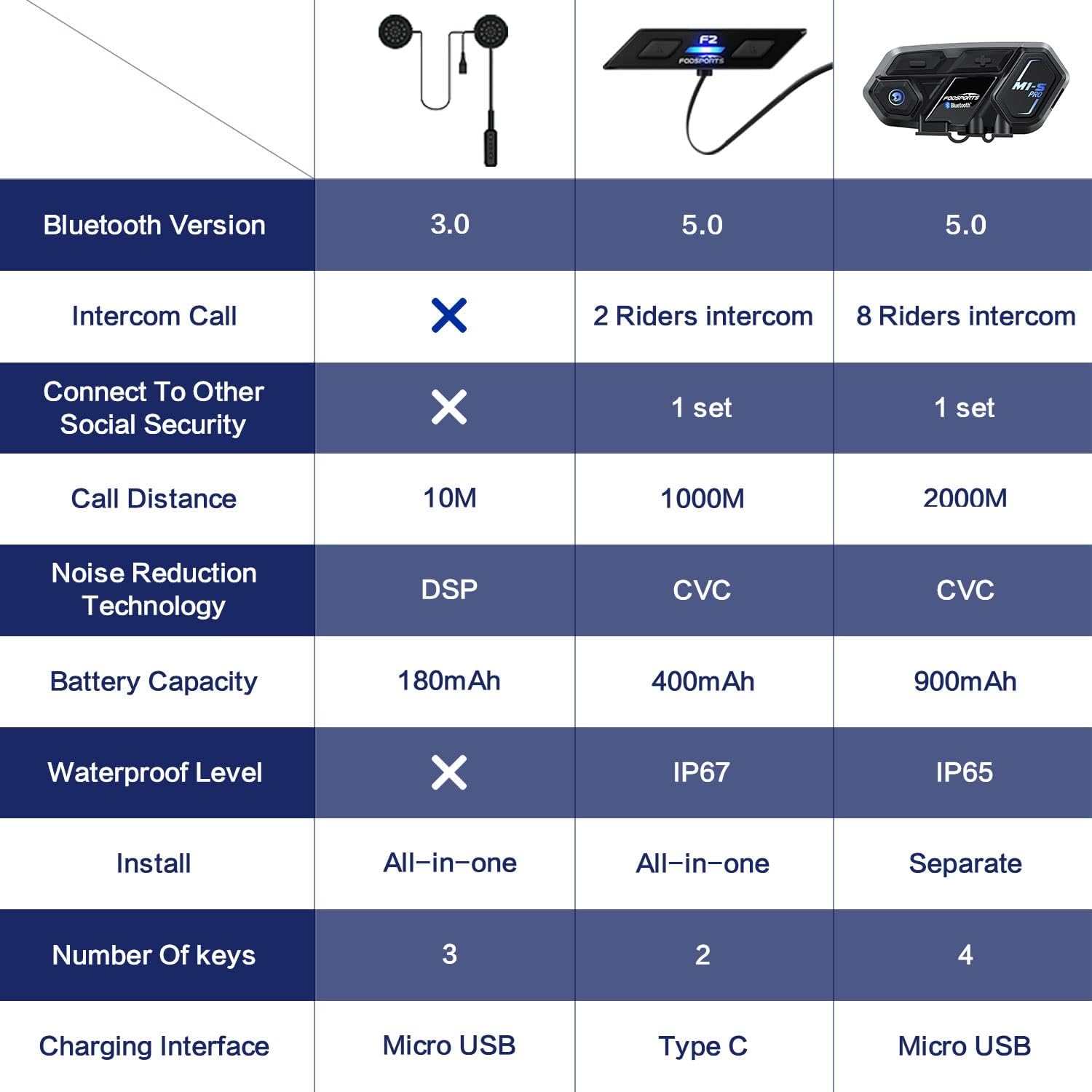
Image: A comparison table highlighting key specifications of the Fodsports F2 alongside other models, detailing Bluetooth version, intercom capabilities, battery, noise reduction, and waterproof level.
Garantia i Suport
For warranty information, technical support, or any inquiries regarding your Fodsports F2 Motorcycle Helmet Intercom Headset, please contact Fodsports customer service through their official website or the retailer from whom you purchased the product. Please have your purchase receipt and product model number (F2) ready when contacting support.
Nota: Els termes de garantia específics poden variar segons la regió i el distribuïdor.