
Introducció
This manual provides detailed instructions for the LEKATO USB MIDI Cable, model MIGR-USB. This device serves as a MIDI interface, enabling the connection of electronic musical instruments such as pianos, keyboards, and synthesizers to a computer for editing, recording, and playback. It features a 1-in/1-out configuration, supporting up to 16 input and output channels for true original audio transmission.
The cable is designed for fast and stable data transmission with ultra-low latency, ensuring a reliable connection for your musical endeavors. It incorporates a high-quality combined core with copper wire, PVC jacket, aluminum foil shielding, and braided pure copper wire shielding to resist electromagnetic interference.
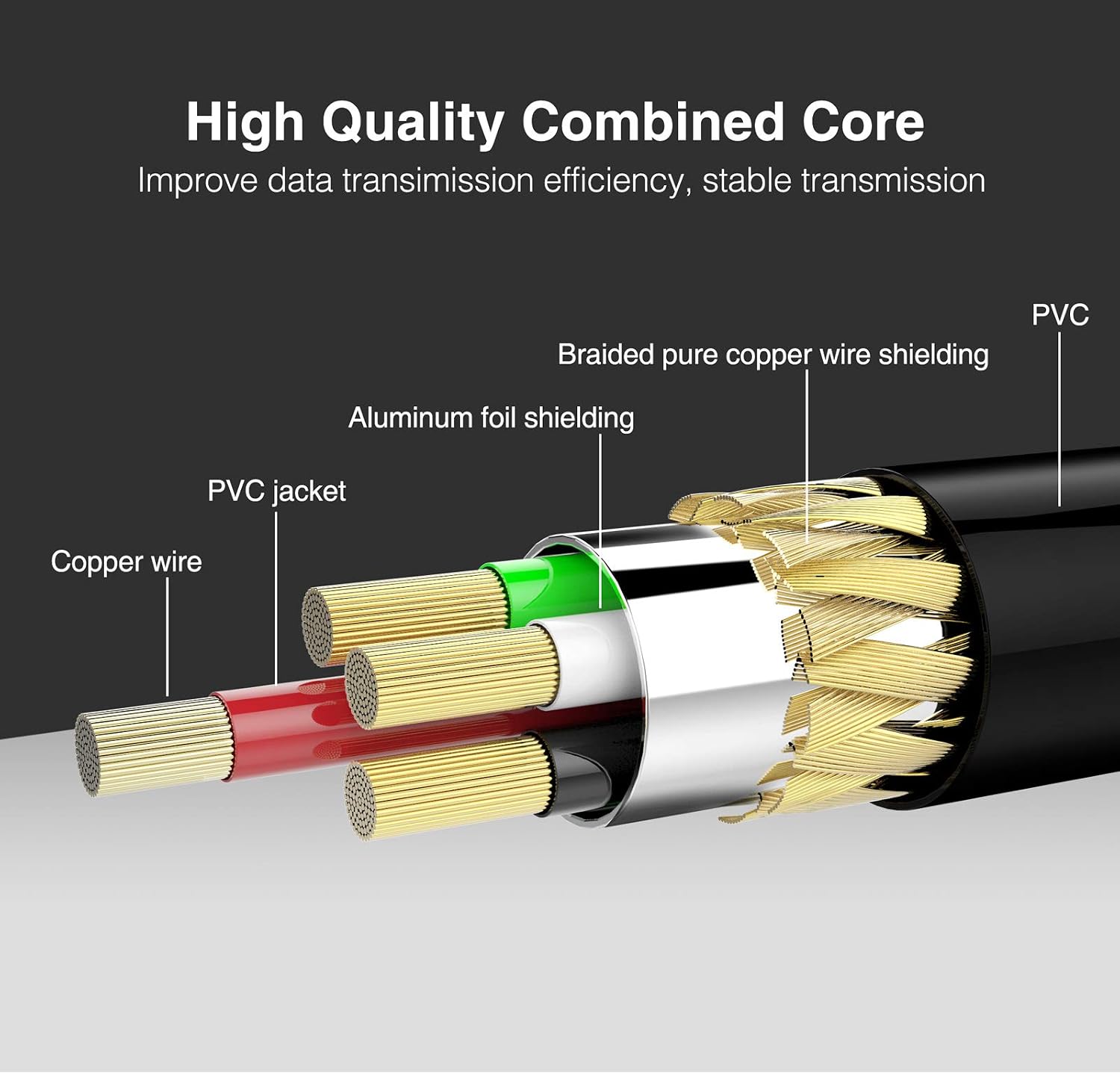
Internal structure of the LEKATO USB MIDI Cable, highlighting its high-quality combined core for stable data transmission.
Instruccions de configuració
The LEKATO USB MIDI Cable is designed for plug-and-play operation, requiring no special drivers for most Windows and Mac OS systems. Follow these steps to connect your MIDI devices:
- Connect USB to Computer: Plug the USB end of the cable into an available USB port on your computer (Windows PC or Mac).
- Connect MIDI OUT: Connect the MIDI OUT plug of the LEKATO cable (typically labeled 'MIDI OUT' on the cable itself) to the MIDI IN port of your electronic musical instrument (e.g., keyboard, synthesizer).
- Connect MIDI IN: Connect the MIDI IN plug of the LEKATO cable (typically labeled 'MIDI IN' on the cable itself) to the MIDI OUT port of your electronic musical instrument or sound module.
Nota important: Some users have reported that for this specific LEKATO cable, the MIDI OUT plug of the cable should connect to the MIDI OUT socket of the instrument, and the MIDI IN plug of the cable should connect to the MIDI IN socket of the instrument. If the standard connection method (MIDI OUT cable to MIDI IN instrument, MIDI IN cable to MIDI OUT instrument) does not work, please try connecting the cable's IN to the instrument's IN, and the cable's OUT to the instrument's OUT.

Connection diagram for the LEKATO USB MIDI Cable.
Primer pla view of the 5-Pin DIN input and output connectors.
Instruccions de funcionament
Once connected, the LEKATO USB MIDI Cable will be recognized by your computer's operating system. You can then use it with various music software applications (Digital Audio Workstations, MIDI sequencers, virtual instruments, etc.).
Indicadors LED
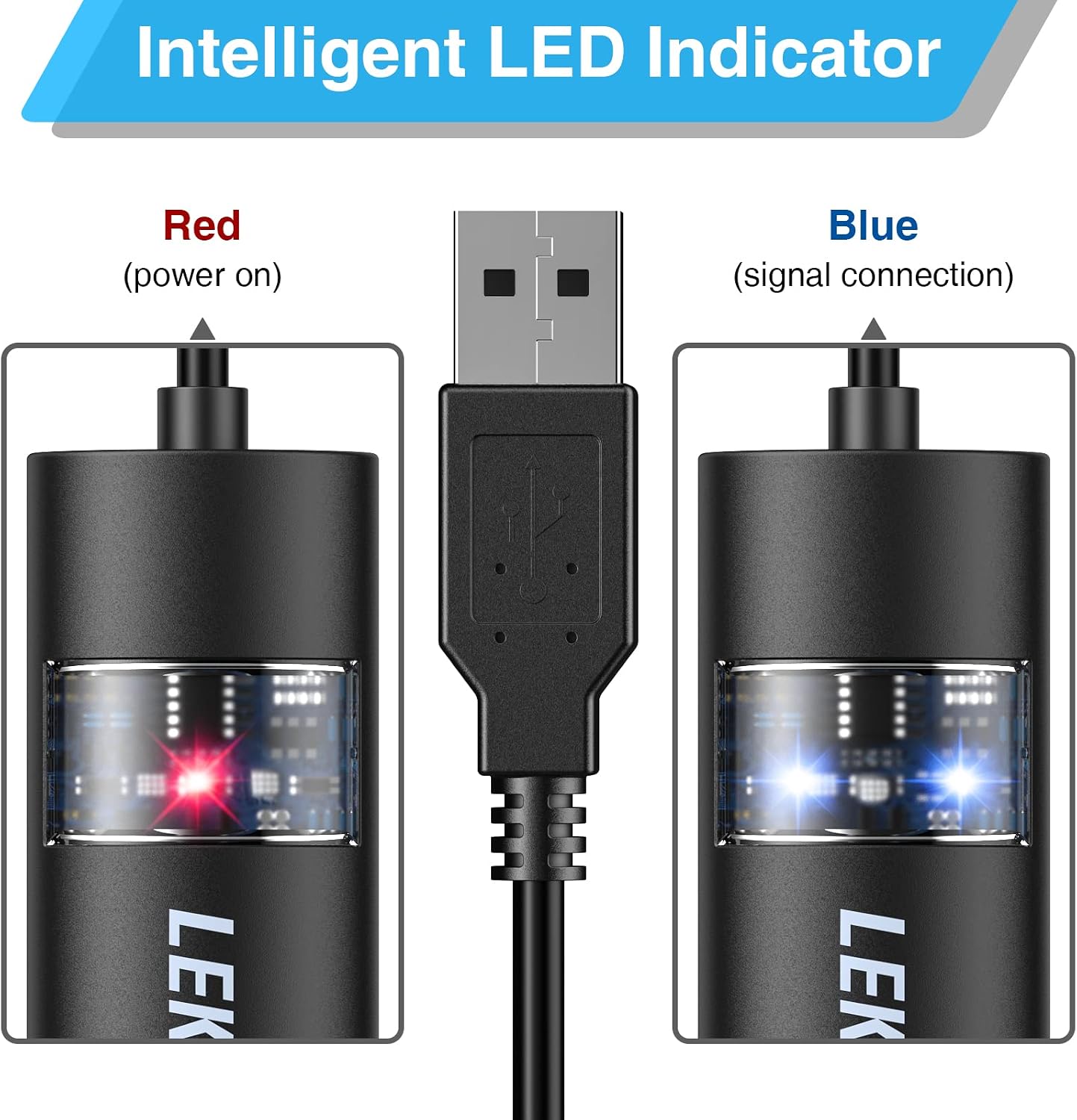
The central unit of the MIDI cable features intelligent LED indicators to help monitor its status:
- LED blau: Indicates power is on and a signal connection is established.
- LED vermell: Indicates MIDI signal transfer (data activity).

LED indicators: Red for power, Blue for signal connection.
Compatibilitat de programari
The cable is compatible with Windows (Win 7, Win 8, Win 10) and Mac OS. It can be used with a wide range of electronic instruments and most USB devices.
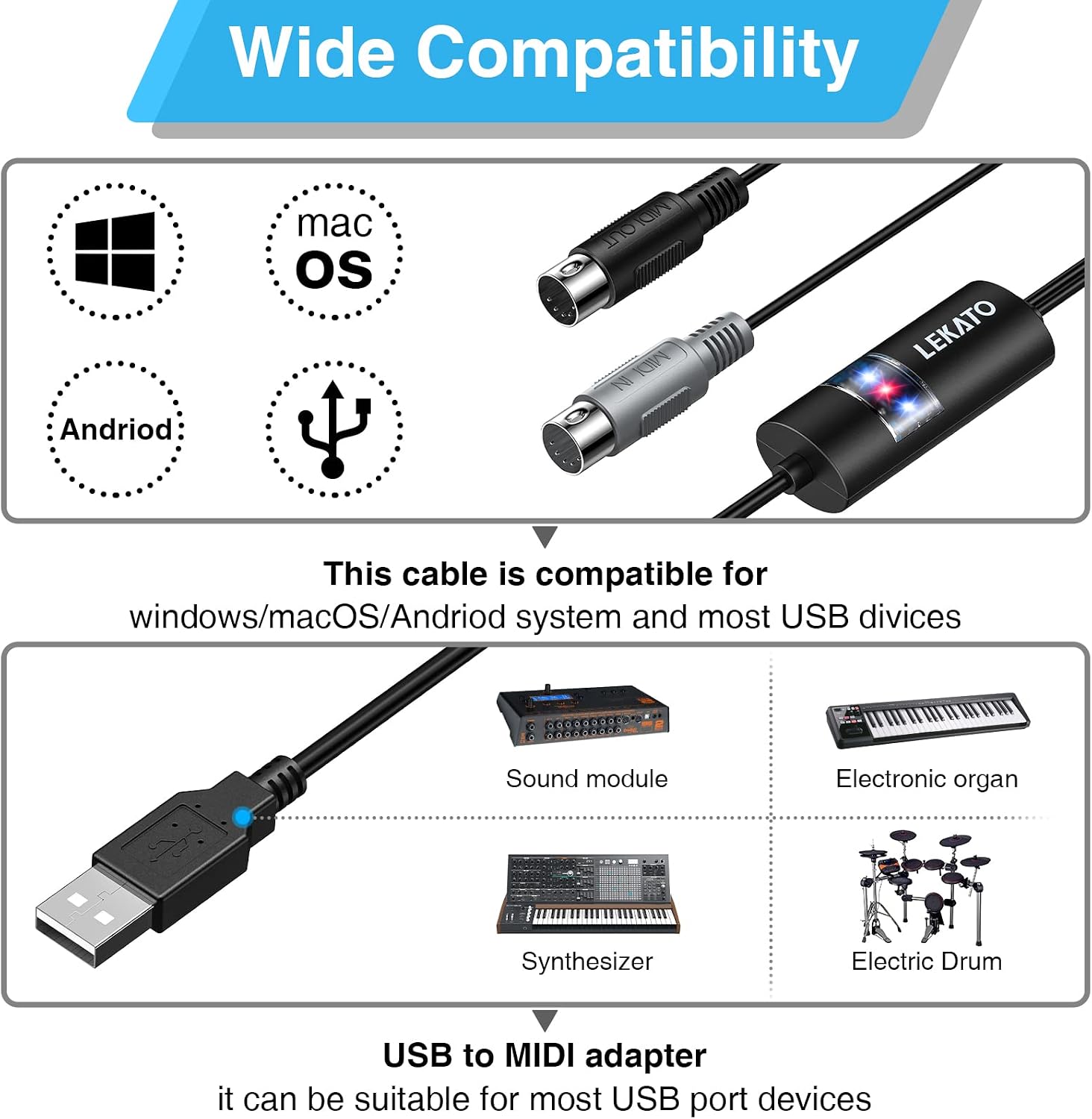
Wide compatibility with operating systems and musical instruments.
Using with Music Software
After connecting the cable, open your preferred music software (e.g., Logic Pro, GarageBand, Reaper, Ardour). The MIDI cable should appear as an available MIDI input/output device. Select it in your software's MIDI settings to enable communication between your instrument and computer.
Official video demonstrating the LEKATO USB MIDI cable adapter, showing its connection and basic functionality with musical instruments and a computer.

The 6.5ft cable length provides flexibility for connecting devices.
Manteniment
To ensure the longevity and optimal performance of your LEKATO USB MIDI Cable, follow these maintenance guidelines:
- Emmagatzematge: Guardeu el cable en un lloc fresc i sec, allunyat de la llum solar directa i de temperatures extremes.
- Manipulació: Eviteu doblegar, doblegar o estirar excessivament el cable, especialment a prop dels connectors.
- Neteja: Feu servir un drap suau i sec per netejar el cable i els connectors. No utilitzeu netejadors líquids ni dissolvents.
- Protecció: When not in use, consider coiling the cable loosely and securing it with a cable tie to prevent tangling and damage.
Resolució de problemes
If you encounter issues with your LEKATO USB MIDI Cable, refer to the following common troubleshooting steps:
- Device Not Recognized / No Signal:
- Ensure the USB connector is fully inserted into your computer's port.
- Prova de connectar el cable a un port USB diferent de l'ordinador.
- Verify that the MIDI IN and MIDI OUT plugs are correctly connected to your instrument's respective ports. Refer to the "Setup Instructions" section for clarification on MIDI IN/OUT connections for this specific cable.
- Restart your computer and the musical instrument.
- Check your music software's MIDI settings to ensure the LEKATO MIDI device is selected as an input/output.
- Problemes de latència:
- Tanqueu totes les aplicacions innecessàries que s'executen en segon pla a l'ordinador.
- In your music software, adjust the audio buffer size to a lower setting (this may increase CPU usage).
- Ensure your computer meets the minimum system requirements for your music software.
- Connexió intermitent:
- Inspect the cable for any visible damage or frayed wires.
- Assegureu-vos que totes les connexions siguin segures i no estiguin soltes.
- Avoid placing the cable near sources of strong electromagnetic interference.
Especificacions
| Característica | Especificació |
|---|---|
| Número de model | LUM-01-1 |
| Marca | LEKATO |
| Tecnologia de connectivitat | USB |
| Nombre de canals | 16 (Input & Output) |
| Sistemes operatius suportats | Windows (Win 7, Win 8, Win 10), macOS |
| Entrada d'àudio | USB |
| Longitud del cable | 6.5 peus (aproximadament 2 metres) |
| Indicadors | Power (Blue), Signal Transfer (Red) |
Garantia i Suport
For warranty information and details regarding product support, please refer to the official LEKATO weblloc web o poseu-vos en contacte amb el vostre distribuïdor. Conserveu el rebut de compra com a comprovant de compra per a qualsevol reclamació de garantia.
If you have any questions or require further assistance, please reach out to LEKATO customer support through their official channels.