
Introducció
The Hoco UA17 is a compact and versatile USB-A Male to Type-C Female adapter designed to expand the connectivity options of your devices. This adapter supports USB 2.0 data transfer, various charging protocols, and On-The-Go (OTG) functionality, making it an essential accessory for modern mobile devices and computers.
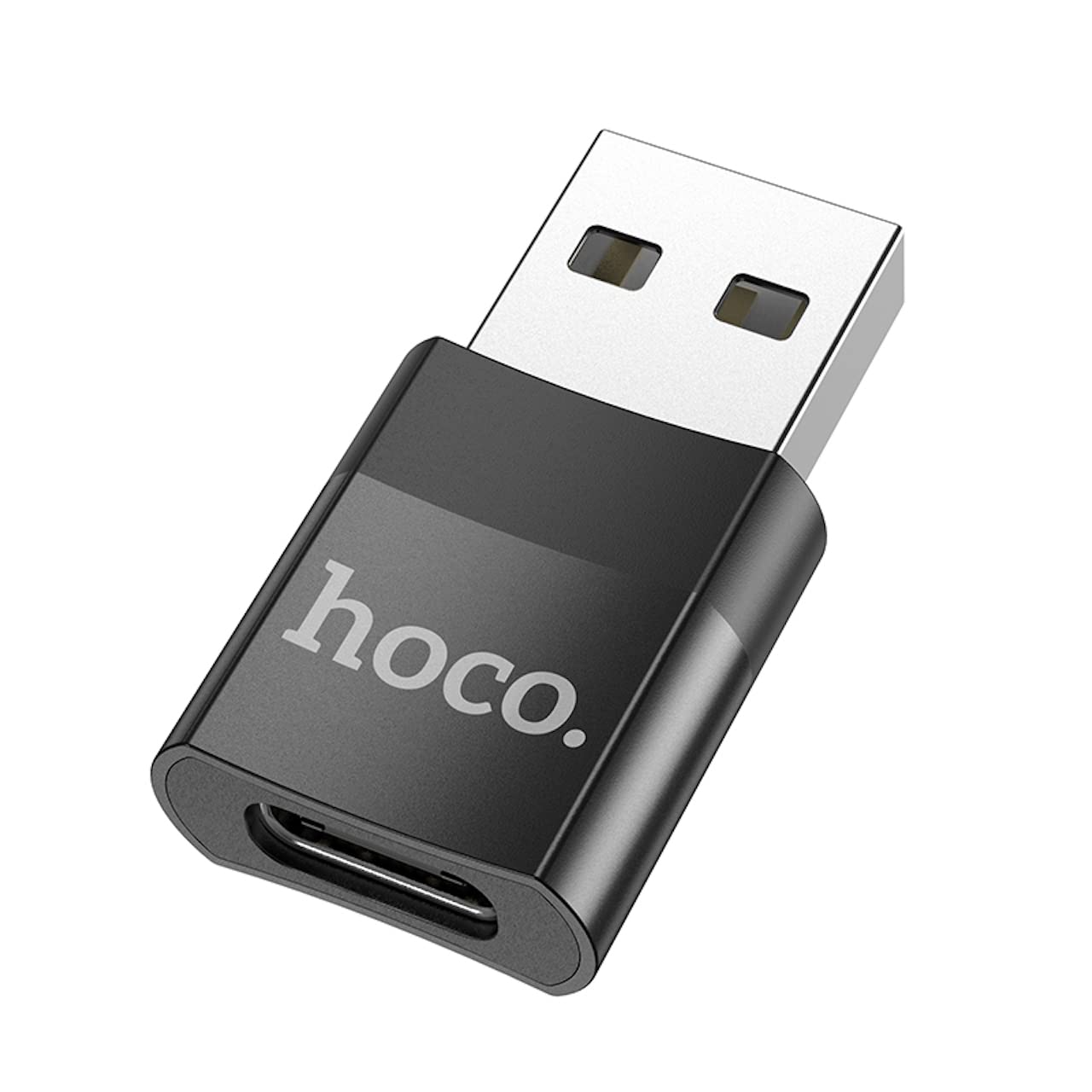
Image: The Hoco UA17 USB-A Male to Type-C Female adapter, showcasing its compact design and connectors.
Configuració
Setting up the Hoco UA17 adapter is straightforward. It is a plug-and-play device that does not require any special drivers or software installation.
- Identifica els ports: Locate an available USB-A port on your host device (e.g., computer, wall charger, power bank).
- Adaptador de connexió: Insert the USB-A male end of the Hoco UA17 adapter into the USB-A port of your host device. Ensure it is fully seated.
- Connect Type-C Cable/Device: Plug your Type-C cable or Type-C enabled device (e.g., smartphone, tablet, USB drive) into the Type-C female port of the adapter.

Imatge: Un primer pla view of the Hoco UA17 adapter, highlighting its Type-C female port for connecting Type-C cables or devices.
Instruccions de funcionament
Funcionalitat de càrrega
The Hoco UA17 adapter supports various charging scenarios:
- Standard Charging (Type-C to Lightning): When using a Type-C to Lightning cable, the adapter supports charging at 5V/2A for Lightning interface devices. Please note that this configuration does not support fast charging power delivery.
- Fast Charging (Type-C to Type-C): When paired with a Type-C to Type-C fast charging cable, the adapter supports up to 60W fast charging with a current of up to 3A. This is compatible with various mobile phone brands such as Huawei, Xiaomi, Samsung, and OPPO, enabling rapid charging for your devices.

Image: The Hoco UA17 adapter connected to a wall charger, providing power to a smartphone via a Type-C cable.
Transferència de dades
The adapter facilitates data transfer between your USB-A host device and Type-C peripheral. Connect the adapter to a USB-A port on your computer, then connect your Type-C device (e.g., smartphone, external hard drive) using a Type-C cable. Your computer should recognize the connected device for data exchange.
OTG (On-The-Go) Function
The Hoco UA17 supports OTG functionality, allowing your Type-C smartphone or tablet (when connected to a USB-A host via the adapter) to act as a host for other USB devices. For example, you can connect a USB flash drive, keyboard, or mouse to your Type-C phone through this adapter, provided your phone supports OTG.

Image: The Hoco UA17 adapter connecting a smartphone to a laptop, demonstrating data transfer or OTG use.
Manteniment
To ensure the longevity and optimal performance of your Hoco UA17 adapter, follow these maintenance guidelines:
- Mantenir net: Netegeu l'adaptador regularment amb un drap suau i sec per eliminar la pols i les restes. Eviteu utilitzar netejadors líquids.
- Emmagatzema correctament: Quan no l'utilitzeu, emmagatzemeu l'adaptador en un lloc fresc i sec, lluny de la llum solar directa i de temperatures extremes.
- Manejar amb cura: Avoid bending or twisting the adapter excessively, especially at the connection points, to prevent internal damage.
- Protegir els ports: Ensure the ports are free from foreign objects before connecting cables or devices.
Resolució de problemes
If you encounter issues with your Hoco UA17 adapter, consider the following troubleshooting steps:
- Adaptador no reconegut:
- Ensure the adapter is fully inserted into the USB-A port of the host device.
- Try connecting the adapter to a different USB-A port on your host device.
- Test with a different Type-C cable or device to rule out issues with peripherals.
- La càrrega no funciona:
- Verify that both the host device (e.g., wall charger) and the connected Type-C device are functioning correctly.
- Check if the Type-C cable is capable of charging.
- Ensure the power source provides sufficient power for the connected device.
- Problemes de transferència de dades:
- Confirm that your host device's operating system recognizes the connected Type-C device.
- For smartphones, ensure the USB connection mode is set to 'File Transfer' or 'MTP' if applicable.
- Try restarting both the host and connected devices.
- OTG Function Not Working:
- Verify that your Type-C smartphone or tablet supports OTG functionality.
- Ensure the external USB device you are trying to connect is compatible and functioning.
Especificacions
| Característica | Detall |
|---|---|
| Marca | Hoco |
| Número de model | UA17 |
| Tipus de connector | USB Type-A Male to USB Type-C Female |
| Estàndard USB | USB 2.0 |
| Suport de càrrega | 5V/2A (Type-C to Lightning), up to 60W (Type-C to Type-C, max 3A) |
| Transferència de dades | Admet |
| Funció OTG | Admet |
| Dispositius compatibles | Mobile phones and other Type-C enabled devices |
| Color | Negre |
| Dimensions del producte | 3.5 x 2 x 1 cm (35 x 20 x 10 mm) |
| Pes de l'article | 3 grams |
| Nombre de Ports | 1 |
| Tipus d'acabat | Non-glossy |
Garantia i Suport
For warranty information and technical support, please refer to the packaging of your Hoco UA17 adapter or visit the official Hoco weblloc web. Conserveu el comprovant de compra per a qualsevol reclamació de garantia.
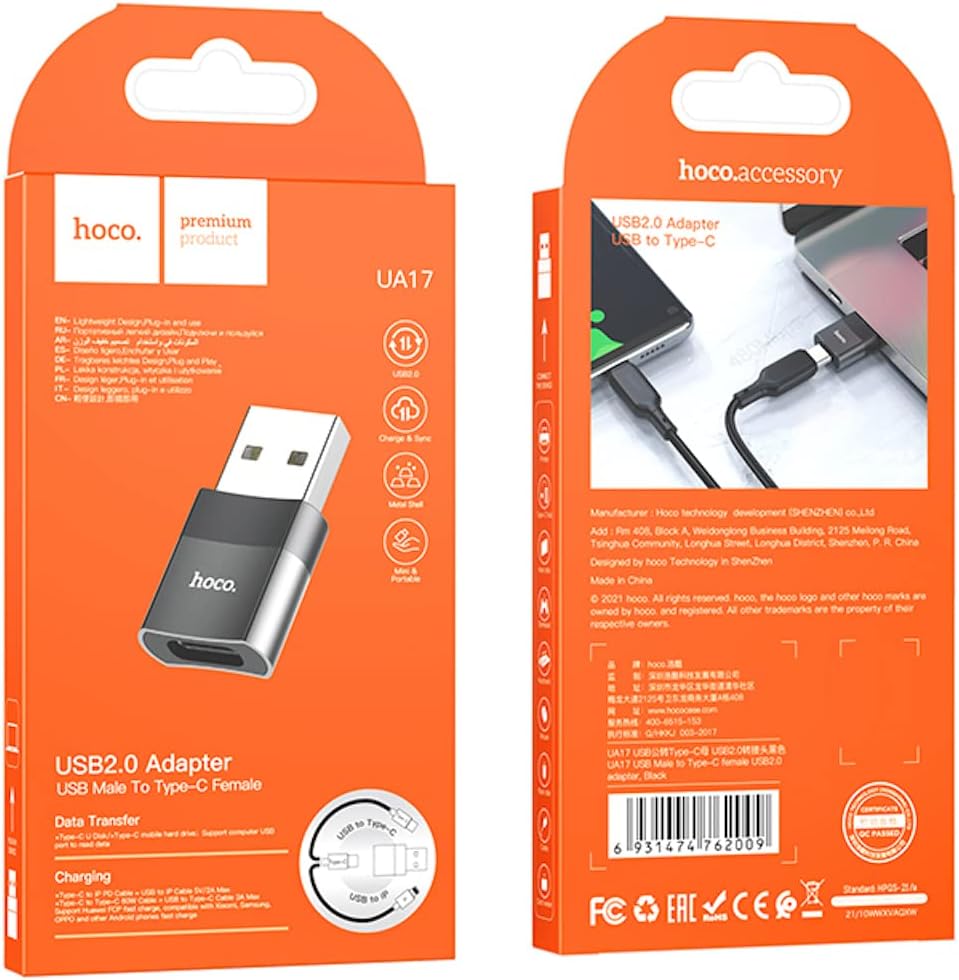
Image: The retail packaging for the Hoco UA17 adapter, which may contain additional warranty and support details.