
R-Music RM483874
R-Music Novo RM483874 Wireless Bluetooth Earbuds User Manual
Model: RM483874
1. Introducció
Thank you for choosing the R-Music Novo RM483874 Wireless Bluetooth Earbuds. This manual provides essential information for setting up, operating, and maintaining your earbuds to ensure optimal performance and longevity. Please read this manual thoroughly before use.
2. Contingut del paquet
Assegureu-vos que tots els elements estiguin presents al vostre paquet:
- R-Music Novo RM483874 Wireless Earbuds
- Estoig de càrrega sense fil
- Cable de càrrega USB-C
- Manual d'usuari
3. Producte acabatview
The R-Music Novo RM483874 earbuds are designed for daily use, offering clear stereo sound and an integrated microphone for calls. The compact charging case provides extended battery life.

Figure 3.1: R-Music Novo RM483874 wireless earbuds and open charging case.
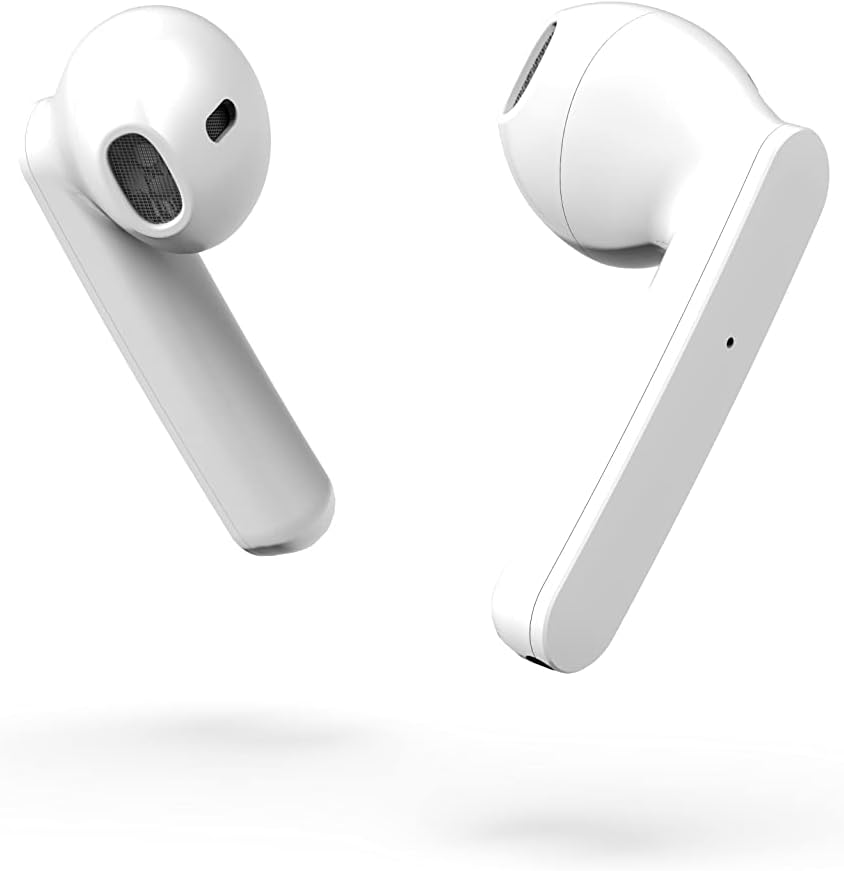
Figure 3.2: Close-up side view of the earbuds, highlighting their design.
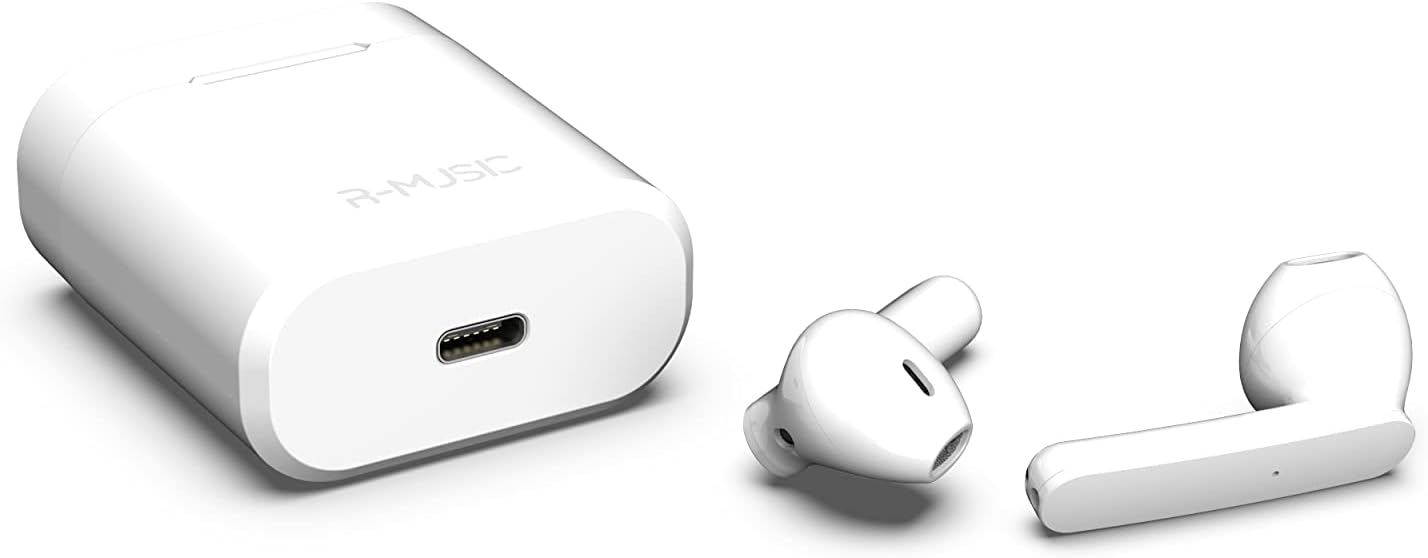
Figure 3.3: Charging case with USB-C port and earbuds.
4. Configuració
4.1 Càrrega inicial
- Abans del primer ús, col·loca els dos auriculars a l'estoig de càrrega.
- Connect the USB-C charging cable to the port on the charging case and to a power source.
- An indicator light inside the case will show the battery level during charging. Ensure the case and earbuds are fully charged.
4.2 Vinculació amb un dispositiu
The R-Music Novo RM483874 earbuds feature quick and easy pairing:
- Obre l'estoig de càrrega i treu els dos auriculars. Entraran automàticament en mode d'emparellament.
- On your device (e.g., smartphone), navigate to the Bluetooth settings.
- Cerca available devices and select "R-Music Novo" (or similar name) from the list.
- Once connected, you will hear an audio confirmation, and the earbuds will be ready for use.
5. Instruccions de funcionament
5.1 Encès/Apagat
- Encès: Traieu els auriculars de l'estoig de càrrega. S'encendran automàticament i intentaran connectar-se al darrer dispositiu emparellat.
- Apagar: Torna a col·locar els auriculars a l'estoig de càrrega. S'apagaran automàticament i començaran a carregar-se.
5.2 Controls tàctils
The earbuds are equipped with touch controls for convenient operation:
- Reproduir/pausa: Un sol toc a qualsevol dels auriculars.
- Pista següent: Toqueu dues vegades l'auricular dret.
- Pista anterior: Toqueu dues vegades l'auricular esquerre.
- Respondre/Finalitzar la trucada: Toqueu un sol cop a qualsevol dels auriculars durant una trucada entrant o activa.
- Rebutja la trucada: Prem i mantén premut qualsevol dels auriculars durant una trucada entrant.
- Activa l'Assistent de veu: Toqueu tres vegades qualsevol dels auriculars (la funcionalitat pot variar segons el dispositiu).
5.3 Fer trucades
The integrated microphone allows for hands-free calling. Ensure the earbuds are connected to your phone via Bluetooth. Use the touch controls to manage calls.
5.4 Escoltar música
Enjoy clear and balanced stereo sound. Use the touch controls to manage playback.
6. Càrrega
The earbuds provide approximately 3 hours of playback on a single charge. The charging case offers an additional 11 hours of battery life, allowing for multiple recharges on the go.
- Auriculars de càrrega: Place the earbuds into the charging case. They will automatically charge.
- Estoig de càrrega: Connect the supplied USB-C cable to the charging port on the case and a compatible USB power adapter. The indicator light will show charging status and battery level.
7. Manteniment
- Neteja: Feu servir un drap suau i sec per netejar els auriculars i l'estoig de càrrega. Eviteu utilitzar productes químics agressius o materials abrasius.
- Emmagatzematge: Quan no els utilitzeu, guardeu els auriculars a la seva funda de càrrega per protegir-los i mantenir-los carregats.
- Resistència a l'aigua: The earbuds are water-resistant. However, they are not designed for swimming or prolonged submersion. Avoid exposure to saltwater or other corrosive liquids.
8. Solució De Problemes
| Problema | Possible solució |
|---|---|
| Els auriculars no s'encenen. | Ensure the charging case and earbuds are charged. Place earbuds in case, then remove them. |
| Earbuds do not pair. | Make sure Bluetooth is enabled on your device. Forget the device in your Bluetooth settings and try pairing again. Ensure earbuds are removed from the case. |
| No hi ha so d'un auricular. | Place both earbuds back into the charging case, close the lid, then reopen and remove them. Check device audio settings. |
| L'estoig de càrrega no es carrega. | Check the USB-C cable and power adapter. Ensure the cable is securely connected. |
9. Especificacions
| Característica | Detall |
|---|---|
| Nom del model | Novo |
| Número de model | 483874 RM |
| Tecnologia de connectivitat | Bluetooth (sense fil) |
| Tipus de control | Control tàctil |
| Micròfon | Integrat |
| Durada de la bateria (auriculars) | Aprox. 3 hores |
| Durada de la bateria (amb funda) | Approx. 3H + 11H (total 14 hours) |
| Port de càrrega | USB-C |
| Nivell de resistència a l'aigua | Resistent a l'aigua |
| Material | Plàstic |
| Pes | 37 grams |
| Dimensions | 5.3 x 4.7 x 2.4 cm |
| Impedància | 3 ohms |
| Control de soroll | Aïllament acústic |
| Resposta de freqüència | 20 Hz |
| Sensibilitat | 109 dB |
10. Informació de seguretat
- No desmunteu, repareu o modifiqueu el producte.
- Keep the earbuds and charging case away from extreme temperatures, direct sunlight, and moisture.
- Eviteu escoltar a nivells de volum elevats durant períodes prolongats per evitar danys auditius.
- Mantenir fora de l'abast dels nens i mascotes.
- Eliminar el producte de manera responsable segons la normativa local.
11. Garantia i Suport
R-Music products are designed for reliability and performance. For warranty information or technical support, please refer to the contact details provided at the point of purchase or visit the official R-Music weblloc web. Si us plau, conserveu el comprovant de compra per a reclamacions de garantia.
Ask a question about this manual
Ask about setup, troubleshooting, compatibility, parts, safety, or missing instructions. Manuals+ will review the question and use this page’s manual context to help answer it.