
1. Introducció
Thank you for choosing the ATOMSTACK S10 PRO Laser Engraver. This manual provides essential information for the safe and efficient operation of your device. Please read it thoroughly before assembly and use to ensure optimal performance and to prevent damage or injury. Keep this manual for future reference.
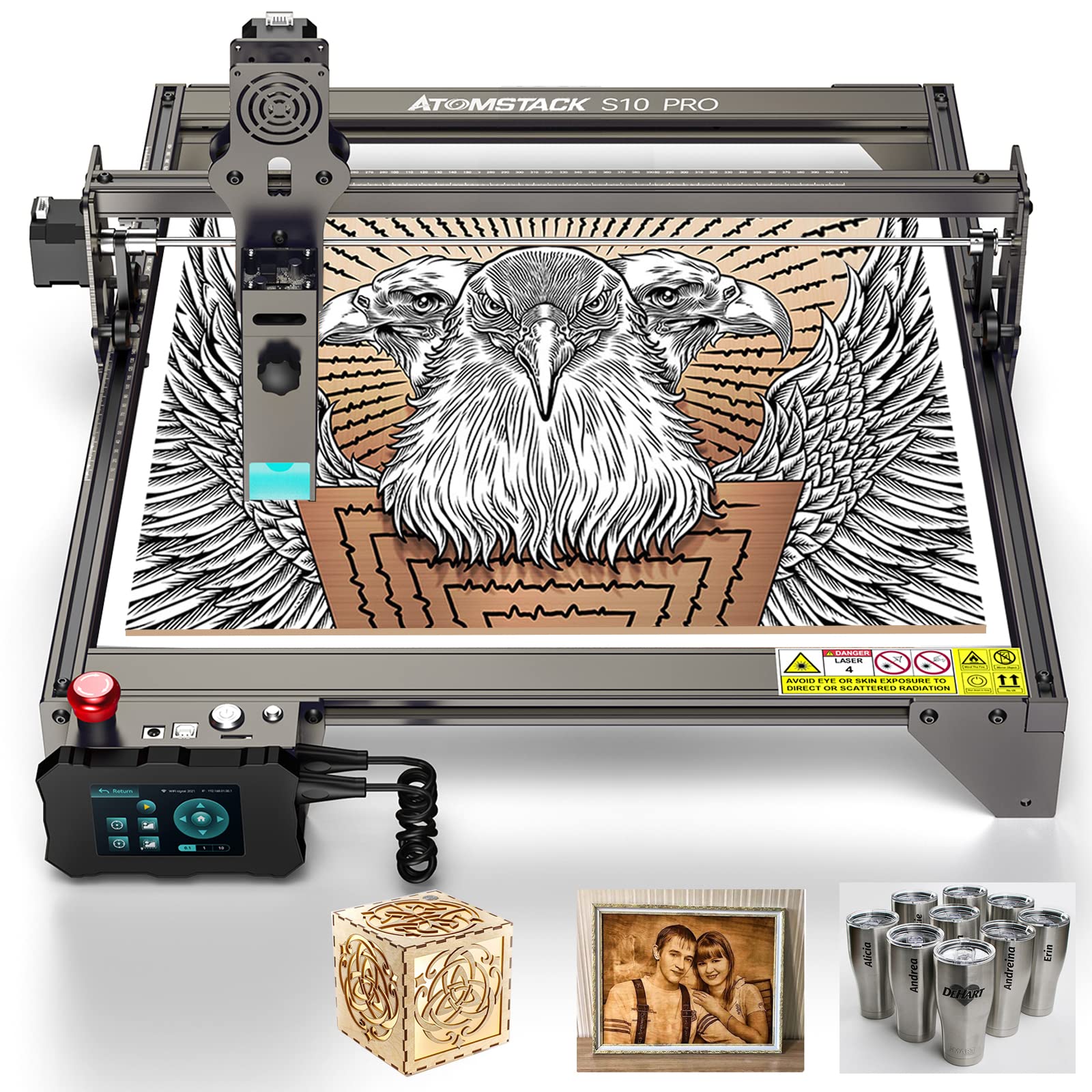
Figure 1.1: The ATOMSTACK S10 PRO Laser Engraver, showcasinel seu robust xassís i el mòdul làser.
2. Informació de seguretat
Operating a laser engraver involves inherent risks. Adhere strictly to the following safety guidelines:
- Protecció ocular: Always wear certified laser safety goggles when the laser is active. Never look directly at the laser beam or its reflection.
- Ventilació: Operate the machine in a well-ventilated area to dissipate fumes and smoke produced during engraving and cutting. Consider an exhaust system.
- Perill d'incendi: Laser processing can ignite flammable materials. Keep a fire extinguisher nearby and never leave the machine unattended during operation.
- Compatibilitat de materials: Only engrave or cut materials approved for laser processing. Avoid PVC, vinyl, or other materials that produce toxic fumes when burned.
- Nens i animals de companyia: Mantingueu els nens i les mascotes lluny de la zona d'operacions.
- Parada d'emergència: Familiaritzeu-vos amb la ubicació i la funció del botó d'aturada d'emergència.
- Apagar: Desconnecteu l'alimentació abans de realitzar qualsevol manteniment o ajust.
3. Producte acabatview i Característiques
The ATOMSTACK S10 PRO is a high-precision laser engraver designed for detailed engraving and cutting tasks. It features a powerful 10W laser output with a fine 0.08mm laser focus, enabling intricate designs and clean cuts.
Característiques principals:
- High-Power Laser: 10W optical output power for efficient engraving and cutting.
- Fine Laser Spot: 0.08mm compressed laser spot for enhanced precision and detail.
- Gran àrea de gravat: Standard 410 x 400 mm, expandable to 410 x 850 mm.
- Operació fora de línia: Equipped with a 32-bit motherboard and a 3.5-inch sliding touch screen for standalone control without a computer connection.
- Enhanced Metal Engraving: Capable of producing clearer and faster engraving marks on metal surfaces.
- Capacitat de tall: Efficiently cuts materials such as 20mm thick wood and 15mm thick acrylic.
4. Configuració
4.1 Muntatge
The ATOMSTACK S10 PRO requires assembly. Refer to the separate assembly guide provided with your product for detailed step-by-step instructions. Ensure all components are securely fastened before proceeding.
4.2 Instal·lació del programari
The ATOMSTACK S10 PRO is compatible with popular laser control software such as LightBurn and LaserGRBL. Install the appropriate software on your computer and ensure the necessary drivers are installed for communication with the engraver.
4.3 Enfocament del làser
Accurate laser focusing is crucial for optimal engraving and cutting results. Follow the instructions in your assembly guide or software manual to properly set the laser focus distance for your material.
5. Instruccions de funcionament
5.1 Controls bàsics

Figure 5.1: Location of the Emergency Stop, On/Off, and Reset buttons.
- Botó d'aturada d'emergència: Press this red button to immediately stop all machine operations. To restart, turn the button in the direction indicated to unlock it.
- Interruptor d'encesa/apagada: Use this switch to terminate the operation and cut off all power to the machine.
- Botó de restabliment: Press to stop the current operation, close the control terminal, and restart the system.
5.2 Offline Operation
The ATOMSTACK S10 PRO features an offline control terminal, allowing you to operate the machine without a continuous computer connection. The 32-bit motherboard supports this functionality, enhancing user experience and efficiency.

Figure 5.2: The 3.5-inch sliding touch screen for offline control, displaying the start menu and operational parameters.

Figure 5.3: The 32-bit motherboard, enabling offline operation and improved processing capabilities.
To use offline operation, transfer your engraving files to the machine's storage (e.g., via SD card or Wi-Fi if supported). Use the 3.5-inch touch screen to select files, adjust parameters, and initiate engraving or cutting tasks directly.
5.3 Gravat
The S10 PRO excels in fine engraving due to its double-compressed spot technology, which reduces the laser spot size to 0.08mm, allowing for highly detailed and precise image engraving.

Figura 5.4: Un example of fine engraving, demonstrating the detail achievable with the 0.08mm laser spot. Engraving parameters are typically set in your software (e.g., LightBurn).
The S10 PRO also offers enhanced metal engraving capabilities, producing clearer and faster marks compared to previous models.

Figure 5.5: Illustration of the ATOMSTACK S10 PRO's enhanced metal engraving capability, resulting in clearer marks and faster processing.
5.4 Tall
The powerful 10W laser allows for effective cutting of various materials. Always ensure proper ventilation and fire safety precautions when cutting.
5.4.1 Wood Cutting
The S10 PRO can cut wood up to 20mm thick, producing smooth edges. Adjust laser power and speed settings in your software according to the wood type and thickness.

Figure 5.6: The ATOMSTACK S10 PRO cutting 20mm thick wood, demonstrating a clean cut and smooth edge.
5.4.2 Acrylic Cutting
The machine is capable of cutting acrylic up to 15mm thick. Optimal settings will vary based on acrylic color and composition.

Figure 5.7: The ATOMSTACK S10 PRO cutting 15mm thick acrylic, illustrating a precise cut and smooth finish.
5.5 Expanding Engraving Area
The modular design of the ATOMSTACK S10 PRO allows for an expanded engraving area. By purchasing and installing an extended accessory kit, you can increase the working area from 410 x 400 mm to a super large 410 x 850 mm.

Figure 5.8: The ATOMSTACK S10 PRO configured with the extended accessory package, providing a larger 410 x 850 mm engraving area.
The extended accessory package, which includes longer frame components, must be purchased separately. Refer to the instructions provided with the expansion kit for proper installation.
6. Manteniment
Regular maintenance ensures the longevity and optimal performance of your ATOMSTACK S10 PRO.
- Neteja: Regularly clean the machine frame and rails to prevent dust and debris buildup, which can affect movement accuracy.
- Lent làser: Periodically inspect and clean the laser lens using a specialized lens cleaning solution and cloth. A dirty lens can reduce laser power and engraving quality.
- Tensió del cinturó: Check the tension of the timing belts. They should be taut but not overly tight. Adjust if necessary to prevent skipping or inaccurate movement.
- Actualitzacions de firmware: Consulta l'oficial d'ATOMSTACK weblloc web per obtenir actualitzacions de firmware disponibles per assegurar-vos que la vostra màquina tingui les darreres funcions i correccions d'errors.
7. Solució De Problemes
If you encounter issues with your ATOMSTACK S10 PRO, refer to the following common problems and solutions:
| Problema | Causa possible | Solució |
|---|---|---|
| Sense sortida làser | Power not connected, laser module fault, software settings, emergency stop engaged. | Check power connections. Ensure laser module is properly seated. Verify laser power settings in software. Disengage emergency stop button. |
| Mala qualitat de gravat/tall | Incorrect focus, dirty lens, wrong power/speed settings, material issues. | Re-focus the laser. Clean the laser lens. Adjust power and speed settings for the specific material. Ensure material is flat and suitable. |
| La màquina no es connecta a l'ordinador | USB cable issue, driver not installed, incorrect port selection. | Try a different USB cable/port. Install necessary drivers. Select the correct COM port in your software. |
| Inaccurate movement/skipped steps | Loose belts, debris on rails, motor issues. | Check and adjust belt tension. Clean rails and wheels. Contact support if motor issues persist. |
For issues not covered here, please refer to the ATOMSTACK support resources or contact customer service.
8. Especificacions
Technical specifications for the ATOMSTACK S10 PRO Laser Engraver:
- Fabricant: ATOMSTAK
- Model: S10 PRO
- Potència de sortida làser: 10W
- Potència de la màquina: 50W (effect)
- Mida del punt làser: 0.08mm (double-compressed)
- Àrea de gravat estàndard: 410 x 400 mm
- Àrea de gravat ampliable: Up to 410 x 850 mm (with optional kit)
- Placa base: 32-bit, supports offline operation
- Control Terminal: 3.5-inch sliding touch screen
- Connectivitat: USB, Wi-Fi (for offline file transfer, if supported by firmware)
- Pes de la màquina: 5.5 kg
- Dimensions del paquet: 59 x 35 x 13 cm
- Bateries necessàries: No
- Primera data disponible: 17 d'agost de 2022
9. Garantia i Suport
For warranty information, please refer to the documentation included with your purchase or visit the official ATOMSTACK website. If you require technical assistance or have questions regarding your ATOMSTACK S10 PRO, please contact ATOMSTACK customer support through their official channels.