
1. Introducció
The Muddy Laser Range Finder 450yd is a precision optical instrument designed for accurate distance measurement in outdoor and hunting environments. This device offers reliable performance with a range of up to 450 yards, featuring a durable, watertight design suitable for various weather conditions.
Key features include a 24mm lens with 7x magnification, yard/meter selection, and a scan mode for continuous measurement. The robust rubber trim ensures a secure grip and enhanced protection. For user convenience, the rangefinder comes with a lanyard, a protective carry case, and a lens cloth.
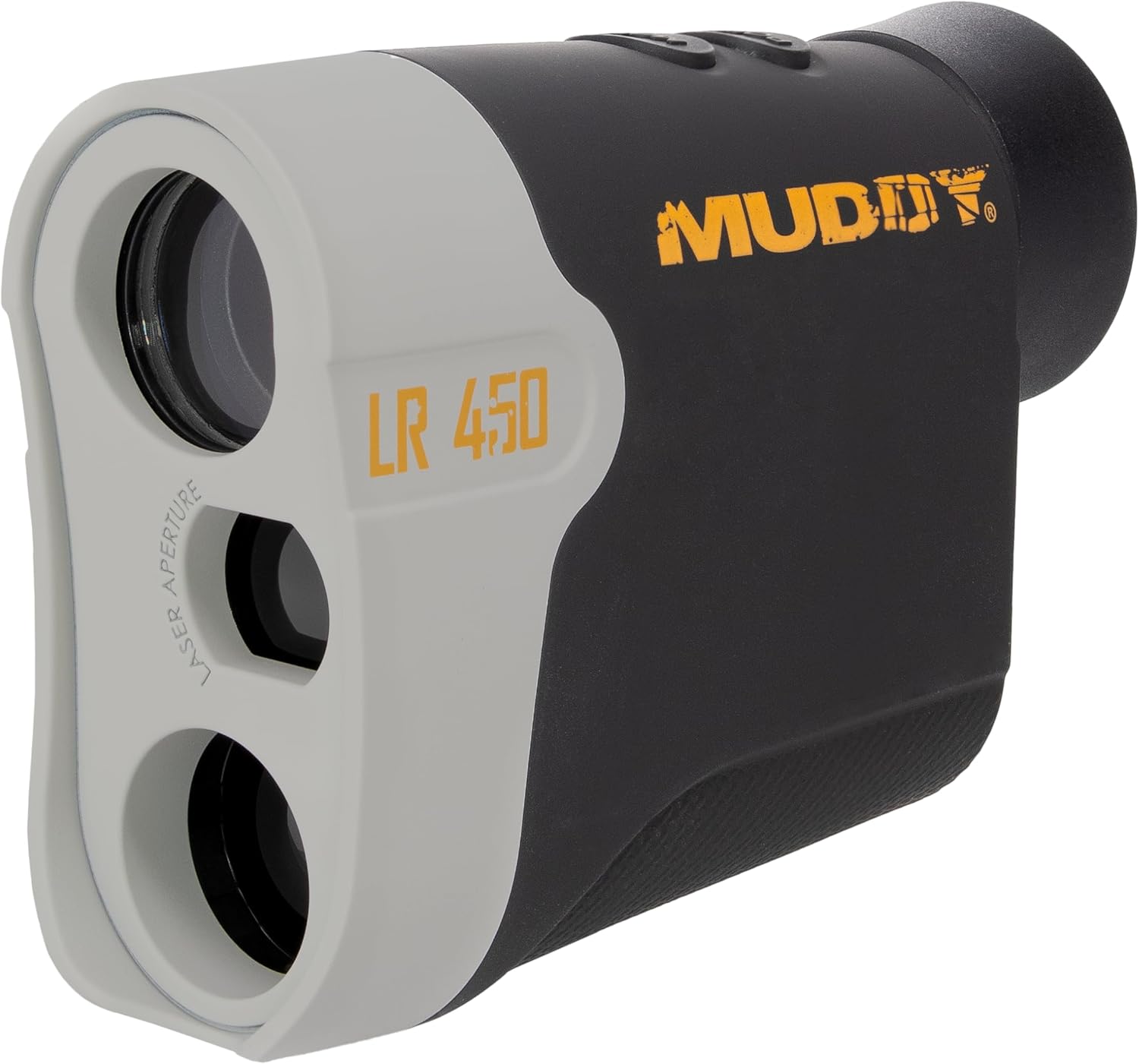
Figura 1: Frontal view of the Muddy Laser Range Finder 450yd, showcasing its compact design and optical components.
2. Configuració
2.1 Desembalatge i contingut
Traieu amb cura tots els elements de l'embalatge. Verifiqueu que hi hagi tots els components:
- Muddy Laser Range Finder 450yd
- 1 x CR2 Lithium Battery
- Corda
- Maleta de transport
- Drap de lent
2.2 Instal·lació de la bateria
The Muddy Laser Range Finder is powered by one CR2 lithium battery (included).
- Localitzeu el compartiment de la bateria al lateral del telèmetre.
- Gently slide the battery compartment cover open.
- Insert the CR2 battery, ensuring the positive (+) and negative (-) terminals align correctly with the indicators inside the compartment.
- Tanqueu la tapa del compartiment de la bateria de manera segura fins que encaixi al seu lloc.
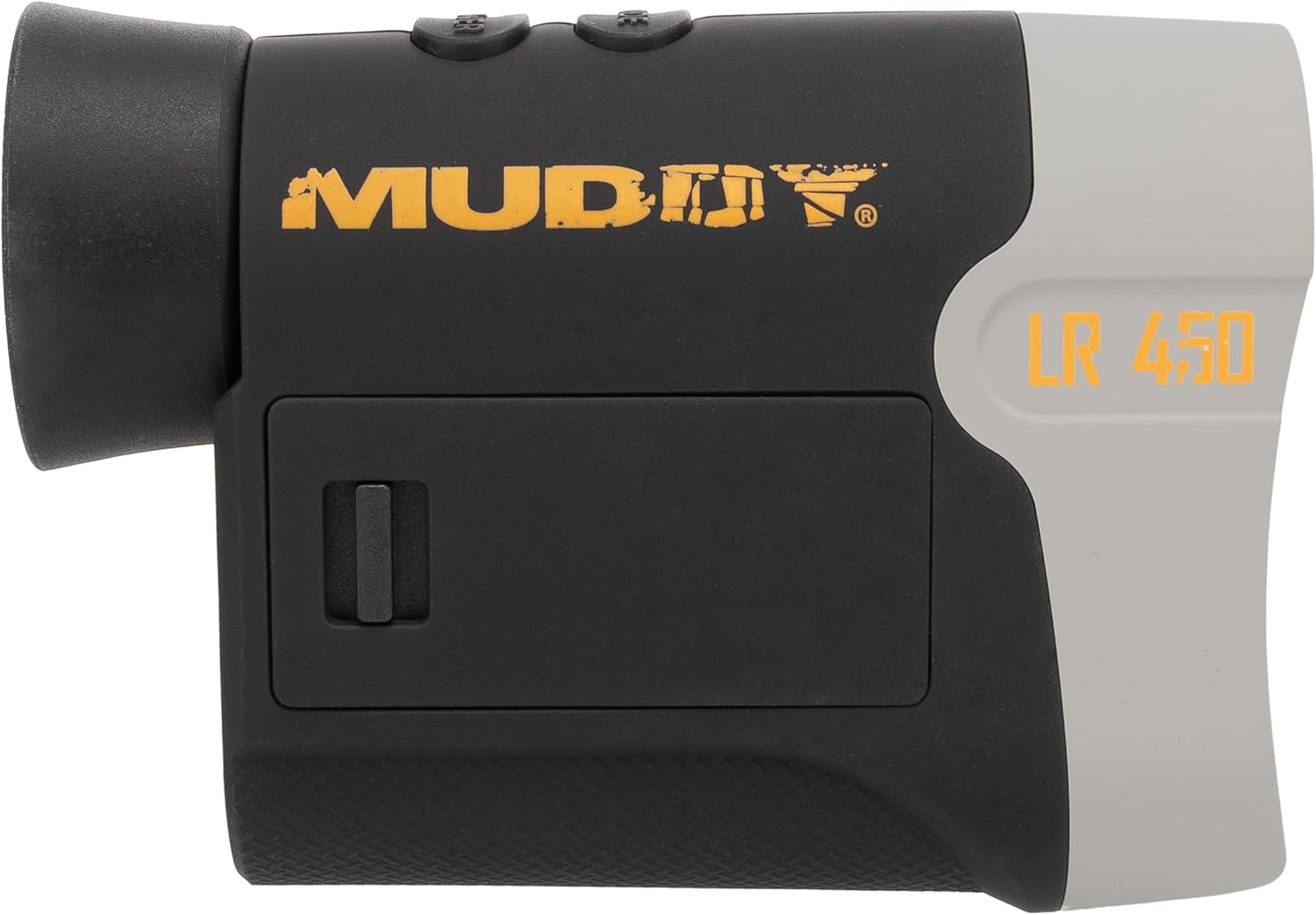
Figura 2: lateral view of the rangefinder, highlighting the battery compartment for CR2 battery installation.
3. Instruccions de funcionament
3.1 Engegada/apagada
- Per encendre el dispositiu, premeu el botó POWER/MEASURE button (usually located on the top of the unit). The display will illuminate.
- El dispositiu s'apagarà automàticament després d'un període d'inactivitat per estalviar bateria.
3.2 Mesura de la distància
- Mireu a través de l'ocular i apunteu la retícula a l'objectiu desitjat.
- Premeu el botó POWER/MEASURE button once. The measured distance will be displayed on the internal LCD.
- Ensure a steady hand for accurate readings.
3.3 Mode d'escaneig
Scan mode allows for continuous measurement of multiple targets or a moving target.
- While powered on, press and hold the POWER/MEASURE botó.
- Pan the rangefinder across different targets. The distance readings will update continuously on the display.
- Release the button to exit scan mode.
3.4 Unit Selection (Yards/Meters)
Per canviar entre iardes i metres:
- Amb el dispositiu encès, premeu el botó MODE button (usually located near the power button) to cycle through available measurement units.
- The selected unit (Y or M) will be indicated on the display.
3.5 Eyepiece Adjustment
Rotate the eyepiece to adjust the focus for a clear view of the display and target, accommodating individual vision.

Figura 3: lateral view of the rangefinder, showing the control buttons and eyepiece for operation.
4. Manteniment
4.1 Neteja de les lents
To maintain optical clarity, regularly clean the lenses:
- Use the provided lens cloth or a soft, clean microfiber cloth.
- Gently wipe the lens surfaces to remove dust, smudges, or fingerprints.
- Avoid using abrasive materials or harsh chemicals, which can damage the lens coatings.
4.2 Neteja i emmagatzematge generals
- Wipe the body of the rangefinder with a damp cloth to remove dirt. The durable rubber trim can be cleaned similarly.
- When not in use, store the rangefinder in its protective carry case to prevent scratches and impacts.
- For long-term storage, it is recommended to remove the CR2 battery to prevent potential leakage.
4.3 Resistència a l'aigua
The Muddy Laser Range Finder 450yd features an IP53 water resistance rating, providing protection against spraying water. While designed to withstand various weather conditions, avoid submerging the device in water.
5. Solució De Problemes
If you encounter issues with your Muddy Laser Range Finder, refer to the following common troubleshooting steps:
| Problema | Causa possible | Solució |
|---|---|---|
| El dispositiu no s'encén | Bateria morta o mal instal·lada | Check battery orientation. Replace with a fresh CR2 battery. |
| Lectures de distància inexactes | Unsteady aim, environmental factors (fog, heavy rain), target too reflective/non-reflective, battery low | Ensure a steady hold. Avoid measuring through heavy fog or rain. Aim at a solid, non-reflective surface. Check battery indicator and replace if low. |
| Display is dim or unclear | Eyepiece out of focus, low battery | Rotate the eyepiece to adjust focus. Check battery indicator and replace if low. |
| Cannot switch units (Yards/Meters) | Seqüència de premsa incorrecta del botó | Ensure the device is powered on. Press the MODE button firmly to cycle units. |
6. Especificacions
Detailed technical specifications for the Muddy Laser Range Finder 450yd:
| Característica | Especificació |
|---|---|
| Marca | FANGÓS |
| Nom del model | Muddy Laser Range Finder 450yd |
| Número de model | MUD-LR450 |
| Interval de mesura | Fins a 450 metres |
| Ampliació | 7x |
| Diàmetre de la lent | 24 mm |
| Resistència a l'aigua | IP53 (impermeable) |
| Tipus de bateria | 1 x CR2 Lithium Battery |
| Material | Plastic with Rubber Trim |
| Color | Negre |
| Dimensions del producte (LxWxH) | 12" x 4" x 4" |
| UPC | 888151023686 |
7. Informació de la garantia
The Muddy Laser Range Finder 450yd comes with a Un any de garantia limitada des de la data de compra. Aquesta garantia cobreix els defectes de materials i fabricació en condicions d'ús normal. No cobreix els danys causats per mal ús, accidents, modificacions no autoritzades o negligència. Conserveu el comprovant de compra per a reclamacions de garantia.
8. Atenció al client
For further assistance, technical support, or warranty inquiries, please visit the official MUDDY brand store or contact their customer service department:
Please have your model number (MUD-LR450) and proof of purchase ready when contacting support.