
ErGear EGESD5V
Manual d'usuari de l'escriptori elèctric regulable en alçada ErGear
Model: EGESD5V
Marca: ErGear
1. Introducció i finalview
The ErGear Height Adjustable Electric Standing Desk is designed to provide a versatile and ergonomic workspace, allowing users to seamlessly switch between sitting and standing positions. This manual provides comprehensive instructions for assembly, operation, maintenance, and troubleshooting to ensure optimal performance and longevity of your desk.
Característiques principals:
- Estabilitat excepcional: Compta amb un marc robust d'acer sòlid amb connectors de columna elevadora de qualitat aeroespacial, que garanteixen l'estabilitat fins i tot a tota l'alçada.
- Ajust suau d'alçada: Electric adjustment from 28.35" to 46.77" with memory settings.
- Motor millorat: Powerful and reliable lifting performance, tested for durability.
- Materials segurs amb baix contingut de COV: Constructed with materials meeting US federal and state safe air standards.
2. Muntatge i muntatge
Carefully unpack all components and verify against the parts list in the included assembly instructions. Assembly typically takes about 30 minutes. A Philips head screwdriver is required (not included).

Image: Desk components and assembly instructions. All parts are clearly labeled for easy identification.
Follow the step-by-step instructions provided in the manual. Ensure all bolts are securely fastened. The desktop comes in two pieces, which align seamlessly once assembled.
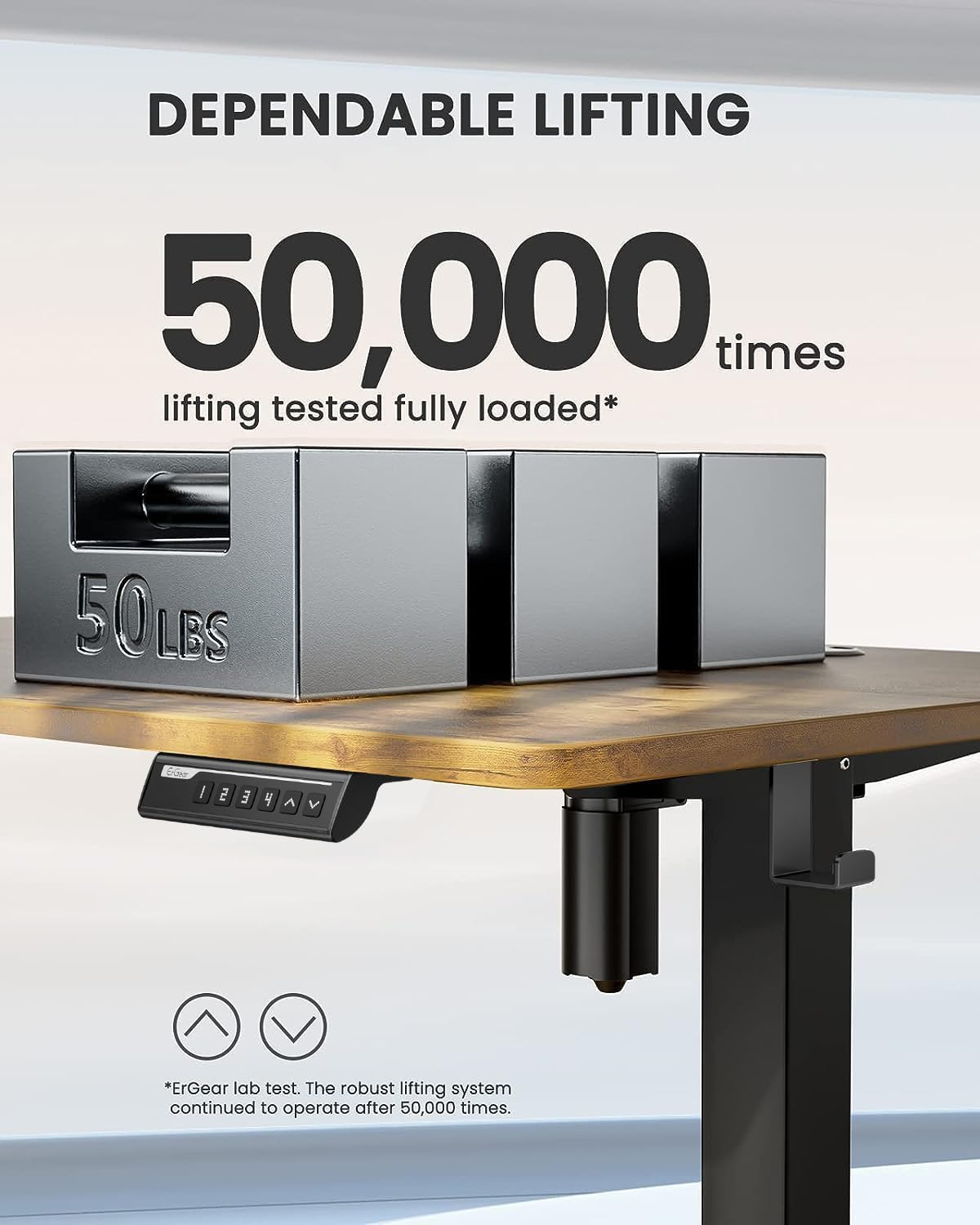
Image: Desk dimensions showing 24"D x 48"W x 46.46"H (max height) and 28.35"H (min height).
Consell de muntatge:
The included Allen wrenches are sufficient, but an electric drill with appropriate bits can expedite the process. Ensure the desk is properly anchored for stability.
Vídeo oficial de l'Assemblea:
Vídeo: Una revisió completaview of the assembly process and features of the ErGear Electric Standing Desk. (Source: Influencer)
3. Instruccions de funcionament
The ErGear Electric Standing Desk features an intuitive control panel for easy height adjustment and memory presets.

Image: Close-up of the control panel with digital display, up/down arrows, and memory preset buttons (1, 2, 3, 4).
Ajust d'alçada:
- Utilitza el Amunt (▲) i Avall (▼) arrows to manually adjust the desk height. The current height is displayed on the digital screen.
- L'escriptori es pot ajustar des d'una alçada mínima de 28.35 polzades fins a una alçada màxima de 46.77 polzades.
Preajustos de memòria:
- To save a preferred height: Adjust the desk to the desired height. Press and hold the S. button until the display blinks, then press one of the numbered preset buttons (1, 2, 3 o 4) to save the height.
- To recall a saved height: Simply press the corresponding numbered preset button (1, 2, 3 o 4). L'escriptori es mourà automàticament a la posició desada.

Image: The desk demonstrating its wide height range, suitable for both sitting and standing positions.
4. Manteniment
Regular maintenance ensures the longevity and smooth operation of your ErGear standing desk.
- Neteja: Netegeu l'escriptori i el marc amb un drap suauamp tela. Eviteu netejadors abrasius o productes químics durs que puguin danyar l'acabat.
- Gestió de cables: Periodically check and organize cables to prevent tangling and damage. The desk includes integrated cable management features at the rear.
- Cura del motor: The motor is designed for long-term reliability. Avoid overloading the desk beyond its maximum weight capacity of 176 pounds.
- Comprovació d'estabilitat: Ensure all screws and connections remain tight. Re-tighten if any wobbling is observed.
5. Solució De Problemes
If you encounter any issues with your desk, refer to the common troubleshooting tips below:
| Problema | Causa possible | Solució |
|---|---|---|
| L'escriptori no es mou / No hi ha electricitat | Power cable disconnected; Control panel malfunction. | Check all power connections. Unplug the desk for a few minutes and plug it back in to reset the control system. |
| L'escriptori trontolla | Loose connections; Uneven floor. | Ensure all assembly bolts are tightened. Adjust foot pads for stability on uneven surfaces. |
| Soroll inusual durant el funcionament | Friction in moving parts; Power adapter noise. | Ensure no obstructions are in the lifting path. If power adapter makes noise, contact customer support for a replacement. |
| Els preajustaments de memòria no funcionen | Incorrect programming; Control panel issue. | Re-program the memory presets following the operating instructions. If issue persists, reset the desk by unplugging it. |
Per obtenir més ajuda, consulteu la informació de contacte a la secció Garantia i assistència.
6. Especificacions
- Marca: ErGear
- Número de model: EGESD5V
- Dimensions del producte: 24 "P x 48" W x 46.46" H
- Color: Vintagi marró
- Material base: Acer d'aliatge
- Tipus de material superior: Fusta d'enginyeria
- Interval d'ajust d'alçada: 28.35" a 46.77"
- Pes màxim recomanat: 176 lliures
- Nombre de posicions d'alçada: 3 (Preajustos de memòria)
- Característica especial: Sit and standing desk
- Components inclosos: Assembly Instructions with Diagram (1), Standing Desk, Storage Hook (2pcs), Basic Assembly Tools (including spare parts)
7. Garantia i assistència
The ErGear Height Adjustable Electric Standing Desk comes with a Garantia limitada. For detailed warranty information, please refer to the documentation included with your product or visit the official ErGear weblloc.
For customer support, technical assistance, or to inquire about replacement parts, please contact ErGear customer service through their official channels. You can also refer to the Manual d'instal·lació (PDF) per a detalls addicionals.
Important Safety Information: Always follow the assembly instructions carefully. Ensure the desk is properly anchored to the floor for stability. Do not exceed the maximum weight limit of 176 pounds. Keep the work surface clear of items that could fall or cause obstruction when adjusting the desk height.
Ask a question about this manual
Ask about setup, troubleshooting, compatibility, parts, safety, or missing instructions. Manuals+ will review the question and use this page’s manual context to help answer it.