
1. Introducció
Thank you for choosing the ErGear Height Adjustable Electric Standing Desk. This desk is designed to enhance your workspace with dependable, scientifically-designed ergonomic features, promoting a healthier and more productive work environment. It allows for seamless transitions between sitting and standing positions, offering optimal comfort and productivity throughout your day.
This manual provides essential information for the safe and efficient use of your new electric standing desk, including setup, operation, maintenance, and troubleshooting.
2. Informació de seguretat
ADVERTIMENT: Si us plau, llegiu atentament totes les instruccions de seguretat abans del muntatge i l'ús. Si no seguiu aquestes instruccions, podeu patir lesions o danys al producte.
- The desk has a maximum weight limit of 176 lliures (80 kg). Do not exceed this weight capacity.
- Proper assembly is required for stability and safety. Ensure all screws and fasteners are securely tightened.
- If the desk is used in an environment with children, consider anchoring the desk to the wall to prevent tipping.
- Keep hands and objects clear of the lifting mechanism during operation to prevent pinching or damage.
- Ensure all cables connected to devices on the desk have sufficient slack to accommodate height adjustments.
- No us asseieu ni us poseu drets a l'escriptori.
- Do not disassemble or modify the motor or control box. Contact customer support for any repairs.
3. Contingut del paquet
Please verify that all components are present and undamaged. A detailed list of all parts and hardware is provided in the separate installation manual included with your purchase. Key components include:
- Desktop (Two-Piece)
- Columnes elevadores (cames)
- Caixa de control
- Controlador de l'auricular
- Adaptador d'alimentació i cable
- Dual Cable Access Holes
- Ganxos d'emmagatzematge
- Maquinari i eines de muntatge
4. Muntatge i muntatge
The ErGear Electric Standing Desk is designed for straightforward assembly. Most users report an average assembly time of 30 minutes. For detailed, step-by-step instructions, please refer to the dedicated Installation Manual (PDF) provided with your product or available online via the link in the Support section.
Consells clau per al muntatge:
- Col·loca tots els components i el maquinari abans de començar.
- Follow the numbered steps in the installation manual precisely.
- Assegureu-vos que totes les connexions estiguin ben connectades abans d'endollar l'escriptori.
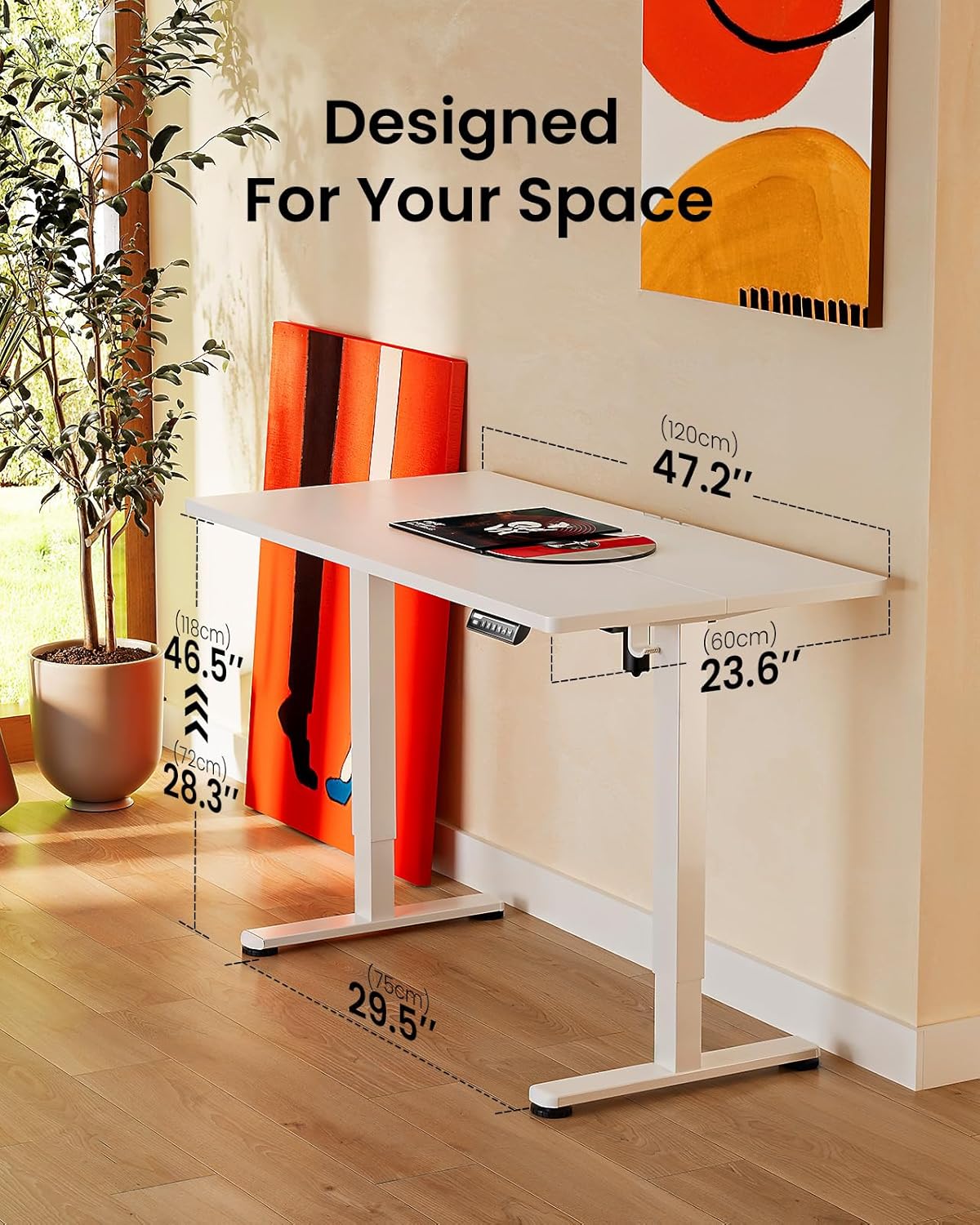
Image: ErGear standing desk with dimensions showing 47.2 inches width, 23.6 inches depth, and height adjustable from 28.3 to 46.5 inches. This illustrates how the desk is designed to fit various spaces.

Image: Diagram illustrating the simplified assembly process of the ErGear standing desk, highlighting an average assembly time of 30 minutes.
5. Instruccions de funcionament
Your ErGear Electric Standing Desk features an intuitive control panel for easy height adjustment and memory settings.
Ajust d'alçada
The desk's height can be freely adjusted from de 72 cm (28.35 polzades) a 118.8 cm (46.79 polzades). Use the up and down arrows on the control panel to manually adjust the desk to your desired height. The motor provides powerful and smooth lifting performance.
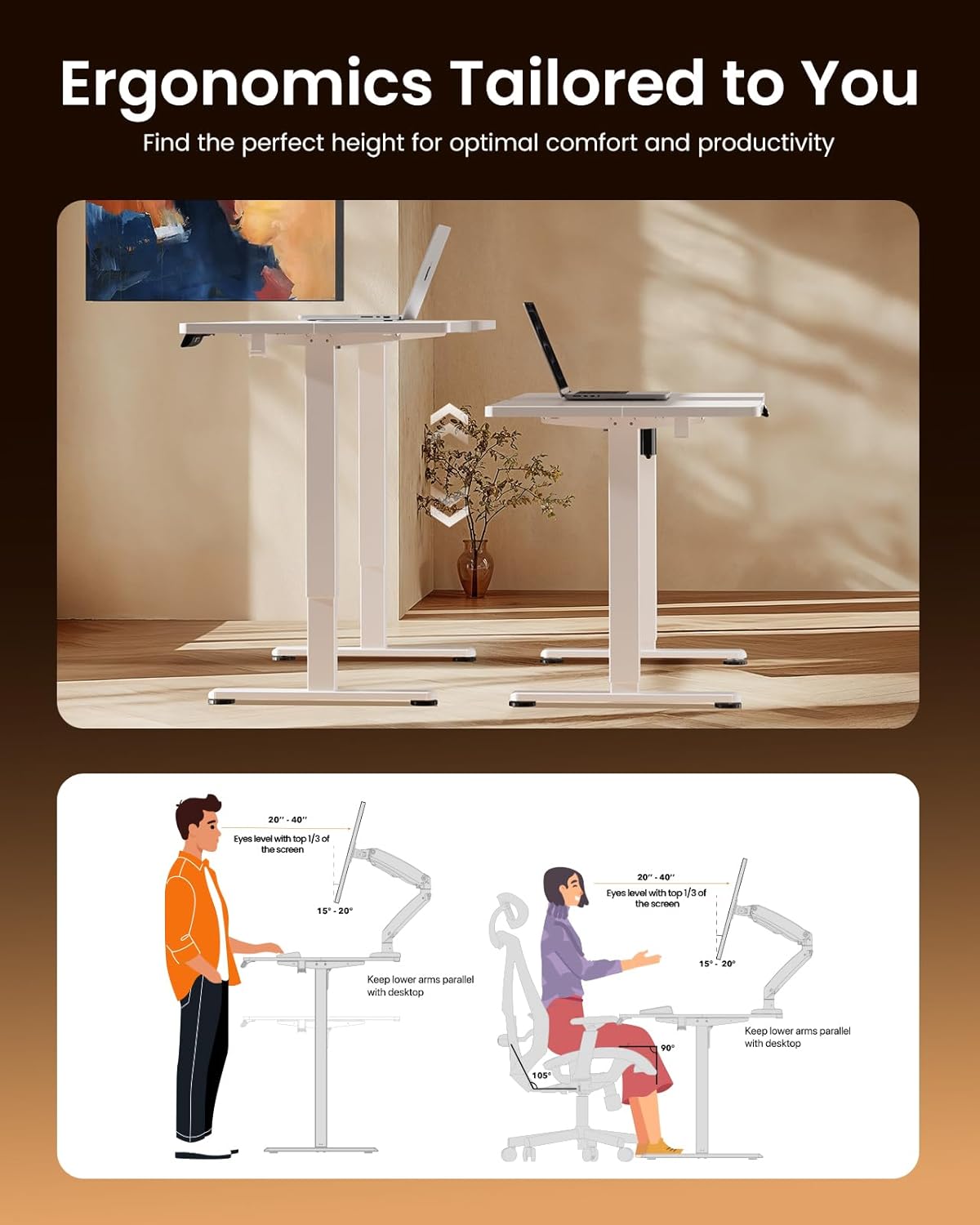
Image: Illustrations demonstrating proper ergonomic postures for both sitting and standing positions when using the ErGear desk, emphasizing ideal screen height and arm placement for comfort and productivity.
Presets de memòria
The control panel includes three memory preset buttons (1, 2, and 3). These allow you to save your favorite sitting and standing heights for quick and convenient adjustment.
- Per desar una alçada: Adjust the desk to your desired height using the up/down arrows. Press the 'M' button (or 'Set' button, if present) followed by the desired number button (1, 2, or 3). The display will confirm the setting is saved.
- Per recordar una alçada: Simply press the corresponding number button (1, 2, or 3). The desk will automatically move to the saved height.
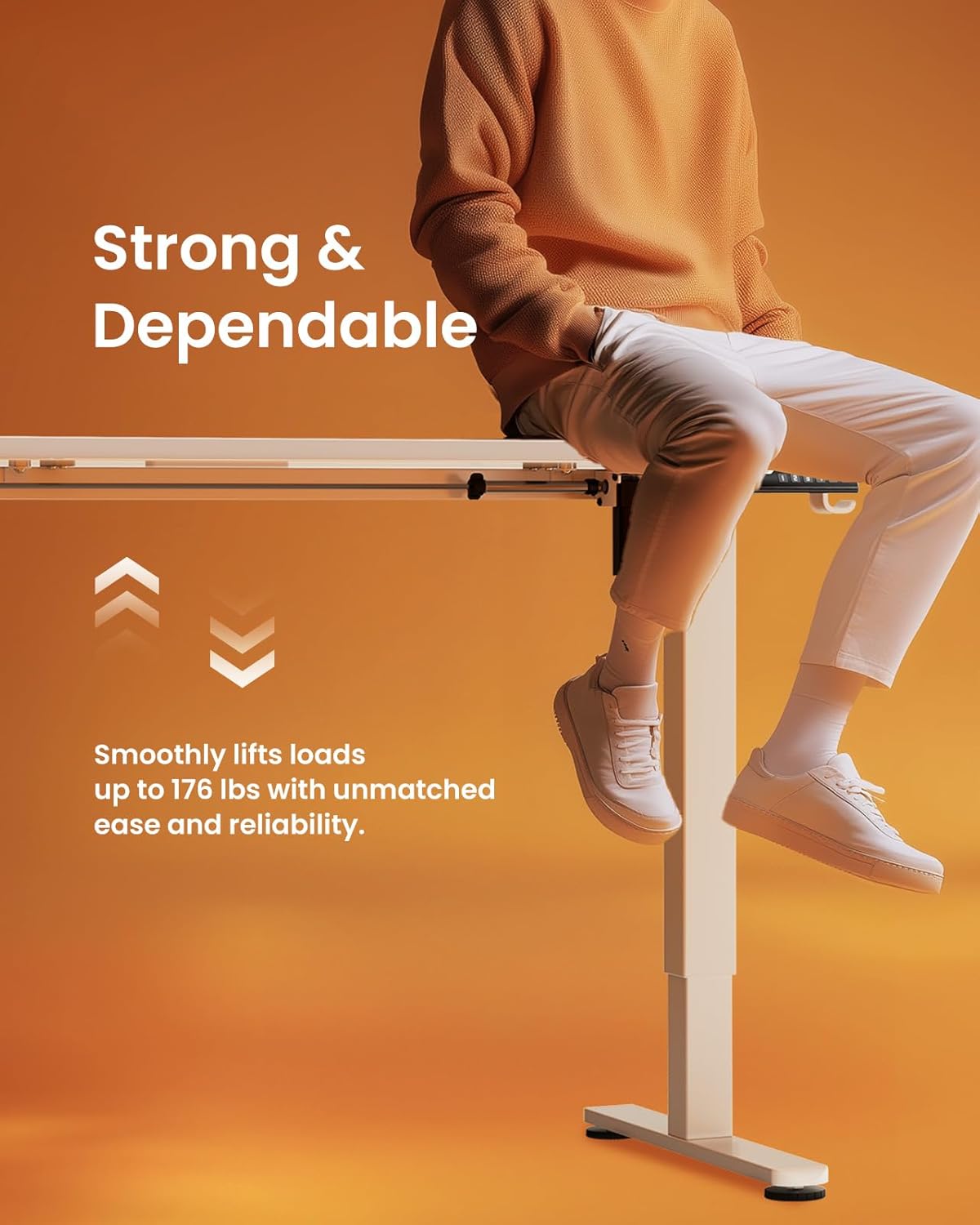
Image: A person sitting on the edge of the ErGear standing desk, illustrating its robust construction and ability to smoothly lift loads up to 176 lbs with ease and reliability.
6. Manteniment
Per garantir la longevitat i el rendiment òptim del vostre escriptori elèctric ErGear, seguiu aquestes senzilles pautes de manteniment:
- Neteja: The desk surface is easy to clean. Use a soft, damp cloth with a mild cleaner to wipe down the desktop and frame. Avoid abrasive cleaners or harsh chemicals that could damage the finish.
- Comprovacions periòdiques: Reviseu periòdicament tots els cargols i elements de fixació per assegurar-vos que romanen ajustats. Torneu a apretar-los si cal.
- Gestió de cables: Utilize the integrated cable access holes and storage hooks to keep cables organized and prevent tangling, especially during height adjustments.
- Cura del motor: The uprated motor is designed for long-term operation (tested 50,033 times). No special maintenance is required for the motor itself, but avoid overloading the desk beyond its 176 lbs capacity.
7. Solució De Problemes
Si teniu algun problema amb el vostre escriptori elèctric ErGear, consulteu els següents consells habituals per a la resolució de problemes:
- L'escriptori no es mou: Check if the power cable is securely plugged into both the desk and the wall outlet. Ensure there are no obstructions preventing the desk from moving freely.
- Uneven Movement/Wobbling: Verify that the desk is assembled correctly and all fasteners are tightened. Ensure the desk is placed on a flat, stable surface.
- El tauler de control no respon: Unplug the desk from the power outlet for 30 seconds, then plug it back in. This can reset the control system.
- Sorolls inusuals: A slight humming sound during operation is normal. If you hear loud grinding or unusual noises, discontinue use and contact customer support. One user reported a loud coil whining noise from the power adapter; if this occurs, contact support for a replacement.
For more complex issues or if the problem persists, please contact ErGear Customer Support.
8. Especificacions
| Característica | Especificació |
|---|---|
| Marca | ErGear |
| Dimensions del producte (P x A x A) | 24 "P x 48" W x 28.35" H |
| Color | Blanc |
| Estil | Modern |
| Material base | Acer d'aliatge |
| Tipus d'acabat | Pintat |
| Característica especial | Height adjustable electric standing desk |
| Tipus d'habitació | Oficina |
| Usos recomanats | Treballant |
| Tipus de muntatge | Muntatge al terra |
| Descripció del rang d'edat | Adult |
| Grau de producte | Nou |
| Fabricant | ErGear |
| Alçada de l'element | 46.46 polzades |
| Tipus de material superior | Fusta d'enginyeria |
| Material de la cama dels mobles | Acer d'aliatge |
| Mecanisme d'elevació | Elèctric |
| Nombre de posicions d'alçada | 3 (Preajustos de memòria) |
| Forma | Rectangular |
| Disseny d'escriptori | Escriptori |
| Estil de cames | Marc d'acer sòlid |
| Color superior | Blanc |
| Color base | Blanc |
| Gruix de la taula | 0.67 polzades |
| Altura màxima | 46.46 polzades |
| Altura mínima | 28.35 polzades |
| Recomanació de pes màxim | 176 lliures |
| Muntatge requerit | Sí |
9. Garantia i Suport
ErGear stands behind the quality of its products. Your electric standing desk comes with the following warranty coverage:
- Protecció de 5 anys: On desktop and desk frame.
- Protecció de 2 anys: On motors and electrical components.
For any questions, technical assistance, or warranty claims, please contact ErGear Customer Support. You can also find additional resources, including the full installation manual, on the official ErGear brand store or by visiting the user guide link below:
Guia d'usuari oficial (PDF): Descarrega aquí
Visit the ErGear Store: ErGear Official Store