
1. Introducció
Gràcies per la compraasing the UNITED LED24TP60 24-inch HD Ready LED TV. This television is designed to provide high-quality visual and audio entertainment. This manual will guide you through the setup, operation, and maintenance of your new TV, ensuring you get the best possible experience. Please read these instructions carefully before operating the device and retain them for future reference.
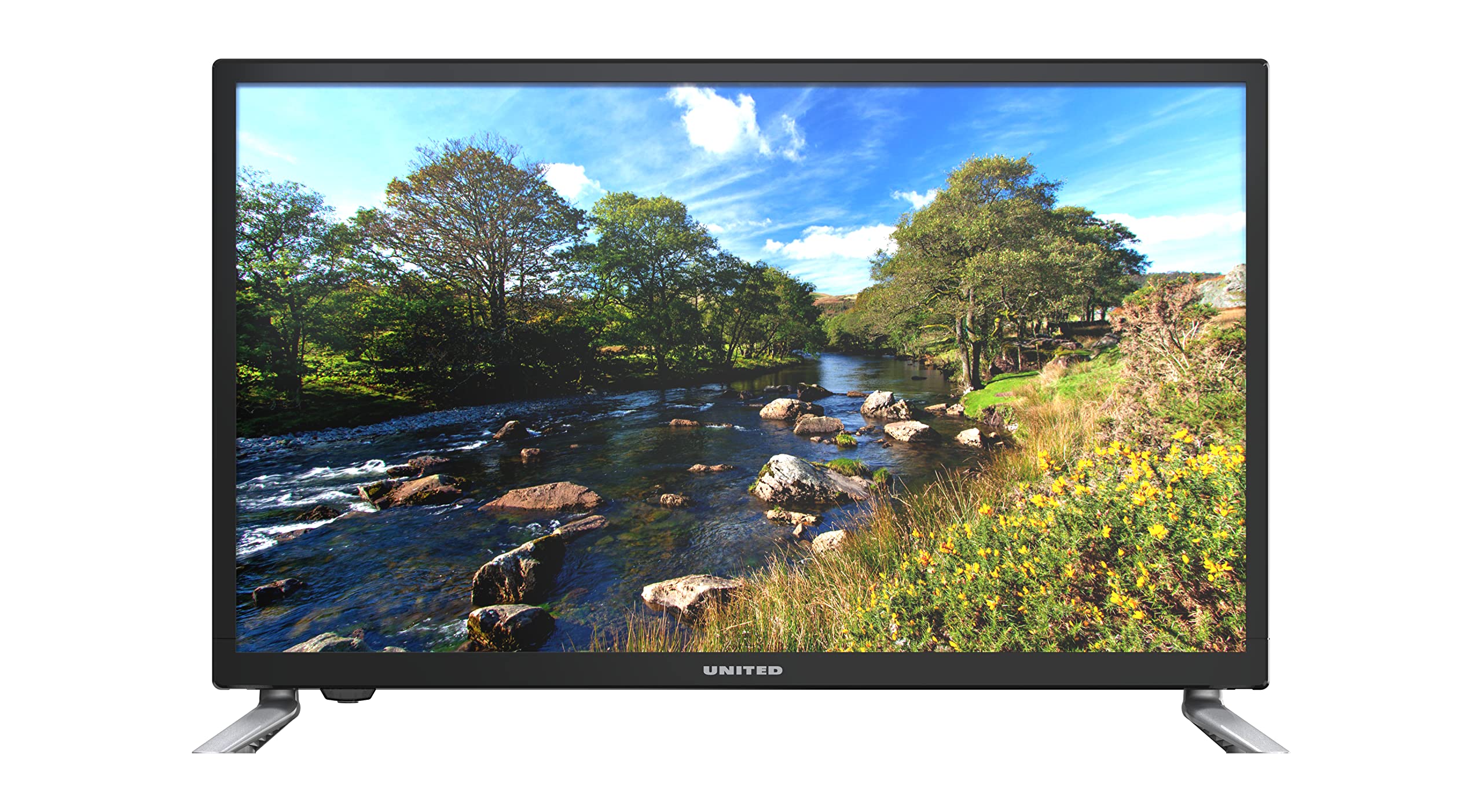
Figura 1.1: Davant view of the UNITED LED24TP60 24-inch HD Ready LED TV. This image shows the television with its stand attached, displaying a vibrant nature scene.
2. Informació important de seguretat
Per garantir un funcionament segur i evitar danys, observeu les següents precaucions de seguretat:
- Font d'alimentació: Connecteu el televisor només a una presa de corrent de CA del volum especificat.tage.
- Ventilació: Assegureu-vos que hi hagi una ventilació adequada al voltant del televisor. No bloquegeu les obertures de ventilació.
- Aigua i humitat: No exposeu el televisor a la pluja ni a la humitat. No col·loqueu objectes plens de líquids, com ara gerros, a sobre del televisor.
- Calor: Mantingueu el televisor allunyat de fonts de calor com ara radiadors, reixetes de calor, estufes o altres aparells (inclosos amplificadors) que produeixen calor.
- Neteja: Desendolleu el televisor de la presa de corrent abans de netejar-lo. Feu servir un drap suau i sec. No utilitzeu netejadors líquids ni aerosols.
- Manteniment: No intenteu atendre aquest producte vosaltres mateixos. Consulteu tots els serveis a personal de servei qualificat.
- Bateries: Desfeu-vos de les piles usades de manera responsable. No barregeu piles velles i noves ni piles de diferents tipus.
3. Contingut del paquet
Si us plau, comproveu que tots els elements estiguin presents a l'embalatge:
- UNITED LED24TP60 24-inch HD Ready LED TV
- Control remot
- 2 x AAA 1.5V Batteries (for remote control)
- Cable d'alimentació
- Components del suport de TV (si escau)
- Manual d'usuari (aquest document)
4. Configuració
4.1 Desembalatge i col·locació
- Traieu amb cura el televisor del seu embalatge.
- Place the TV on a stable, flat surface or mount it on a wall using a compatible VESA mount (not included). Ensure the TV is placed in a well-ventilated area.
4.2 Col·locació del suport
If you are not wall-mounting the TV, attach the included stand components:
- Place the TV face down on a soft cloth or cushion to prevent screen damage.
- Alineeu els components del suport amb els forats de muntatge de la part inferior del televisor.
- Fixeu el suport amb els cargols proporcionats. No l'estrenyeu massa.
4.3 Connexió de dispositius externs
The UNITED LED24TP60 TV offers various connectivity options:
- HDMI: Connect high-definition devices such as Blu-ray players, game consoles, or set-top boxes using an HDMI cable.
- RF (Antenna/Cable): Connecteu una antena o un senyal de televisió per cable per als canals de radiodifusió.
- USB: Inseriu una unitat USB per reproduir contingut multimèdia files (fotos, música, vídeos).
4.4 Engegada i configuració inicial
- Connecteu el cable d'alimentació al televisor i després a una presa de corrent.
- Insert the AAA batteries into the remote control, observing polarity.
- Premeu el botó d'engegada del comandament a distància o del televisor.
- Follow the on-screen instructions to select your language, country, and perform an automatic channel scan for available broadcast channels.

Figura 4.1: Dimensions of the UNITED LED24TP60 TV. The image illustrates the TV's depth (12 cm), width (62.5 cm), and height (41.4 cm) with the stand.
5. Funcionament del televisor
5.1 Funcions de control remot
The remote control allows you to access all TV functions. Common buttons include:
- Potència: Encén o apaga el televisor.
- Entrada/Font: Selects the input source (HDMI, RF, USB).
- Volum +/-: Ajusta el nivell de volum.
- Canal +/-: Canvia els canals de televisió.
- Menú: Obre el menú principal per ajustar la configuració.
- Botons de navegació (amunt/avall/esquerra/dreta): Navegueu pels menús.
- D'acord/Entra: Confirma les seleccions.
- Sortida/Enrere: Torna a la pantalla anterior o surt del menú.
5.2 Selecció d'entrada
To switch between connected devices (e.g., a game console on HDMI and broadcast TV):
- Premeu el botó Entrada or Font botó del comandament a distància.
- Use the navigation buttons to highlight the desired input (e.g., HDMI1, DTV, ATV, USB).
- Premeu OK per confirmar la vostra selecció.
5.3 Navegació i configuració del menú
Premeu el botó Menú button to access various settings:
- Configuració de la imatge: Adjust brightness, contrast, color, sharpness, and picture mode (e.g., Standard, Dynamic, Movie).
- Configuració de so: Adjust bass, treble, balance, and sound mode (e.g., Standard, Music, Movie).
- Configuració del canal: Perform channel scans, edit channels, or set parental controls.
- Configuració de l'hora: Set the current time, sleep timer, or auto-off function.
- Configuració del sistema: Access language settings, software updates, and factory reset options.
5.4 Reproducció multimèdia via USB
Insert a USB storage device into the USB port. The TV supports playback of various media formats, including those encoded with HEVC Main 10. Navigate to the USB input source to browse and play your files.
5.5 Supported Internet Services
This television supports Mediaset Infinity. Access to this service may require an internet connection and a subscription, depending on regional availability and service provider terms.
6. Manteniment
6.1 Neteja del televisor
- Desendolleu sempre el televisor de la presa de corrent abans de netejar-lo.
- Feu servir un drap suau, sec i sense borrissol per netejar suaument la pantalla i la carcassa.
- Per a marques persistents a la pantalla, fregueu lleugeramentampen the cloth with water or a specialized screen cleaner (ensure it is safe for LED screens) and wipe gently. Do not spray liquid directly onto the screen.
- Eviteu utilitzar netejadors abrasius, ceres o dissolvents, ja que poden danyar l'acabat del televisor.
6.2 Emmagatzematge
If you need to store the TV for an extended period, ensure it is unplugged, clean, and stored in a cool, dry place, preferably in its original packaging to protect it from dust and physical damage.
7. Solució De Problemes
Abans de contactar amb l'atenció al client, consulteu els següents problemes i solucions habituals:
| Problema | Possible solució |
|---|---|
| Sense poder | Check if the power cable is securely connected to the TV and the wall outlet. Ensure the wall outlet is functioning. Try pressing the power button on the TV itself. |
| No hi ha imatge, però hi ha so | Ensure the correct input source is selected. Check cable connections (HDMI, RF). Adjust brightness and contrast settings. |
| No hi ha so, però hi ha imatge | Check the volume level and ensure the TV is not muted. Verify audio cable connections. Check sound settings in the menu. |
| El comandament a distància no funciona | Substituïu les piles del comandament a distància. Assegureu-vos que no hi hagi cap obstacle entre el comandament a distància i el sensor d'infrarojos del televisor. |
| Poca qualitat d'imatge | Check antenna or cable connections. Adjust picture settings (sharpness, noise reduction). If using an external device, check its output resolution. |
8. Especificacions
Key technical specifications for the UNITED LED24TP60 TV:
| Característica | Especificació |
|---|---|
| Número de model | LED24TP60 |
| Marca | UNITS |
| Mida de la pantalla | 24 polzades (60 cm) |
| Resolució | HD Ready (1366 x 768 píxels) |
| Tipus de visualització | LED |
| Freqüència d'actualització | 60 Hz |
| Relació d'aspecte | 16:9 |
| Connectivitat | HDMI, RF, USB (1 port) |
| Característiques especials | HEVC Main 10 support, Flat screen |
| Serveis d'Internet compatibles | Mediaset Infinity |
| Dimensions (amb suport) | 12P x 62.5L x 41.4H centímetres |
| Consum d'energia (SDR) | 21.0 W |

Figura 8.1: Energy label for the UNITED LED24TP60 TV, indicating an energy efficiency class F and a power consumption of 21 kWh/1000h.
Per obtenir informació més detallada sobre el producte, consulteu la base de dades EPREL: https://eprel.ec.europa.eu/qr/346372

Figura 8.2: Product information sheet for the UNITED LED24TP60 TV, detailing various technical specifications and compliance information.
9. Garantia i Suport
The product information indicates a minimum technical assistance guarantee for the product until September 20, 2025. Specific details regarding warranty coverage, duration, and terms are typically provided with your purchase documentation or can be obtained directly from the manufacturer or your retailer.
For technical support, service, or warranty claims, please contact your retailer or the UNITED customer service department. Keep your proof of purchase for any warranty-related inquiries.
Information regarding the availability of spare parts and software updates is not provided in the product data.