
Introduction to Amazon Fire TV Stick 4K
This document serves as a comprehensive user manual for the Amazon Fire TV Stick 4K, compiled from the detailed guide titled 'Amazon Fire TV Stick 4K: A Complete User Guide to Setup, Operate and Get Your Amazon Fire TV Stick Device Performing Optimally, With Additional Tips to Master Your Device in No Time'. It provides essential instructions for setting up, operating, and troubleshooting your Fire TV Stick 4K device.
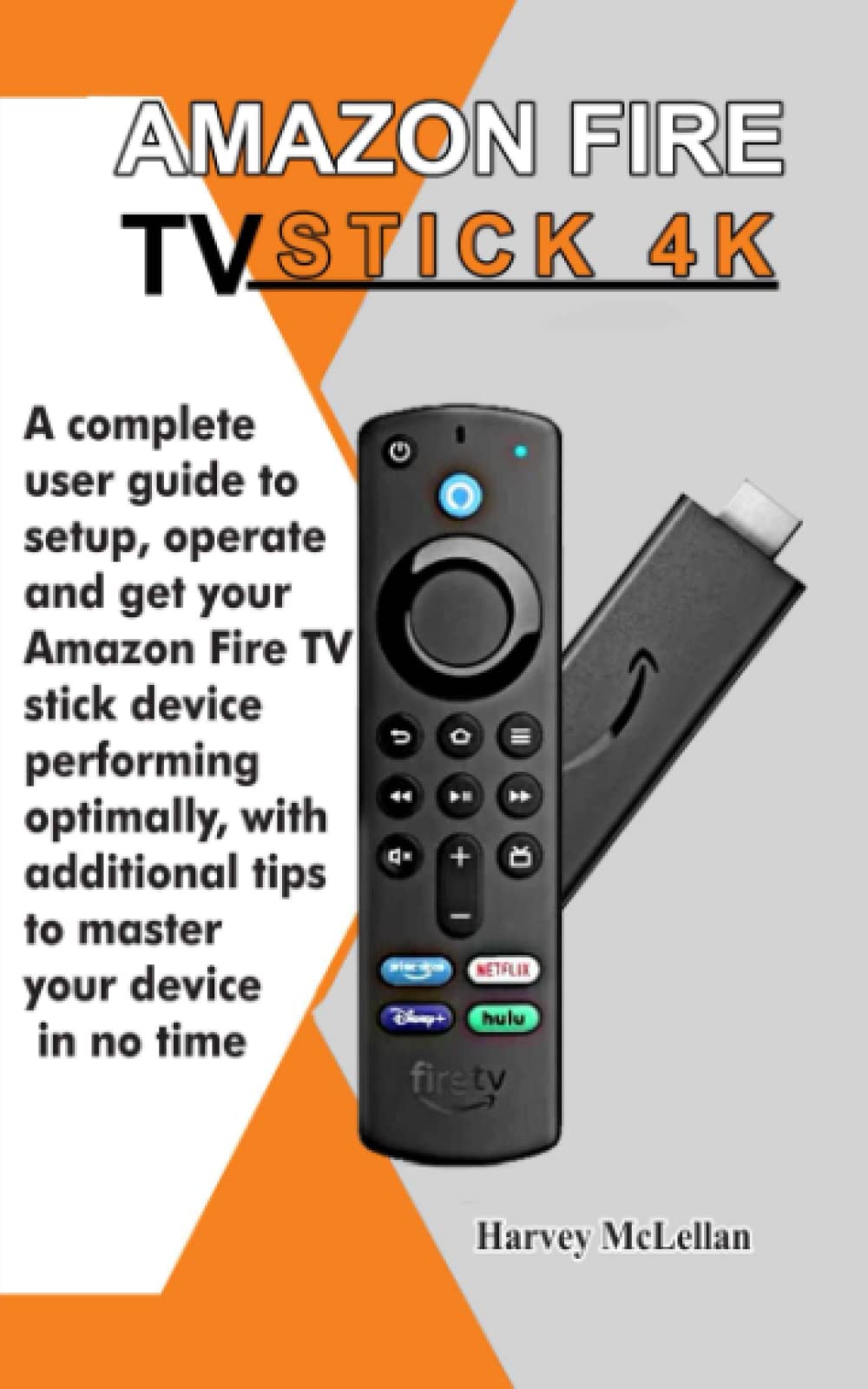
Image: The front cover of the user guide book, titled 'Amazon Fire TV Stick 4K: A Complete User Guide...'. This book provides detailed instructions for the Fire TV Stick 4K device.
1. Configuració i configuració inicial
Follow these steps to set up your Amazon Fire TV Stick 4K and prepare it for use.
- Connect the Fire TV Stick: Plug the Fire TV Stick 4K into an available HDMI port on your television. For optimal performance, connect the included power adapter to the Fire TV Stick and then to a power outlet.
- Engegar i seleccionar entrada: Turn on your TV and select the correct HDMI input source using your TV remote.
- Vincula el comandament a distància: Insert the included batteries into your Alexa Voice Remote. If the remote does not pair automatically, press and hold the Casa button for 10 seconds until the LED indicator flashes.
- Connexió de xarxa: Follow the on-screen instructions to connect your Fire TV Stick 4K to your Wi-Fi network. You will need your Wi-Fi password.
- Inici de sessió al compte d'Amazon: Log in with your Amazon account credentials. If you do not have an Amazon account, you will be prompted to create one.
- Actualitzacions de programari: The device may automatically download and install the latest software updates. This process can take several minutes.
- Configuració inicial: Customize settings such as language, time zone, and parental controls as prompted.
2. Operating Your Fire TV Stick 4K
This section covers the primary functions and features of your Fire TV Stick 4K.
2.1 Control de veu d'Alexa
Manteniu premut el botó Alexa button on your remote and speak into the microphone to issue commands. You can ask Alexa to:
- Cerca movies, TV shows, or actors.
- Launch applications (e.g., "Open Netflix").
- Control playback (e.g., "Pause", "Fast forward 30 seconds").
- Check weather, news, or sports scores.
- Controla els dispositius domèstics intel·ligents compatibles.
2.2 Gestió d'aplicacions
To add apps to your Fire TV home screen:
- Navegueu fins a Aplicacions section on the home screen or use Alexa voice command ("Alexa, open Appstore").
- Browse or search for desired applications.
- Select an app and choose Aconsegueix or Descarregar per instal·lar-lo.
- Installed apps will appear on your home screen. You can rearrange them by holding the Seleccioneu button on an app icon and choosing Mou-te.
2.3 Controls parentals
To set up parental controls:
- Vés a Configuració > Preferències > Controls parentals.
- Gira Controls parentals ON i crear un PIN.
- Configure restrictions for purchases, app launches, and content ratings.
2.4 4K Playback and Subtitles
- 4K Playback: Ensure your TV is 4K compatible and connected to an HDMI port that supports HDCP 2.2. The Fire TV Stick 4K will automatically detect and stream content in the highest available resolution.
- Activating Subtitles: During video playback, press the Menú button on your remote (three horizontal lines) to access playback options. Select Subtítols or Subtítols and choose your preferred language.
3. Manteniment i cura
Proper care ensures the longevity and optimal performance of your Fire TV Stick 4K.
- Neteja: Use a soft, dry, lint-free cloth to clean the device and remote. Do not use liquid cleaners or aerosols.
- Ventilació: Ensure the Fire TV Stick is not obstructed and has adequate airflow to prevent overheating.
- Actualitzacions de programari: Keep your device's software updated. Updates are typically automatic but can be manually checked via Configuració > El meu Fire TV > Sobre > Comproveu si hi ha actualitzacions.
- Emmagatzematge: Quan no l'utilitzeu durant períodes prolongats, guardeu el dispositiu en un lloc fresc i sec.
4. Resolució de problemes comuns
Here are solutions to common problems you might encounter.
4.1 Problemes de connexió a Internet
- Sense connexió Wi-Fi:
- Reinicieu el vostre encaminador i mòdem Wi-Fi.
- Vés a Configuració > Xarxa on your Fire TV Stick and select your network to re-enter the password.
- Ensure the Fire TV Stick is within range of your Wi-Fi router.
- Velocitat d'Internet lenta:
- Minimize other devices using your network.
- Consider moving your router closer to the Fire TV Stick or using a Wi-Fi extender.
- Comproveu la velocitat del vostre proveïdor de serveis d'Internet.
4.2 El comandament a distància no respon
- Substituïu les piles del comandament a distància.
- Unplug the Fire TV Stick from power for 30 seconds, then plug it back in.
- To re-pair the remote, hold the Casa botó durant 10 segons.
4.3 Sense imatge ni so
- Ensure the Fire TV Stick is securely plugged into the HDMI port and the power adapter is connected.
- Verify your TV is on the correct HDMI input.
- Prova un port HDMI diferent al teu televisor.
- Restart your Fire TV Stick by unplugging it for 30 seconds.
5. Guidebook Specifications
This section provides the publication details for the user guide from which this manual is derived.
| Característica | Detall |
|---|---|
| ASIN | B0B4HJSN3T |
| Editor | Publicat independentment |
| Data de publicació | 21 de juny de 2022 |
| Llengua | Anglès |
| Nombre de pàgines | 97 pàgines |
| ISBN-13 | 979-8837410789 |
| Pes de l'article | 118 g |
| Dimensions | 12.7 x 0.64 x 20.32 cm |

Image: Back cover of the user guide book, displaying the ISBN-13 barcode (979-8837410789) and other publication details.
6. Garantia i Suport
For detailed warranty information and customer support regarding your Amazon Fire TV Stick 4K device, please refer to the official Amazon website or the documentation included with your device. You can typically find support resources by visiting Assistència per a dispositius d'Amazon.
For further reading and advanced tips, consider the comprehensive guide available with ISBN 979-8837410789.


