
1. Producte acabatview
The Saramonic Blink 100 B1 is an ultra-portable and easy-to-use 2.4GHz wireless microphone system designed to deliver broadcast-quality sound. It is compatible with cameras, smartphones, tablets, and computers, making it versatile for various recording needs. This system features automatic pairing, selectable active noise cancellation, and a long battery life, ensuring clear audio capture in diverse environments.

Image: The Saramonic Blink 100 B1 system, showing the transmitter with a furry windscreen and the receiver unit.
2. Què hi ha a la caixa
The Saramonic Blink 100 B1 package includes the following components:
- 1 x Blink 100 B1 Transmitter (TX)
- 1 x Blink 100 B1 Receiver (RX)
- 1 x Furry Windscreen for Transmitter
- 1 cable de sortida TRS a TRS de 3.5 mm per a càmeres
- 1 x 3.5mm TRS to TRRS Output Cable for Mobile Devices
- 1 x cable de càrrega USB-C
- 1 x Malet per portar
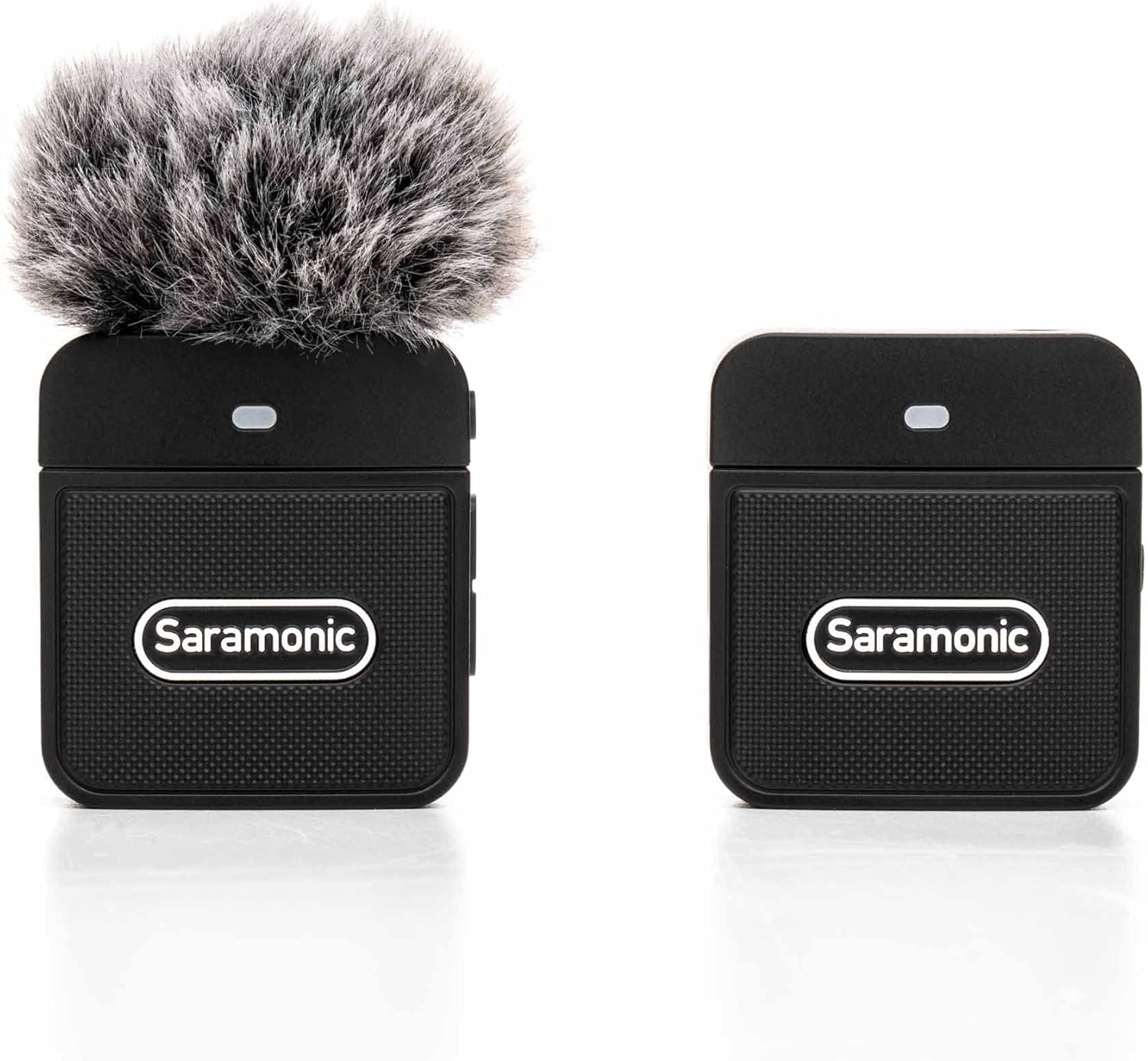
Image: All components included in the Saramonic Blink 100 B1 package, neatly arranged.
3. Components del producte
Familiarize yourself with the main components of your Blink 100 B1 system:
3.1 transmissor (TX)
- Built-in Omnidirectional Microphone: Capta so des de totes direccions.
- Botó d'encesa/silenciació: Press to power on/off, single press to mute/unmute.
- Botó de cancel·lació de soroll: Activates/deactivates active noise cancellation.
- Control de guany: Adjusts microphone input level.
- Llum indicador d'estat: Shows power, pairing, and noise cancellation status.
- Port de càrrega USB-C: Per carregar el transmissor.
3.2 Receptor (RX)
- Sortida d'àudio de 3.5 mm: Connects to cameras, smartphones, tablets, or computers.
- Botó d'encesa/emparellament: Press to power on/off, long press to initiate pairing.
- Llum indicador d'estat: Shows power, pairing, and connection status.
- Port de càrrega USB-C: For charging the receiver (if applicable) or pass-through charging for connected devices.
- Cold Shoe Mount/Belt Clip: For attaching to cameras or clothing.
4. Instruccions de configuració
4.1 Càrrega inicial
Before first use, fully charge both the transmitter and receiver using the provided USB-C charging cable. The status indicator light will show charging progress and turn solid when fully charged.
4.2 Engegada i emparellament
- Press and hold the Power button on both the Transmitter (TX) and Receiver (RX) until their indicator lights illuminate.
- The units will automatically attempt to pair. The indicator lights will blink during pairing and turn solid blue when successfully paired.
4.3 Connexió al dispositiu
The receiver is designed for versatile connectivity:
- Per a càmeres: Attach the receiver to your camera's cold shoe mount. Use the 3.5mm TRS to TRS cable to connect the receiver's audio output to your camera's microphone input.
- For Smartphones/Tablets/Computers: Use the 3.5mm TRS to TRRS cable to connect the receiver's audio output to your device's headphone/microphone jack. For devices without a 3.5mm port, a Lightning or USB-C adapter (not included) may be required.
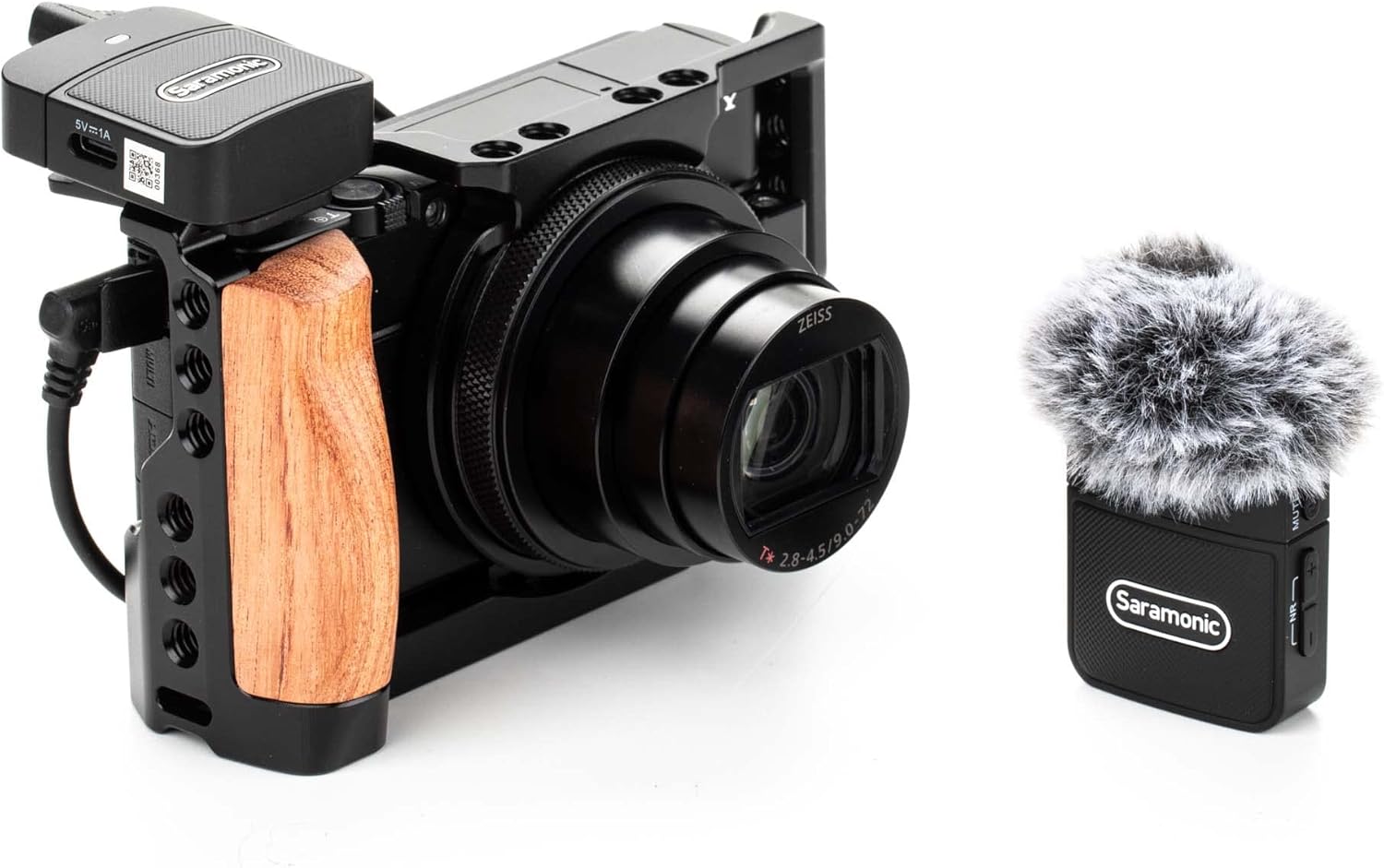
Image: The Saramonic Blink 100 B1 receiver mounted on a camera's cold shoe, connected via cable.

Image: The Saramonic Blink 100 B1 receiver connected to a smartphone via a coiled TRRS cable.
4.4 Attaching the Transmitter
The transmitter can be easily clipped onto clothing or placed on a flat surface:
- Clip-on: Use the integrated clip to attach the transmitter to your collar, lapel, or any suitable clothing item. Ensure the microphone is facing towards your mouth for optimal sound capture.
- Tabletop/Podium: The compact design allows the transmitter to be placed on a table or podium for interviews or presentations.

Image: A person wearing the Saramonic Blink 100 B1 transmitter clipped to their shirt, demonstrating its discreet placement.
5. Instruccions de funcionament
5.1 Enregistrament d'àudio
- Ensure both TX and RX units are powered on and successfully paired (solid blue indicator lights).
- Connect the RX to your recording device (camera, smartphone, etc.).
- Open your recording application (camera app, voice recorder, etc.) on your device.
- Adjust the microphone gain on the TX unit as needed.
- Comenceu a gravar.
5.2 Cancel·lació activa del soroll (ANC)
The transmitter features selectable Active Noise Cancellation for clearer audio in noisy environments:
- To activate ANC, press the Noise Cancellation button on the TX unit. The indicator light will change to green.
- To deactivate ANC and return to normal mode, press the Noise Cancellation button again. The indicator light will return to blue.
5.3 Silenciar el micròfon
To temporarily stop audio transmission without powering off the unit:
- Press the Power/Mute button on the TX unit once. The indicator light will blink slowly, indicating mute mode.
- Press the button again to unmute. The indicator light will return to solid blue (or green if ANC is active).
6. Manteniment
- Keep the units clean by wiping with a soft, dry cloth.
- Avoid exposing the devices to extreme temperatures, moisture, or direct sunlight.
- Store the system in its carrying pouch when not in use to prevent damage.
- Regularly charge the units to maintain battery health.
7. Solució De Problemes
- Sense so: Ensure all cables are securely connected, units are powered on and paired, and the microphone is not muted. Check your recording device's audio input settings.
- Mala qualitat d'àudio: Check for interference, activate Active Noise Cancellation in noisy environments, and ensure the transmitter is positioned correctly towards the sound source.
- Problemes d'aparellament: Power cycle both units. If issues persist, manually re-initiate pairing by long-pressing the pairing button on the RX unit.
- Durada de la bateria curta: Assegureu-vos que les unitats estiguin completament carregades abans d'utilitzar-les. El rendiment de la bateria pot degradar-se amb el temps amb un ús intensiu.
8. Especificacions
| Característica | Detall |
|---|---|
| Marca | Saramònic |
| Nom del model | Blink100B1 |
| Tecnologia de connectivitat | 2.4 GHz sense fils |
| Tipus de connector | 3.5mm TRS, 3.5mm TRRS, USB Type-C |
| Característica especial | Clip-on, Active Noise Cancellation |
| Dispositius compatibles | Camera, Smartphone, Tablet, Computer |
| Color | Negre |
| Patró polar | Omnidireccional |
| Pes de l'article | 0.33 lliures |
| Font d'alimentació | Funciona amb bateria (necessita 1 bateria de polímer de liti) |
| Ràtio senyal / soroll | 76 dB |
| Nombre de canals | 1 |
| Dimensions de l'article | 3.74 x 2.32 x 4.69 polzades |
9. Vídeo oficial del producte
Vídeo: Un funcionari ha acabatview of the Saramonic Blink 100 B1 & B2 Portable Clip-On Wireless Microphones, demonstrating features and ease of use.
10. Garantia i Suport
Aquest producte ve amb un 2 anys de garantia from the manufacturer, Saramonic.
For further support, product registration, or to explore other Saramonic products, please visit the Saramonic Store on Amazon.