
Lavaudio DS220
Lavaudio DS220 HiFi Bluetooth Receiver User Manual
Model: DS220 | Brand: Lavaudio
1. Introducció
This manual provides detailed instructions for the setup, operation, and maintenance of your Lavaudio DS220 HiFi Bluetooth Receiver. Please read this manual thoroughly before using the device to ensure proper functionality and to maximize your audio experience. The DS220 is designed to seamlessly integrate high-resolution Bluetooth audio into your existing home stereo system.
2. Informació de seguretat
- No exposeu el dispositiu a l'aigua ni a una humitat excessiva.
- Eviteu col·locar el dispositiu a prop de fonts de calor o sota la llum solar directa.
- Utilitzeu només l'adaptador d'alimentació i els cables subministrats.
- No intenteu desmuntar ni reparar el dispositiu vosaltres mateixos. Encarregueu tot el manteniment a personal qualificat.
- Assegureu-vos que hi hagi una ventilació adequada al voltant del dispositiu durant el funcionament.
3. Contingut del paquet
Verifiqueu que tots els elements que s'enumeren a continuació s'inclouen al vostre paquet:
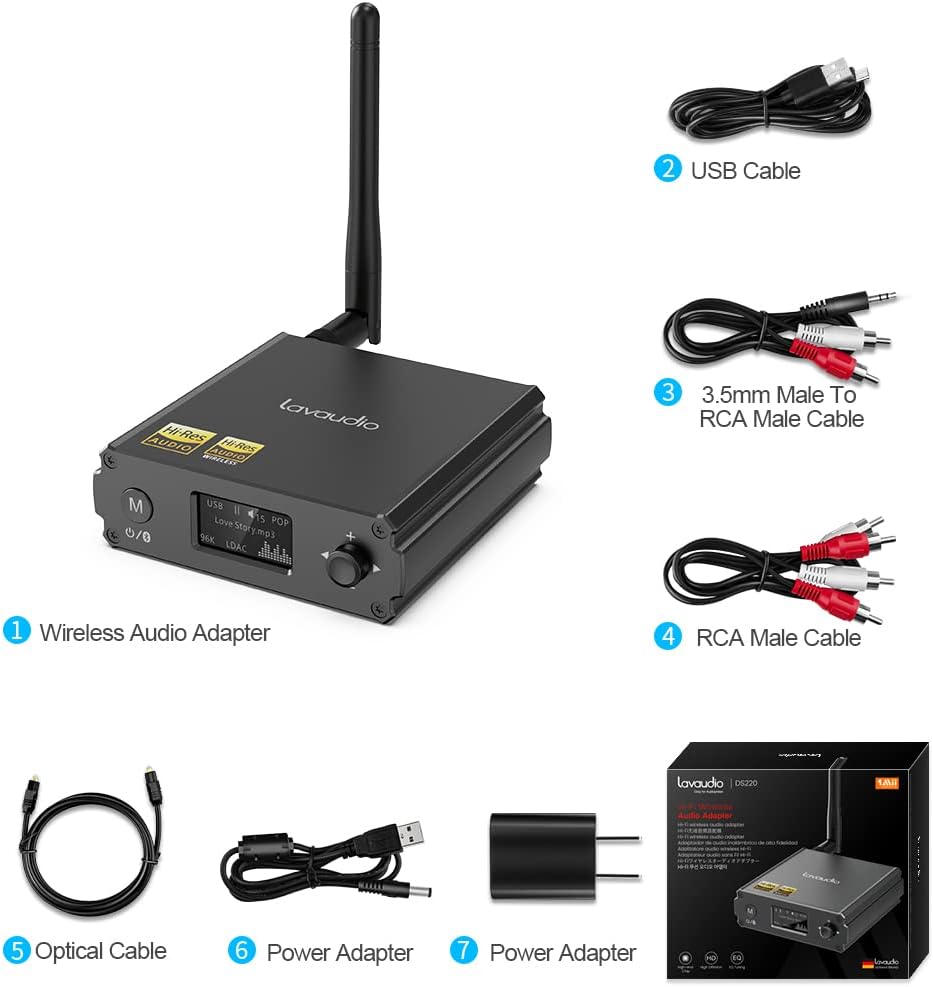
Image: Contents of the Lavaudio DS220 package, including the receiver, cables, and power adapter.
- Lavaudio DS220 HiFi Bluetooth Receiver x 1
- Cable de càrrega USB x 1
- 3.5mm Female to 2RCA Splitter Cable x 1
- 2RCA to 2RCA Stereo Audio Cable x 1
- Cable d'àudio òptic x 1
- Adaptador d'alimentació x 1
- Manual d'usuari x 1
4. Producte acabatview
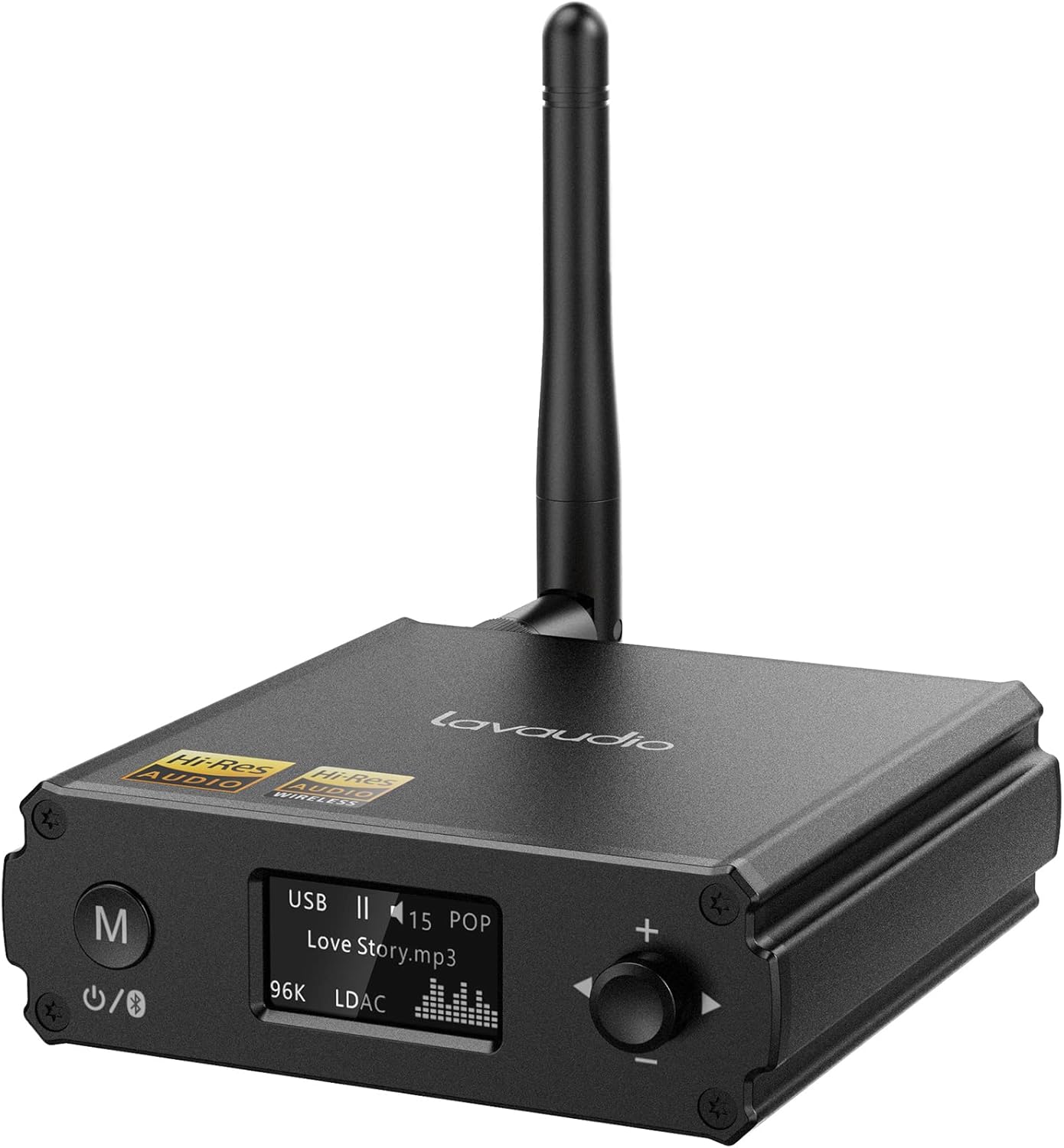
Imatge: Frontal view of the Lavaudio DS220 HiFi Bluetooth Receiver with its antenna.
4.1 Controls i pantalla del tauler frontal

Image: Close-up of the DS220's OLED display and control buttons.
- Botó M: Press and hold for 2 seconds to enter pairing mode. Press and hold for 4 seconds to power off. Press and hold for 10 seconds to perform a factory reset.
- Pantalla OLED: Shows current mode (USB, Bluetooth), track information, volume level, and EQ mode.
- Rotary Knob (+/-): Adjusts volume. Press to cycle through EQ modes.
4.2 Ports del panell posterior

Imatge: Part posterior view of the DS220 showing its various output and input ports.
- CC 5V: Port d'entrada d'alimentació.
- DESACTIVAR: Optical digital audio output.
- R-RCA OUT-L: Analog RCA stereo audio output.
- ENTRADA USB: USB Type-C input for connecting to a computer or other audio source.
5. Configuració
5.1 Engegada inicial
Connect the provided power adapter to the DC 5V port on the DS220 and plug it into a power outlet. The device will automatically power on and enter pairing mode for first-time use.
5.2 Connexió al sistema d'àudio
The DS220 offers flexible output options to connect to your amplifier or powered speakers:
- Using RCA Cables: Connect the 2RCA to 2RCA stereo audio cable from the R-RCA OUT-L ports on the DS220 to the corresponding RCA input ports (e.g., AUX IN) on your amplifier o altaveus alimentats.
- Using Optical Cable: Connect the optical audio cable from the OPT OUT port on the DS220 to the optical input port on your amplifier o DAC.
Assegureu-vos el vostre amplifier or audio system is set to the correct input mode (e.g., AUX, Optical) corresponding to your connection.
6. Instruccions de funcionament

Image: Step-by-step visual guide for connecting, pairing, playing, and adjusting EQ.
6.1 Bluetooth IN Mode

Image: Detailed guide for Bluetooth IN mode setup.
- Encès: Ensure the DS220 is powered on. For first-time use, it will automatically enter pairing mode, indicated by a quickly flashing Bluetooth icon on the OLED display.
- Enter Pairing Mode (if not first-time use): If the device is already connected or in standby, press and hold the 'M' button for 2 seconds until the Bluetooth icon flashes rapidly.
- Maridatge: On your smartphone, tablet, or other Bluetooth audio source, enable Bluetooth and search for available devices. Select "DS220" from the list to connect.
- Reproduir música: Once connected, the Bluetooth icon will stop flashing and remain solid. You can now play audio from your connected device through the DS220.
6.2 USB IN Mode

Image: Diagram illustrating USB IN mode setup.
To use the DS220 as a USB DAC:
- Connect the provided USB cable from your computer/laptop or other audio source device to the USB IN port on the DS220.
- Connect the DS220's RCA or Optical output to your amplifier o altaveus alimentats.
- The DS220 will automatically switch to USB audio mode. You can now play audio from your computer through the DS220.
6.3 EQ Mode and Volume Control
- Mode EQ: Press the rotary knob to cycle through various EQ modes such as Rock, Pop, Jazz, etc. The selected EQ mode will be displayed on the OLED screen. You can also adjust Bass and Treble settings within the EQ menu.
- Control de volum: Rotate the knob clockwise to increase volume and counter-clockwise to decrease volume.
7. Audio Quality and Codecs
The Lavaudio DS220 supports various high-definition audio codecs to ensure optimal sound quality:

Image: Comparison of audio bitrates for various codecs supported by the DS220.
- LDAC: Supports up to 24bit/96 kHz sampling rate with a bitrate of 990 kbps, offering high-resolution wireless audio.
- aptX HD: Supports up to 24bit/48 kHz sampling rate with a bitrate of 576 kbps, providing high-definition audio over Bluetooth.
- AAC: Supports up to 16bit/96 kHz sampling rate with a bitrate of 264 kbps.
- SBC: Supports up to 16bit/48 kHz sampling rate with a bitrate of 328 kbps, a standard Bluetooth audio codec.

Image: The DS220 integrated into a home stereo setup for high-definition audio.
The DS220 features a Qualcomm 5125 Bluetooth chip and an ESS ES9018K2M DAC chip for superior audio processing.
8. Solució De Problemes
Consulteu els següents problemes i solucions habituals:
- Q1: How to enter pairing mode?
- A: For first-time use, the Lavaudio DS220 automatically enters pairing mode after power-on. To manually enter pairing mode, press and hold the 'M' button for 2 seconds until the Bluetooth icon on the display flashes rapidly.
- Q2: What does it mean when the Bluetooth icon slowly flashes?
- A: A slowly flashing Bluetooth icon indicates that the DS220 is in standby mode.
- Q3: Why do I have a sound problem when connecting DS220 by optical output?
- A: If your device does not support a 96K sample rate, try switching LDAC off. This often resolves sound issues. To do this, find DS220 in your phone's Bluetooth list, click to open the drop-down list, and switch LDAC to off. Ensure you use a power adapter for power supply to eliminate ground loop noise.
9. Especificacions
| Marca | Lavaudio |
| Número de model | DS220 |
| Tecnologia de connectivitat | Bluetooth |
| Tipus de controlador | Control de botons |
| Dispositius compatibles | Ordinador personal, Smartphone |
| Mode de sortida d'àudio | estèreo |
| Configuració del canal de so envoltant | 2.0 |
| Potència de sortida | 5 watts |
| Nombre de canals | 2 |
| Pes de l'article | 12.6 unces |
| Dimensions del paquet | 5.63 x 4.92 x 2.4 polzades |
10. Manteniment
To ensure the longevity and optimal performance of your Lavaudio DS220, follow these maintenance guidelines:
- Neteja: Feu servir un drap suau i sec per netejar l'exterior del dispositiu. No utilitzeu netejadors líquids ni aerosols.
- Emmagatzematge: Quan no l'utilitzeu durant períodes prolongats, guardeu el dispositiu en un lloc fresc i sec, allunyat de la llum solar directa i de temperatures extremes.
- Manipulació: Manipuleu el dispositiu amb cura. Eviteu deixar-lo caure ni sotmetre'l a impactes forts.
11. Garantia i Suport
For warranty information and technical support, please refer to the official Lavaudio weblloc web o poseu-vos en contacte amb el seu servei d'atenció al client. Conserveu el rebut de compra com a comprovant de compra per a qualsevol reclamació de garantia.
Nota: No hi havia vídeos oficials de productes disponibles per incrustar segons les dades proporcionades.
Ask a question about this manual
Ask about setup, troubleshooting, compatibility, parts, safety, or missing instructions. Manuals+ will review the question and use this page’s manual context to help answer it.