
1. Introducció
Thank you for choosing the Roseland Boombox 20W TWS Bluetooth Speaker. This manual provides essential information for the safe and efficient operation of your device. Please read it thoroughly before use and retain it for future reference.
The Roseland Boombox 20W TWS Bluetooth Speaker delivers rich, powerful sound. Connect wirelessly via Bluetooth, or use AUX and USB inputs for versatile playback. Enjoy up to 5.5 hours of playtime on a single charge. The integrated color-changing light enhances your listening experience. This lightweight speaker features a convenient handle for portability and supports True Wireless Stereo (TWS) pairing for an expanded soundstage.
2. Contingut del paquet
Assegureu-vos que tots els elements siguin presents al paquet:
- Roseland Boombox 20W TWS Bluetooth Speaker
- Cable de càrrega USB-C
- Cable auxiliar (AUX).
- Manual d'instruccions (aquest document)
3. Característiques del producte
- Sortida d'àudio: 20W for powerful sound.
- True Wireless Stereo (TWS): Connect two speakers wirelessly for stereo sound.
- Connectivitat: Bluetooth, AUX Input, USB Port.
- Durada de la bateria: Fins a 5.5 hores de joc.
- Temps de càrrega: Aproximadament 2.5 hores.
- Il·luminació: Integrated color-changing light.
- Mètode de control: Controls tàctils.
- Portabilitat: Lightweight design with a convenient handle.
- Durabilitat: Construcció impermeable.
4. Controls i indicadors
The control panel is located on the rear of the speaker. Specific button functions are detailed below. (Refer to the image for visual reference).
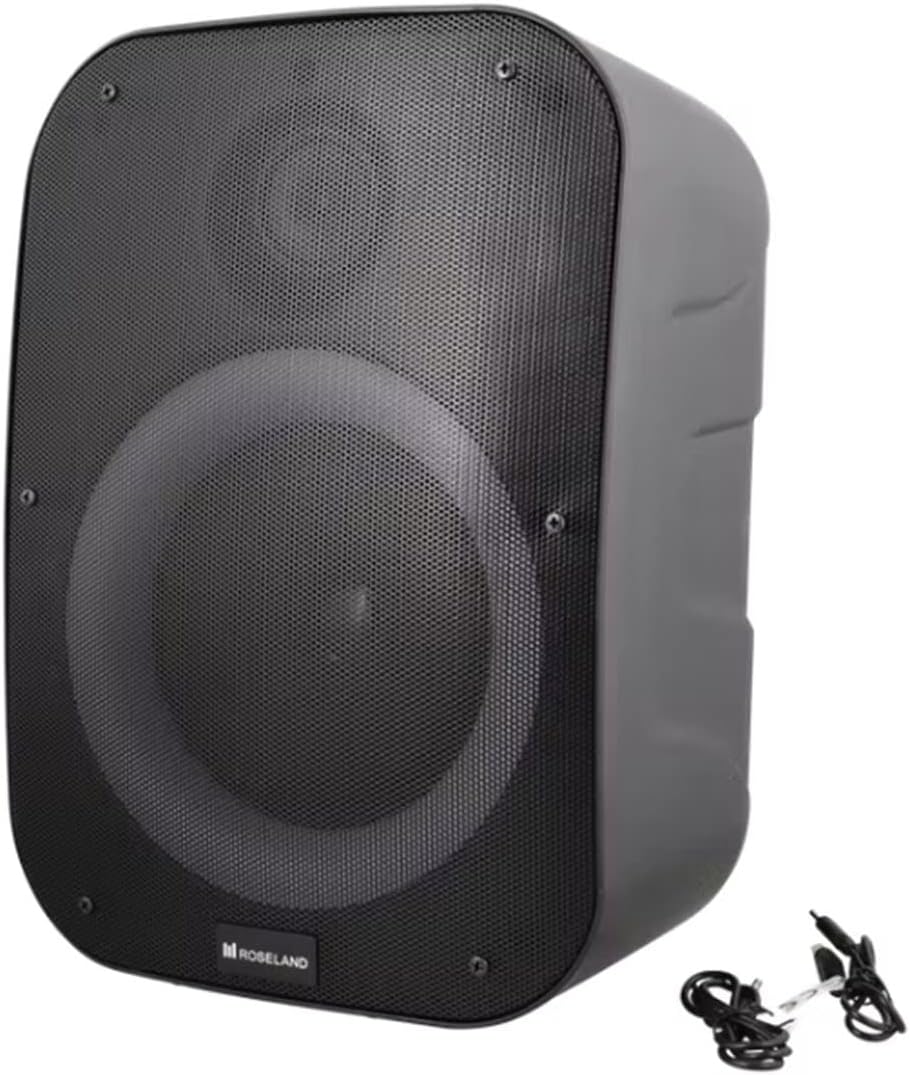
Imatge: Part posterior view of the Roseland Boombox, highlighting the control panel and integrated handle for portability.
- Botó d'encesa: Premeu i manteniu premut per encendre o apagar l'altaveu.
- Botó de mode (M): Press to switch between Bluetooth, AUX, and USB playback modes.
- Play/Pause Button (▶❚❚): Premeu per reproduir o posar en pausa l'àudio.
- Botó per baixar el volum / pista anterior (-): Premeu per baixar el volum. Mantingueu premut per anar a la pista anterior.
- Botó Pujar volum / Pista següent (+): Premeu per augmentar el volum. Mantingueu premut per anar a la pista següent.
- Botó del mode de llum: Press to cycle through different color-changing light modes or turn the lights off.
- TWS Pairing Button: Press to initiate True Wireless Stereo pairing (see Section 5.4).
- Port de càrrega (USB-C): Connect the USB-C cable for charging.
- Port d'entrada AUX: Connecteu un dispositiu d'àudio extern mitjançant el cable auxiliar.
- Port USB: Inseriu una unitat flash USB per reproduir àudio.
5. Configuració
5.1 Càrrega de l'altaveu
- Connect the supplied USB-C charging cable to the speaker's USB-C charging port.
- Connecteu l'altre extrem del cable USB-C a un adaptador de corrent USB compatible (no inclòs) o al port USB d'un ordinador.
- El llum indicador de càrrega s'il·luminarà, normalment en vermell, durant la càrrega. S'apagarà o canviarà de color (per exemple, blau) quan estigui completament carregat.
- Una càrrega completa triga aproximadament 2.5 hores.
5.2 Engegada/apagada
- Per encendre: Premeu i manteniu premut el botó d'engegada durant uns segons fins que sentiu un missatge audible o vegeu un indicador lluminós.
- Per apagar: Premeu i manteniu premut el botó d'engegada de nou durant uns segons fins que l'altaveu s'apagui.
5.3 Vinculació Bluetooth
- Ensure the speaker is powered on and in Bluetooth mode. If not, press the Mode Button (M) until you hear a "Bluetooth mode" prompt or see a flashing blue indicator light.
- Activeu el Bluetooth al vostre telèfon intel·ligent, tauleta o altre dispositiu compatible amb Bluetooth.
- Cerca "Roseland Boombox" in the list of available Bluetooth devices.
- Select "Roseland Boombox" to connect. Once connected, you will hear a confirmation sound, and the indicator light will become solid blue.
- L'altaveu intentarà tornar a connectar-se automàticament amb l'últim dispositiu emparellat quan s'engegui.
5.4 Emparellatge estèreo sense fil veritable (TWS)
TWS allows you to connect two Roseland Boombox speakers wirelessly for a stereo sound experience.
- Ensure both Roseland Boombox speakers are powered on and in Bluetooth mode, but not yet connected to any device.
- On one of the speakers (this will be the primary speaker), press the TWS Pairing Button. You will hear a prompt indicating it's searching for another speaker.
- Els dos altaveus es connectaran automàticament entre si. Sentireu un so de confirmació un cop l'emparellament TWS s'hagi realitzat correctament.
- Now, connect your Bluetooth device to the primary speaker (the one you pressed the TWS button on) as described in Section 5.3. The audio will now play in stereo through both speakers.
5.5 Connexió AUX
- Connect one end of the supplied AUX cable to the AUX Input Port on the speaker.
- Connect the other end of the AUX cable to the headphone jack or audio output of your external audio device.
- Press the Mode Button (M) on the speaker until you hear an "AUX mode" prompt.
- Control playback and volume directly from your connected audio device.
Reproducció USB 5.6
- Inseriu una unitat flash USB que contingui àudio MP3 files into the USB Port on the speaker.
- Press the Mode Button (M) on the speaker until you hear a "USB mode" prompt.
- L'altaveu començarà a reproduir àudio automàticament files de la unitat USB.
- Use the Play/Pause, Volume Up/Down, and Next/Previous Track buttons on the speaker to control playback.
6. Instruccions de funcionament
6.1 Reproducció de música
- Reproduir/pausa: Premeu el botó Reproduir/Pausa.
- Pista següent: Premeu i manteniu premut el botó de pujar el volum (+).
- Pista anterior: Premeu i manteniu premut el botó per baixar el volum (-).
- Ajust de volum: Press the Volume Up (+) or Volume Down (-) buttons to adjust the volume.
6.2 modes de llum
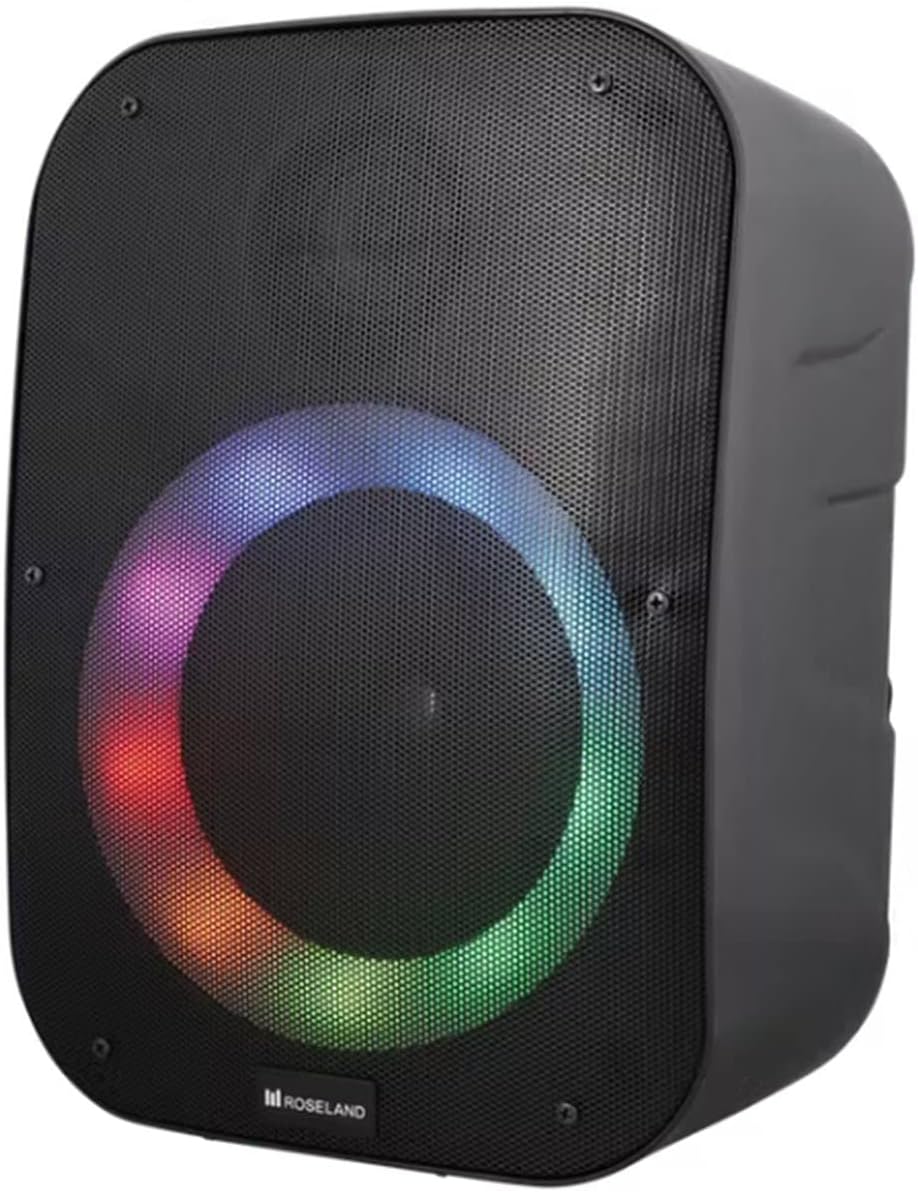
Imatge: Frontal view of the Roseland Boombox showcasing its dynamic color-changing light feature.
Press the Light Mode Button on the control panel to cycle through various color-changing light patterns. Continue pressing to find your preferred mode or to turn the lights off.
7. Manteniment
- Neteja: Feu servir un drap suau i sec per netejar la superfície de l'altaveu. No utilitzeu productes de neteja abrasius ni dissolvents.
- Emmagatzematge: Guardeu l'altaveu en un lloc fresc i sec, allunyat de la llum solar directa i de temperatures extremes quan no l'utilitzeu durant períodes prolongats.
- Cura de la bateria: To prolong battery life, fully charge the speaker before first use and recharge it at least once every three months if not used regularly.
8. Solució De Problemes
| Problema | Causa possible | Solució |
|---|---|---|
| L'altaveu no s'encén. | Bateria baixa. | Charge the speaker using the supplied USB-C cable. |
| Sense so. | Volum massa baix; mode incorrecte; dispositiu no connectat. | Increase volume; ensure correct mode (Bluetooth/AUX/USB); re-pair Bluetooth device or check AUX/USB connection. |
| L'aparellament de Bluetooth falla. | L'altaveu no està en mode d'emparellament; el dispositiu és massa lluny; interferències. | Ensure speaker is in Bluetooth pairing mode; move device closer; turn off other Bluetooth devices. |
| L'emparellament TWS falla. | Altaveus massa separats; un altaveu ja està emparellat amb un dispositiu. | Ensure both speakers are in TWS pairing mode and close to each other; disconnect any Bluetooth devices from both speakers before TWS pairing. |
9. Especificacions
| Característica | Detall |
|---|---|
| Nom del model | Roseland Boombox 20W TWS Bluetooth Speaker |
| Marca | Roseland |
| Potència de sortida dels altaveus | 20 watts |
| Tecnologia de connectivitat | Bluetooth, Auxiliary (AUX), USB |
| Comunicació sense fils | Bluetooth |
| Mode de sortida d'àudio | estèreo |
| Configuració del canal de so envoltant | 2.0 |
| Mètode de control | Toca |
| Font d'alimentació | Wireless (Rechargeable Battery) |
| Durada de la bateria | Fins a 5.5 hores |
| Temps de càrrega | Aproximadament 2.5 hores |
| Característiques especials | Bluetooth, USB Port, Color-changing Light, Waterproof |
| Ús recomanat | Per a telèfon intel·ligent o tauleta |
| Dispositius compatibles | Personal Computer, Television, Tablet, Smartphone, Laptop |
| Tipus de muntatge | Muntatge al terra |
| ASIN | B0B58VP4RH |
10. Informació de la garantia
This Roseland Boombox 20W TWS Bluetooth Speaker comes with a Garantia limitada del fabricant d'1 any des de la data de compra. Aquesta garantia cobreix els defectes de materials i fabricació en condicions d'ús normal. No cobreix els danys causats per mal ús, accidents, modificacions no autoritzades o causes externes.
For warranty claims or support, please contact your retailer or the manufacturer's customer service with your proof of purchase.
11. Informació de seguretat
- No exposeu l'altaveu a temperatures extremes, llum solar directa ni flames obertes.
- No desmunteu, repareu ni modifiqueu l'altaveu vosaltres mateixos. Això pot anul·lar la garantia i plantejar riscos per a la seguretat.
- Mantingueu l'altaveu lluny dels nens i de les mascotes.
- Use only the supplied charging cable. Using incompatible chargers may damage the device or cause fire.
- Eviteu escoltar a volums elevats durant períodes prolongats per evitar danys auditius.
- Although waterproof, avoid submerging the speaker in water for prolonged periods or exposing it to high-pressure water jets.