
1. Introducció
Thank you for choosing the Lamax X7.2 Action Camera. This manual provides essential information for the proper setup, operation, and maintenance of your device. Please read it carefully before use to ensure optimal performance and longevity of your camera.
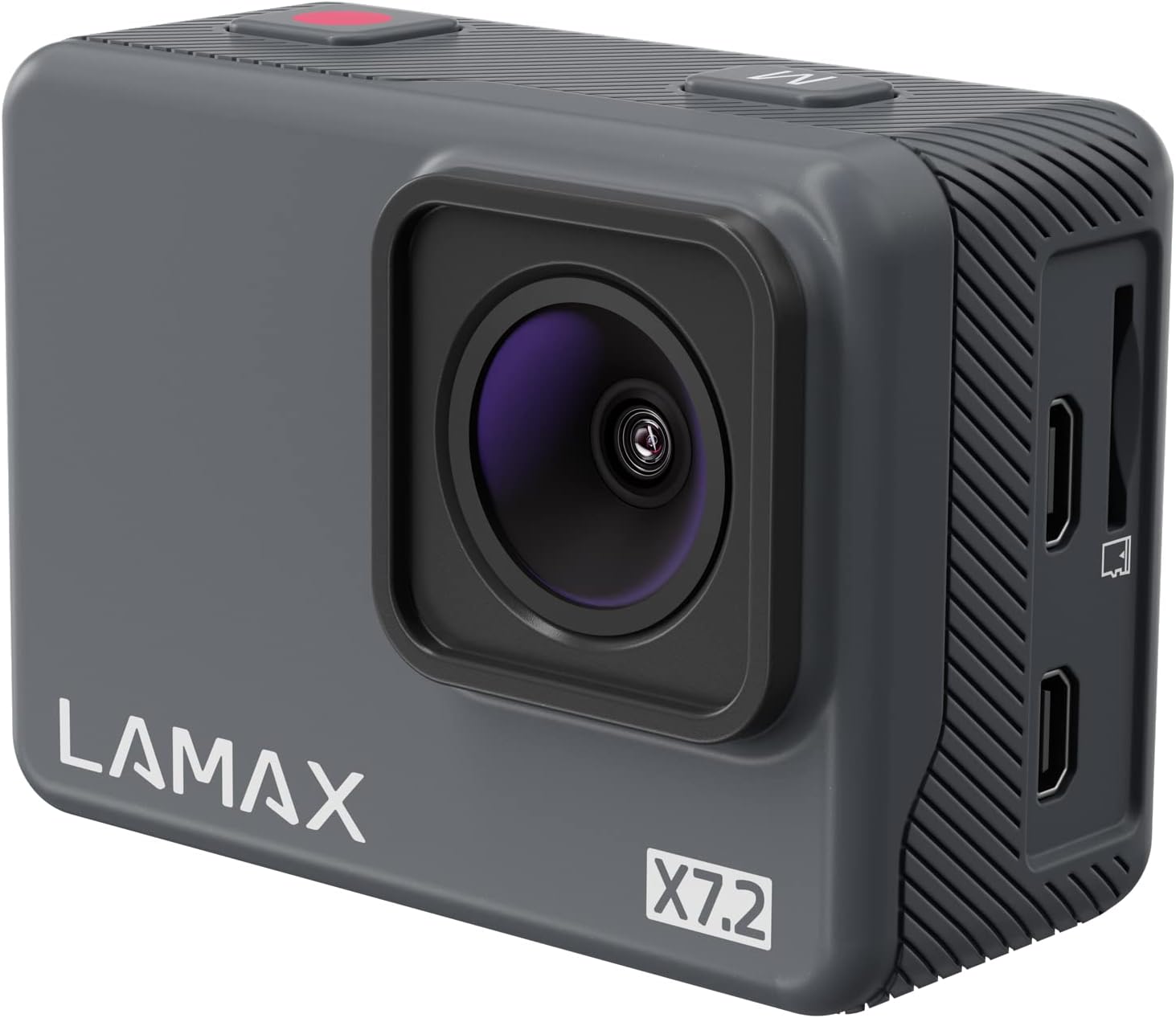
Imatge 1.1: Frontal view of the Lamax X7.2 Action Camera.
2. Contingut del paquet
The Lamax X7.2 Action Camera package includes the following items:
- Lamax X7.2 Action Camera
- Waterproof Protective Case (for use up to 40m depth)
- Frame for use without waterproof case
- Spare clip for waterproof case
- Bateria (ió de liti)
- 2x Adhesive Mounts (for smooth surfaces like helmets or car hoods)
- J-mount for quick insertion
- Bar Mount (for handlebars)
- 3-axis Mount (for flexible positioning)
- 2x 3M Stickers (for re-installing adhesive mounts)
- Adaptador de trípode
- Cable micro USB (per carregar)
- Microfiber Protective Bag (for cleaning screens and lenses)
- Instructions and Safety Guidelines
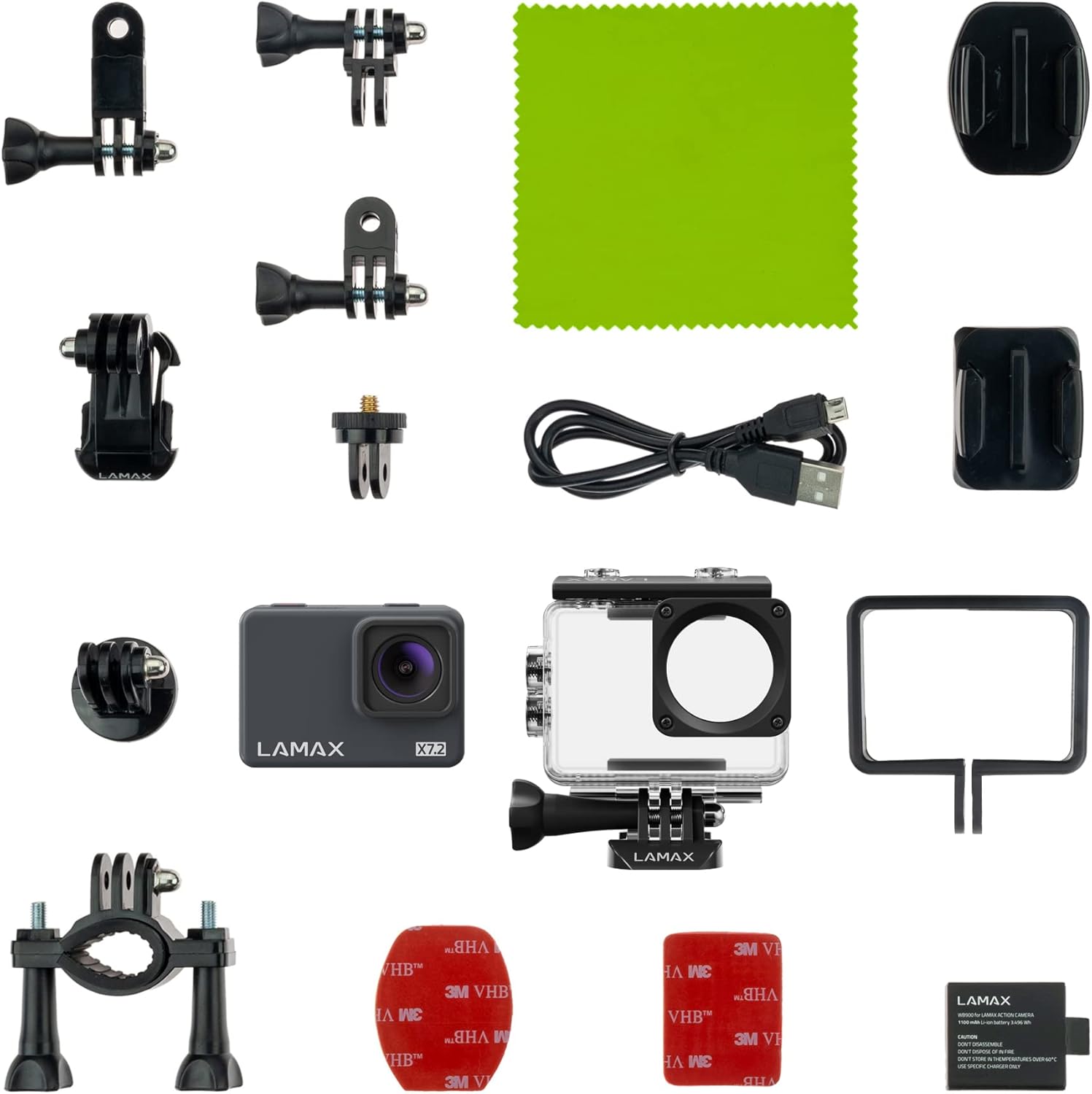
Imatge 2.1: acabatview of the 20 included accessories.
3. Càmera acabadaview
3.1. Components físics

Imatge 3.1: posterior view of the camera showing the 2-inch display and control buttons.
The Lamax X7.2 features a 2-inch bright display for easy viewing of recordings and menu navigation. Buttons are designed for quick access to functions.
3.2. Característiques clau
- True 4K Recording: Captures video at 30 frames per second for perfect detail and high video quality.
- MAXsmooth Stabilization: Advanced stabilization technology to compensate for blurry footage.
- càmera lenta: Record in Full HD at 2x slow motion or HD at 4x slow motion.
- Modes creatius: Includes Timelapse, Fast Motion, and Long Exposure video modes.
- Fotos de 16MP: Captura imatges fixes d'alta resolució.
- Connectivitat Wi-Fi: Easily transfer videos and photos to your mobile device wirelessly.
- External Microphone Port: Allows connection of an external microphone for enhanced audio quality.
- Llarga vida útil de la bateria: Up to 120 minutes of recording in Full HD on a single charge.
- 128GB Micro SD Support: Compatible with memory cards up to 128GB for ampl'emmagatzematge.

Image 3.2: Visual representation of key features including 4K, MAXsmooth stabilization, and Wi-Fi.
4. Configuració
4.1. Introducció de la bateria
- Localitzeu el compartiment de la bateria a la càmera.
- Obriu la coberta del compartiment.
- Insert the Lithium-ion battery, ensuring correct polarity.
- Tanqueu bé la tapa del compartiment de la bateria.
4.2. Inserció d'una targeta MicroSD
The Lamax X7.2 supports MicroSD cards up to 128GB. A high-speed card (Class 10 or higher, U3 recommended for 4K) is essential for optimal recording performance.
- Locate the MicroSD card slot, usually on the side of the camera.
- Insert the MicroSD card with the contacts facing the camera's front, until it clicks into place.
- Per treure-la, premeu suaument la targeta fins que surti.
4.3. Ús de la funda impermeable
The included waterproof case allows the camera to be used up to a depth of 40 meters. It protects the camera from water, dust, and impacts.
- Open the latch on the waterproof case.
- Carefully place the Lamax X7.2 camera inside the case.
- Close the latch firmly to ensure a watertight seal.
- Before first use in water, perform a test without the camera inside to ensure the case is sealed correctly.

Image 4.1: The Lamax X7.2 camera securely placed within its waterproof housing.
5. Funcionament de la càmera
5.1. Encendre/apagar
- Per encendre: Press and hold the Power/Mode button (usually on the front or top) for a few seconds until the screen illuminates.
- Per apagar: Press and hold the Power/Mode button again until the screen turns off.
5.2. Basic Recording and Photo Capture
- Canvi de modes: Press the Power/Mode button repeatedly to cycle through video, photo, and playback modes.
- Starting/Stopping Recording: In video mode, press the Shutter/OK button (usually on top) to start recording. Press it again to stop.
- Fent fotos: In photo mode, press the Shutter/OK button to capture a still image.
5.3. Funcions avançades
5.3.1. MAXsmooth Stabilization
The MAXsmooth stabilization feature is designed to reduce camera shake and produce smoother footage, especially during active use. This feature is automatically applied to your recordings.

Image 5.1: Visual comparison demonstrating the effectiveness of MAXsmooth stabilization.
5.3.2. Connectivitat Wi-Fi
Connect your Lamax X7.2 to your smartphone via Wi-Fi for remote control and easy file transferència.
- Download the official Lamax app from your smartphone's app store.
- On the camera, navigate to the Wi-Fi settings and enable Wi-Fi. The camera's Wi-Fi network name and password will be displayed.
- On your smartphone, connect to the camera's Wi-Fi network using the provided password.
- Open the Lamax app to control the camera, view viu footage, i transferència files.
5.3.3. Creative Video Modes
The camera offers various creative modes to enhance your recordings:
- càmera lenta: Capture fast-paced action in dramatic slow motion. Available at 2x in Full HD and 4x in HD resolution.
- timelapse: Record events over a long period and play them back in a condensed, fast-forwarded video.
- Llarga exposició: Ideal for capturing light trails or enhancing low-light photography.
6. Manteniment
6.1. Neteja
- Use the provided microfiber cloth to clean the camera lens and screen.
- Per a la brutícia persistent, lleugerament dampRenta el drap amb aigua. Evita productes químics agressius.
- Ensure the camera and waterproof case are dry before storage.
6.2. Emmagatzematge
- Guardeu la càmera en un lloc fresc i sec, allunyat de la llum solar directa.
- Traieu la bateria si la càmera no s'utilitzarà durant un període prolongat.
7. Solució De Problemes
If you encounter issues with your Lamax X7.2, refer to the following common problems and solutions:
| Problema | Causa possible | Solució |
|---|---|---|
| La càmera no s'encén | Low battery; Battery incorrectly inserted; Camera malfunction | Charge the battery; Reinsert battery correctly; Contact support |
| La gravació s'atura inesperadament | MicroSD card full; Slow MicroSD card; Battery low | Suprimeix files or replace card; Use a high-speed MicroSD card (U3); Charge battery |
| Poca qualitat de vídeo | Lens dirty; Incorrect resolution settings; Low light conditions | Clean the lens; Check video resolution settings; Ensure adequate lighting |
| Problemes de connexió Wi-Fi | Incorrect password; Out of range; App issues | Verify password; Move closer to camera; Restart app and camera |
8. Especificacions
| Característica | Especificació |
|---|---|
| Marca | Lamax |
| Model | X7.2 |
| Color | Negre |
| Mida de la pantalla | 2 polzades |
| Característiques especials | Waterproof (with case), Image Stabilization (MAXsmooth) |
| Distància focal | 28 - 42 mm |
| Abertura | f/2 |
| Tecnologia de connectivitat | Wi-Fi |
| Emmagatzematge compatible | Micro SD (fins a 128 GB) |
| Tipus de bateria | Ió de liti |
| Resolució de vídeo | 4K |
| Resolució de gravació de vídeo | 4K |
| Format de captura de vídeo | MP4 |
| Tecnologia del sensor fotogràfic | CMOS |
| Dimensions del producte (L x A x A) | 2.79 x 24.64 x 16.51 cm; 573 grams |
9. Garantia i Suport
For warranty information, technical support, or service inquiries, please refer to the official Lamax weblloc web o contacteu directament amb el seu servei d'atenció al client. Conserveu el comprovant de compra per a qualsevol reclamació de garantia.
Please note that information regarding spare parts availability and software updates was not available at the time of this manual's publication. For the most current information, please visit the manufacturer's official support channels.