
LAMAX X9.2
Manual d'usuari de la càmera d'acció LAMAX X9.2
Model: x9.2
Introducció
Thank you for choosing the LAMAX X9.2 Action Camera. This manual provides detailed instructions to help you set up, operate, and maintain your camera, ensuring you get the most out of its advanced features. Please read this manual thoroughly before use and keep it for future reference.
Què hi ha a la caixa
The LAMAX X9.2 comes with a comprehensive set of accessories to enhance your shooting experience. Please verify that all items listed below are included in your package:
- Càmera d'acció LAMAX X9.2
- Waterproof case (for use up to 40m depth)
- Comandament a distància
- Micròfon extern
- Frame for use without waterproof case
- Spare clip for waterproof case
- Battery (1 Lithium Ion, included)
- 2 × Self-adhesive mounts (for smooth surfaces like helmets, hoods)
- Fast Plug-in (for quick insertion into mount)
- J-mount (for quick locking with elevation)
- Bar mount (for attachment to handlebars, etc.)
- 3-axis connector (for attachment in any direction)
- 2 × 3M adhesive stickers (for repositioning self-adhesive mounts)
- Tripod adapter (for connecting camera to tripod housing)
- Tripod reduction (for connecting camera to accessory)
- Micro USB cable (for charging the camera)
- Estoig protector
- Microfiber cloth (for cleaning screens and lenses)
- Instructions and safety tips
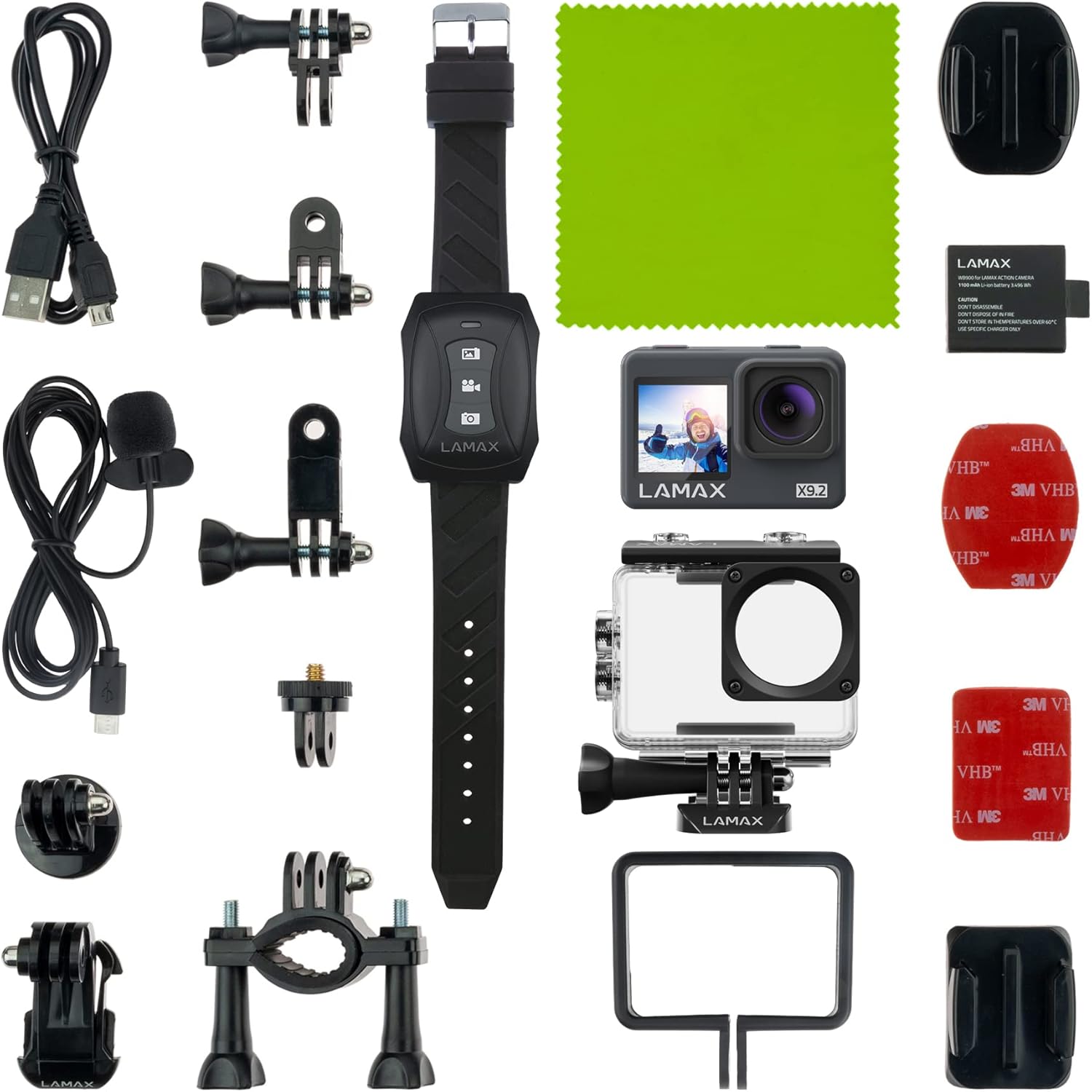
Imatge: Més deview of the LAMAX X9.2 Action Camera and its 22 included accessories, such as the waterproof case, remote control, external microphone, various mounts, and charging cable.
Producte acabatview
Familiarize yourself with the main components and controls of your LAMAX X9.2 Action Camera.
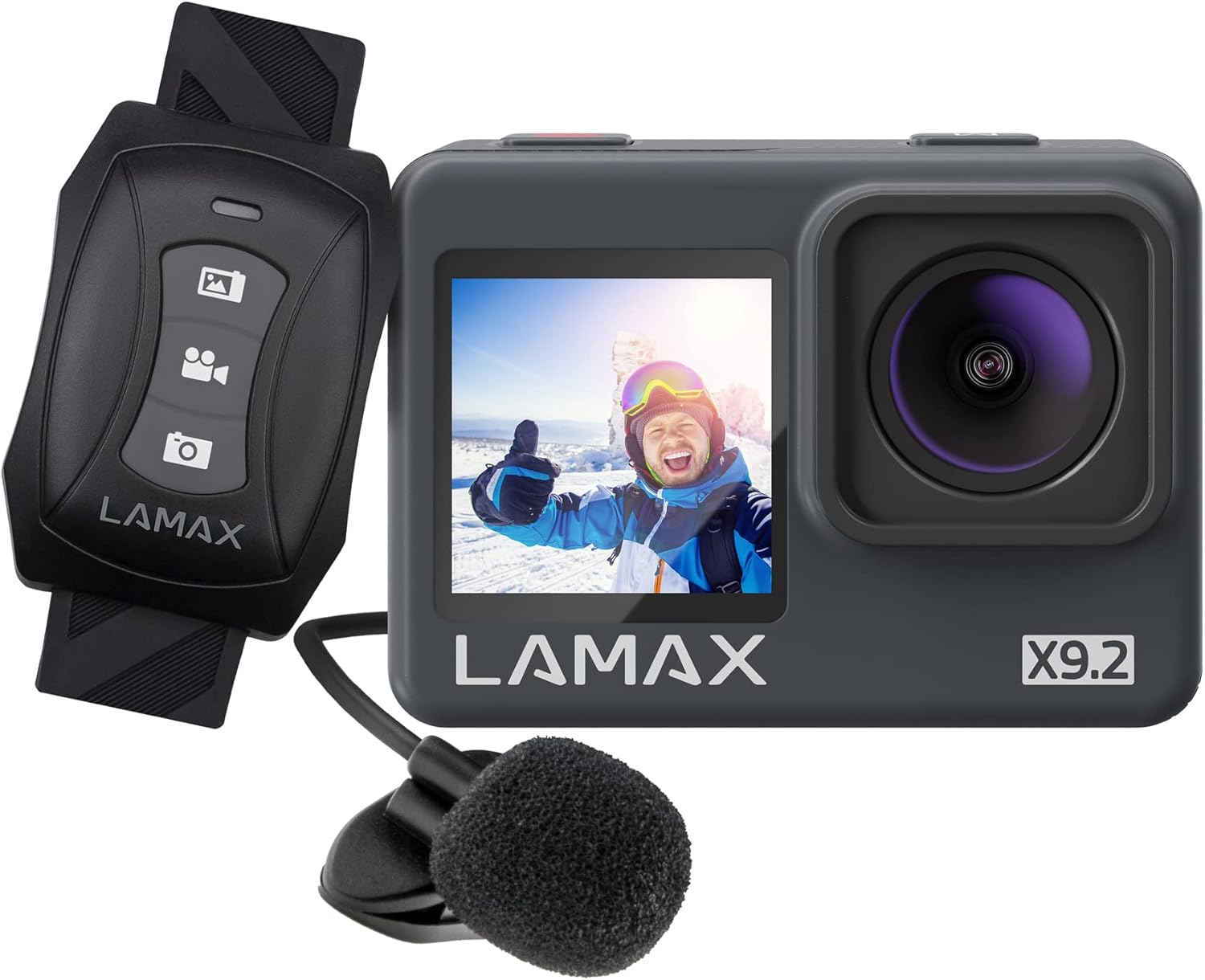
Image: The LAMAX X9.2 Action Camera, featuring its main body, a wrist-worn remote control, and an external microphone. The camera has a front display and a prominent lens.
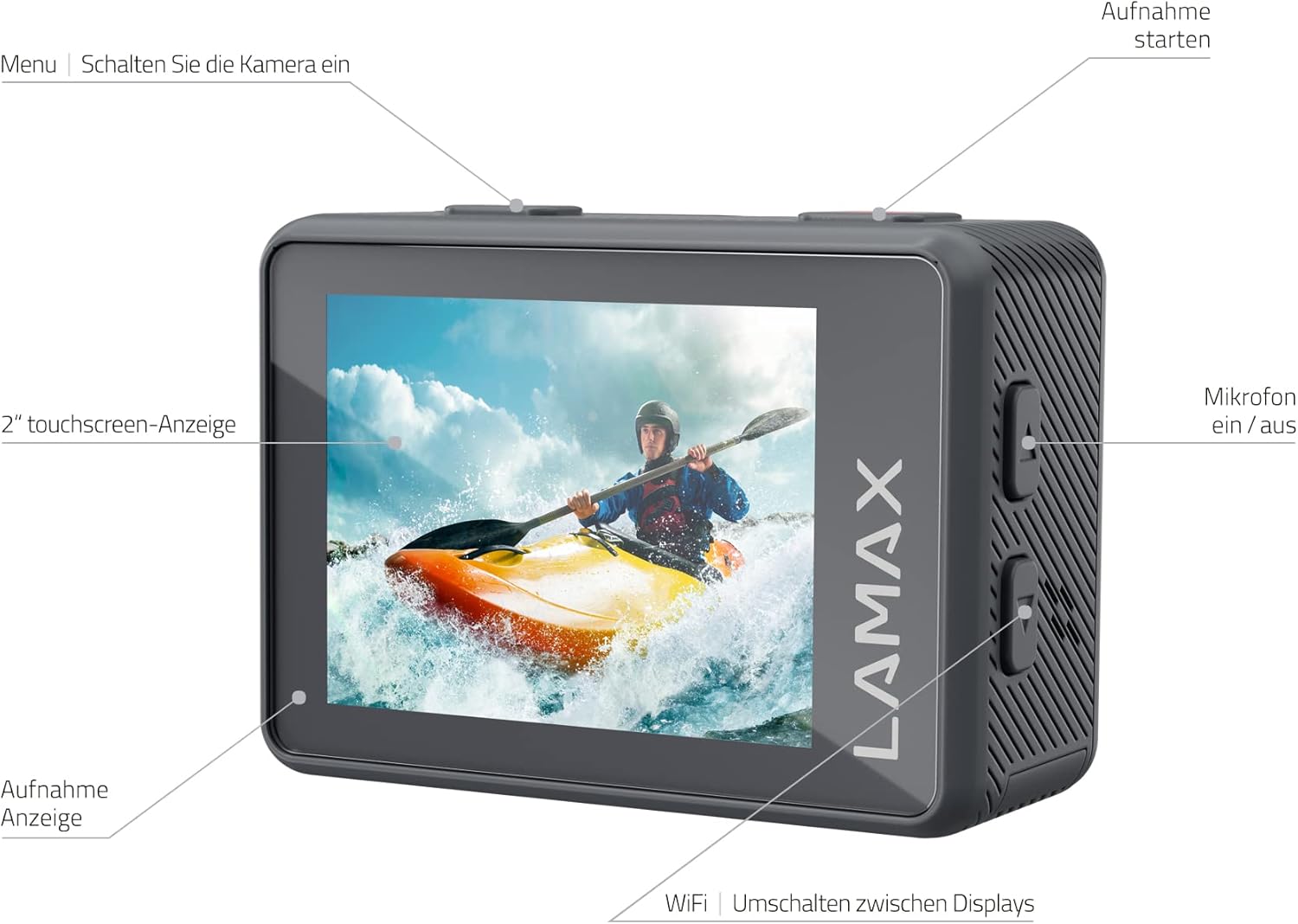
Image: A detailed diagram of the LAMAX X9.2 Action Camera's rear and side, highlighting key controls such as the Menu button, Record button, 2-inch touchscreen display, Recording indicator, Microphone On/Off button, and Wi-Fi/Display switch button.
Components clau:
- Lent: High-quality lens for capturing 4K video and 16MP photos.
- Front Display (1.3"): Ideal for selfies and vlogging, allowing you to frame yourself.
- Rear Touchscreen Display (2"): Per viewing footage, navigating menus, and adjusting settings.
- Botó d'alimentació / mode: Used to power the camera on/off and switch between modes.
- Botó de l'obturador/enregistrament: Initiates photo capture or video recording.
- External Microphone Port: For connecting the included external microphone for enhanced audio.
- Ranura per a targeta MicroSD: For inserting your memory card (MicroSD, not included).
- Port USB: Per a càrrega i transferència de dades.
Configuració
1. Instal·lació i càrrega de la bateria
- Obriu la tapa del compartiment de la bateria a la part inferior de la càmera.
- Inseriu la bateria de ions de liti inclosa, assegurant-vos de la polaritat correcta.
- Tanqueu bé la tapa del compartiment de la bateria.
- Connect the camera to a power source using the Micro USB cable to fully charge the battery before first use. The charging indicator will show the charging status.
2. Inserció de la targeta MicroSD
- Localitza la ranura per a targetes MicroSD al lateral de la càmera.
- Insert a compatible MicroSD card (Class 10 or higher, up to 128GB recommended) with the contacts facing the camera's front.
- Gently push the card until it clicks into place. To remove, push again until it springs out.
3. Ús de la funda impermeable
The included waterproof case allows the camera to be submerged up to 40 meters. Ensure the camera is securely placed inside the case and the latch is fully closed before entering water.

Image: The LAMAX X9.2 Action Camera securely enclosed within its transparent waterproof housing, ready for underwater use. The housing features buttons that align with the camera's controls.
4. Connecting the External Microphone
For improved audio quality, connect the external microphone to the designated port on the camera. This is particularly useful for vlogging or capturing clear dialogue.
5. Emparellament del control remot
The wrist-worn remote control allows for convenient operation. Refer to the remote control's specific instructions for pairing with your camera. Typically, this involves activating a pairing mode on both devices.
Funcionament de la càmera
Encès/Apagat
Manteniu premut el botó d'encesa/mode per encendre o apagar la càmera.
Basic Recording and Photo Capture
- Gravació de vídeo: In video mode, press the Shutter/Record button to start recording. Press again to stop. The camera supports 4K resolution at 60 frames per second (fps) and Full HD at 120 fps for slow-motion effects.
- Captura de fotos: In photo mode, press the Shutter/Record button to take a 16-megapixel photo.
MAXsmooth Stabilization
The LAMAX X9.2 features MAXsmooth stabilization to reduce blur and shakiness in your footage, even during dynamic activities. This feature is automatically applied to enhance video quality.

Image: A split image demonstrating the effect of MAXsmooth stabilization. The left side shows a blurry, shaky view from a moving vehicle (stabilization OFF), while the right side shows a clear, stable view of the same scene (stabilization ON).
Using Front and Rear Displays
- El 2-inch rear touchscreen is your primary interface for viewen viu footage, playing back recordings, and navigating camera settings.
- El 1.3-inch front display is designed for easy self-framing, making it perfect for vlogging and selfies. You can switch between displays using the dedicated button.

Image: A person is shown taking a selfie with the LAMAX X9.2 Action Camera, which is mounted on a selfie stick. The camera's front display is visible, showing the user's reflection, emphasizing its utility for self-portraits.
Touchscreen vs. Button Operation
The camera offers flexibility in control. Use the intuitive touchscreen for quick adjustments and playback. When the camera is in its protective case or if you are wearing gloves, the physical buttons provide reliable control for recording and navigating menus.
Transferència Wi-Fi
Utilize the built-in Wi-Fi function to easily transfer videos and photos to your smartphone. Connect your phone to the camera's Wi-Fi network and use the dedicated LAMAX app (if available) to manage your media.
Modes creatius
Explore various creative modes to enhance your content:
- timelapse: Capture changes over time by taking photos at set intervals and stitching them into a video.
- Càmera lenta: Record at high frame rates (e.g., Full HD 120fps) to slow down fast-paced action up to 8 times during playback.
- Llarga exposició: Capture stunning low-light scenes with extended shutter times.
- Mode de busseig: Optimizes color balance for underwater footage when using the waterproof case.
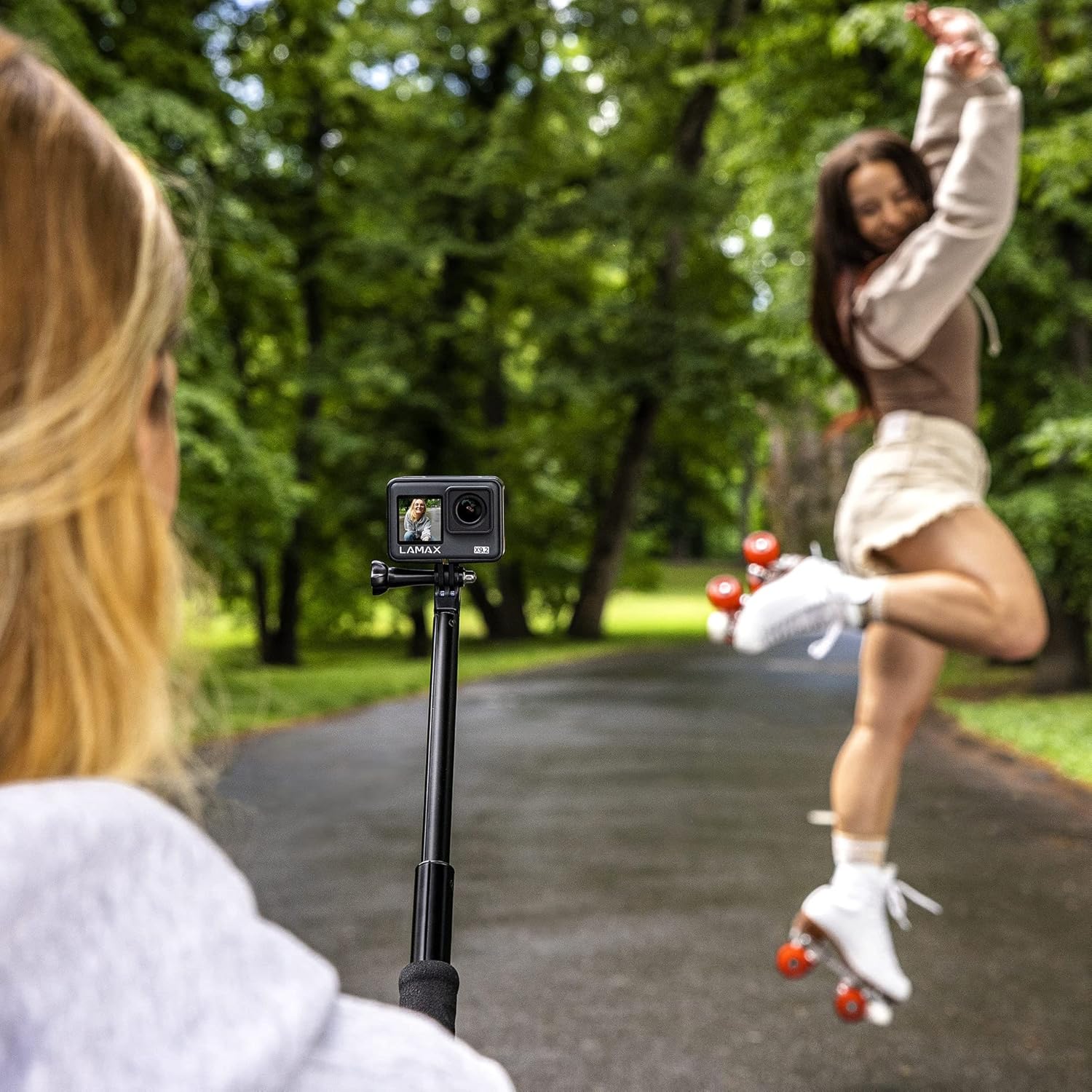
Image: One person is filming another person, who is on roller skates, using the LAMAX X9.2 Action Camera mounted on a selfie stick. The camera's compact size and versatility for capturing dynamic scenes are highlighted.
Manteniment
Neteja de la càmera
Use the provided microfiber cloth to gently clean the camera lens and displays. For stubborn smudges, slightly dampRenta el drap amb aigua. No utilitzeu productes químics agressius ni materials abrasius.
Cura de la bateria
- Guardeu les piles en un lloc fresc i sec quan no les utilitzeu.
- Eviteu exposar les piles a temperatures extremes.
- No desmunteu ni punxeu la bateria.
Emmagatzematge
When storing the camera for extended periods, remove the battery and keep the camera in its protective case in a dry, dust-free environment.
Resolució de problemes
If you encounter issues with your LAMAX X9.2 Action Camera, try the following steps:
- La càmera no s'encén: Assegureu-vos que la bateria estigui completament carregada i inserida correctament.
- Problemes de gravació: Check if the MicroSD card is inserted correctly and has sufficient free space. Ensure the card is Class 10 or higher.
- Poca qualitat de vídeo: Verify that you are recording in your desired resolution (e.g., 4K). Ensure the lens is clean.
- Problemes de connexió Wi-Fi: Restart both the camera and your smartphone. Ensure you are within range of the camera's Wi-Fi signal.
- El comandament a distància no funciona: Check the remote's battery and ensure it is properly paired with the camera.
If problems persist, consult the LAMAX support weblloc web o poseu-vos en contacte amb el servei d'atenció al client per obtenir més ajuda.
Especificacions
Below are the technical specifications for the LAMAX X9.2 Action Camera:
| Característica | Especificació |
|---|---|
| Número de model | X9.2 |
| Tecnologia del sensor fotogràfic | CMOS |
| Resolució de captura de vídeo | 4K (up to 60fps) |
| Distància focal màxima | 42 |
| Apertura màxima | 2 f |
| Tipus de memòria flash | MicroSD |
| Format de captura de vídeo | MOV |
| Format d'àudio compatible | AAC, MP3, PCM |
| Mida de la pantalla | 2 polzades (posterior), 1.3 polzades (davant) |
| Tecnologia de connectivitat | Wi-Fi |
| Bateria | 1 ió de liti (inclòs) |
| Dimensions del producte | 2.79 x 24.64 x 16.51 cm; 65 g |
| Resistència a l'aigua | Fins a 40 m (amb funda impermeable) |
Garantia i Suport
For warranty information and customer support, please refer to the documentation included with your product or visit the official LAMAX weblloc web. Conserveu el comprovant de compra per a qualsevol reclamació de garantia.
Ask a question about this manual
Ask about setup, troubleshooting, compatibility, parts, safety, or missing instructions. Manuals+ will review the question and use this page’s manual context to help answer it.