
Introducció
This manual provides comprehensive instructions for the ASHATA Mini Mechanical Keyboard. This device is a versatile 6-key programmable keypad featuring both wired USB and Bluetooth dual-mode connectivity, along with a multi-functional knob. It is designed for various applications including office tasks, gaming, music control, and media management.
Contingut del paquet
- 1 x ASHATA Mini Mechanical Keypad
- 1 x cable de dades USB
Producte acabatview
The ASHATA Mini Mechanical Keyboard features a compact design with six mechanical keys and a rotary knob. It supports both wired and wireless connections, offering flexibility for different setups.
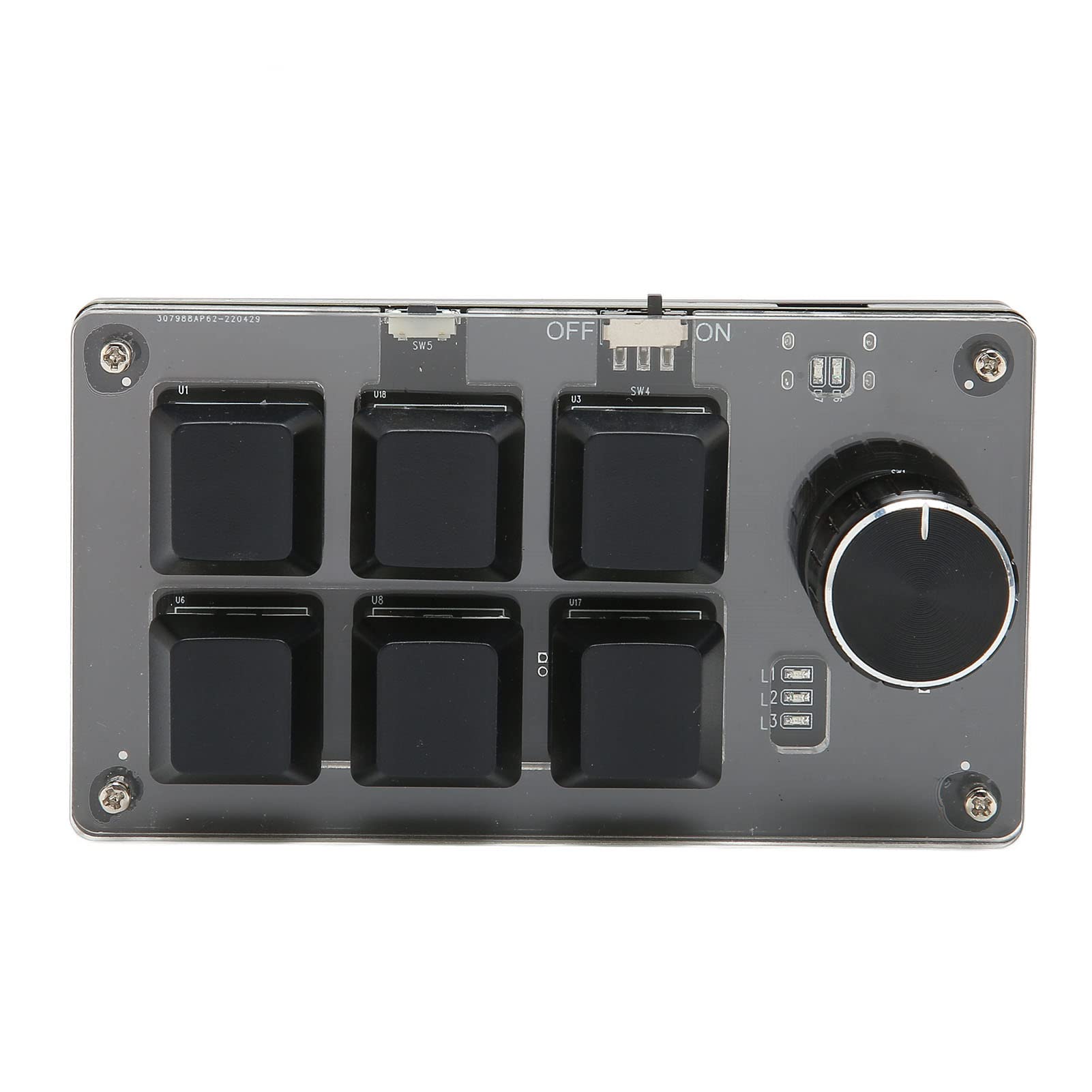
Figura 1: superior view of the ASHATA Mini Mechanical Keyboard. This image displays the six programmable keys, the rotary knob, and the power switch located at the top edge. The clear acrylic casing allows visibility of the internal components.

Figura 2: Angle view of the keypad, highlighting its compact size and the arrangement of the six keys and the knob. A person is visible in the background, demonstrating a typical use case with a computer setup.
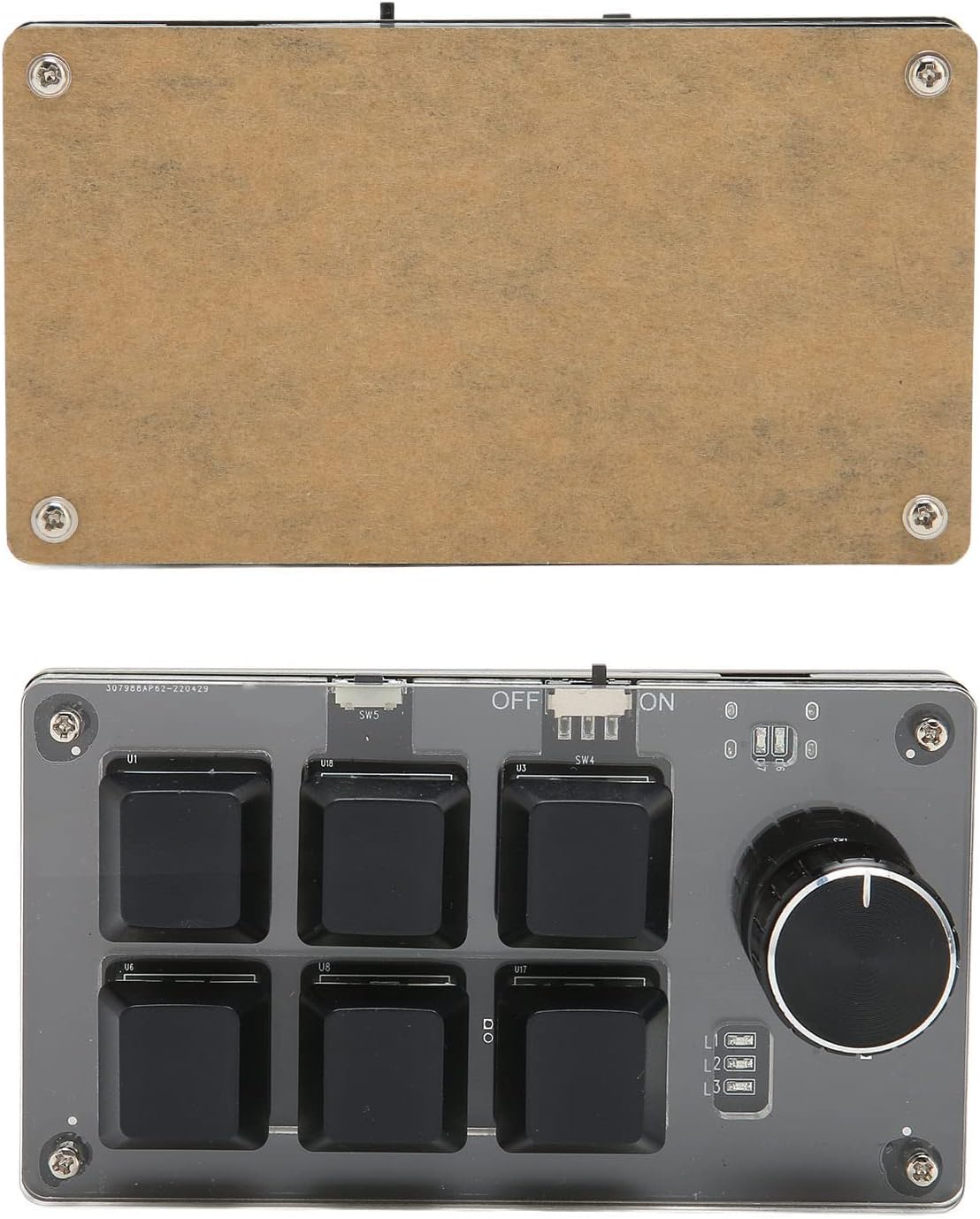
Figura 3: A baix view of the ASHATA Mini Mechanical Keyboard. This image shows the transparent acrylic base, revealing the circuit board and mechanical switch components underneath the keycaps.
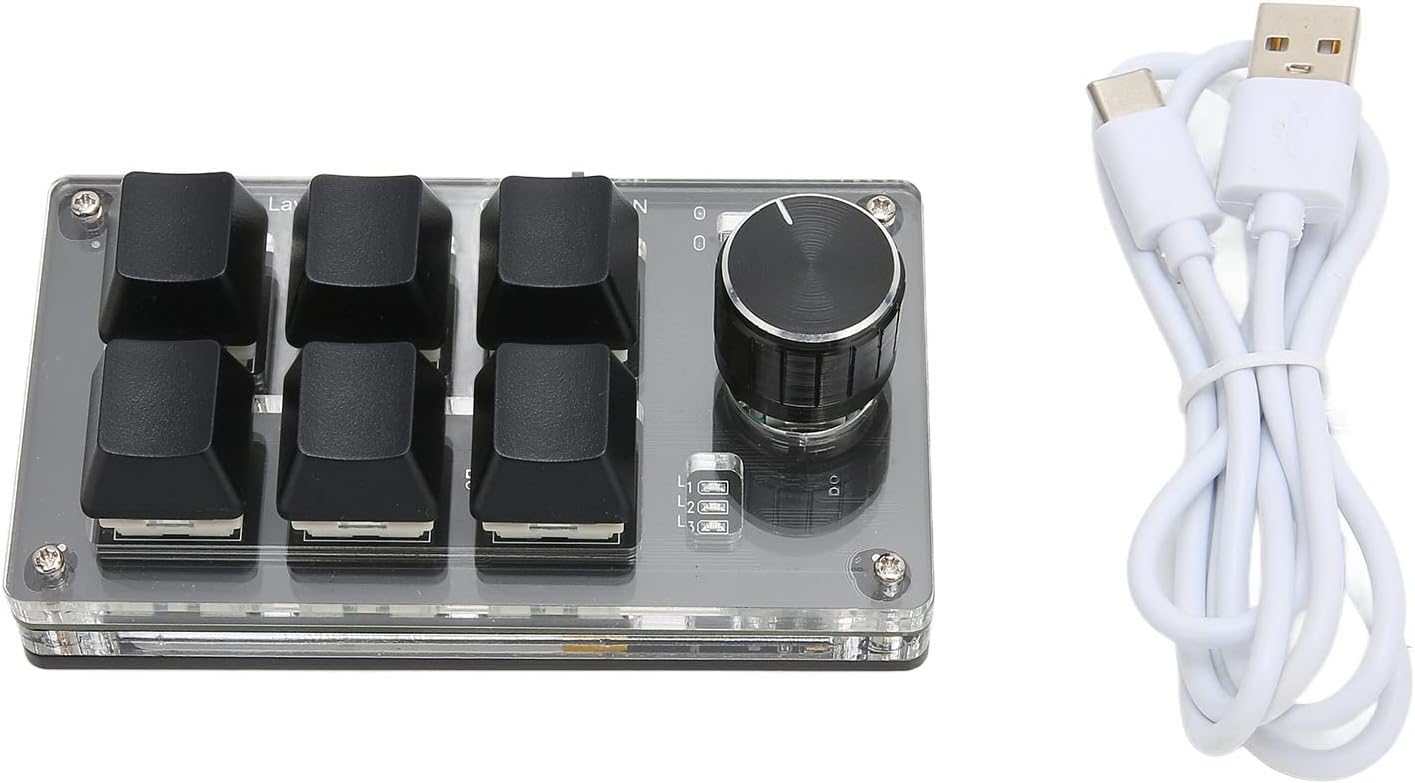
Figure 4: The ASHATA Mini Mechanical Keyboard displayed alongside its included white USB data cable, which is used for wired connection and charging.
Configuració
1. Connexió per cable
- Connect the provided USB data cable to the keypad's USB port.
- Connecteu l'altre extrem del cable USB a un port USB disponible de l'ordinador.
- The keypad will be recognized automatically by your operating system.
2. Connexió Bluetooth
- Ensure the keypad is charged. The device has a built-in 200mAh Lithium-Ion battery.
- Locate the power switch on the keypad and slide it to the "ON" position.
- Al vostre ordinador o dispositiu, aneu a la configuració de Bluetooth.
- Cerca available Bluetooth devices and select "ASHATA Mini Keyboard" (or similar name) from the list.
- Seguiu les indicacions de la pantalla per completar el procés de vinculació.
Instruccions de funcionament
1. Programació de tecles
All six mechanical keys on the keypad are fully programmable. This allows you to assign any standard keyboard function or complex shortcut key combination to each key. Refer to the specific programming software (not included, typically provided by the manufacturer or available for download) for detailed instructions on how to customize key assignments.
2. Knob Functionality
The rotary knob on the keypad is multi-functional. It can be rotated clockwise or counter-clockwise, and it can also be pressed like a button. The knob's functions are programmable and can be customized for various actions such as:
- Control de volum (girar)
- Zoom in/out (rotate)
- Media playback control (e.g., play/pause, next/previous track) (press or rotate)
- Scrolling (rotate)
- Any other custom function assigned via programming software.
Manteniment
- Neteja: Use a soft, dry cloth to clean the keypad's surface. Avoid using harsh chemicals or abrasive materials.
- Emmagatzematge: Store the keypad in a cool, dry place away from direct sunlight and extreme temperatures.
- Cura de la bateria: For optimal battery life, avoid fully discharging the keypad frequently. Charge the device regularly, especially if it will be stored for an extended period.
Resolució de problemes
| Problema | Causa possible | Solució |
|---|---|---|
| El teclat no respon (amb cable) | Loose USB connection, faulty cable, or driver issue. | Assegureu-vos que el cable USB estigui connectat correctament. Proveu un port o cable USB diferent. Reinicieu l'ordinador. |
| El teclat no respon (Bluetooth) | Keypad is off, low battery, not paired, or out of range. | Turn on the keypad. Charge the battery. Re-pair the device via Bluetooth settings. Ensure keypad is within Bluetooth range. |
| Keys not performing assigned functions | Incorrect programming or software issue. | Verify key assignments using the programming software. Ensure the software is running correctly. |
Especificacions
| Característica | Detall |
|---|---|
| Tipus d'element | Mechanical Gaming Keypad |
| Material | Acrílic |
| Tipus de clau | Teclat mecànic de 6 tecles |
| Pom | 1 x Knob (programmable, pressable) |
| Connectivitat | Wired USB, Bluetooth Dual Mode |
| Tipus de bateria | Built-in 200mAh Lithium-Ion Battery |
| Dispositius compatibles | Computer Universal (Laptop) |
| Característiques especials | Programmable keys, Multi-function knob, Dual mode connection |
Recursos de vídeo
The following video provides a brief overview of the ASHATA Mini Mechanical Keyboard.
Vídeo 1: Un over curtview of the ASHATA Mini Mechanical Keyboard, demonstrating its features and compact design. This video is provided by the seller, Archuus.
Garantia i Suport
For warranty information, technical support, or service inquiries, please contact ASHATA customer support or refer to the official ASHATA weblloc. Conserveu el rebut de compra per a reclamacions de garantia.