
arboleaf CS20H
arboleaf Smart Scale User Manual
Model: CS20H
Your guide to comprehensive body composition analysis.
Producte acabatview
The arboleaf Smart Scale is a digital bathroom scale designed to provide a full body composition analysis. Beyond just weight, it measures 13 additional body metrics, offering a comprehensive view of your health. Data is seamlessly synced to the arboleaf app via Bluetooth, allowing for easy tracking and progress monitoring.

Image: The arboleaf Smart Scale in dark black, displaying a weight reading. Alongside it, a smartphone and smartwatch show the connected arboleaf app interface, illustrating body composition data and tracking features.
Video: An official arboleaf video demonstrating the features of the Digital Scale, highlighting its WiFi and Bluetooth connectivity for smart body composition analysis.
Guia de configuració
1. Desembalatge i instal·lació de la bateria
Carefully remove the scale from its packaging. The arboleaf Smart Scale (Model CS20H) requires 1 AAA battery, which is included. Locate the battery compartment on the underside of the scale.
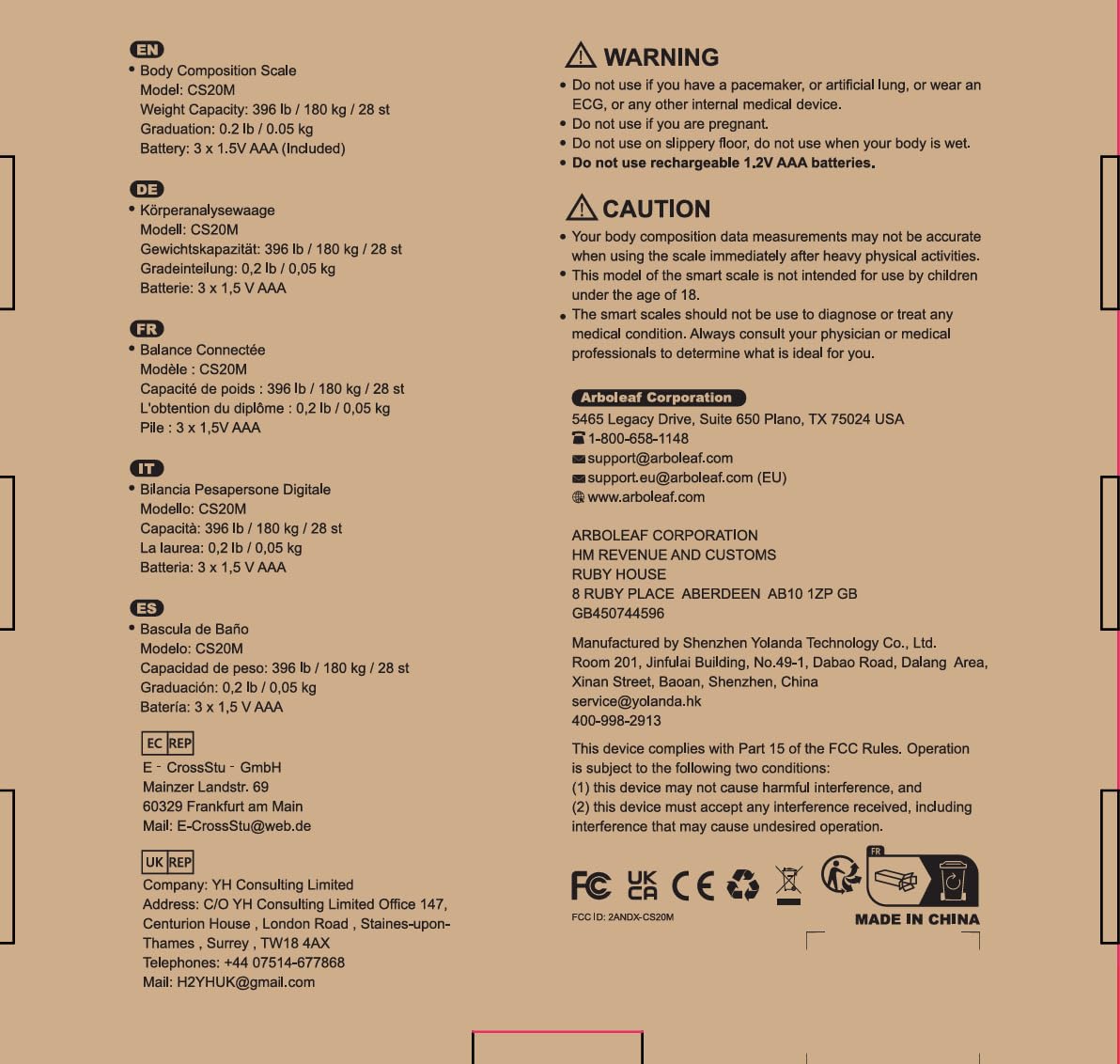
Image: The underside of the arboleaf Smart Scale, revealing the battery compartment. This model uses 1 AAA battery.
2. Descàrrega i emparellament de l'aplicació
To unlock the full potential of your arboleaf Smart Scale, download the free arboleaf app on your smartphone. The app is available on both the App Store (for iOS devices) and Google Play (for Android devices).

Image: A smartphone displaying the arboleaf app download page, with icons for Apple Health, Google Fit, and Fitbit, indicating seamless integration with popular fitness applications.
Once downloaded, open the arboleaf app and follow the on-screen instructions to create your profile and pair the scale via Bluetooth. Ensure Bluetooth is enabled on your device.
3. Col·locació de l'escala
For accurate measurements, place the arboleaf Smart Scale on a hard, flat surface. Avoid carpets or uneven flooring, as this can affect the precision of the readings.

Image: A visual guide illustrating the recommended placement of the scale on a hard, flat floor for optimal accuracy.
Instruccions de funcionament
Prendre una mesura
Step onto the scale barefoot. The scale will automatically turn on and display your weight. Within a few seconds, it will transmit your full body composition data to the arboleaf app on your paired smartphone.

Image: Multiple smartphone screens displaying the arboleaf app's user interface, showcasing smart measurement capabilities and detailed body composition data.
Understanding Your Body Composition Data
The arboleaf Smart Scale provides 14 essential body composition measurements, offering deep insights into your health and fitness journey. These metrics are displayed in an organized manner within the app.
- Pes: Your current body mass.
- IMC (índex de massa corporal): Una mesura del greix corporal basada en l'alçada i el pes.
- Body Fat Percent: La proporció de greix respecte al pes corporal total.
- Massa muscular: El pes total de la massa muscular del teu cos.
- Fat-free Body Weight: Your total body weight minus body fat.
- Greix subcutani: Greix emmagatzemat directament sota la pell.
- Tipus de cos: Classification based on body composition.
- Greix visceral: Greix emmagatzemat al voltant dels òrgans interns.
- Aigua corporal: The total amount of fluid in your body.
- Múscul esquelètic: The muscles attached to bones that are used for movement.
- Proteïna: El percentatgetage de proteïnes al teu cos.
- BMR (taxa metabòlica basal): The number of calories your body needs to function at rest.
- Edat metabòlica: Compares your BMR to the average BMR for your age group.
- Massa òssia: El pes total dels ossos del teu cos.

Image: An infographic detailing the 14 essential body composition measurements provided by the arboleaf Smart Scale, including Weight, BMI, Body Fat, and more.
Tracking Your Progress
The arboleaf app allows you to set goals and track your progress over time. You can view your data in weekly, monthly, or yearly graphs, providing a clear visual representation of your health trends.

Image: A woman tracking her weight, body fat, and BMI progress over time using the arboleaf app, which displays data in clear graphical formats.
Suport multiusuari
The arboleaf app supports adding multiple custom profiles and automatically recognizes unlimited users. This feature makes it ideal for families or weight loss groups, ensuring each individual's data is assigned correctly.

Image: A family interacting with the arboleaf app, demonstrating its ability to manage multiple user profiles and automatically recognize individuals for personalized tracking.
Manteniment
Neteja de l'escala
To clean your arboleaf Smart Scale, use a soft, damp cloth. Avoid abrasive cleaners or harsh chemicals, as these can damage the scale's surface. Ensure the scale is dry before storage or next use.
Canvi de bateria
When the scale display shows 'Lo', it indicates low battery. Replace the 1 AAA battery located in the compartment on the underside of the scale. Ensure correct polarity when inserting new batteries.
Resolució de problemes
If you encounter any issues with your arboleaf Smart Scale, refer to the common error messages and solutions below.
| Mostra el codi | Significat | Solució |
|---|---|---|
| Lo | Bateria baixa | Substituïu la bateria AAA. |
| Err1 | Mesura inestable | Ensure the scale is on a hard, flat surface and you are standing still. |
| Err2 | Zeroing Failure | Step off the scale, wait for it to reset to 0.0, then step on again. |
| CAL | Calibrant | Espereu que finalitzi el procés de calibratge. |

Image: Visual representation of common error codes (Lo, Err1, Err2) that may appear on the scale's display, indicating low battery, unstable measurement, or zeroing failure.
Especificacions
- Dimensions del producte: 10.6 x 10.6 x 1.5 polzades
- Número de model de l'article: CS20H
- Pes: 2.2 lliures
- Bateries: Necessita 1 bateria AAA (inclosa)
- Fabricant: fulla d'arbre
- ASIN: B0B5ZZR2RB
- Usos recomanats: Adults
- Característiques especials: Backlit Display, Body Fat, Bone Mass, Auto Shut Off, Smart
- Tipus de visualització: Pantalla retroil·luminada
Informació important de seguretat
ADVERTIMENT:
- Do not use if you have a pacemaker, artificial lung, or wear an ECG, or any other internal medical device.
- No utilitzeu si està embarassada.
- Do not use on a slippery floor, especially when your body is wet.
- No utilitzeu piles AAA recarregables d'1.2 V.
PRECAUCIÓ:
- És possible que les mesures de les vostres dades de composició corporal no siguin precises quan utilitzeu l'escala immediatament després d'activitats físiques intenses.
- This model of the smart scale is not intended for use by children under the age of 18.
- The smart scales should not be used to diagnose or treat any medical condition. Always consult your physician or medical professional to determine what is ideal for you.
Garantia i Suport
For warranty information or customer support, please contact arboleaf directly. You can find contact details on the product packaging or through the arboleaf official weblloc.
arboleaf Corporation
5465 Legacy Drive, Suite 650 Plano, TX 75024 EUA
☎ 1-800-658-1148
✉ support@arboleaf.com
✉ support.eu@arboleaf.com (EU)
🌐 www.arboleaf.com
Ask a question about this manual
Ask about setup, troubleshooting, compatibility, parts, safety, or missing instructions. Manuals+ will review the question and use this page’s manual context to help answer it.