
Introducció
This user manual provides comprehensive instructions for the setup, operation, and maintenance of your Fanvil V64 VoIP Linux Wi-Fi HD Audio phone. Please read this manual carefully before using the device to ensure proper functionality and to prevent damage.
Contingut del paquet
En obrir el paquet, comproveu que tots els elements que s'enumeren a continuació hi són presents i que es troben en bon estat:
- 1 x FANVIL SIP-Phone V64
- 1 x Telèfon
- 1 x Handset Cord
- 1 x cable Ethernet
- 1 x Power Adapter (if not PoE powered)
- 1 x Guia d'instal·lació ràpida
Producte acabatview
Familiarize yourself with the components of your Fanvil V64 VoIP phone.

Figura 1: Frontal view of the Fanvil V64 VoIP phone. This image displays the main unit with its large color display, numeric keypad, function keys, and the attached handset.
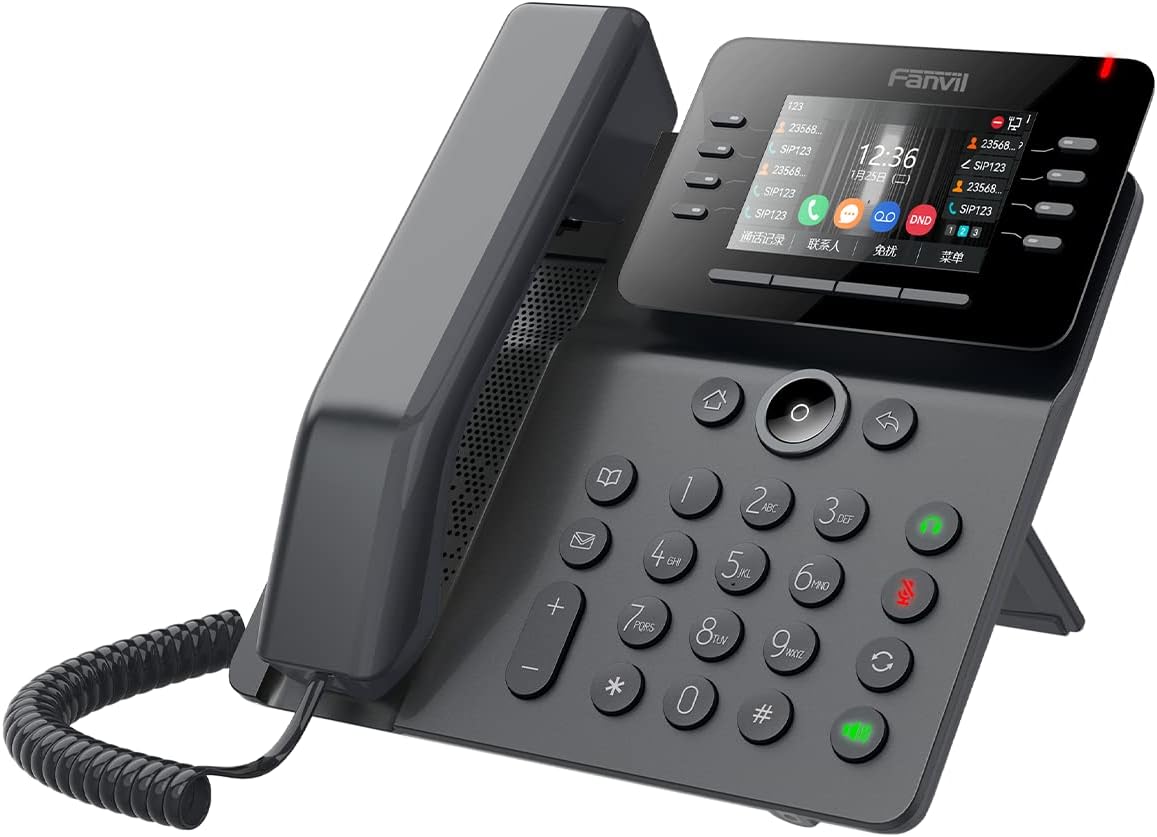
Figura 2: Angle view of the Fanvil V64 VoIP phone. This perspective highlights the ergonomic design of the phone, including the adjustable stand and the layout of the buttons.
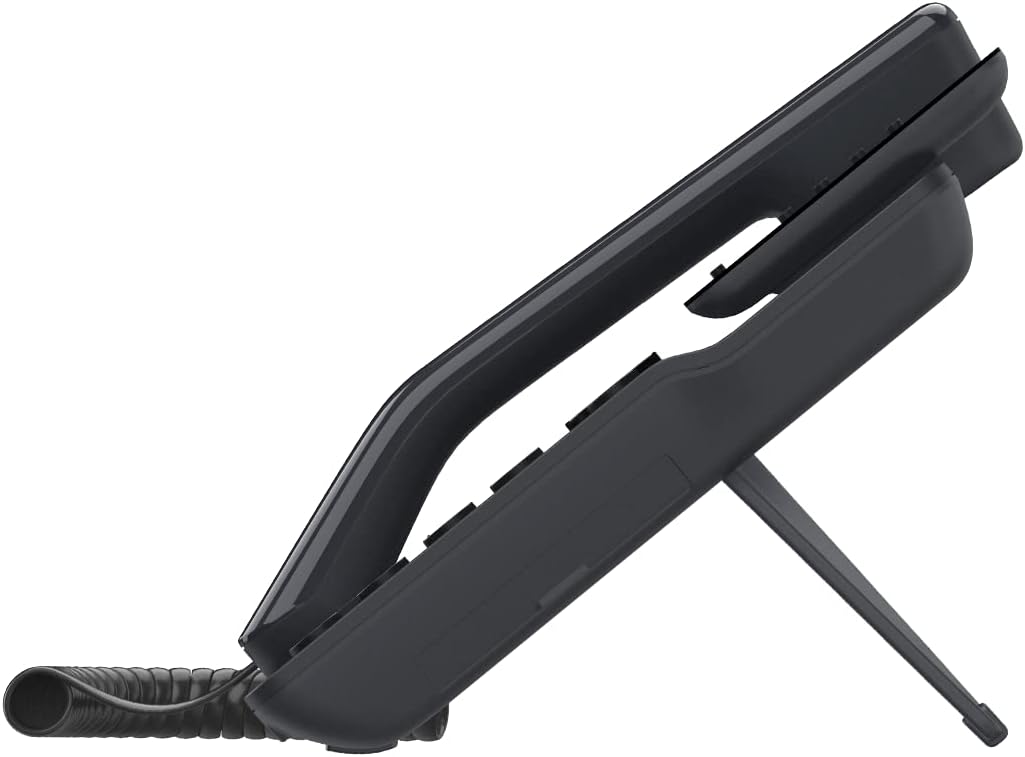
Figura 3: lateral view of the Fanvil V64 VoIP phone. This image illustrates the integrated stand that allows the phone to be positioned at an optimal viewing angle on a desk.
Components clau:
- HD Audio Handset: Per a una comunicació de veu clara.
- Large Color Display: Provides call information, menu options, and status indicators.
- Tecles de línia programables: Customizable for speed dial, BLF, or other functions.
- Teclat numèric: Tecles estàndard del 0 al 9 per marcar.
- Tecles de navegació: Per a la navegació pel menú.
- Tecles de funció: Hold, Transfer, Mute, Speakerphone, Headset, Voicemail, etc.
- Ports Ethernet: For network connection and PC pass-through.
- Port d'alimentació: For external power adapter (if not using PoE).
Configuració
1. Connexió del telèfon:
- Connecteu un extrem del cable en espiral del auricular al auricular.
- Connect the other end of the coiled handset cord to the handset port on the phone base unit.
2. Connexió a la xarxa:
The Fanvil V64 supports both wired Ethernet and Wi-Fi connectivity.
Connexió per cable (Ethernet):
- Connect one end of the Ethernet cable to the "Internet" or "WAN" port on the phone.
- Connect the other end of the Ethernet cable to a network switch, router, or wall jack.
- Si la vostra xarxa admet Power over Ethernet (PoE), el telèfon s'encendrà automàticament.
Connexió sense fil (Wi-Fi):
- Ensure the phone is powered on (via PoE or power adapter).
- Navigate to the phone's menu: Menu > Settings > Network > Wi-Fi.
- Enable Wi-Fi and select your desired network from the list.
- Introduïu la contrasenya del Wi-Fi si se us demana.
3. Connexió d'alimentació:
If not using PoE, connect the power adapter to the "DC 12V" port on the phone and then plug the adapter into a power outlet.
4. Configuració inicial:
Once powered on, the phone will attempt to obtain an IP address. Your VoIP service provider or IT administrator will provide the necessary SIP account details for registration. Access the phone's web interface or use the on-screen menu to configure your SIP account.
Instruccions de funcionament
Fer una trucada:
- Pick up the handset, press the Speakerphone button, or press a line key.
- Marqueu el número de telèfon desitjat.
- Premeu el botó Marqueu or Enviar tecla programable o espereu que es faci la marcació automàtica.
Respondre una trucada:
- Agafa l'auricular.
- Premeu el botó Altaveu botó.
- Premeu la tecla de línia intermitent.
Finalització d'una trucada:
- Pengeu l'auricular.
- Premeu el botó Finalitzar la trucada tecla suau.
Funcions de trucada:
- Manteniu: Premeu el botó Aguanta button during a call. Press again to resume.
- Transferència: Premeu el botó Transferència button during a call, dial the new number, then press Transferència again (blind transfer) or wait for answer and press Transferència (trasllat assistit).
- Silenciar: Premeu el botó Silenciar botó per silenciar el micròfon. Premeu-lo de nou per activar el so.
- Torna a marcar: Premeu el botó Reposició botó per trucar a l'últim número marcat.
- Correu de veu: Premeu el botó Correu de veu button to access your voicemail messages.
Manteniment
Neteja:
- Use a soft, dry cloth to clean the phone's surface.
- Per a marques difícils, esbandiu lleugeramentampen el drap amb aigua.
- Do not use harsh chemicals, abrasive cleaners, or solvents, as these can damage the plastic and finish.
- Ensure the phone is unplugged before cleaning.
Emmagatzematge:
Guardeu el telèfon en un lloc fresc i sec, allunyat de la llum solar directa i de temperatures extremes quan no el feu servir durant períodes prolongats.
Actualitzacions de firmware:
Consulteu periòdicament el registre oficial de Fanvil website or consult your IT administrator for available firmware updates to ensure optimal performance and security.
Resolució de problemes
| Problema | Causa possible | Solució |
|---|---|---|
| El telèfon no s'encén. | No power connection or faulty power adapter/PoE. | Check power adapter connection or Ethernet cable for PoE. Try a different power outlet. |
| No puc fer/rebre trucades. | No network connection, SIP account not registered, or incorrect configuration. | Verify network cable connection or Wi-Fi status. Check SIP registration status on the phone's display. Contact your VoIP provider or IT administrator for SIP account details. |
| Poor audio quality (echo, static). | Congestió de la xarxa, cable defectuós o problema amb el micròfon/altaveu. | Check network connection stability. Try a different Ethernet cable. Adjust volume levels. If problem persists, contact support. |
| Problemes de connexió Wi-Fi. | Incorrect Wi-Fi password, out of range, or network interference. | Re-enter Wi-Fi password. Move phone closer to Wi-Fi router. Check for other devices causing interference. |
Especificacions
| Característica | Detall |
|---|---|
| Marca | Fanvil |
| Número de model | V64 |
| Color | Negre |
| Material | Plàstic |
| Pes de l'article | 1.04 quilos |
| Dimensions (LxWxH) | 50 x 50 x 28 cm |
| Font d'alimentació | Corded Electric (or PoE) |
| Dispositius compatibles | Computer systems, VoIP services |
| Sistema operatiu | Basat en Linux |
| Funcions d'àudio | Àudio HD |
| Connectivitat | Wi-Fi, Ethernet |
Garantia i Suport
For warranty information and technical support, please refer to the documentation provided with your purchase or visit the official Fanvil weblloc web. Conserveu el rebut de compra com a comprovant de compra per a reclamacions de garantia.
For further assistance, you may contact your VoIP service provider or the reseller from whom you purchased the Fanvil V64 phone.