
1. Introducció
Thank you for choosing the Hangrui Kids Camera C3. This digital camera is designed specifically for children aged 3-12, offering a fun and durable way to capture memories. It features a dual-camera setup for easy selfies, 1080P HD video recording, 20.0-megapixel photos, and a variety of creative effects and games.
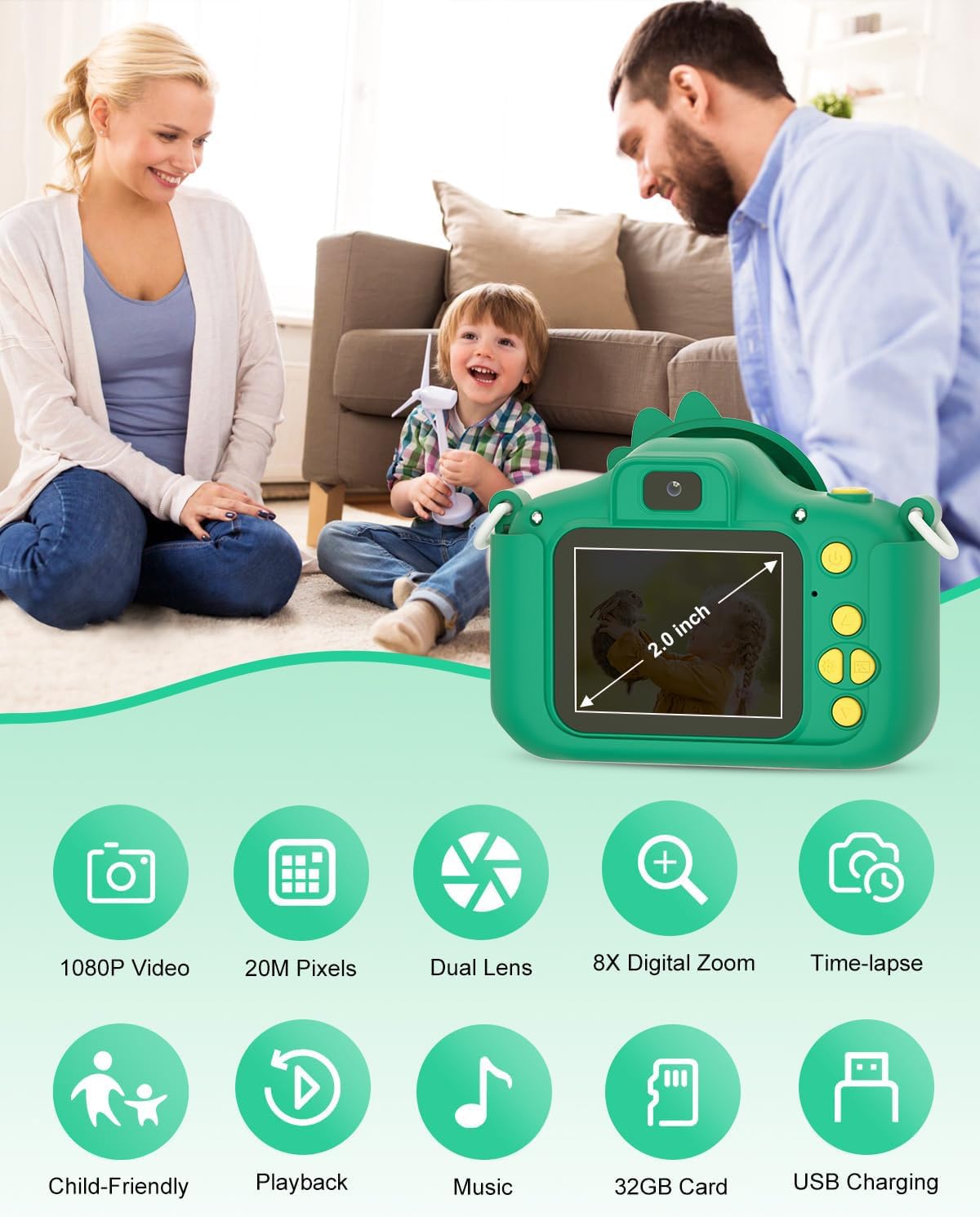
Image: The Hangrui Kids Camera C3 in green, shown with its yellow lanyard, USB charging cable, and a 32GB SD card.
2. Què s'inclou
Your Hangrui Kids Camera C3 package includes:
- 1 x Hangrui Kids Camera C3 (Green)
- 1 x Protective Silicone Case (Dinosaur design)
- 1 x targeta Micro SD de 32 GB
- 1 x cable de càrrega USB
- 1 x cordó

Image: All components of the Hangrui Kids Camera C3 package, including the camera, silicone case, SD card, USB cable, and lanyard.
3. Configuració
3.1. Inserció de la targeta SD
- Gently remove the silicone protective case from the camera.
- Localitza la ranura per a targetes Micro SD al lateral de la càmera.
- Insert the provided 32GB Micro SD card into the slot until it clicks into place. Ensure the card is inserted correctly with the gold contacts facing down.
- Reattach the silicone protective case.
3.2. Càrrega de la càmera
- Connect the USB charging cable to the camera's charging port (located under the silicone case).
- Connecteu l'altre extrem del cable USB a un adaptador de corrent USB estàndard (no inclòs) o al port USB d'un ordinador.
- L'indicador lluminós de càrrega s'il·luminarà. Una càrrega completa sol trigar entre 1.5 i 2 hores.
- Once fully charged, the indicator light may change or turn off. Disconnect the charging cable.

Image: The Hangrui Kids Camera C3 with its USB charging cable connected, illustrating the charging process.
4. Instruccions de funcionament
4.1. Encendre/apagar
Press and hold the Power button (usually located on the top or side) for a few seconds to turn the camera ON or OFF.
4.2. Navegació
Use the directional buttons (Up, Down, Left, Right) to navigate through the menu options and the 'OK' or Shutter button to select.
4.3. Fer fotos
- From the main menu, select the camera icon to enter photo mode.
- Enquadra la teva foto utilitzant la pantalla.
- Press the Shutter button (usually the top-right button) to take a picture. The camera supports up to 20.0 megapixels.
4.4. Gravació de vídeos
- From the main menu, select the video camera icon to enter video recording mode.
- Press the Shutter button once to start recording. A red indicator will typically show recording is active.
- Press the Shutter button again to stop recording. The camera supports 1080P video.
4.5. Mode selfie
The camera features a dual-camera configuration. To switch to selfie mode, look for a dedicated button or an option in the camera menu to flip the camera view or activate the front lens.

Image: The Hangrui Kids Camera C3 highlighting its dual-camera feature, allowing for easy selfies.
4.6. Filters and Frames
Enhance your photos with 28 filter effects and various cartoon frames. Navigate to the filter/frame option within photo mode to select your desired effect.

Image: The camera screen showcasing a selection of 28 cartoon frames and 6 funny filters available for photos.
4.7. Time Shooting (Timer)
Activate the time shooting function from the camera settings to set a delay before a photo is taken, allowing you to get into the shot.

Image: The camera screen illustrating the time-lapse feature, with options for setting a 2, 5, or 10-second delay before capturing a photo.
4.8. Zoom digital
The camera supports 8X digital zoom. Use the appropriate directional buttons (often Up/Down) to zoom in or out while in photo or video mode.

Image: The camera screen showing the effect of 8X digital zoom on an image.
4.9. Jocs
The camera includes built-in games for entertainment. Select the game icon from the main menu to access and play them.
4.10. Reproducció
A view your captured photos and videos, select the playback icon (often a gallery or play symbol) from the main menu. Use the directional buttons to scroll through your media.
5. Transferència de dades
To transfer photos and videos from the camera to a computer:
- Connecteu la càmera a l'ordinador mitjançant el cable USB proporcionat.
- The camera should appear as a removable disk drive on your computer.
- Open the drive to access the DCIM folder, where your photos and videos are stored.
- Copia el files al vostre ordinador.
Alternatively, you can remove the Micro SD card and insert it into a compatible card reader connected to your computer.
6. Manteniment i cura
- The camera is made of non-toxic silicone material and comes with a protective cover to prevent falls and damage.
- Clean the camera body and screen with a soft, dry cloth. Avoid using harsh chemicals or abrasive materials.
- Keep the camera away from extreme temperatures, direct sunlight, and moisture.
- Ensure the USB port and SD card slot are free from dust and debris.
7. Solució De Problemes
7.1. La càmera no s'encén
- Ensure the battery is charged. Connect the camera to a power source using the USB cable.
- Mantingueu premut el botó d'engegada durant un període més llarg (5-10 segons).
7.2. Unable to Take Photos/Record Videos
- Check if the Micro SD card is inserted correctly and has sufficient storage space.
- If the card is full, transfer files to a computer and delete them from the camera, or replace the SD card.
7.3. Mala qualitat d'imatge/vídeo
- Assegureu-vos que la lent estigui neta i sense taques.
- Take photos in well-lit environments for best results.
8. Especificacions
| Característica | Especificació |
|---|---|
| Nom del model | C3 (Children's Camera) |
| Marca | Hangrui |
| Dimensions del producte | 3.54 x 1.97 x 2.76 polzades |
| Pes de l'article | 7.3 unces |
| Màxim WebResolució d'imatge de càmera | 20 MP |
| Resolució de vídeo | 1080P |
| Tecnologia del sensor fotogràfic | CMOS |
| Admet File Format | JPEG |
| Estabilització d'imatge | Digital |
| Bateria | Bateria de liti recarregable de 1000 mAh integrada |
| Continuous Photography Time | Fins a 4 hores |
| Temps de càrrega | 1.5-2 hores |
9. Garantia i Suport
For warranty information or technical support, please refer to the contact details provided with your purchase or visit the official Hangrui weblloc web. Conserveu el comprovant de compra per a qualsevol reclamació de garantia.