
1. Introducció
Thank you for choosing the ASHATA 3D Hologram Fan Projector. This device utilizes 224 high-brightness LEDs to create stunning, three-dimensional holographic images and videos that appear to float in the air. It is designed for various display applications, offering vivid imaging and easy content management.
This manual provides essential information for the safe and effective use of your 3D Hologram Fan Projector. Please read it thoroughly before installation and operation, and keep it for future reference.

Image: The ASHATA 3D Hologram Fan Projector creating a dynamic holographic globe display.
The projector is ideal for digital signage campaigns, holographic billboards, activation campaigns, and digital point-of-sale displays. Its versatile design allows for wide application in exhibitions, stores, shopping malls, cinemas, airports, hotels, and other crowded public spaces.
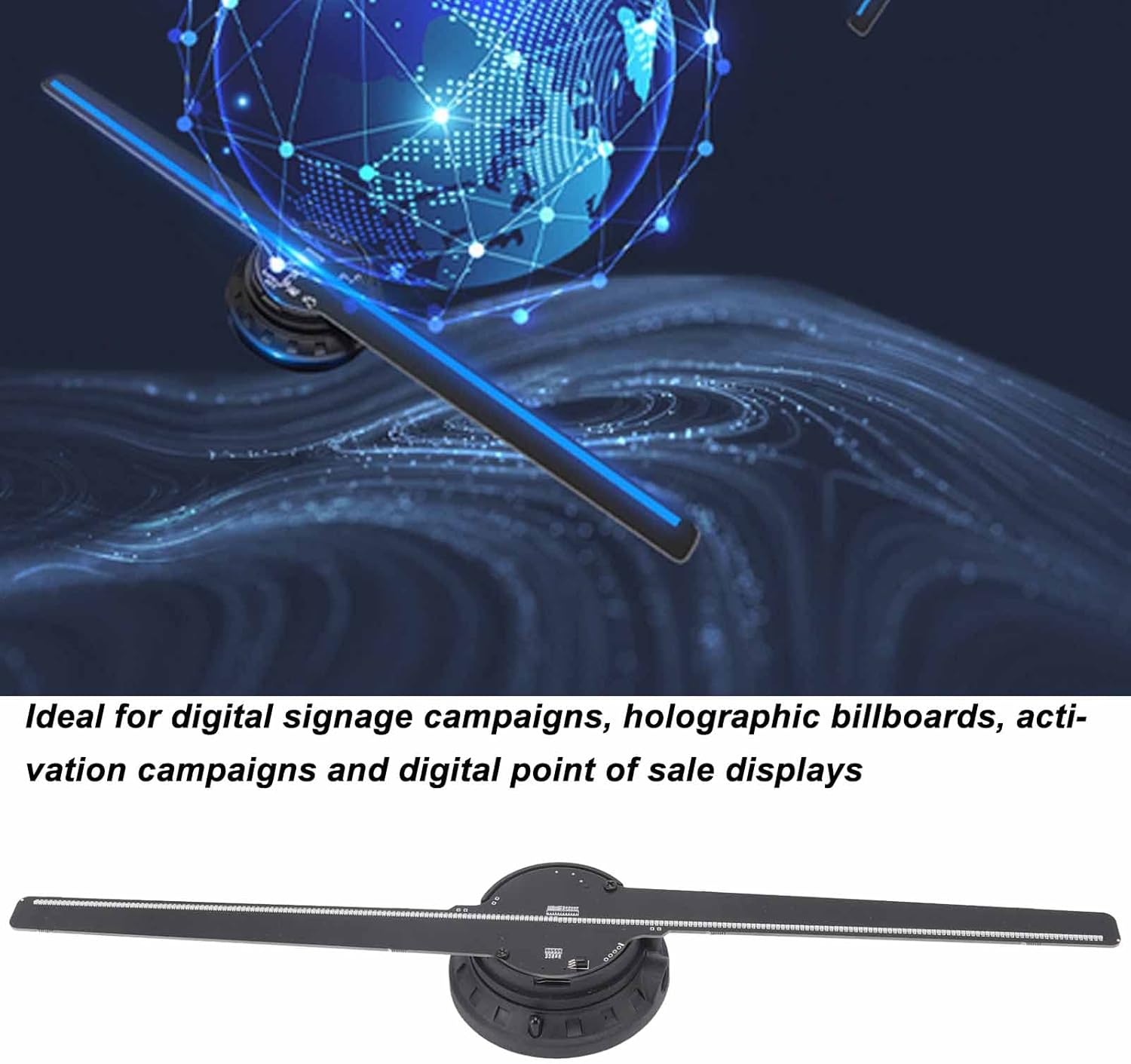
Image: The 3D Hologram Fan Projector is suitable for digital signage and advertising campsenyals.

Image: The projector is widely used in exhibitions, stores, shopping malls, cinemas, airports, hotels, and other crowded places.
2. Informació de seguretat
Si us plau, observeu les següents precaucions de seguretat per evitar lesions o danys al dispositiu:
- Do not touch the fan blades while the device is operating. The blades rotate at high speed and can cause serious injury.
- Ensure the device is securely mounted before operation. Loose mounting can lead to the device falling and causing damage or injury.
- Mantingueu els nens i les mascotes lluny del dispositiu durant el funcionament.
- Do not disassemble or modify the device. This may void the warranty and pose safety risks.
- Use only the provided power adapter. Using an incorrect adapter may damage the device or cause fire.
- Install the device in a well-ventilated area, away from direct sunlight, heat sources, and moisture.
- In case of malfunction, immediately disconnect the power and contact customer support.
3. Contingut del paquet
Verifiqueu que tots els elements que s'enumeren a continuació s'inclouen al vostre paquet:
- Holographic Display Unit x 1
- Cable d'alimentació x 1
- Manual d'instruccions x 1
- Cargols x 2
- Screw Expansion Tubes x 2
- Tornavís x 1
- Memory Card (16GB) x 1
- Lector de targetes x 1
- Suport de paret x 1
- Remote Control x 1 (CR2025 battery not included)

Image: All accessories and components included with the ASHATA 3D Hologram Fan Projector.
4. Especificacions
| Característica | Especificació |
|---|---|
| Tipus d'element | Visualització hologràfica |
| Material | Hardware, ABS |
| Mida del dispositiu | Approx. 42 cm / 16.5 inches |
| Nombre de Lamp Perles | 224 LED |
| Vida útil | 100,000 hores |
| Resolució | 720 x 224 |
| Potència nominal | 15W |
| Voltage | 100-240V |
| Formats suportats | MP4, JPG, AVI, MKV, RMVB, GIF, PNG (black background recommended) |
| Viewangle ing | 170° |
| Font de llum | LED High Brightness RGB |
| Font del senyal | Targeta de memòria (16 GB inclosa) |
| Sistema de control | Ordinador |
| Connexió | Ordinador |
| Mètode de fixació | Penjat a la paret |
| Bateria de control remot | 1 CR2025 (no inclosa) |

Image: The ASHATA 3D Hologram Fan Projector measures approximately 42 cm (16.5 inches) in length.

Imatge: Un primer pla view of the fan blades, highlighting the 224 integrated LED lamp beads for high brightness and clear imaging.
5. Instruccions de configuració
5.1 Muntatge a la paret
- Choose a suitable location on a wall, ensuring it is sturdy enough to support the device and away from areas where people might accidentally touch the rotating blades.
- Use the provided wall bracket as a template to mark the drilling points on the wall.
- Drill two holes at the marked points. Insert the screw expansion tubes into the drilled holes.
- Secure the wall bracket to the wall using the provided screws and screwdriver. Ensure it is firmly attached.
- Carefully attach the Holographic Display Unit to the wall bracket. Ensure it is securely seated and stable.
5.2 Connexió d'alimentació
- Connect the power cord to the power input port on the Holographic Display Unit.
- Plug the other end of the power cord into a standard electrical outlet (100-240V).
5.3 Instal·lació de la bateria del comandament a distància
- Obriu el compartiment de la bateria a la part posterior del comandament a distància.
- Insert one CR2025 battery (not included), ensuring correct polarity (+/-).
- Tanqueu el compartiment de la bateria.
6. Instruccions de funcionament
6.1 Preparing Content
The device supports MP4, AVI, RMVB, GIF, JPG, and PNG formats. For the best 3D effect, it is highly recommended that your video or image content has a black background. Video playback length for optimal 3D effect is typically 10-15 seconds.
- Use the provided card reader to connect the 16GB memory card to your computer.
- Transfer your prepared video or image files to the memory card. Ensure the fileels fitxers estan en un format compatible.
- Safely eject the memory card from your computer.
- Insert the memory card into the designated slot on the Holographic Display Unit.
6.2 Engegada/apagada
- To power on the device, ensure it is connected to power, then press the power button on the device or the remote control. The fan blades will begin to rotate, and the holographic display will activate.
- To power off, press the power button again. The fan blades will slow down and stop.
6.3 Ús del comandament a distància
The remote control allows for convenient operation of the device. Functions typically include power on/off, content playback control (play, pause, next/previous), and possibly brightness adjustment.
- ON/OFF: Encén o apaga el dispositiu.
- Reproduir/pausa: Starts or pauses the current content.
- Següent/Anterior: Navigates through content files a la targeta de memòria.
- Refer to the remote control's specific button layout for detailed functions.
7. Manteniment
7.1 Neteja
- Always power off and unplug the device before cleaning.
- Use a soft, dry cloth to gently wipe the surface of the device and fan blades.
- Do not use liquid cleaners, aerosols, or abrasive materials, as they may damage the device.
7.2 Durabilitat
The hologram projector features thick fan blades designed to be robust and protect the light source. This design contributes to the device's longevity and ensures clear visibility even under high ambient lighting conditions.

Imatge: Una imatge detallada view of the central unit, showing the robust construction and thick fan blade design.
8. Solució De Problemes
| Problema | Causa possible | Solució |
|---|---|---|
| El dispositiu no s'encén | No power supply; Power cord loose; Remote control battery depleted | Check power connection; Ensure power cord is securely plugged in; Replace remote control battery. |
| No holographic image displayed | Memory card not inserted; Incorrect file format; Corromput files | Ensure memory card is properly inserted; Verify content is in supported format (MP4, JPG, etc.); Re-upload content to memory card. |
| La imatge està distorsionada o és poc clara | Content not optimized for 3D; Low resolution content | Use content with a black background; Ensure content resolution is appropriate for the device (720x224). |
| El comandament a distància no funciona | Battery depleted; Obstruction between remote and device | Replace CR2025 battery; Ensure clear line of sight to the device's IR receiver. |
9. Garantia i Suport
Specific warranty information is not provided in the product details. Please refer to the retailer or manufacturer's official weblloc web per conèixer els termes i condicions de la garantia.
For technical support or inquiries, please contact your point of purchase or the ASHATA customer service department. Keep your purchase receipt and product model number (B0B6RS212H) handy when seeking support.