
MorePro V19 Pro
MorePro Health Smart Watch V19 Pro User Manual
Model: V19 Pro | Brand: MorePro
Introducció
The MorePro Health Smart Watch V19 Pro is an advanced fitness tracker designed to monitor various health metrics and support an active lifestyle. This manual provides comprehensive instructions for setup, operation, maintenance, and troubleshooting to ensure optimal use of your device.

Figure 1: MorePro Health Smart Watch V19 Pro
Característiques clau
- Continuous Health Monitoring: Provides 24/7 tracking for heart rate, blood pressure, blood oxygen (SpO2), and HRV.
- Scientific Sleep Tracking: Monitors sleep duration, insomnia, waking, REM sleep, light sleep, deep sleep, and daytime naps.
- Body Temperature Monitor: Records body and skin temperature every five minutes to generate a personal temperature profile.
- Seguiment de l'activitat: All-day tracking of steps, distance, and calories, with support for 20 sports modes.
- Notificacions intel·ligents: Receives vibration alerts for calls, texts, and social media apps.
- Esferes de rellotge personalitzables: Personalize the watch face with your own photos or choose from over 50 designs.
- Llarga vida útil de la bateria: Up to 7+ days of standard usage, with a 2-hour charging time.
- Compatibilitat: Supports Android 5.0 & iOS 10 and above smartphones with Bluetooth 4.0.
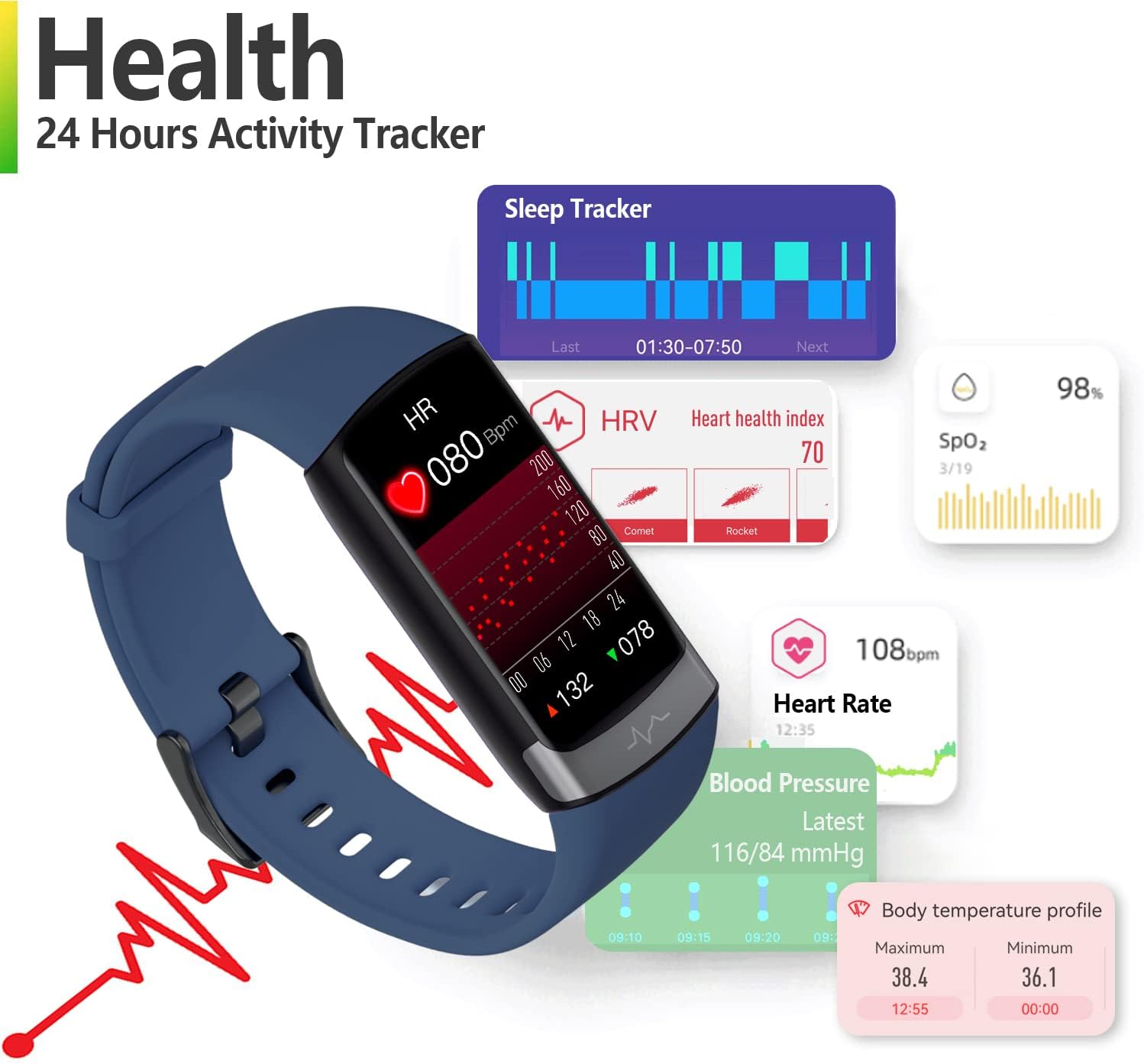
Figura 2: Mésview of Health Tracking Features
Guia de configuració
1. Càrrega del dispositiu
Before first use, fully charge your MorePro V19 Pro Smart Watch. Connect the magnetic charging cable to the charging contacts on the back of the watch and plug the USB end into a standard USB power adapter (not included).
- Temps de càrrega: Aproximadament 2 hores per a una càrrega completa.
- Battery Life: Up to 7+ days in standard usage; 3 days with all detection functions enabled.

Figure 3: Magnetic Charging Interface
2. Descàrrega i emparellament de l'aplicació
To unlock the full potential of your MorePro V19 Pro, download the official MorePro app on your smartphone. The app is available for Android (version 5.0 and above) and iOS (version 10 and above).
- Cerca "MorePro" in the Apple App Store or Google Play Store and install the app.
- Activa el Bluetooth al teu telèfon intel·ligent.
- Open the MorePro app and follow the on-screen instructions to create an account or log in.
- Navigate to the device pairing section within the app and select your MorePro V19 Pro from the list of available devices.
- Confirma la sol·licitud d'emparellament tant al rellotge com al telèfon intel·ligent.
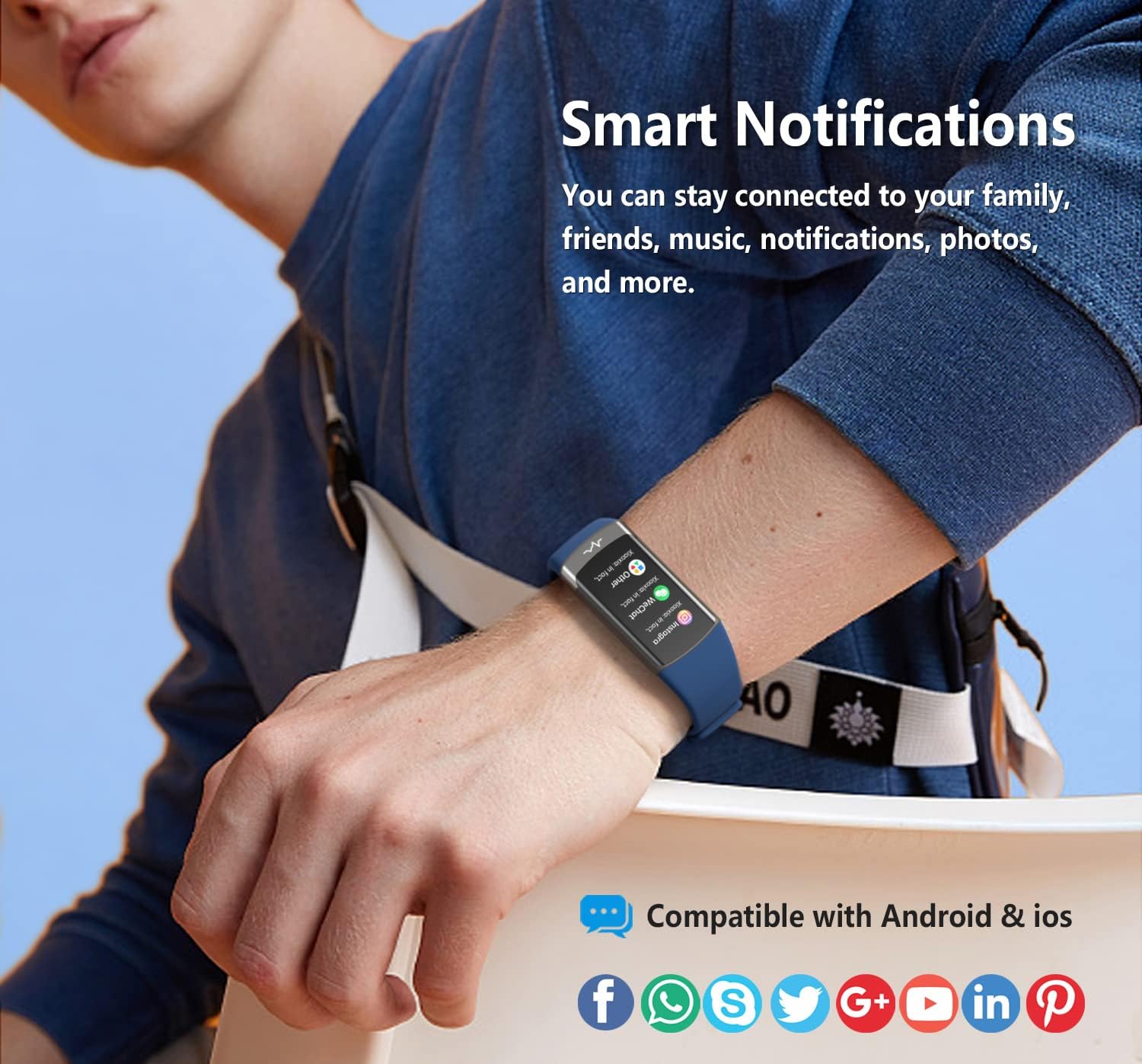
Figure 4: Smart Notifications and App Compatibility
3. Portar el dispositiu
For accurate health monitoring, wear the MorePro V19 Pro snugly on your wrist, about one finger's width above your wrist bone. Ensure the sensors on the back of the watch are in direct contact with your skin.
Instruccions de funcionament
1. Navegació per la interfície
The MorePro V19 Pro features a responsive touchscreen display. Swipe up, down, left, or right to navigate through different screens and menus. Tap to select options.
2. Monitorització de la salut
The watch continuously monitors various health metrics. You can view real-time data on the watch face or in the MorePro app.
- Heart Rate & Blood Pressure: Access these screens on the watch to view current readings. The app provides historical data and trends. You can set heart rate alerts in the app.
- Blood Oxygen (SpO2) & HRV: Monitored automatically during nighttime (0:00 am to 7:00 am). Detailed analysis, including apnea, respiratory rate, and cardiac load, is available in the app.
- Temperatura corporal: Records body and skin temperature every five minutes. View your personal temperature profile a l'aplicació.
- Seguiment del son: The watch automatically detects your sleep patterns. Review detailed sleep data (duration, stages, efficiency) in the MorePro app.
Video 1: MorePro V19PRO Fitness Tracker Overview. This video demonstrates the various health monitoring and activity tracking features of the MorePro V19 Pro smart watch, including heart rate, blood pressure, blood oxygen, and sleep analysis.
3. Activity Tracking (20 Sports Modes)
The watch tracks your daily steps, distance, and calories burned. To start a specific workout:
- Swipe to the "Sports" or "Workout" menu on your watch.
- Select from 20 available sports modes (e.g., running, walking, cycling, hiking, stair stepper, elliptical, rower, jump rope, climbing, athletic, volleyball).
- Tap to begin the activity. The watch will record relevant metrics for your chosen sport.

Figure 5: The MorePro V19 Pro supports over 20 sports modes for comprehensive activity tracking.
4. Notificacions intel·ligents
Once paired with your smartphone, the watch can receive notifications for incoming calls, text messages, and alerts from social media applications. Ensure notification permissions are enabled in both your phone's settings and the MorePro app.
5. Personalització de les esferes del rellotge
Personalize your watch by changing the watch face. You can select from a variety of pre-installed faces or upload your own photos via the MorePro app.

Figure 6: Customize your watch with over 50 watch faces.
6. Menstrual Cycle Reminder
For female users, the MorePro app offers a menstrual cycle tracking and reminder feature. Input your cycle data into the app to receive timely predictions and reminders.

Figure 7: Menstrual cycle tracking feature.
Manteniment
1. Neteja del dispositiu
Regularly clean your MorePro V19 Pro to ensure accurate readings and prevent skin irritation. Use a soft, lint-free cloth to wipe the screen and sensors. If necessary, dampen the cloth with a small amount of water. Do not use harsh chemicals or abrasive cleaners.
2. Resistència a l'aigua
The MorePro V19 Pro is 5ATM water-resistant, meaning it can withstand pressures equivalent to a depth of 50 meters. It is suitable for swimming and showering but not for diving or high-pressure water activities.

Figure 8: The MorePro V19 Pro features 5ATM water resistance.
3. Cura de la bateria
To prolong battery life, avoid exposing the device to extreme temperatures. Charge the device fully when the battery is low, but avoid leaving it fully charged or completely depleted for extended periods.
Resolució de problemes
| Problema | Causa possible | Solució |
|---|---|---|
| El dispositiu no s'encén | Bateria baixa; dispositiu bloquejat. | Charge the device for at least 10 minutes. If still unresponsive, perform a soft reset (refer to app for specific instructions). |
| Lectures de salut inexactes | Improper wearing; dirty sensors; movement during measurement. | Ensure the watch is worn snugly and sensors are clean. Remain still during measurements. Consult the app for calibration options if available. |
| No es pot emparellar amb el telèfon intel·ligent | Bluetooth off; app not open; device already paired; interference. | Ensure Bluetooth is on and the app is open. Forget the device in your phone's Bluetooth settings and try pairing again. Restart both devices. |
| No s'han rebut notificacions | Notification permissions not enabled; app not running in background. | Check notification settings in your phone and the MorePro app. Ensure the app is allowed to run in the background. |
Especificacions
- Model: V19 Pro
- Mida de la pantalla: 1.28 polzades (mida de pantalla de peu)
- Pes de l'article: 2.89 unces
- Dimensions del paquet: 5.87 x 3.46 x 0.67 polzades
- Connectivitat: Bluetooth 4.0
- Sistema operatiu: Android (compatible amb Android 5.0 i superior), iOS (compatible amb iOS 10 i superior)
- Resistència a l'aigua: 5ATM
- Característiques especials: Sleep Monitor, Blood Pressure Monitor, Multisport Tracker, Pedometer, Heart Rate Monitor, Body Temperature Monitor, HRV, Blood Oxygen Monitor
- Fabricant: Airshy
- Primer disponible: 20 de juliol de 2022
Garantia i Suport
For warranty information and technical support, please refer to the official MorePro website or contact their customer service. A PDF user manual is also available for download:
Ask a question about this manual
Ask about setup, troubleshooting, compatibility, parts, safety, or missing instructions. Manuals+ will review the question and use this page’s manual context to help answer it.