
1. Introducció
Thank you for choosing the GEEKOM MiniAir 11 Mini PC. This compact and powerful device is designed for various computing tasks, from everyday browsing to 4K media playback. This manual provides essential information for setting up, operating, maintaining, and troubleshooting your Mini PC.
2. Què hi ha a la caixa
Carefully unpack your GEEKOM MiniAir 11 and ensure all items are present:
- Mini PC GEEKOM MiniAir 11
- Adaptador d'alimentació
- Cable d'alimentació
- Cable HDMI
- Adaptador Mini DisplayPort a HDMI
- VESA Mount and Screws
- Bossa d'emmagatzematge
- Manual d'usuari (aquest document)
- Mascot Figurine (Special Edition)
- GEEKOM Mouse Pad (Special Edition)

Figure 2.1: Contents of the GEEKOM MiniAir 11 Special Edition box.
3. Producte acabatview
The GEEKOM MiniAir 11 features a compact design with various ports for connectivity and expansion.
3.1 Tauler frontal

Figure 3.1: Front panel ports.
- USB Type-C (SS 10): Només transferència de dades.
- USB 3.2 Gen1 (SS 5): Transferència de dades d'alta velocitat.
- Auriculars Jack: Per a la sortida d'àudio.
- Botó d'encesa: Per encendre/apagar el dispositiu.
3.2 Panell posterior

Figure 3.2: Rear panel ports.
- Power Socket (19V DC): Connecteu l'adaptador de corrent aquí.
- Mini DisplayPort (DP): Per a la sortida de vídeo.
- Xarxa LAN Gigabit: Per a la connexió de xarxa amb cable.
- 2x USB 3.2 Gen1 (SS 5): Transferència de dades d'alta velocitat.
- USB Type-C (SS 10): Només transferència de dades.
- HDMI: For video output (supports 4K UHD).
3.3 taulers laterals

Figure 3.3: Side panel with SD card slot.
- Ranura per a targeta SD: For expanding storage with an SD card.
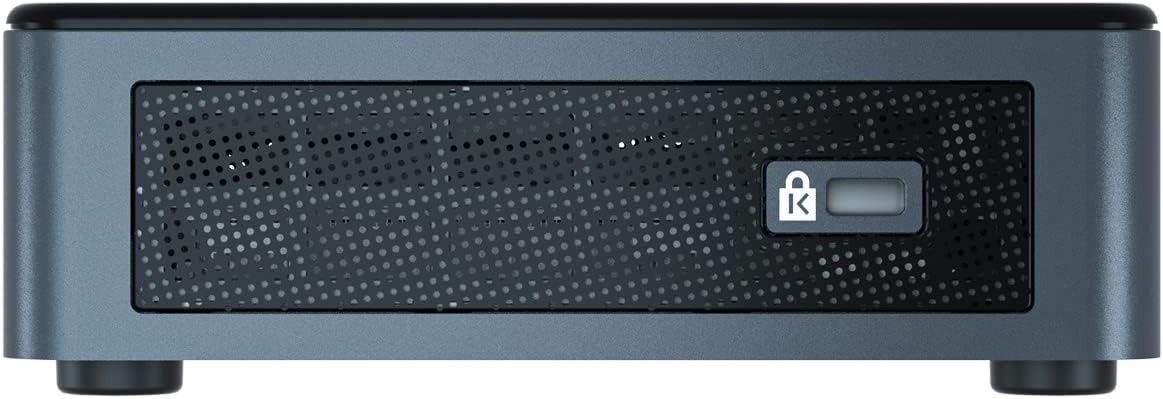
Figure 3.4: Side panel with Kensington lock slot.
- Ranura de bloqueig Kensington: Per a la seguretat física.
4. Configuració
Follow these steps to set up your GEEKOM MiniAir 11:
- Connecta a la pantalla: Connect your monitor or TV to the Mini PC using the HDMI cable or Mini DisplayPort to HDMI adapter.
- Connecteu els perifèrics: Connecteu el teclat, el ratolí i qualsevol altre dispositiu USB als ports USB disponibles.
- Connecteu-vos a la xarxa: For a wired connection, plug an Ethernet cable into the Gigabit LAN port. For Wi-Fi, the device will prompt you during initial Windows setup.
- Connectar l'alimentació: Connect the power adapter to the Mini PC's power socket, then plug the power cable into an electrical outlet.
- Encès: Press the power button on the front panel. The device will boot up, and you will be guided through the Windows 11 Pro setup process.
5. Sistema operatiu
The GEEKOM MiniAir 11 comes pre-installed with Windows 11 Pro, offering a full desktop experience. Ensure your operating system is regularly updated for optimal performance and security.
6. Manteniment
To ensure the longevity and optimal performance of your Mini PC, consider the following maintenance tips:
- Neteja: Regularly clean the exterior with a soft, dry cloth. Use compressed air to clear dust from vents to maintain proper airflow and cooling.
- Actualitzacions de programari: Keep Windows 11 Pro and all drivers updated. This can be done through Windows Update in the Settings menu.
- Gestió d'emmagatzematge: Netegeu periòdicament els innecessaris files i aplicacions per alliberar espai d'emmagatzematge.
- Medi ambient: Operate the Mini PC in a well-ventilated area, away from direct sunlight, heat sources, and excessive moisture.
7. Actualització de components
The GEEKOM MiniAir 11 offers upgrade options for RAM and storage:
- RAM: The device features two DDR4 RAM slots. It comes with 8GB DDR4 RAM (one slot occupied) and is upgradable to a maximum of 32GB (16GB per slot).
- SSD: The Mini PC includes a 256GB M.2 NVMe SSD. This can be upgraded to a 1TB M.2 NVMe SSD. Note that upgrading the SSD will require reinstalling the operating system.
For detailed instructions on how to access and upgrade these components, please refer to the official GEEKOM support resources or consult a qualified technician.
8. Solució De Problemes
If you encounter issues with your GEEKOM MiniAir 11, try the following basic troubleshooting steps:
- Sense energia: Ensure the power adapter is securely connected to both the Mini PC and a working electrical outlet. Try a different outlet.
- Sense pantalla: Verify that the HDMI or Mini DisplayPort cable is correctly connected to both the Mini PC and your display. Ensure the display is set to the correct input source.
- Rendiment lent: Check for background applications consuming resources. Ensure Windows and drivers are updated. Consider upgrading RAM or SSD if performance issues persist.
- Problemes de xarxa: For wired connections, check the Ethernet cable and router. For Wi-Fi, ensure the device is connected to the correct network and the signal is strong. Restart your router if necessary.
- Perifèric no detectat: Prova de connectar el perifèric a un port USB diferent. Assegura't que els controladors del perifèric estiguin instal·lats.
For more advanced troubleshooting, visit the GEEKOM support weblloc.
9. Especificacions
| Característica | Especificació |
|---|---|
| Marca | GEEKOM |
| Nom del model | GEEKOM MiniAir 11 |
| Número de model | GMA11N5095S |
| Sistema operatiu | Windows 11 Pro |
| Model de CPU | Intel Celeron N5095 (11th Gen Quad-Core) |
| Velocitat de la CPU | Fins a 2.9 GHz |
| GPU | Intel UHD Graphics 605 (integrat) |
| RAM | 8GB DDR4 (Upgradable to 32GB Max) |
| Emmagatzematge | 256GB M.2 NVMe SSD (Upgradable to 1TB Max) |
| Connectivitat sense fil | Wi-Fi (5GHz AC), Bluetooth 4.0 |
| Connectivitat per cable | LAN Gigabit |
| Sortida de vídeo | HDMI, Mini DisplayPort (Supports 4K UHD) |
| Ports USB | 3x USB 3.2 Gen1, 2x USB Type-C (Data Only) |
| Altres ports | Headphone Jack, SD Card Slot, Kensington Lock Slot |
| Dimensions | 4.61 x 4.41 x 1.34 polzades |
| Mètode de refrigeració | Aire |
10. Garantia i Suport
GEEKOM products are designed for reliability and performance. For warranty information, product registration, and technical support, please visit the official GEEKOM weblloc web o poseu-vos en contacte amb el servei d'atenció al client. Conserveu el rebut de compra per a reclamacions de garantia.
GEEKOM Official Weblloc: www.geekompc.com