1. Introducció
This manual provides detailed instructions for setting up, operating, maintaining, and troubleshooting your TRIGKEY Mini PC K-N95. Please read this manual thoroughly before using the device to ensure optimal performance and longevity.
The TRIGKEY Mini PC K-N95 is a compact desktop computer designed for home and office use, featuring an Intel N95 processor, 8GB DDR4 RAM, and a 256GB M.2 SSD. It supports dual 4K 60Hz display output and offers versatile connectivity options.
2. Contingut del paquet
Verifiqueu que tots els elements que s'enumeren a continuació s'inclouen al vostre paquet. Si falta algun element o hi ha algun malmès, poseu-vos en contacte amb l'atenció al client.
- TRIGKEY Mini PC K-N95 Unit
- AC Power Adapter/Cable
- HDMI Cable (1 meter)
- Manual d'usuari (aquest document)
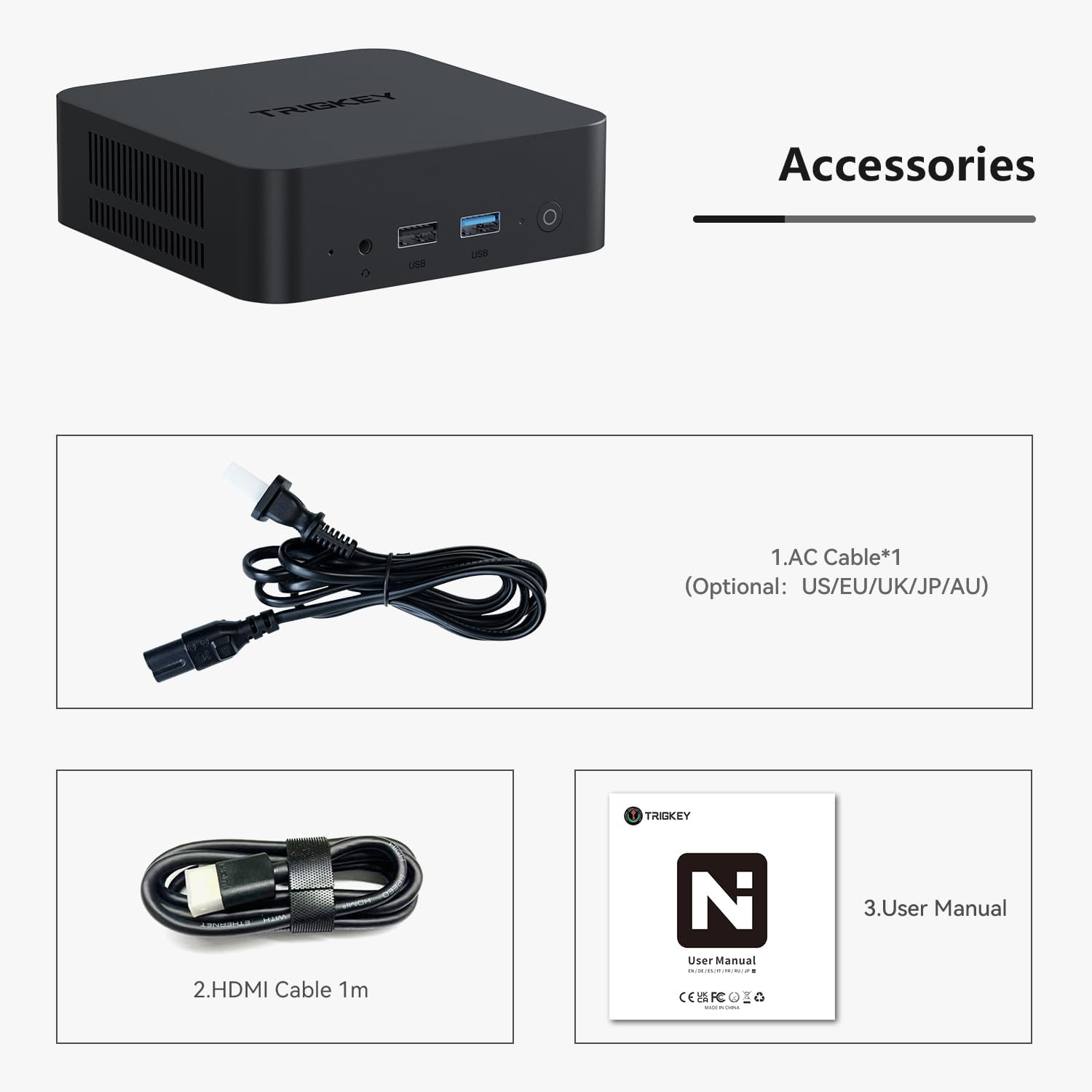
Image 2.1: Included accessories: AC power cable, HDMI cable, and user manual.
3. Producte acabatview
The TRIGKEY Mini PC K-N95 is designed for efficiency and compact integration into any workspace.

Imatge 3.1: Frontal i lateral view of the TRIGKEY Mini PC K-N95.
3.1 Tauler frontal

Image 3.2: Front panel ports and power button.
- Botó d'encesa: Premeu per encendre/apagar el dispositiu.
- Ports USB 3.2: For connecting high-speed peripherals.
- Conector d'àudio de 3.5 mm: Per a auriculars o altaveus externs.
3.2 Panell posterior

Image 3.3: Rear panel ports.
- Entrada d'alimentació de CA: Connecteu l'adaptador d'alimentació inclòs aquí.
- Ports USB 2.0: For connecting standard peripherals.
- LAN Ports (Ethernet): Per a la connexió de xarxa amb cable.
- Ports HDMI: Connect to displays for video and audio output. Supports dual 4K 60Hz displays.
4. Configuració inicial
Follow these steps to set up your TRIGKEY Mini PC K-N95 for the first time:
- Connecta a la pantalla: Connect one or two monitors to the HDMI ports on the rear panel using the provided HDMI cable(s).
- Connecteu els perifèrics: Connect your USB keyboard and mouse to any available USB ports (USB 3.2 on the front, USB 2.0 on the rear).
- Connectar l'alimentació: Plug the AC power adapter into the AC power input on the rear panel, then plug the adapter into a power outlet.
- Encès: Press the power button on the front panel. The device will boot up, and you should see the operating system on your connected display.
- Configuració inicial: Follow the on-screen instructions to complete the operating system setup (e.g., language, network connection, user account).
5. Instruccions de funcionament
5.1 Gestió de l'energia
- Encès: Premeu el botó d'encesa una vegada.
- Apagar: Use the operating system's shutdown function. Alternatively, press and hold the power button for 5-7 seconds for a forced shutdown (not recommended for regular use).
- Reinicia: Feu servir la funció de reinici del sistema operatiu.
5.2 Connectivitat de xarxa
- Connexió per cable (Ethernet): Connect an Ethernet cable from your router or modem to one of the LAN ports on the rear panel.
- Connexió sense fil (Wi-Fi): The Mini PC supports Wi-Fi 5. Access your operating system's network settings to connect to an available wireless network.

Image 5.1: Built-in wireless module for Wi-Fi 5 and Bluetooth 5.0.
5.3 Connectivitat Bluetooth
The Mini PC features Bluetooth 5.0 for connecting wireless devices such as keyboards, mice, and headphones. Enable Bluetooth in your operating system settings and pair with your desired devices.
5.4 Configuració de pantalla dual
The device supports connecting two displays simultaneously via its two HDMI ports, allowing for an extended desktop experience at up to 4K 60Hz resolution per display. Configure display settings within your operating system.
5.5 Expansió d'emmagatzematge i memòria
The TRIGKEY Mini PC K-N95 comes with 8GB DDR4 RAM and a 256GB M.2 2280 PCIe SSD. Both can be upgraded:
- RAM: The DDR4 RAM can be upgraded to a maximum of 16GB (3200MHz).
- SSD: The device supports dual M.2 2280 PCIe SSDs, allowing for storage expansion up to 4TB.
Caution: Opening the device for upgrades may void your warranty. Consult professional assistance if you are unsure about performing upgrades.
6. Especificacions tècniques
| Característica | Especificació |
|---|---|
| Processador | Intel Alder Lake N95 (4 Cores, 4 Threads, up to 3.4GHz, 6MB Cache) |
| RAM | 8GB DDR4 3200MHz (Upgradable to 16GB) |
| Emmagatzematge | 256GB M.2 2280 PCIe SSD (Supports dual M.2 2280 PCIe SSDs up to 4TB) |
| Gràfics | Intel UHD Graphics (max 750MHz) |
| Sortida de visualització | 2 x HDMI (Supports dual 4K 60Hz displays) |
| Connectivitat sense fil | Wi-Fi 5 (802.11ax), Bluetooth 5.0 |
| Connectivitat per cable | 1 x 1000Mbps LAN (Ethernet) |
| Ports USB | 3 x USB 3.2 (10Gbps), 3 x USB 2.0 (480Mbps) |
| Port d'àudio | 1 presa d'àudio de 3.5 mm |
| Entrada de potència | AC Jack (Built-in 45W PSU) |
| Sistema operatiu | Windows 11 Pro (preinstal·lat) |
| Dimensions (LxWxH) | 4.53 x 4.02 x 1.61 polzades |
| Pes | 1.45 lliures |

Image 6.1: Internal cooling system with a low-speed fan for efficient heat dissipation.

Image 6.2: Intel Alder Lake N95 processor details.
7. Manteniment
Un manteniment adequat garanteix la longevitat i el rendiment òptim del vostre Mini PC.
- Neteja: Use a soft, dry cloth to wipe the exterior of the device. For dust accumulation in vents, use compressed air. Do not use liquid cleaners directly on the device.
- Ventilació: Ensure the ventilation openings are not blocked to allow for proper airflow and cooling. Avoid placing the device in enclosed spaces.
- Temperatura: Operate the Mini PC in a well-ventilated area within recommended temperature ranges.
- Actualitzacions de programari: Actualitzeu regularment el sistema operatiu i els controladors per mantenir la seguretat i el rendiment.
8. Solució De Problemes
If you encounter issues with your TRIGKEY Mini PC K-N95, refer to the following common problems and solutions:
| Problema | Possible solució |
|---|---|
| No hi ha alimentació/El dispositiu no s'encén |
|
| No es mostra al monitor |
|
| No Wi-Fi or Bluetooth connection |
|
| System freezing or slow performance |
|
| Fan runs constantly/loudly |
|
9. Garantia i atenció al client
TRIGKEY provides a one-year warranty for this product under reasonable circumstances, covering exchange and warranty service. For any questions or issues regarding your Mini PC, please contact our professional after-sales team.
You can typically find contact information for TRIGKEY customer support through the retailer where you purchased the product or on the official TRIGKEY weblloc.

Image 9.1: TRIGKEY customer support team.