
1. Introducció
The Xetron VGW-10X is a high-precision digital micron vacuum gauge designed for professional use in refrigeration and air conditioning systems. This device provides accurate deep vacuum measurements with a resolution of 1 micron across a wide range of 0 to 19,000 microns. Featuring Bluetooth connectivity, it allows for smart app control, data browsing, report export, and offline recording via your smartphone or tablet. The VGW-10X also includes functions for measuring ambient temperature and water saturation temperature, aiding in the assessment of H2O saturation. With eight selectable vacuum units and a long-lasting rechargeable lithium battery, the VGW-10X offers versatility and reliability for various applications. This manual provides detailed instructions for the proper setup, operation, and maintenance of your device.
2. Informació de seguretat
Please read all safety instructions carefully before operating the Xetron VGW-10X Digital Micron Vacuum Gauge. Failure to follow these instructions may result in injury or damage to the device.
- Always wear appropriate personal protective equipment (PPE) when working with refrigeration systems.
- Ensure the device is securely connected to the system before taking measurements.
- Do not expose the device to extreme temperatures, direct sunlight, or corrosive environments.
- Eviteu deixar caure el dispositiu ni sotmetre'l a impactes forts.
- Mantingueu el dispositiu allunyat de l'aigua i la humitat per evitar riscos elèctrics.
- Only use the provided charging cable and power adapter.
- No intenteu desmuntar o reparar el dispositiu vosaltres mateixos. Contacteu amb l'assistència al client per obtenir assistència.
3. Contingut del paquet
Verifiqueu que tots els elements que s'enumeren a continuació s'inclouen al vostre paquet. Si falta algun element o hi ha algun malmès, poseu-vos en contacte amb l'atenció al client.

Figure 3.1: Xetron VGW-10X Package Contents
- Vacuum meter x 1
- Metal fitting x 1
- Filter cotton x 3
- Manual d'usuari x 1
- junta tòrica x 2
- Protective bag x 1
4. Producte acabatview
Familiarize yourself with the components and display elements of the Xetron VGW-10X Digital Micron Vacuum Gauge.

Figure 4.1: Xetron VGW-10X Display Elements
| Número | Element | Funció |
|---|---|---|
| 1 | Icon [REC] | Indicates when recording is enabled. |
| 2 | Vacuum Display | Shows the currently measured vacuum value. Units include microns, mTorr, inHg, Pa, Torr, kPa, mbar, psia. |
| 3 | Icon [Bluetooth] | Indicates an active Bluetooth connection. |
| 4 | Icona de la bateria | Displays the current battery capacity: >75%, >50%, >25%, >5%, <5%. |
| 5 | Visualització de la temperatura | Shows the currently measured temperature. Parameters include TH2O (evaporation temperature of water), Tamb (ambient temperature), and ΔT (Tamb-TH2O). Units can be set to °C or °F. |
5. Configuració
Follow these steps for initial setup of your VGW-10X vacuum gauge.
- Carregueu el dispositiu: Before first use, fully charge the built-in lithium battery using the provided charging cable. A full charge can provide up to 20 hours of operation.
- Attach the Fitting: Screw the SAE 1/4" metal fitting onto the vacuum gauge securely. Ensure the O-ring is properly seated to prevent leaks.
- Encès: Press and hold the power button (usually located on the side or front) for a few seconds until the display illuminates.
- Selecció d'unitats: Briefly press the unit button (if available, or refer to the app for selection) to cycle through the available vacuum units (microns, mTorr, inHg, Pa, Torr, kPa, mbar, psia) and temperature units (°C/°F).
6. Instruccions de funcionament
This section outlines the basic operation of the vacuum gauge for taking measurements.

Figure 6.1: Clear LCD Screen Reading
- Connexió al sistema: Connect the vacuum gauge (with the attached fitting) to the vacuum pump or the system port where you intend to measure vacuum. Ensure all connections are tight to prevent leaks.
- Inici de la bomba de buit: Activate your vacuum pump to begin evacuating the system.
- Lectures del monitor: The vacuum gauge will display real-time vacuum values. The response is fast and sensitive, allowing for precise monitoring of deep vacuum levels.
- Observe Temperature: The device also displays ambient temperature (Tamb) and water saturation temperature (TH2O), which can help in determining the presence of moisture in the system.
- Apagar: After completing your measurements, disconnect the gauge from the system and press and hold the power button to turn off the device.
7. Control per aplicació Bluetooth
The Xetron VGW-10X can be connected to a smartphone or tablet via Bluetooth for enhanced monitoring and data management.

Figure 7.1: Xetron Mobile Application Interface
- Descarrega l'aplicació: Cerca the Xetron vacuum gauge app on the App Store (for iOS devices) or Google Play (for Android devices).
- Activa el Bluetooth: Ensure Bluetooth is enabled on your smartphone or tablet and on the VGW-10X device.
- Connecta't al dispositiu: Open the app and follow the on-screen instructions to search for and connect to your VGW-10X. The Bluetooth icon on the gauge display will illuminate when connected.
- Monitor Data: The app allows you to browse real-time measurement data, view graphs, and monitor the progress of your vacuum process.
- Export Reports: Generate and export measurement reports directly from your smartphone or tablet.
- Enregistrament fora de línia: Utilize the offline recording function to log data even when not actively connected to the app, allowing for later review.
8. Funcions avançades
8.1. Understanding H2O Saturation
The VGW-10X can help assess the physical status of H2O in a cooling system by comparing ambient temperature and water saturation temperature.
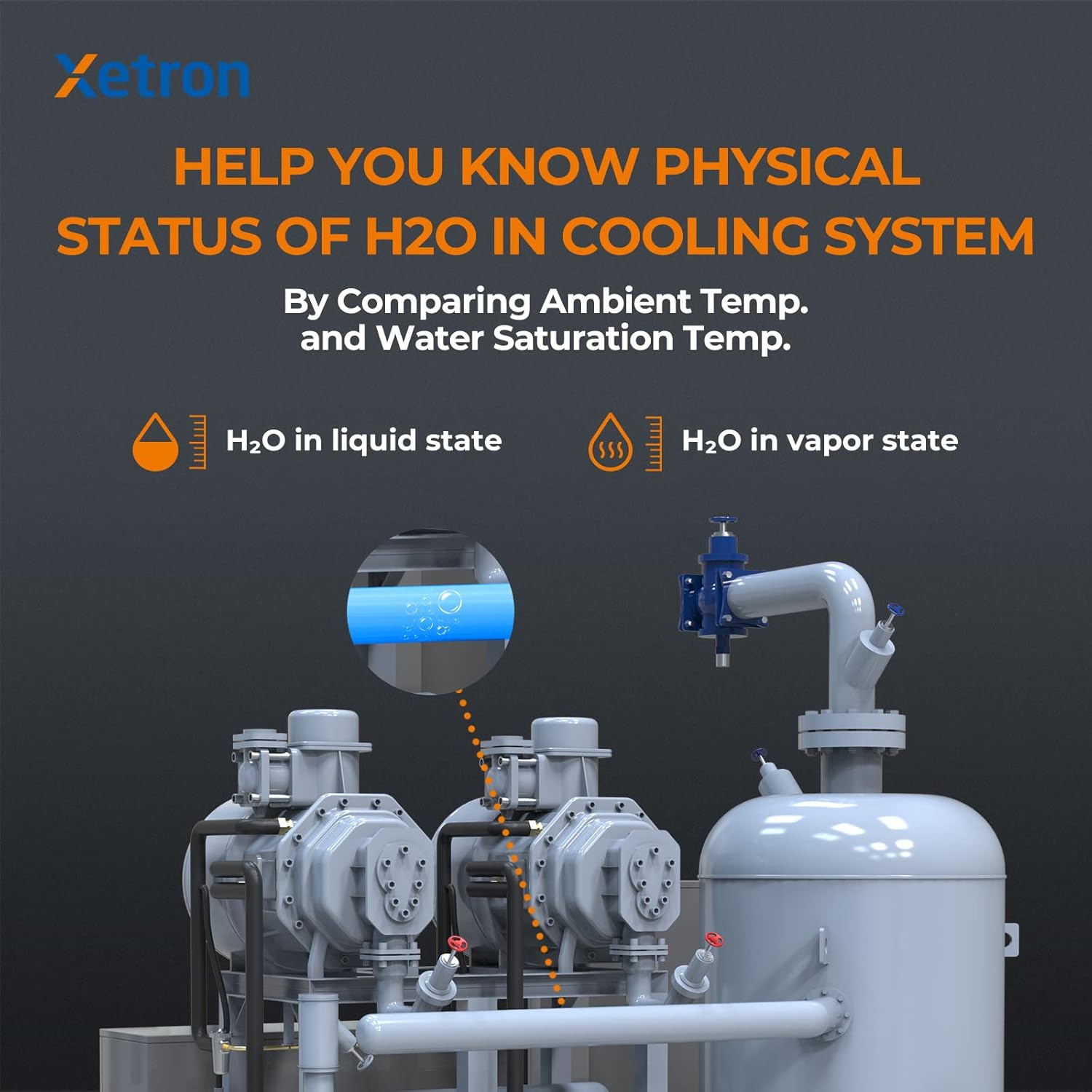
Figure 8.1: H2O Status in Cooling System
By measuring both ambient temperature (Tamb) and the water saturation temperature (TH2O) corresponding to the vacuum level, the gauge can automatically determine if H2O is likely in a liquid or vapor state within the system. This feature is crucial for ensuring thorough dehydration during evacuation processes.
8.2. Compensació de temperatura
The device incorporates an advanced ambient compensating design to maintain accuracy across varying temperature conditions.

Figure 8.2: Temperature Compensation for Accuracy
This feature automatically compensates for temperature fluctuations, ensuring consistent and reliable vacuum measurements without the need for manual adjustments by the user.
9. Manteniment
Proper maintenance ensures the longevity and accuracy of your Xetron VGW-10X.
- Neteja: Wipe the device with a soft, dry cloth. Do not use abrasive cleaners or solvents. Ensure the sensor port is free of debris.
- Protecció del sensor: Always keep the protective cap on the sensor port when the device is not in use to prevent contamination.
- Juntes tòriques: Regularly inspect the O-rings on the fitting for wear or damage. Replace them if necessary to maintain a leak-free connection.
- Cura de la bateria: Recarrega la bateria regularment, fins i tot si el dispositiu no s'utilitza amb freqüència, per mantenir-ne l'estat. Evita descarregar completament la bateria durant períodes prolongats.
- Emmagatzematge: Store the device in its protective bag in a cool, dry place away from direct sunlight and extreme temperatures.
10. Solució De Problemes
Consulteu la taula següent per veure els problemes habituals i les seves possibles solucions.
| Problema | Causa possible | Solució |
|---|---|---|
| El dispositiu no s'encén. | Bateria baixa o mal funcionament del dispositiu. | Charge the device fully. If it still doesn't power on, contact customer support. |
| Inaccurate vacuum readings. | Sensor contamination, leaks in the system, or incorrect unit selection. | Ensure the sensor port is clean. Check all connections for leaks. Verify the correct vacuum unit is selected. |
| La connexió Bluetooth falla. | Bluetooth not enabled, device out of range, or app issue. | Ensure Bluetooth is active on both devices. Move closer to the gauge. Restart the app and the gauge. |
| Vacuum decays rapidly after pump is off. | Leak in the system or gauge connection. | Perform a leak test on the entire system, including all connections to the gauge. Ensure O-rings are intact and fittings are tight. |
| La pantalla està tènue o parpelleja. | Bateria baixa. | Recharge the device battery. |
11. Especificacions
Technical specifications for the Xetron VGW-10X Digital Micron Vacuum Gauge.
| Paràmetre | Valor |
|---|---|
| Fabricant | Xetron |
| Número de model | VGW-10X |
| Referència del producte | XT-VGW-10X-EU |
| Dimensions (L x A x A) | 12.5 x 3.5 x 2.8 cm |
| Pes | 290 grams |
| Material | Metall |
| Interval de mesura de buit | 0 a 19,000 micres |
| Vacuum Resolution | 1 micres |
| Unitats de buit | inHg, Torr, psia, mbar, mTorr, Pa, micron, kPa |
| Mesura de la temperatura | Ambient Temperature (Tamb), Water Saturation Temperature (TH2O) |
| Unitats de temperatura | ° C / ° F |
| Connectivitat | Bluetooth Smart APP |
| Tipus de bateria | Rechargeable Lithium Battery (1 included) |
| Durada de la bateria | Fins a 20 hores (amb una càrrega completa) |
| Encaix | SAE 1/4" |
12. Garantia i Suport
Xetron provides a one-year warranty for the VGW-10X Digital Micron Vacuum Gauge, covering manufacturing defects from the date of purchase. Additionally, we offer lifetime customer support to assist you with any questions or issues you may encounter.
For warranty claims, technical assistance, or any other inquiries, please contact Xetron customer support through the contact information provided on our official website or your purchase platform. Please have your product model number (VGW-10X) and purchase details ready when contacting support.